
1. Introduction
This user manual provides essential information for the proper use and care of your Tailulu D09 Air Purifier 24V Power Cord Replacement. Please read these instructions carefully before use to ensure optimal performance and safety. This power cord is designed to provide reliable power to your compatible air purifier.
2. Compatibility
This 24V power cord is specifically designed for and compatible with the Tailulu D09 Air Purifier. Ensure your device model matches for correct functionality.
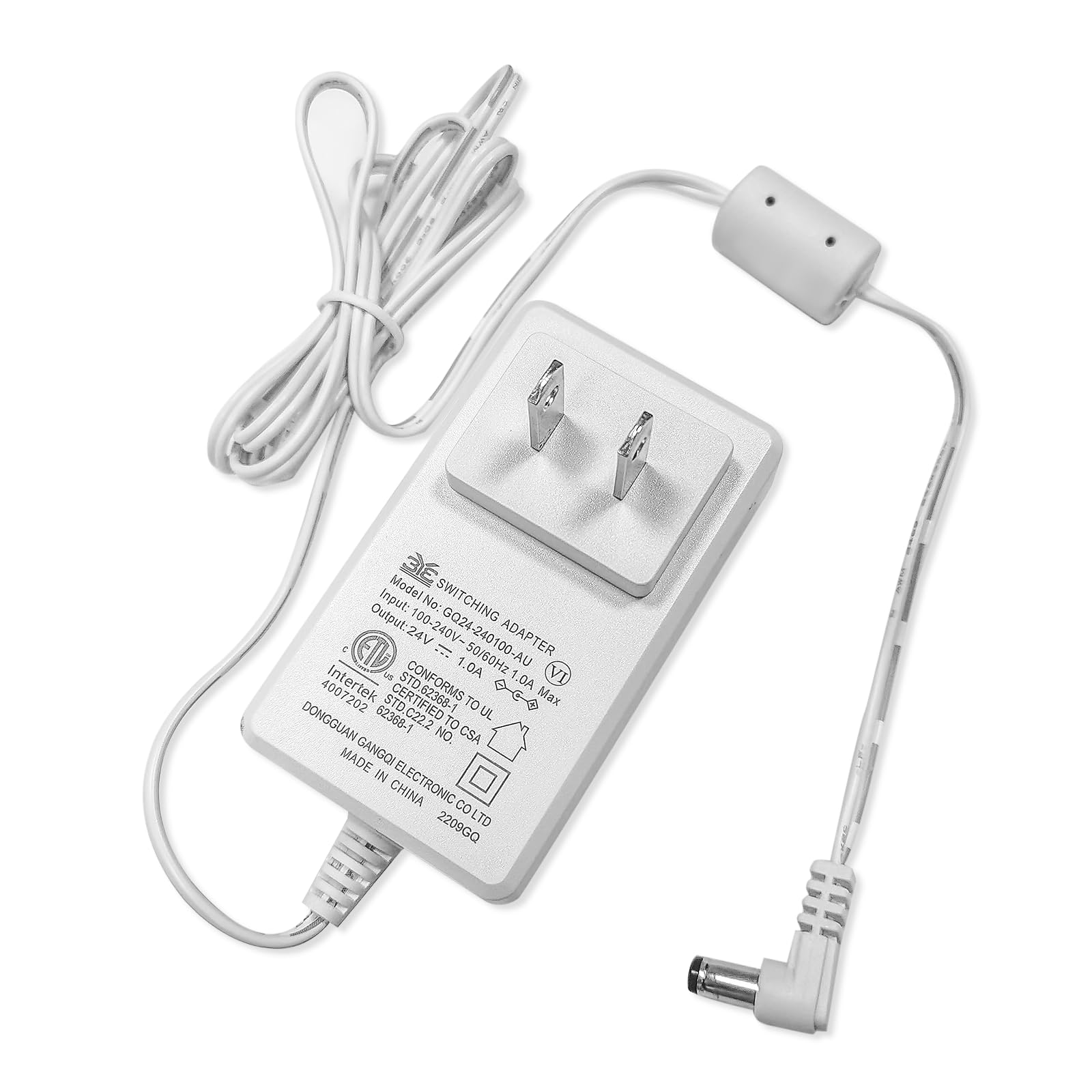
Image: The Tailulu D09 Air Purifier 24V Power Cord shown alongside a compatible Tailulu D09 Air Purifier unit, illustrating the product and its intended use.
3. Specifications
- Model: D09-P1
- Input: 100-240V~50/60Hz 1.0A Max
- Output: 24V 1.0A
- Cable Length: 1.5 meters (4.9 feet)
- Color: White
- Product Dimensions: 1 x 1 x 1 inches (adapter unit)
- Item Weight: 0.13 Kilograms (4.66 ounces)
4. Safety Information
To ensure safe operation and prevent damage, please observe the following:
- Use only with the specified Tailulu D09 Air Purifier.
- Do not expose the power cord to water or excessive moisture.
- Avoid placing the power cord in areas where it can be tripped over or damaged.
- Do not attempt to modify or repair the power cord. Contact customer support if damaged.
- The power cord features Overvoltage Protection (OVP), Overcurrent Protection (OCP), and Short Circuit Protection (SCP) for enhanced safety.
- Ensure the power outlet meets the input specifications (100-240V~50/60Hz).
5. Setup & Installation
- Unpack: Carefully remove the power cord from its packaging.
- Connect to Air Purifier: Locate the power input port on your Tailulu D09 Air Purifier. Insert the DC connector end of the power cord firmly into this port.
- Connect to Power Outlet: Plug the AC adapter end of the power cord into a standard electrical wall outlet.
- Verify Connection: Ensure both connections are secure. The air purifier should now be ready for operation according to its own user manual.
6. Maintenance
- Cleaning: Disconnect the power cord from the outlet and the air purifier before cleaning. Wipe the cord and adapter with a dry, soft cloth. Do not use liquid cleaners.
- Storage: When not in use, store the power cord in a cool, dry place, away from direct sunlight and extreme temperatures. Avoid tightly coiling the cord to prevent damage.
- Inspection: Periodically inspect the power cord for any signs of damage, such as fraying, cuts, or bent pins. If damage is found, discontinue use immediately and replace the cord.
7. Troubleshooting
If your Tailulu D09 Air Purifier is not receiving power after connecting the replacement cord, consider the following:
- No Power:
- Ensure the power cord is securely plugged into both the air purifier and the wall outlet.
- Check if the wall outlet is functional by plugging in another device.
- Verify that the air purifier's power switch (if any) is in the "On" position.
- Loose Connection:
- Gently push the DC connector into the air purifier's port to ensure a firm connection.
- Ensure the AC adapter is fully inserted into the wall outlet.
- Damaged Cord:
- Inspect the entire length of the cord for any visible damage. If damaged, replace the cord immediately.
If issues persist, please contact Tailulu customer support.
8. Warranty & Customer Support
Tailulu provides 24/7 customer support for any questions or concerns regarding your product. If you encounter any issues or require assistance, please do not hesitate to contact us.
For specific warranty details, please refer to the product packaging or contact Tailulu customer service directly.


