
1. Product Overview
This manual provides essential information for the installation, operation, and maintenance of your pgisoxt 052 CRG052 Black Toner Cartridge. This product is designed to deliver consistent, clear, and crisp printing results for compatible Canon imageCLASS and i-SENSYS printers.
Each package includes four (4) 052 Black Toner Cartridges, ensuring a reliable supply for your printing needs.

Image 1.1: Overview of the pgisoxt 052 Black Toner Cartridge 4-pack. The image displays the product box and four individual toner cartridges, highlighting their high capacity and compatibility.
2. Compatible Printer Models
The pgisoxt 052 CRG052 Black Toner Cartridge is compatible with a range of Canon imageCLASS and i-SENSYS printer models. Please verify your printer model against the list below to ensure compatibility.
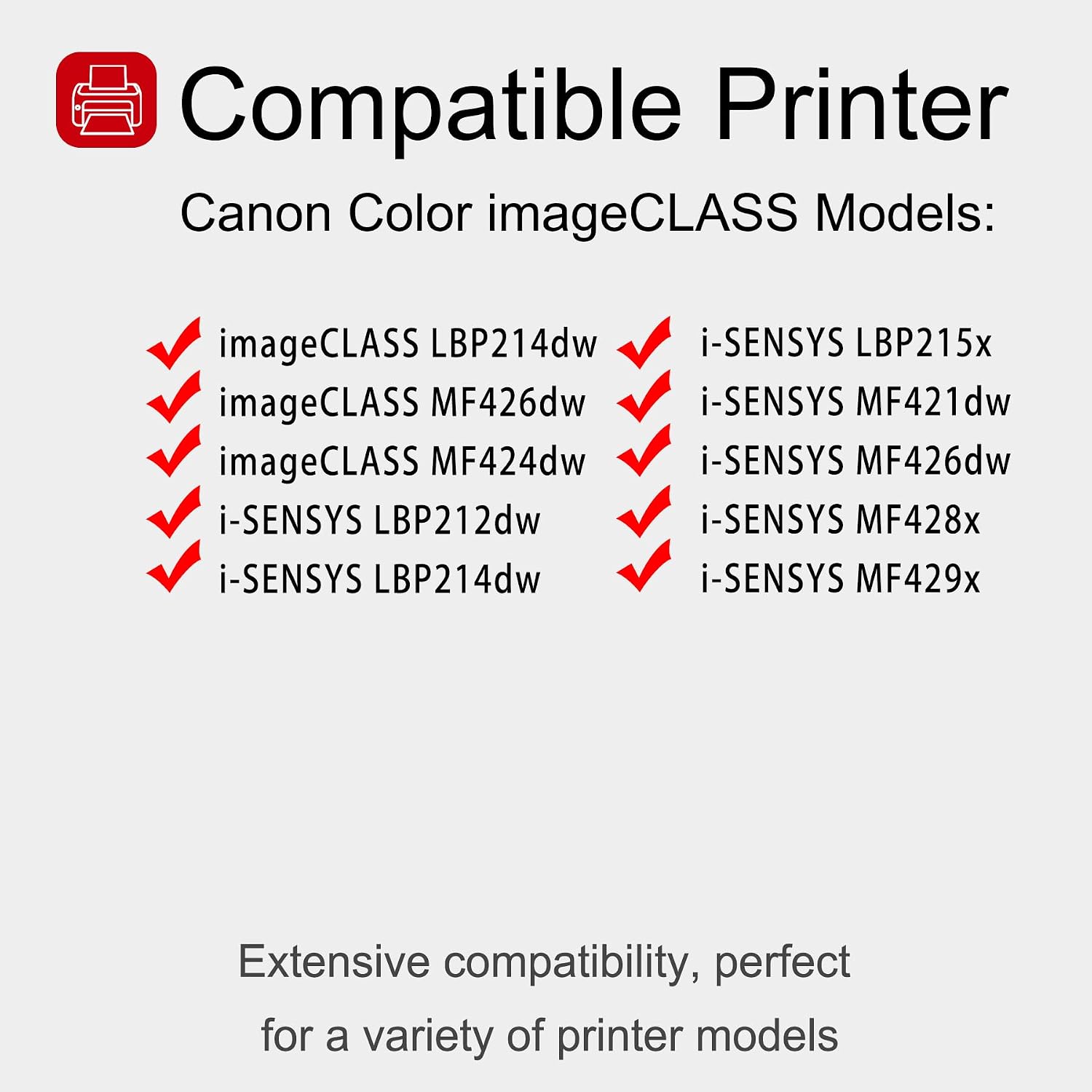
Image 2.1: Compatible Printer Models. This image clearly lists the Canon imageCLASS and i-SENSYS printer models that are compatible with the 052 toner cartridge.
- Canon imageCLASS LBP214dw
- Canon imageCLASS MF426dw
- Canon imageCLASS MF424dw
- Canon i-SENSYS LBP212dw
- Canon i-SENSYS LBP214dw
- Canon i-SENSYS LBP215x
- Canon i-SENSYS MF421dw
- Canon i-SENSYS MF426dw
- Canon i-SENSYS MF428x
- Canon i-SENSYS MF429x
3. Setup and Installation
Follow these steps to properly install the toner cartridge into your printer. Ensure your printer is turned off before beginning the installation process.
- Prepare the Cartridge: Gently shake the toner cartridge from side to side for approximately 5 seconds. This action helps to evenly distribute the toner powder inside the cartridge, ensuring consistent print quality.
- Remove Protective Components: Carefully remove any protective caps, seals, or orange clips from the toner cartridge. Be cautious not to touch the imaging drum or the chip.
- Install into Printer: Open the toner compartment of your printer. Align the cartridge with the guides inside the printer and slide it in until it clicks securely into place.
- Close Compartment: Close the printer's toner compartment door.
- Power On: Turn on your printer. The printer may perform a calibration cycle.
Note: Always refer to your printer's specific user manual for detailed instructions on opening the toner compartment and handling cartridges, as procedures may vary slightly by model.
4. Operating Instructions
Once installed, the toner cartridge is ready for use. The pgisoxt 052 CRG052 toner cartridge is designed for high-volume printing with a significant page yield.
- Page Yield: Each 052 Black Toner Cartridge is rated for approximately 3,500 pages at 5% coverage (Letter-A4). Actual page yield may vary significantly based on content of printed pages and other factors.
- Print Quality: This toner is engineered to produce consistent lines, clear text, and vivid images, ensuring professional-quality documents.

Image 4.1: High Page Yield. This image illustrates the impressive page yield of 3,500 pages per 052 black toner cartridge, based on 5% coverage on Letter-A4 paper.
5. Maintenance and Storage
Proper handling and storage can extend the life of your toner cartridges and maintain print quality.
- Storage Conditions: Store unused toner cartridges in their original sealed packaging in a cool, dry place.
- Environmental Factors: Avoid storing or using cartridges in environments with high temperature, high humidity, or extremely cold conditions, as these can negatively impact toner quality and cartridge performance.
- Handling: When handling cartridges, avoid touching the drum unit or electrical contacts to prevent damage or print quality issues.

Image 5.1: Applicable Scenarios. This image depicts common environments where the toner cartridge can be used, such as offices, schools, and homes, emphasizing its versatility.
6. Troubleshooting
If you encounter issues with your toner cartridge, consider the following common troubleshooting steps:
- Poor Print Quality (Fading, Streaks):
- Gently shake the cartridge horizontally to redistribute toner.
- Check if the cartridge is properly seated in the printer.
- Ensure all protective seals and clips were removed during installation.
- If the cartridge is nearing its page yield limit, replace it.
- Printer Not Recognizing Cartridge:
- Remove the cartridge and reinsert it firmly.
- Clean the electrical contacts on the cartridge and in the printer with a lint-free cloth.
- Ensure the cartridge model is correct for your printer.
- Paper Jams:
- While not directly caused by toner, ensure the cartridge is not obstructing paper path.
- Refer to your printer's manual for paper jam resolution.
For persistent issues, please refer to the "Warranty and Support" section for contact information.
7. Specifications
| Feature | Detail |
|---|---|
| Product Type | Compatible Black Toner Cartridge |
| Model Number | 052 / CRG052 |
| Color | Black |
| Page Yield | Approx. 3,500 pages (at 5% coverage, Letter-A4) |
| Included Components | Toner Cartridge |
| Compatibility Options | Compatible Cartridge |
| Manufacturer | Super-toner |
| UPC | 792138467403 |
8. Warranty and Support
pgisoxt is committed to providing high-quality products and customer satisfaction. From the moment you purchase pgisoxt toner cartridge products, you are eligible for our lifetime service.
If you have any questions, concerns, or require assistance with your product, please do not hesitate to contact us. You can reach our support team at any time via the 'Contact Seller' option on your order page. We are dedicated to providing a satisfactory solution in a timely manner.