
Introduction
Thank you for choosing the ROCKBROS Bike Phone Holder Mount. This product is designed to securely hold your smartphone on your bicycle or motorcycle handlebars, providing easy access to navigation, fitness apps, or communication during your rides. Its robust design ensures stability and protection for your device across various terrains.
Safety Information
- Ensure the phone holder is securely attached to the handlebar before placing your device.
- Verify that your phone is firmly locked into the holder before starting your ride.
- Do not operate your phone while riding. Always pull over to a safe location if you need to interact with your device.
- Regularly check all mounting screws and clamps for tightness to prevent accidental detachment.
- Avoid obstructing your view or control of the vehicle with the phone holder or device.
Package Contents
- ROCKBROS Bike Phone Holder Unit
- Handlebar Clamp (pre-attached or separate, depending on model)
- Silicone Pads (pre-installed or separate)
- User Manual
Setup and Installation
The ROCKBROS Bike Phone Holder Mount is designed for easy, tool-free installation on handlebars or rearview mirrors.
- Choose Mounting Location: Identify a suitable spot on your bicycle or motorcycle handlebar (20-30mm diameter) or rearview mirror for optimal visibility and access.
- Attach Clamp: Open the handlebar clamp by rotating the adjustment knob. Position it around your handlebar or rearview mirror stem. Tighten the knob until the clamp is secure and does not rotate freely.
- Mount Phone Holder: The phone holder unit slides onto the clamp. Ensure it clicks into place securely.
- Adjust Angle: The holder can be rotated 360 degrees horizontally and 30 degrees vertically. Adjust to your preferred viewing angle.

Image: ROCKBROS Bike Phone Holder Mount securely attached to a bicycle handlebar.

Image: Illustration of the two available mount types: handlebar and rearview mirror.
Operating Instructions
The ROCKBROS phone holder features a 1-second quick release and one-handed operation for convenience.
- Inserting Your Phone: Press the central lock button on the holder. The four arms will expand. Place your phone into the holder, ensuring it sits flush against the backplate. The arms will automatically secure your phone.
- Removing Your Phone: To release your phone, pinch the side buttons on the holder. The arms will retract, allowing you to easily remove your device.
- Adjusting Viewing Angle: The holder allows for 360-degree horizontal rotation and 30-degree vertical adjustment. Loosen the adjustment knob on the clamp, position the phone to your desired angle, and then re-tighten the knob to secure it.
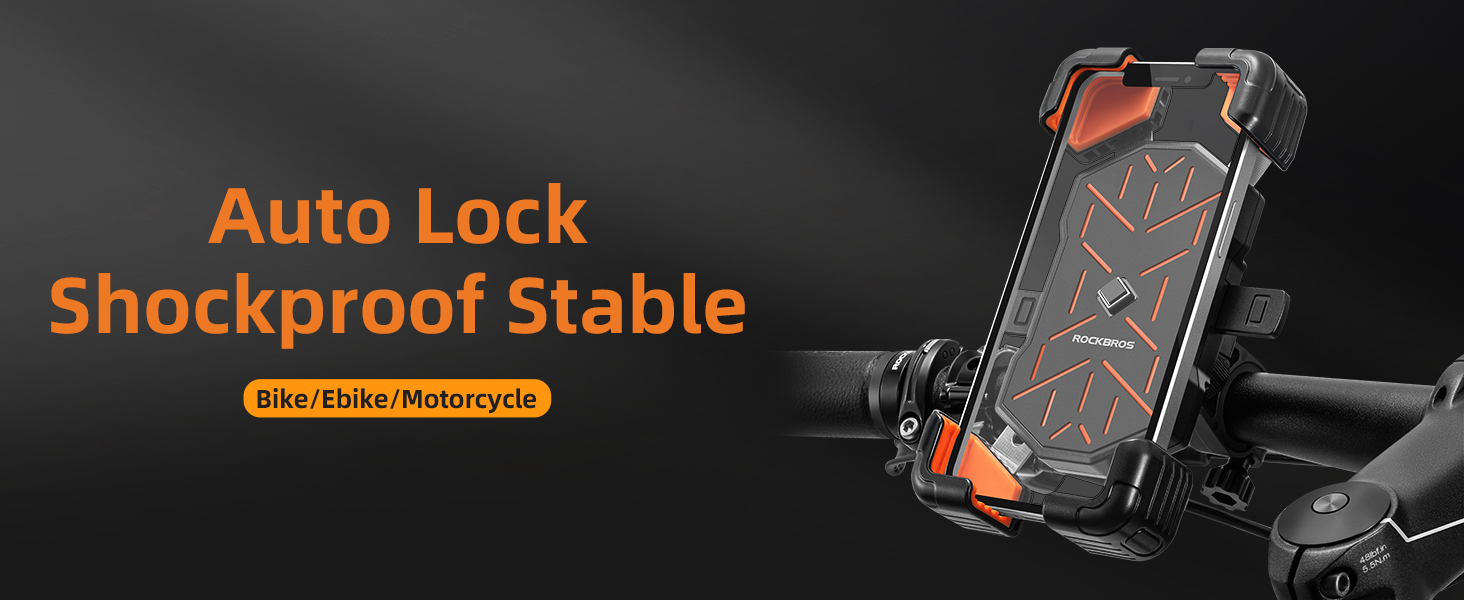
Image: Demonstrating the one-handed operation and quick release feature.
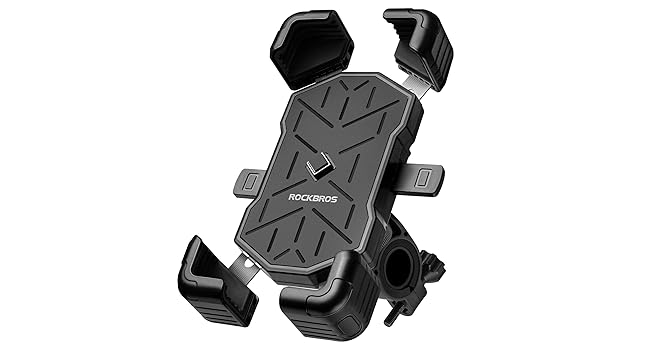
Image: The auto-lock mechanism ensures the phone is shockproof and stable.

Image: The mount offers 360-degree horizontal and 30-degree vertical adjustment for optimal viewing.
Maintenance
- Clean the holder regularly with a damp cloth to remove dust and dirt.
- Avoid using harsh chemicals or abrasive cleaners, as these can damage the materials.
- Inspect the silicone pads for wear and tear. Replace if necessary to maintain optimal grip and protection.
- Periodically check the tightness of the handlebar clamp and all moving parts.
Troubleshooting
- Phone not holding securely: Ensure the central lock button is fully engaged after inserting the phone. Check if the silicone pads are clean and intact. Verify your phone size is within the compatible range (4.5-7.1 inches).
- Mount feels loose on handlebar: Re-tighten the adjustment knob on the handlebar clamp. Ensure the clamp is correctly positioned on a cylindrical part of the handlebar.
- Difficulty with one-handed release: Ensure you are pinching both side buttons simultaneously and firmly.
Specifications
| Feature | Detail |
|---|---|
| Brand | ROCKBROS |
| Model Name | 25210030001/ZSUS |
| Compatible Devices | Smartphones (4.5 to 7.1 inches) |
| Mounting Type | Handlebar / Rearview Mirror |
| Handlebar Diameter (Handlebar Type) | 20-30mm (0.79-1.18 inches) |
| Rotation | 360° Horizontal, 30° Vertical |
| Material | Acrylonitrile Butadiene Styrene, Metal, Polycarbonate |
| Color | Black |
| Weight (Handlebar Mount) | 179g |
| Weight (Rearview Mirror Mount) | 197g |
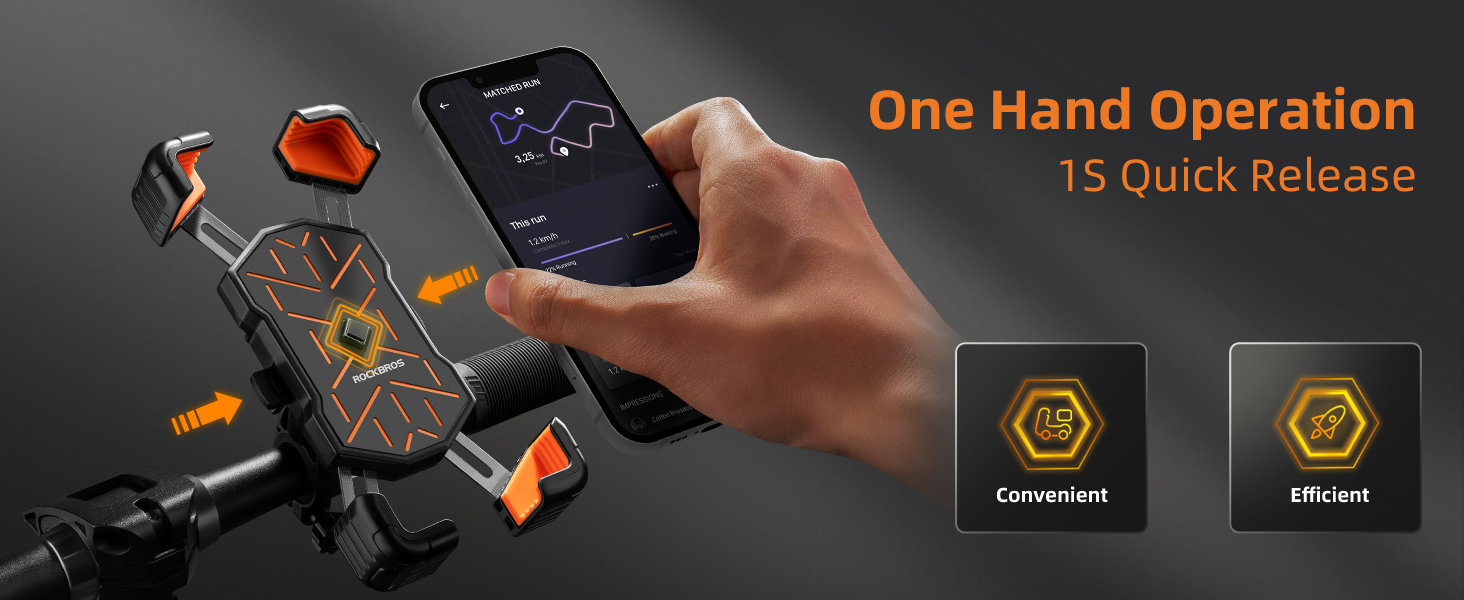
Image: The four-corner grip clamp provides sturdy support for your device.
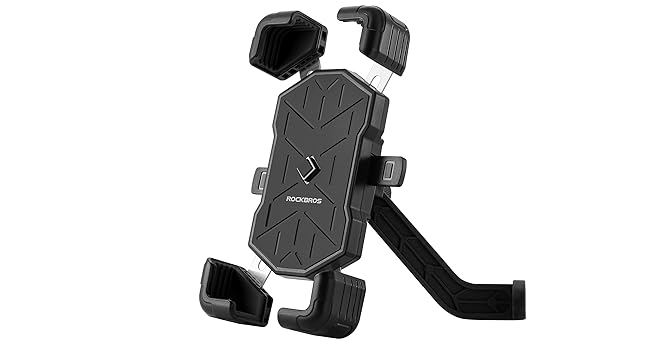
Image: Thickened anti-slip silicone ensures shockproof stability and protects your phone.
Warranty
This ROCKBROS product comes with a 1-year warranty from the date of purchase. Please retain your proof of purchase for warranty claims. The warranty covers manufacturing defects but does not cover damage resulting from misuse, accidents, or unauthorized modifications.
Support
For any questions, technical assistance, or warranty claims, please contact ROCKBROS customer support through the retailer where you purchased the product or visit the official ROCKBROS website for contact information.