Important Safety Information
Please read this manual carefully before assembly and use. Keep these instructions for future reference.
- Assembly: Ensure all parts are present and undamaged before beginning assembly. Do not use power tools for assembly as this may overtighten screws and damage the product.
- Stability: Place the desk on a flat, level surface. Adjust leg pads as necessary to ensure stability. Do not overload the desk; the maximum weight recommendation is 50 pounds.
- Children: Keep small parts away from children during assembly. This desk is designed for adult use but can be used by older children under supervision.
- Maintenance: Regularly check all fasteners to ensure they remain tight.
Package Contents
Verify that all components listed below are included in your package. If any parts are missing or damaged, please contact customer service.
- Desktop Panel (P2 particle wood board)
- Metal Frame Components (legs, support bars)
- Fabric Drawers with Wooden Fronts (2 units)
- Storage Bag (1 unit)
- Iron Hook (1 unit)
- Adjustable Leg Pads
- Assembly Hardware (screws, bolts, Allen wrench, Phillips screwdriver)
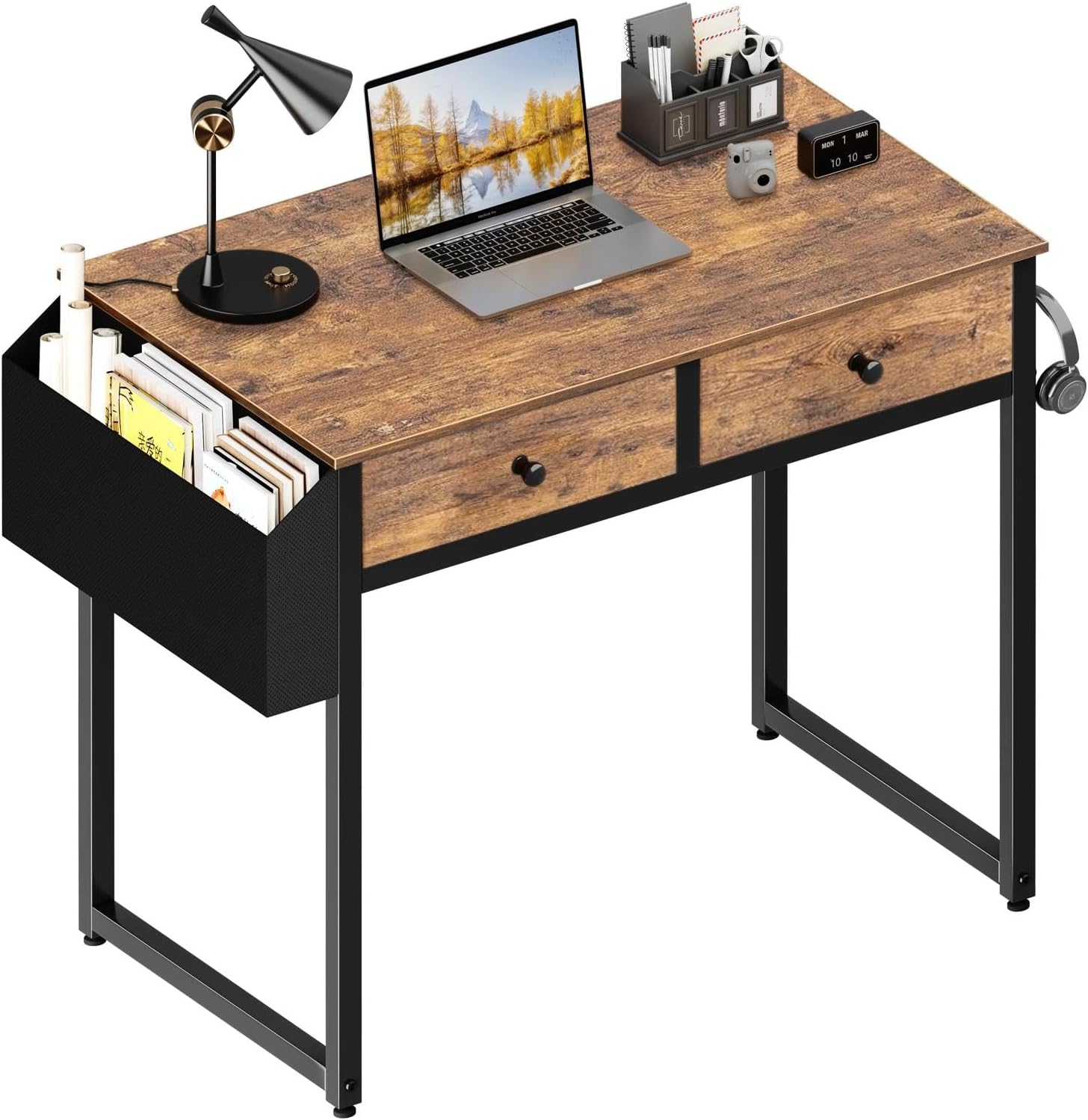
Image: An assembled Lufeiya Small Computer Desk, illustrating the desktop, metal frame, two fabric drawers, and side storage bag.
Setup and Assembly
Assembly typically takes 20-30 minutes. A detailed instruction manual and necessary tools are provided in the package. Follow the steps carefully.
- Unpack and Identify Parts: Lay out all components on a clean, soft surface to prevent scratches. Refer to the included parts list to identify each piece.
- Assemble the Metal Frame: Attach the horizontal support bars to the vertical leg frames using the provided screws and Allen wrench. Ensure all connections are secure but do not overtighten initially.
- Attach the Desktop: Carefully place the desktop panel onto the assembled metal frame. Align the pre-drilled holes and secure the desktop using the provided screws and Phillips screwdriver.
- Install Drawers: Insert the two fabric drawers into their designated slots under the desktop. The wooden fronts should face outwards.
- Attach Storage Bag and Hook: Secure the storage bag to the side of the desk frame using its integrated hooks or fasteners. Attach the iron hook to the desired location on the desk frame.
- Adjust Leg Pads: Screw the adjustable leg pads into the bottom of the desk legs. Adjust them to ensure the desk is level and stable on your floor.
- Final Tightening: Once the desk is fully assembled and stable, go back and gently tighten all screws and bolts to ensure maximum stability.
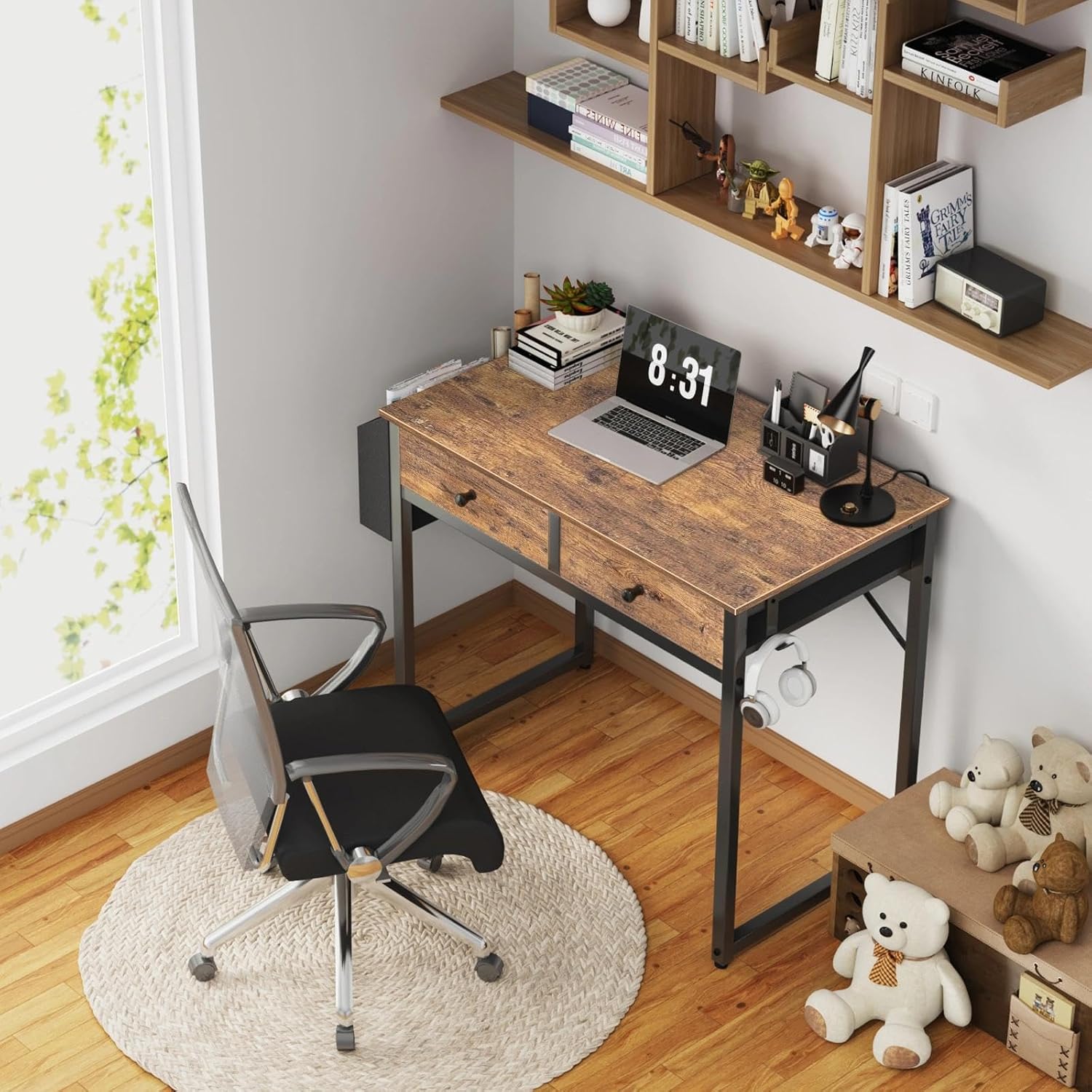
Image: The Lufeiya desk positioned in a room, demonstrating its compact design suitable for small spaces.
Operating Instructions
The Lufeiya Small Computer Desk is designed for versatile use in various settings.
Desktop Usage
The P2 particle wood board desktop provides a scratch-resistant, anti-collision, and waterproof surface. It is suitable for placing laptops, monitors, writing materials, and other office or study essentials. Avoid placing excessively hot items directly on the surface without protection.
Fabric Drawers
The two fabric drawers with wooden fronts offer convenient storage for light items such as stationery, documents, small electronics, or personal accessories. To open, gently pull the knob. To close, push the drawer back into the slot. Avoid overloading the drawers to ensure smooth operation and longevity.

Image: A detailed view of the desk's fabric drawers, illustrating their capacity for organizing various small items.
Side Storage Bag
The removable side storage bag provides additional space for books, magazines, notebooks, or other items you wish to keep within easy reach. It can be detached if not needed, offering more desktop space.

Image: The desk's side storage bag, demonstrating its capacity for holding books and other items, and its removable feature.
Iron Hook
Utilize the integrated iron hook to hang headphones, bags, or other accessories, keeping your workspace tidy and organized.

Image: A close-up of the desk's iron hook, shown with a pair of headphones hanging, highlighting its utility.
Maintenance and Care
- Cleaning: Wipe the desktop and metal frame with a soft, damp cloth. Avoid using harsh chemicals or abrasive cleaners, which can damage the finish.
- Spills: In case of spills, wipe them immediately to prevent staining or water damage, especially on the fabric drawers.
- Fasteners: Periodically check all screws and bolts to ensure they are tight. Retighten if necessary to maintain the desk's structural integrity.
- Drawer Care: The fabric drawers can be spot cleaned with a mild detergent and water. Allow them to air dry completely before reinserting.
Troubleshooting
- Issue: Desk is wobbly or unstable.
- Solution: Ensure the desk is on a flat surface. Adjust the adjustable leg pads at the bottom of each leg until the desk is level and stable. Check all assembly screws and bolts and tighten them if loose.
- Issue: Parts are missing or damaged upon arrival.
- Solution: Do not proceed with assembly. Contact Lufeiya customer service immediately for assistance and replacement parts. Refer to the "Warranty and Support" section for contact information.
- Issue: Drawers do not slide smoothly.
- Solution: Ensure the drawers are not overloaded. Check for any obstructions in the drawer slots. Verify that the desk frame was assembled correctly and is not warped.
Specifications
| Feature | Detail |
|---|---|
| Model Number | LFY-PD2-Brown-31 |
| Product Dimensions | 31.5" W x 15.7" D x 31.1" H |
| Color | Rustic Brown |
| Material | P2 Particle Wood Board (Desktop), Metal (Frame), Fabric (Drawers) |
| Item Weight | 16.3 Pounds |
| Maximum Weight Recommendation | 50 Pounds |
| Number of Drawers | 2 |
| Special Features | Storage bag, Iron hook, Adjustable leg pads |

Image: A diagram illustrating the key dimensions of the Lufeiya desk and its components.
Warranty and Support
Lufeiya provides professional customer service. If you encounter any quality problems with your desk, a fast and easy replacement is guaranteed. Please feel free to contact us for assistance.
For support, please visit the Lufeiya Store on Amazon or contact customer service through your purchase platform.


