
Canal Toys GAB005
Canal Toys Gabby's Dollhouse Instant Print Camera GAB005 User Manual
Model: GAB005
Introduction
Thank you for choosing the Canal Toys Gabby's Dollhouse Instant Print Camera. This digital camera is designed for children aged 4 and up, offering instant photo printing without ink, dual lenses for photos and selfies, and creative customization options. Please read this manual carefully before use to ensure proper operation and safety.
Important Safety Information
- WARNING! Not suitable for children under 36 months. Contains small parts. Choking hazard. Recommended age: 4+.
- Improper use of the power supply can cause electric shock. Use under adult supervision.
- Read the instructions before first use.
- Remove all non-essential elements for play (e.g., plastic fasteners) before giving the toy to a child.
- WARNING! Presence of functional sharp edges and dangerous pointed functional edges.
- This toy contains rechargeable batteries that are not replaceable.
- Rechargeable batteries must only be charged under adult supervision.
- Do not dispose of the product with household chemical waste. Please use local recycling collection points.
- Colors and details of the content may vary.
- Retain this information for future reference.
Package Contents
Ensure all items listed below are present in your package:
- 1 x Instant Print Camera
- 1 x USB Charging Cable
- 1 x Wrist Strap
- 4 x Thermal Paper Rolls (BPA-free)
- 4 x Markers
- 1 x Sticker Sheet
- 1 x Instruction Manual


Setup
1. Charging the Camera
Before first use, fully charge the camera's built-in rechargeable battery. This must be done under adult supervision.
- Connect the included USB charging cable to the camera's charging port.
- Connect the other end of the USB cable to a compatible USB power source (e.g., computer, laptop, tablet, or USB wall adapter - not included).
- The charging indicator light will show the charging status. Once fully charged, disconnect the cable.
2. Loading Thermal Paper
The camera uses thermal paper for instant, ink-free printing. Four rolls are included.
- Locate the paper compartment on the camera.
- Open the compartment cover.
- Insert a thermal paper roll, ensuring the paper feeds correctly into the printing mechanism.
- Close the compartment cover securely.

3. Inserting a Micro-SD Card (Optional)
A Micro-SD card (not included) is required to record videos and save photos for later viewing or transfer.
- Locate the Micro-SD card slot on the camera.
- Carefully insert a Micro-SD card (up to 32GB recommended) into the slot until it clicks into place.
- To remove, gently push the card until it springs out.
Operating Instructions
1. Power On/Off
- To power on: Press and hold the Power button until the screen lights up.
- To power off: Press and hold the Power button until the screen turns off.
2. Taking Photos
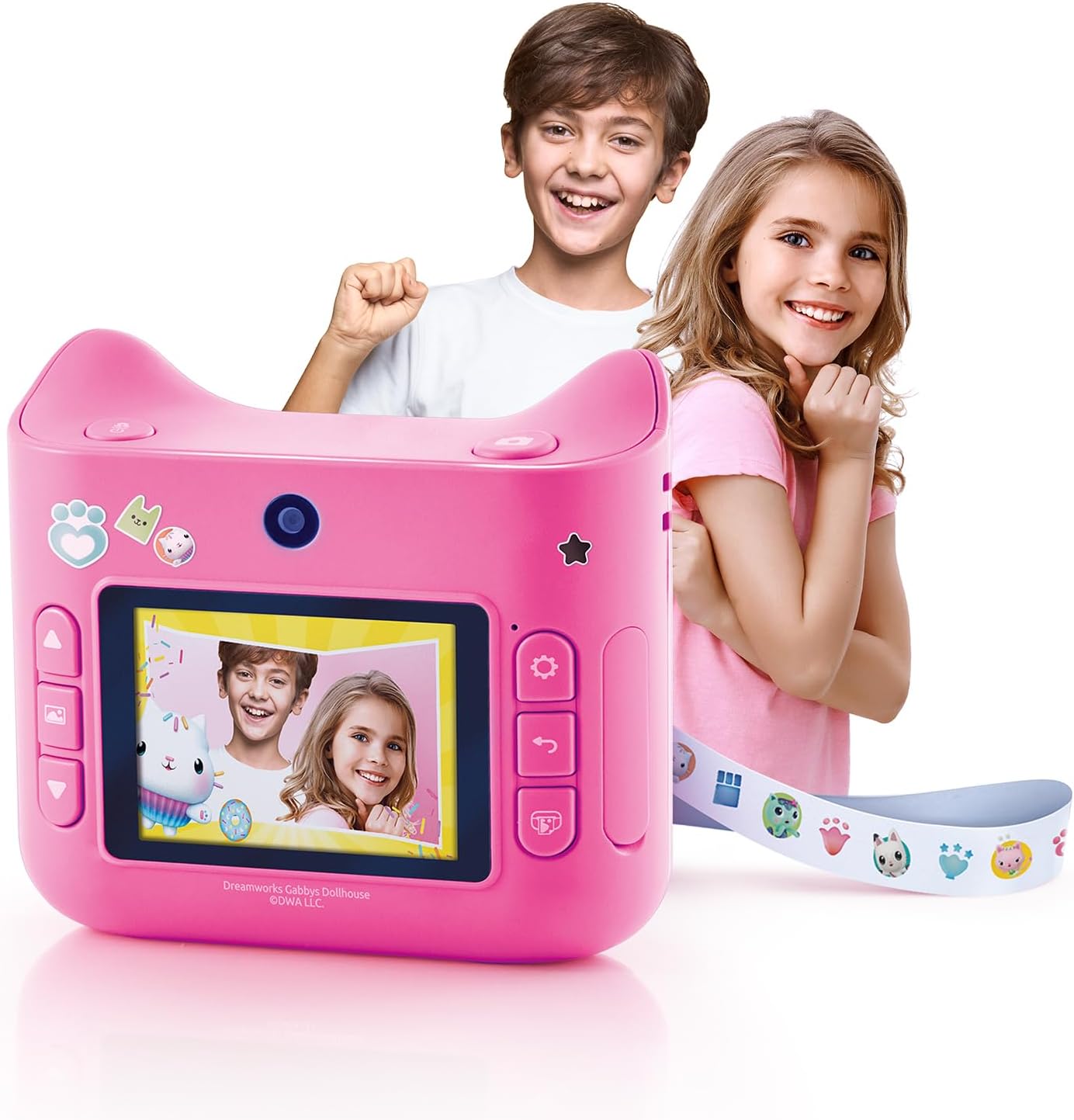
The camera features dual lenses for front-facing photos and selfies.
- Select the desired lens (front or rear) using the lens switch or menu option.
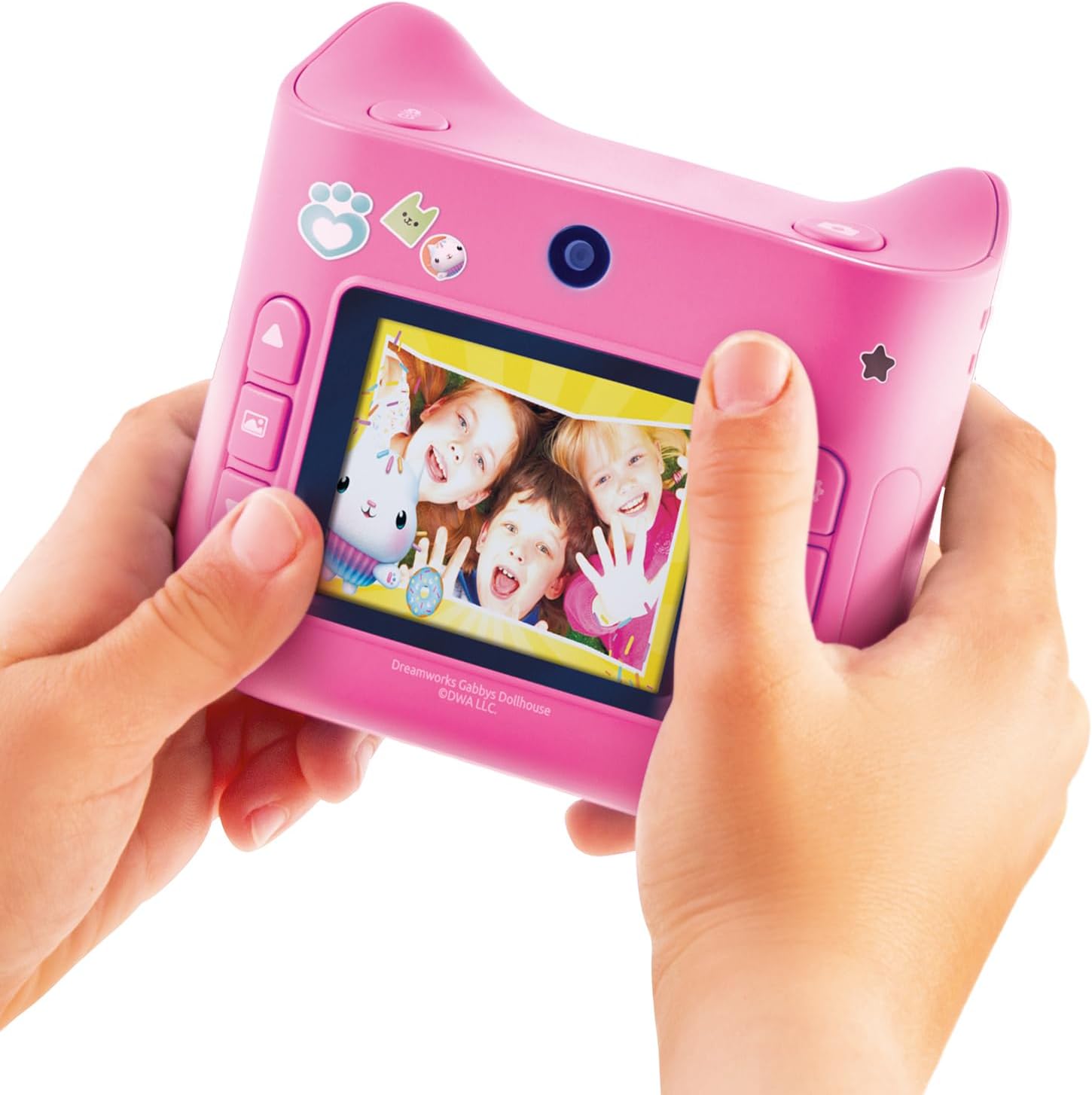
- Frame your shot using the 2-inch color LCD screen.
- Press the Shutter button to take a photo.
3. Applying Filters and Frames
Enhance your photos with 5 filters and 22 exclusive Gabby's Dollhouse frames.
- Navigate through the camera's menu using the directional buttons.
- Select the 'Filters' or 'Frames' option.
- Choose your desired filter or frame and apply it before or after taking a photo (depending on camera mode).

4. Instant Printing
Print your photos instantly in black and white using the thermal printing technology.
- After taking a photo, or while viewing a saved photo, press the Print button.
- The photo will print immediately from the paper slot. No ink or drying time is required.
5. Recording Videos (Micro-SD card required)
If a Micro-SD card is inserted, you can record videos.
- Switch to video mode via the camera's menu.
- Press the Shutter button to start recording.
- Press the Shutter button again to stop recording.
6. Customizing Printed Photos
Use the included markers and stickers to personalize your printed photos.


Maintenance
1. Cleaning the Camera
- Wipe the camera's exterior with a soft, dry cloth.
- Do not use liquid cleaners or solvents, as they may damage the device.
- Keep the lens clean and free from dust or fingerprints for optimal photo quality.
2. Replacing Thermal Paper
When the paper roll is depleted, replace it with a new thermal paper roll (BPA-free).
- Open the paper compartment cover.
- Remove the empty roll.
- Insert a new roll, ensuring the paper feeds correctly.
- Close the compartment cover.
3. Battery Care
- Charge the camera regularly to maintain battery health.
- Avoid fully discharging the battery frequently.
- Store the camera in a cool, dry place when not in use for extended periods.
Troubleshooting
| Problem | Possible Cause | Solution |
|---|---|---|
| Camera does not turn on. | Battery is low or depleted. | Charge the camera using the USB cable. |
| Photos are not printing. | No thermal paper loaded or paper is jammed. | Check and reload thermal paper. Ensure no obstructions in the paper path. |
| Poor print quality. | Low battery, dirty print head, or old paper. | Ensure camera is charged. Gently clean the print head (refer to maintenance). Try a new roll of thermal paper. |
| Cannot record videos. | No Micro-SD card inserted or card is full/corrupted. | Insert a compatible Micro-SD card. Format the card if necessary (this will erase all data). |
| Camera freezes or becomes unresponsive. | Software glitch or temporary error. | Press and hold the Power button to force a shutdown, then restart the camera. |
Specifications
| Feature | Detail |
|---|---|
| Brand | Canal Toys |
| Model | GAB005 |
| Product Type | Instant Print Digital Camera |
| Color | Pink |
| Screen | 2.4 inch LCD Color Screen |
| Camera Lens | Dual lens (front and rear) |
| Photo Resolution | 12 Megapixels |
| Print Quality | 200 Dpi |
| Printing Technology | Thermal (ink-free) |
| Filters & Frames | 5 filters, 22 Gabby's Dollhouse frames |
| Video Resolution | 480p |
| Storage Support | Micro-SD card (not included) |
| Connectivity | USB |
| Battery Type | Lithium-ion (rechargeable, non-replaceable) |
| Product Dimensions (L x W x H) | 10 x 4 x 9.2 cm (approx. 3.9 x 1.6 x 3.6 inches) |
| Item Weight | 372 Grams (approx. 0.82 lbs) |
| Recommended Age | 4+ years |

Warranty and Support
For any questions, concerns, or support regarding your Canal Toys product, please contact our customer service.
- France Customer Service:
- Canal Toys, 18, Rue Curnonsky, 75017 Paris, France
- Email: SAV@canaltoys.fr
Please retain your purchase receipt as proof of purchase for any warranty claims.