
Introduction
This manual provides essential instructions for the safe and efficient operation, installation, and maintenance of your LG F4WR6010A1W Smart Washing Machine. Please read this manual thoroughly before using your appliance and keep it for future reference.
Important Safety Information
Always follow basic safety precautions to reduce the risk of fire, electric shock, or injury to persons when using this appliance.
- Ensure the appliance is properly grounded.
- Do not allow children to play on or in the appliance.
- Keep flammable materials away from the appliance.
- Unplug the appliance before cleaning or performing any maintenance.
- Do not operate the appliance if it is damaged. Contact customer service.
Setup and Installation
1. Unpacking
Carefully remove all packaging materials, including the shipping bolts from the rear of the machine. The power cable is included in the packaging. Retain packaging for potential future transport.
2. Placement
Place the washing machine on a firm, level surface. Ensure there is adequate space around the unit for ventilation and access. The dimensions of the product are approximately 56.5 cm (depth) x 60 cm (width) x 85 cm (height), and it weighs 74 kg.
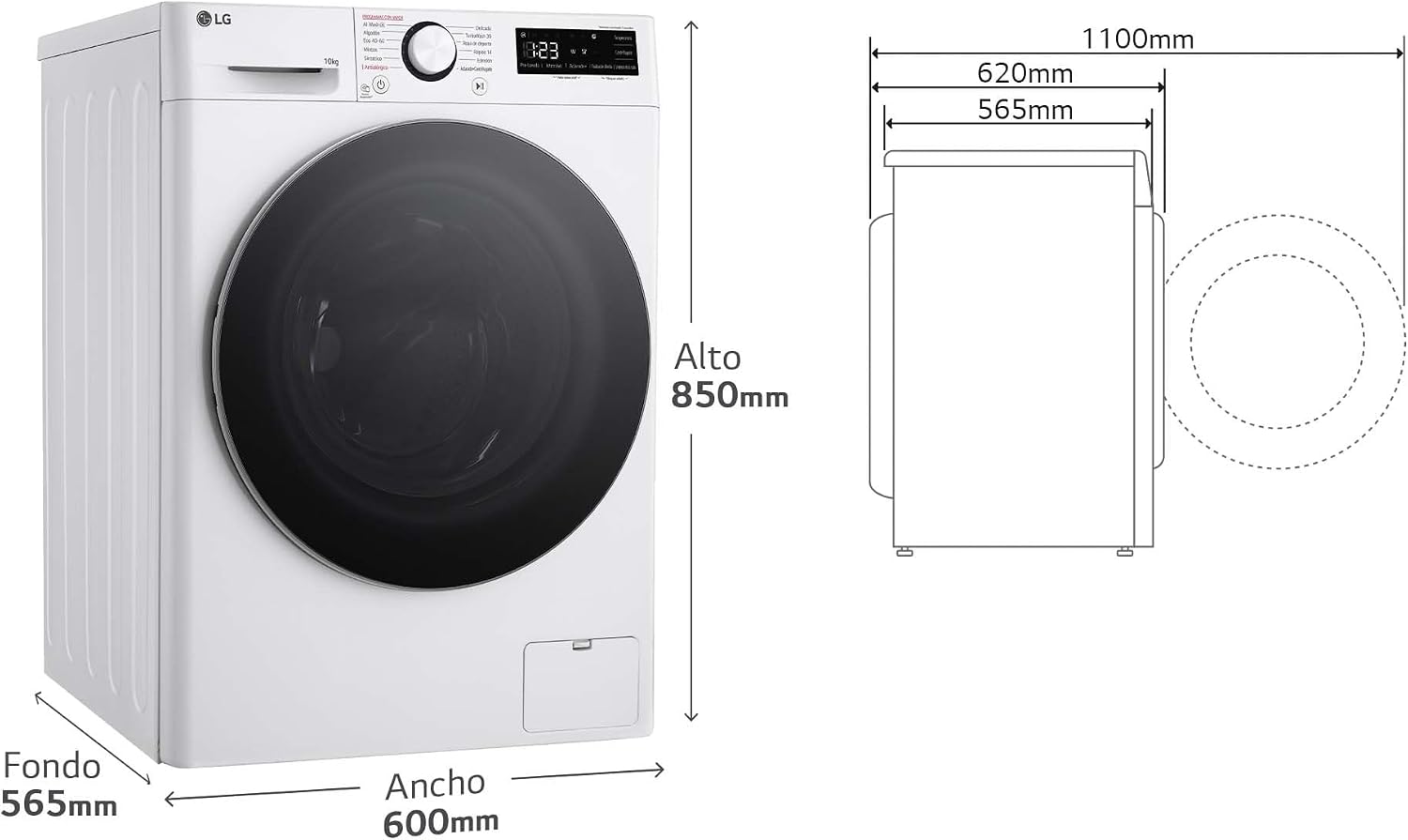
Image: Dimensions of the LG F4WR6010A1W washing machine. The diagram indicates a depth of 565mm, a width of 600mm, and a height of 850mm.
3. Leveling
Use a spirit level to ensure the machine is perfectly level. Adjust the leveling feet at the bottom of the machine as needed. Proper leveling prevents excessive vibration and noise during operation.
4. Water Connection
Connect the water inlet hoses to the hot and cold water taps and to the corresponding inlets on the back of the washing machine. Ensure all connections are tight to prevent leaks. Connect the drain hose to a suitable drain pipe, ensuring it is securely fastened and positioned correctly to avoid backflow.
5. Power Connection
Plug the power cable into a grounded electrical outlet. Do not use extension cords or adapters.
Operating Instructions
1. Control Panel Overview
The washing machine features a user-friendly control panel with a rotary dial for program selection and push-button controls for additional options. The display shows cycle time and status.

Image: Detailed view of the control panel, highlighting the program selection dial and digital display.
2. Loading Laundry
Open the front-loading door and load laundry into the drum. Do not overload the machine; the maximum capacity is 10 kg. For best results, ensure items are distributed evenly.

Image: The washing machine with its door open, showing the interior of the drum ready for loading.
3. Adding Detergent and Softener
Pull out the detergent dispenser drawer. Add appropriate amounts of detergent to the main wash compartment and fabric softener to the softener compartment. Refer to detergent packaging for recommended dosages.

Image: The detergent dispenser drawer, illustrating where to add detergent and softener.
4. Selecting a Program
Turn the program dial to select the desired wash cycle. Available cycle options include Wool, Prewash, Rinse, and Silk. The machine also features advanced programs:
- AI Direct Drive: This intelligent system detects fabric characteristics and load weight, optimizing wash movements to reduce fabric wear by up to 10%.
- TurboWash 360: Provides a fast wash cycle, completing a full load in 39 minutes while saving up to 28% electricity. Four water sprays cover the drum 360 degrees for thorough cleaning.
- Steam: Utilizes steam to reduce 99.9% of viruses, bacteria, allergens, and dust mites, ensuring maximum hygiene and care for your clothes. It also helps reduce wrinkles.
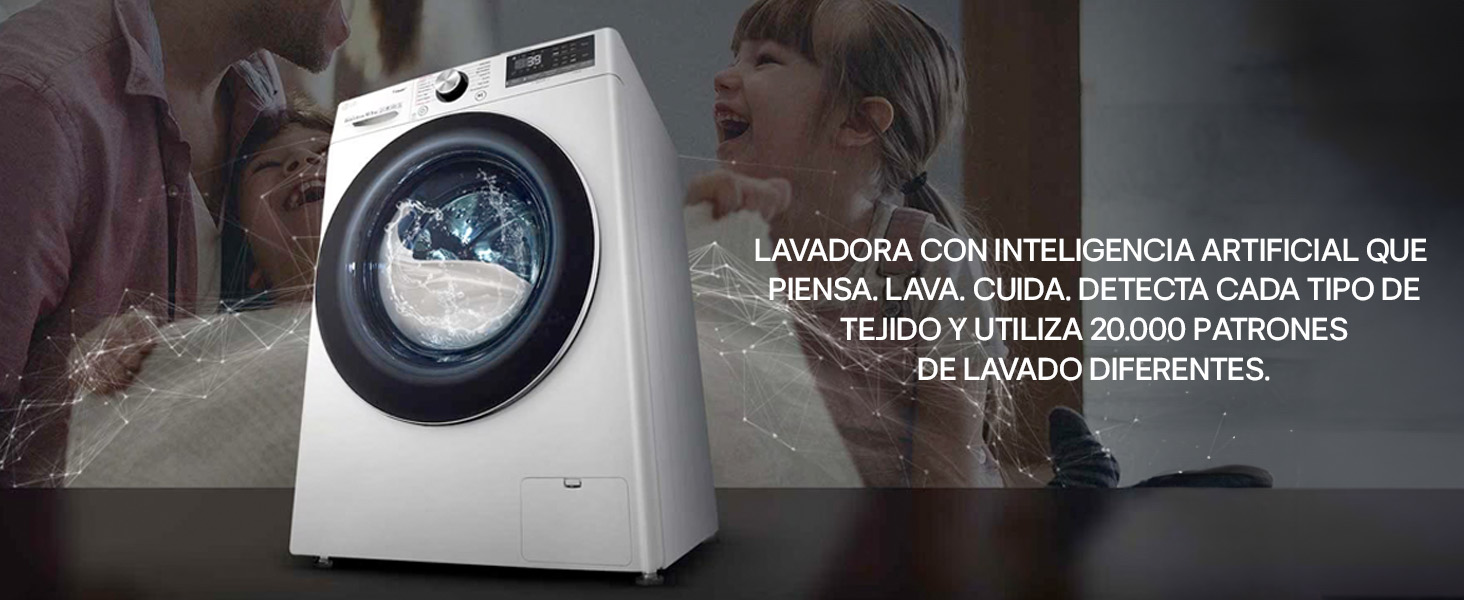
Image: AI Direct Drive technology graphic, demonstrating how the washing machine intelligently detects fabric type and load.

Image: TurboWash 360 technology graphic, highlighting the 39-minute quick wash feature.
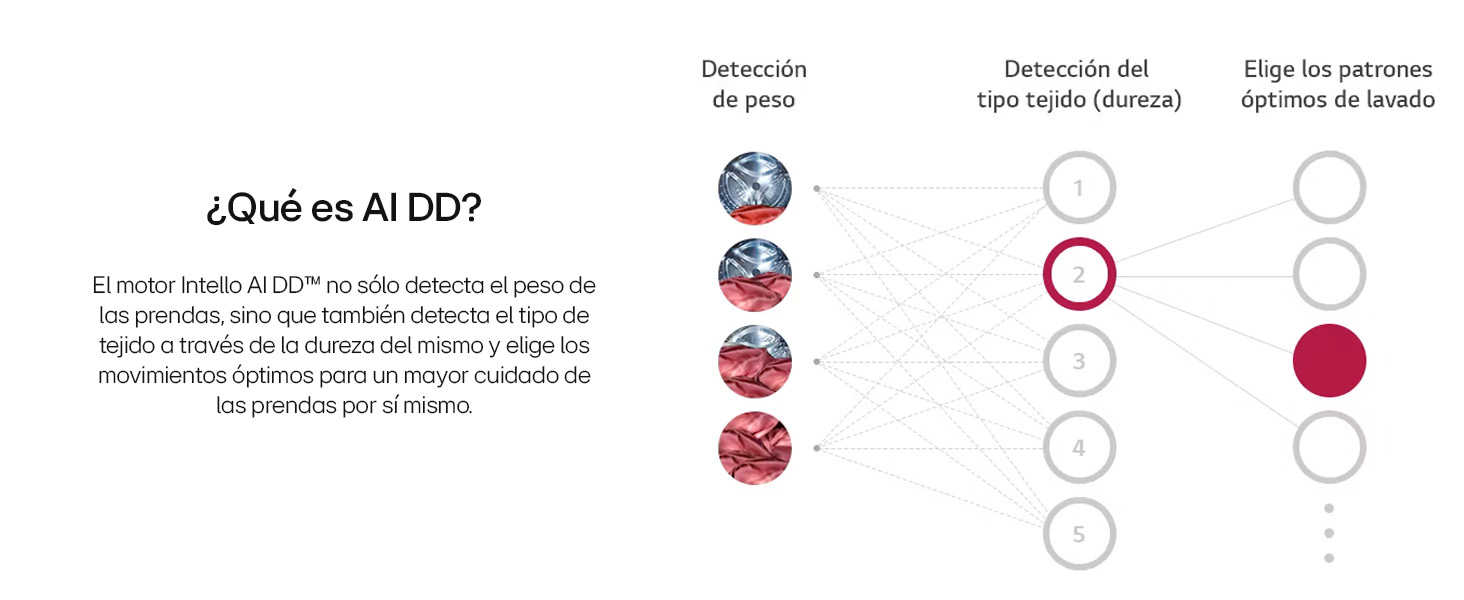
Image: Steam+ wash graphic, demonstrating its effectiveness in eliminating allergens and bacteria.
5. Starting a Cycle
Press the Start/Pause button to begin the selected wash cycle. The machine will automatically proceed through the wash, rinse, and spin phases.
Maintenance
Regular maintenance ensures optimal performance and longevity of your washing machine.
1. Cleaning the Detergent Dispenser
Periodically remove and clean the detergent dispenser drawer to prevent residue buildup. Rinse it under running water and dry thoroughly before reinserting.
2. Cleaning the Drum
The machine features stainless steel lifters, which offer superior hygiene and durability compared to plastic. Run a 'Tub Clean' cycle regularly to keep the drum fresh and free of odors. The stainless steel drum and lifters are 99% anti-bacterial.

Image: Interior of the stainless steel drum, showcasing the durable and hygienic lifters.
3. Cleaning the Drain Filter
Locate the drain pump filter at the bottom front of the machine. Open the cover and carefully remove the filter. Clean any lint or debris and rinse under water. Reinsert and close the cover securely.
4. Exterior Cleaning
Wipe the exterior of the machine with a soft, damp cloth. Avoid abrasive cleaners. The tempered glass door is scratch-resistant for lasting appearance.
Troubleshooting
If you encounter issues with your washing machine, refer to the following common problems and solutions:
- Machine not starting: Check if the power cord is securely plugged in and the door is fully closed.
- Excessive vibration/noise: Ensure the machine is properly leveled and shipping bolts have been removed.
- Water leakage: Check all hose connections for tightness.
- Poor washing results: Ensure correct detergent dosage and appropriate program selection for the load.
Smart Diagnosis System
Your LG washing machine is equipped with a Smart Diagnosis system. If you experience a problem, you can use your smartphone to transmit the issue directly to technical service, saving time and money on service calls.

Image: Smart Diagnosis system in action, illustrating how a mobile device can communicate with the washing machine for troubleshooting.
Specifications
| Feature | Specification |
|---|---|
| Model Number | F4WR6010A1W |
| Brand | LG |
| Capacity | 10 Kilograms |
| Maximum Spin Speed | 1400 rpm |
| Energy Efficiency Class | A |
| Dimensions (D x W x H) | 56.5 x 60 x 85 cm |
| Product Weight | 74 Kilograms |
| Access Type | Front Load |
| Color | White |
| Material | Steel (Drum) |
| Control Type | Push Button, Rotary Dial |
| Special Features | AI Direct Drive, TurboWash 360, Steam, Built-in Heater |
| Cycle Options | Wool, Prewash, Rinse, Silk, Delicates, AI Wash, Cotton, Eco 40-60, Mixed, Synthetics, Anti-Allergy |
Warranty Information
LG offers a lifetime warranty on the motor for this washing machine. This warranty covers the cost of the part for 30 years (3 years legal warranty and 27 years commercial warranty) for purchases made between November 1, 2024, and December 31, 2025. Additional costs (e.g., labor) are the responsibility of the customer. This coverage exceeds the average lifespan of the product (11 years, according to an independent study).

Image: Front view of the LG washing machine, highlighting the lifetime motor warranty.
For more detailed warranty information, please refer to the official LG website or your purchase documentation.
Customer Support
For technical assistance, service requests, or further inquiries, please contact LG Customer Service. You can find contact details on the official LG website or in your product documentation.
Online Resources: Visit the official LG website for FAQs, troubleshooting guides, and software updates.