
Introduction
The MAMNV BR151 Robot Vacuum and Mop Combo is an intelligent 2-in-1 cleaning device designed to simplify floor maintenance. It combines powerful vacuuming with an efficient mopping system, making it suitable for various hard floor types and low-pile carpets. Featuring smart app and voice control, intelligent obstacle avoidance, and multiple cleaning modes, this robotic cleaner offers a convenient and effective solution for daily household cleaning.
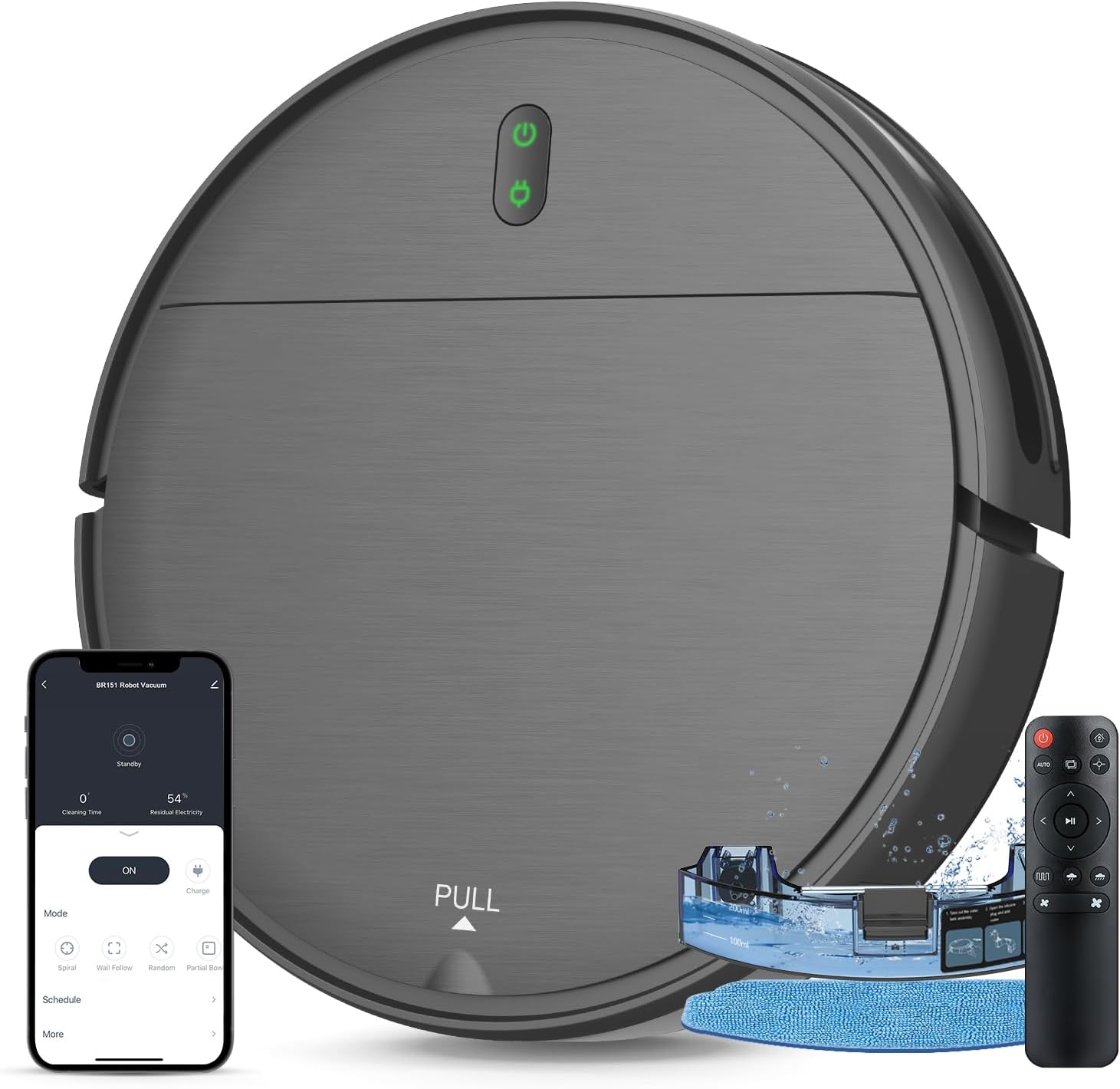
Image: The MAMNV BR151 Robot Vacuum and Mop Combo, showcasing its sleek design, accompanying remote control, and the mobile application interface for smart control.
Setup
1. Unboxing and Components
Carefully remove all components from the packaging. Ensure all items listed below are present:
- BR151 Robotic Vacuum Cleaner
- Remote Control (2 AAA batteries included)
- Charging Dock
- Power Adapter
- 230mL Water Tank (with washable mopping cloth)
- 220mL Dustbin (with high efficiency filter)
- 2 Side Brushes
- User Manual
- FQA (Frequently Asked Questions)
- Networking Guide
2. Charging Dock Placement
Place the charging dock on a hard, level surface against a wall. Ensure there is at least 1 meter (3 feet) of clear space to the front and 0.5 meters (1.5 feet) to each side of the charging dock to allow the robot to easily return for charging. Connect the power adapter to the charging dock and plug it into a wall outlet.
3. Initial Charge
Before first use, fully charge the robot vacuum. Place the robot onto the charging dock, ensuring the charging contacts align. The indicator light on the robot will show charging status. A full charge typically takes several hours.
4. App and Voice Control Setup
Download the Tuya Smart App from your mobile device's app store. Follow the instructions in the included Networking Guide to connect your robot vacuum to the app. Note: The app only supports 2.4GHz WiFi networks. Once connected, you can control the robot, schedule cleanings, and monitor its status. The robot is also compatible with Google Assistant for voice commands.
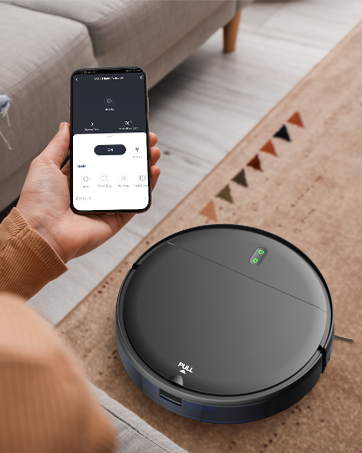
Image: A user interacting with the mobile application on a smartphone to control the robot vacuum, demonstrating the smart control feature.
Operating Instructions
1. Cleaning Modes
The BR151 offers four high-efficiency cleaning modes, selectable via the remote control or the Tuya Smart App:
- Auto Cleaning: The robot intelligently navigates to clean the entire area.
- Spot Cleaning: Focuses on a specific dirty area, cleaning in a spiral pattern.
- Edge Cleaning: Cleans along walls and furniture edges.
- Zig-zag Cleaning: Follows a systematic Z-shaped path for high coverage and efficiency, reducing missed spots.
2. Mopping Function
To use the mopping function, fill the 230ml electronic water tank with clean water and attach the washable mopping cloth. Insert the water tank into the robot. You can set two different water flow levels via the app for specific cleaning needs, ensuring even penetration for effective mopping on hard floors.
3. Obstacle Avoidance and Navigation
Equipped with an infrared sensor, the robot intelligently identifies and slows down near furniture, white walls, and other obstacles to prevent collisions. Fall induction technology helps it avoid falling from stairs or elevated edges. Its slim 2.87-inch design allows it to clean under furniture and in narrow spaces.
4. Runtime and Self-Charging
The 2500mAh battery provides up to 100 minutes of continuous cleaning, covering areas up to 1290 sqft. When the battery is low or cleaning is complete, the robot will automatically return to its charging dock to recharge.
5. Brushless Suction Port
The robot features a powerful digital motor with a unique brushless suction port design. This design prevents pet hair entanglement, making it an ideal choice for households with pets.
Video: An official demonstration of the MAMNV BR151 Robot Vacuum Cleaner in action, showcasing its cleaning capabilities and features.
Maintenance
Regular maintenance ensures optimal performance and extends the lifespan of your robot vacuum.
1. Dustbin and Filter Cleaning
Empty the 220mL dustbin after each use. Remove the high-efficiency filter and tap it to remove dust. The filter can be washed with water; ensure it is completely dry before reinserting. Replace the filter periodically as recommended in the FQA guide.
2. Water Tank and Mopping Cloth Cleaning
After mopping, empty any remaining water from the 230mL water tank. Remove the washable mopping cloth and rinse it thoroughly with water. Allow the cloth to air dry completely before reattaching or storing.
3. Side Brushes Cleaning
Periodically check the side brushes for tangled hair or debris. Use a small brush or your fingers to remove any obstructions. If brushes are worn or damaged, replace them with new ones.
4. Sensor Cleaning
Wipe the infrared sensors and charging contacts on the robot and charging dock with a clean, dry cloth. This ensures proper navigation and charging.