Introduction
This manual provides detailed instructions for the Generic FJD-8200HD7 Serial Communication Video Playback Board. This board is a multi-functional playback product designed for video decoding, music playback, picture browsing, and e-book reading. It supports external USB drives, mobile hard disks, and multimedia memory cards. The FJD-8200HD7 is an upgraded and more powerful version of previous models, offering robust performance for various applications.
Key Features
- Lossless 1080P HD Video Decoding: Supports high-definition video playback without quality loss.
- Multiple Operation Control Modes: Control via physical buttons, infrared remote control, single-chip IO, or serial communication (TTL/RS485).
- Point-to-Point Playback: Ability to specify and play individual video and picture files.
- Automatic Black Screen Standby: Enters a black screen state after designated playback, awaiting new commands.
- Busy Playback State Output: Provides a detection port for the board's operational status.
- HDMI V1.4 High-Definition Output: For connecting to modern displays.
- Configurable Playback Options: Set for auto-play or no-play upon power-up.
- Diverse Playback Modes: Includes memory play, sequence play, loop play, single play, random play, and single loop.
- Numerical File Ordering: File playlists are arranged numerically, allowing flexible updates without disrupting order.
- Single-Chip IO Control: 4 IO ports enable point-to-point playback of up to 10 video segments.
- Serial Communication Protocol: TTL/RS485 with 8 data bits, 1 stop bit, no parity, and a baud rate of 9600bps.
- Seamless Playback Support: Ensures smooth transitions between media files.
- USB to TF Card Copy: Allows direct copying of files from a USB disk to a TF memory card.
- Large Capacity Storage Support: Compatible with storage devices up to 2000GB.
Product Overview
A visual guide to the FJD-8200HD7 board and its various components and connection points.
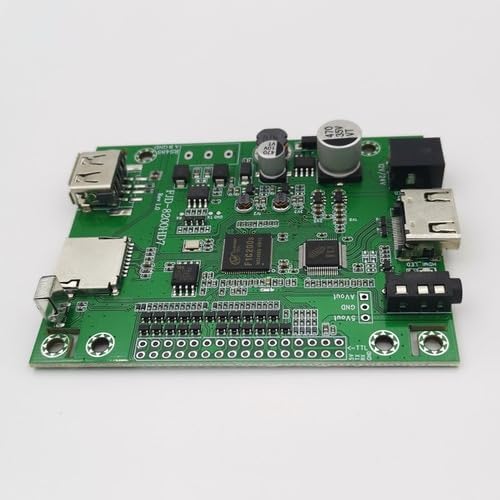
Figure 1: Angled view of the FJD-8200HD7 board, highlighting its compact design and primary interfaces.
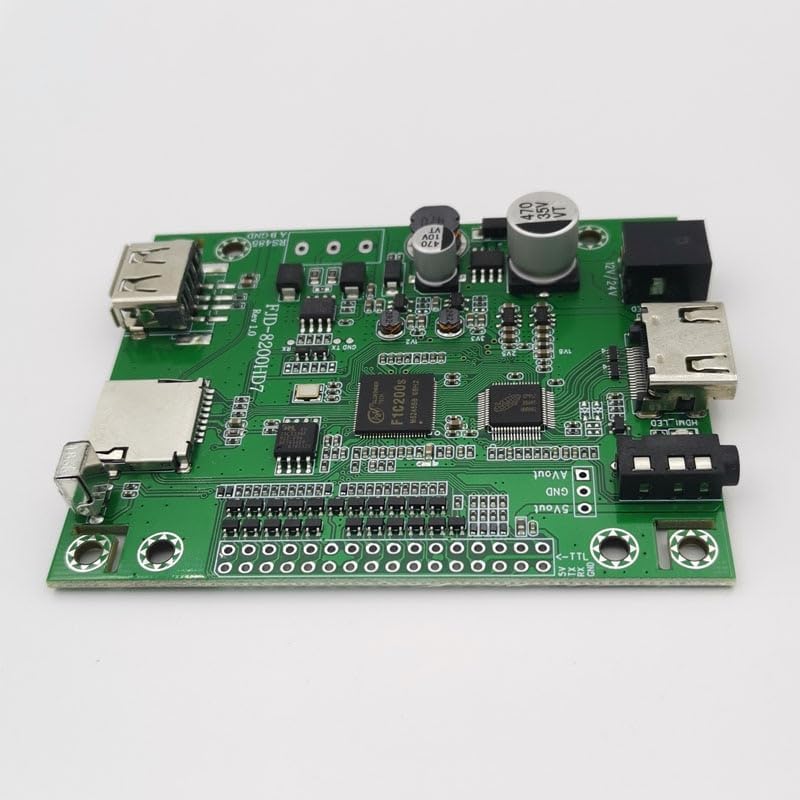
Figure 2: Top-down perspective of the FJD-8200HD7 board, illustrating the arrangement of chips, capacitors, and connectors.
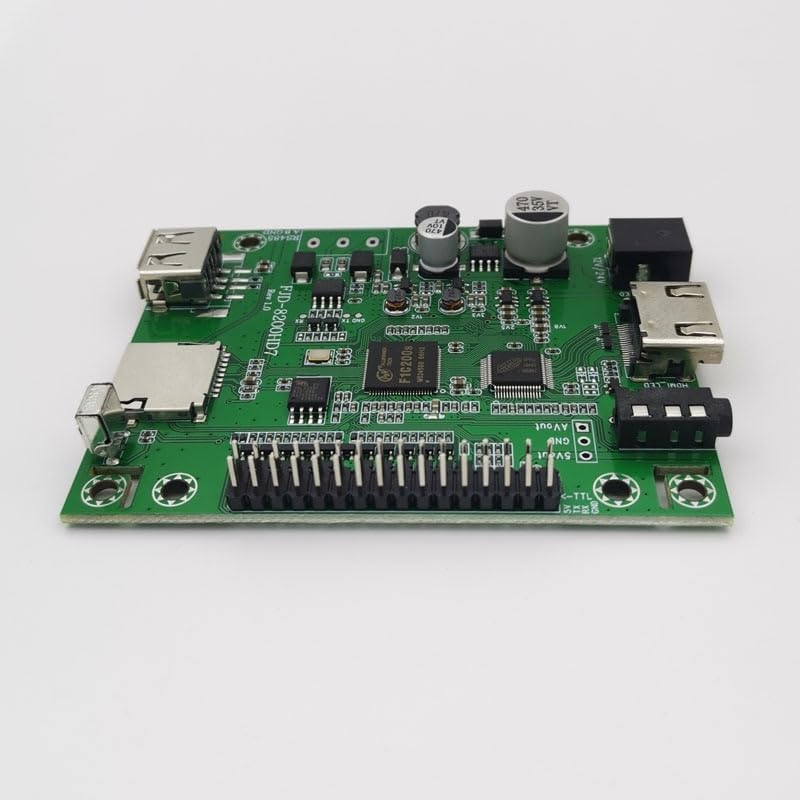
Figure 3: Detailed angled view, showcasing the pin headers for various control interfaces, including TTL and IO ports.
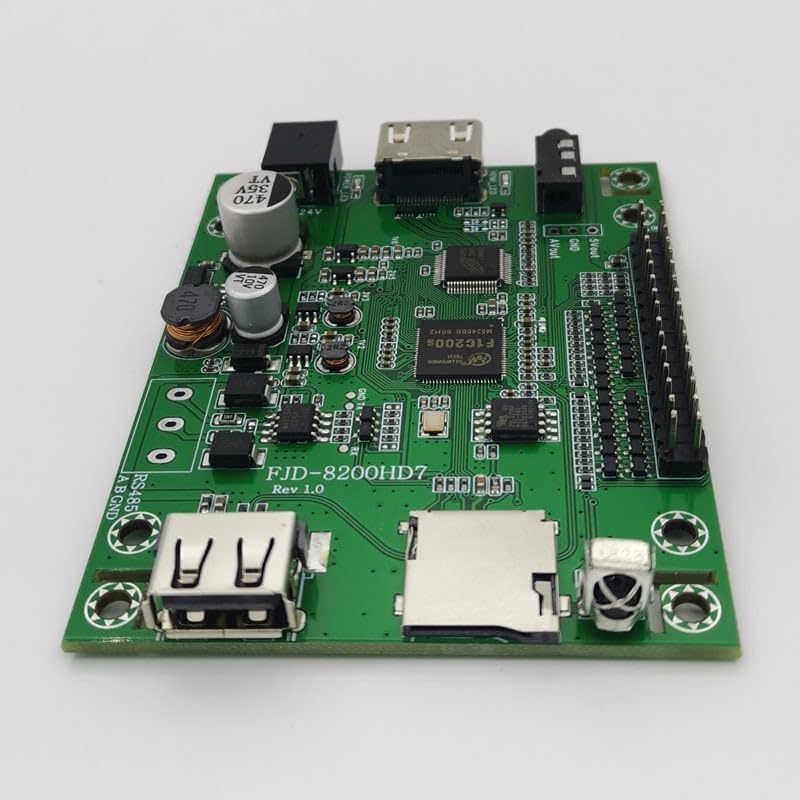
Figure 4: An alternative angled view, providing a clear look at the USB ports and the TF memory card slot for media input.
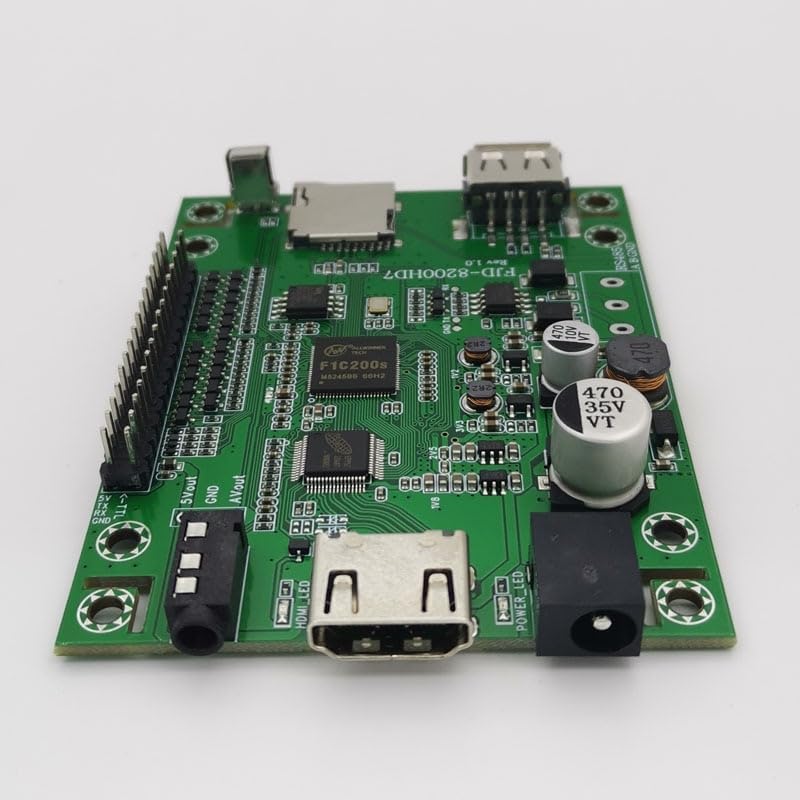
Figure 5: Side view of the board, illustrating the HDMI output connector and the DC power input jack for external power supply.

Figure 6: Comprehensive top-down view, detailing the entire circuit board layout, including labels for all input/output ports and control pins.
Setup Instructions
1. Power Connection
Connect a 12V/24V DC power supply to the designated power input port on the board. Ensure correct polarity to prevent damage to the device.
2. Storage Media
Insert a formatted USB drive or TF memory card containing your media files into the respective USB host port or TF card slot. The board supports up to 2000GB capacity.
3. Video Output
Connect an HDMI cable from the board's HDMI output port to your display device (e.g., monitor, TV, projector). Ensure the display is set to the correct HDMI input source.
4. Audio Output
For analog audio, connect appropriate cables to the AVout port. Digital audio is transmitted via the HDMI connection.
5. Control Interface
Depending on your application, connect the remote control receiver, integrate with a single-chip IO system using the provided pins, or establish serial communication via the TTL/RS485 ports.
Operating Instructions
1. Basic Playback
Once powered on, the board will either automatically begin playing media or enter a standby mode, depending on the configured settings. Ensure your media files are in supported formats (e.g., MP4, AVI, MP3, JPG).
2. Control Modes
Remote Control
Use the provided infrared remote control to navigate menus, select files, and manage playback functions such as play, pause, stop, next track, and previous track.
Serial Communication (TTL/RS485)
For advanced and automated control, send commands via the serial port. The protocol specifications are 8 data bits, 1 stop bit, no parity, and a baud rate of 9600bps. Refer to the detailed serial communication protocol documentation for a complete list of commands and their usage.
Single-Chip IO Control
The 4 IO ports can be utilized to trigger specific video segments. This allows for point-to-point designated playback of up to 10 distinct video segments, ideal for interactive installations.
3. Playback Modes
The FJD-8200HD7 board supports various playback modes to suit different applications:
- Auto Play: Media playback starts automatically upon device power-up.
- Memory Play: Resumes playback from the last stopped position after power cycling.
- Sequence Play: Plays media files in numerical order as they appear in the playlist.
- Loop Play: Continuously repeats the entire playlist of media files.
- Single Play: Plays a selected file once, then enters a black screen standby state.
- Random Play: Plays files in a non-sequential, random order.
- Single Loop: Continuously repeats a single selected media file.
Maintenance
To ensure optimal performance and longevity of your FJD-8200HD7 board, adhere to the following maintenance guidelines:
- Cleaning: Gently clean the board with a soft, dry, anti-static cloth. Avoid using liquids, solvents, or abrasive cleaners, which can damage components.
- Environmental Conditions: Operate and store the board in a dry, well-ventilated area. Protect it from extreme temperatures, high humidity, dust, and direct sunlight.
- Handling: Always handle the board by its edges to prevent touching sensitive electronic components. Avoid static discharge by grounding yourself before handling.
- Firmware Updates: Periodically check the manufacturer's official website for any available firmware updates. Updates can improve performance, add new features, or resolve known issues.
Troubleshooting
No Power
Symptom: The board does not power on, and no indicator lights are active.
Solution:
- Verify that the power supply is correctly connected and providing the specified 12V/24V DC.
- Check the power adapter and cable for any visible damage or loose connections.
- Ensure the power outlet is functional by testing it with another device.
No Video Output
Symptom: The connected display shows no signal, a black screen, or an error message.
Solution:
- Confirm that the HDMI cable is securely connected to both the board's HDMI output and the display's HDMI input.
- Ensure the display is manually set to the correct HDMI input source.
- Test with a different HDMI cable or display to rule out cable or display issues.
- Verify that media files are present and playable on the inserted storage device.
Media Files Not Playing
Symptom: Media files are present on the storage device but do not play or display correctly.
Solution:
- Ensure the media files are in a supported format (e.g., MP4, AVI for video; MP3 for audio; JPG for images).
- Check if the storage device (USB drive/TF card) is properly inserted and formatted correctly.
- If using sequence playback, verify that the file names are arranged numerically.
- If controlling via serial communication or IO, ensure the correct commands are being sent according to the protocol.
Technical Specifications
| Feature | Detail |
|---|---|
| Model | FJD-8200HD7 |
| Video Resolution | 1080p |
| Hardware Interface | USB, HDMI, Serial (TTL/RS485), AVout |
| Included Components | Remote (may vary by package) |
| Power Input | 12V/24V DC |
| Serial Protocol | TTL/RS485, 8 data bits, 1 stop bit, no parity, 9600bps |
| Storage Support | USB Disk, TF Memory Card (up to 2000GB) |
| Date First Available | July 4, 2023 |


