
Bauihr SW-DR60
Bauihr SW-DR60 Bilateral Laser Measurement Tool User Manual
Model: SW-DR60
1. Introduction
This manual provides essential information for the safe and efficient operation of your Bauihr SW-DR60 Bilateral Laser Measurement Tool. Please read this manual thoroughly before using the device and retain it for future reference.
The Bauihr SW-DR60 is a versatile laser distance meter designed for accurate and efficient measurement tasks. It features dual laser technology, multiple measurement modes, a color backlit LCD display, and an inclination sensor.

Image 1.1: The Bauihr SW-DR60 Bilateral Laser Measurement Tool, displaying a measurement of 393.00 ft with dual laser beams visible.
2. Safety Information
WARNING: Class II Laser Product
- Do not stare directly into the laser beam.
- Avoid direct eye exposure to the laser.
- Do not disassemble the device. Repairs should only be performed by authorized personnel.
- Keep the device out of reach of children.
- Use only the specified charging method and accessories.
- The device is rated IP54 for dust and splash resistance, but it is not fully waterproof. Avoid immersion in water.
3. Package Contents
Verify that all items are present in the package:
- Bauihr SW-DR60 Laser Measurement Tool
- USB Type-C Charging Cable
- User Manual (this document)
- Lanyard
4. Device Overview
Familiarize yourself with the components and controls of the Bauihr SW-DR60.
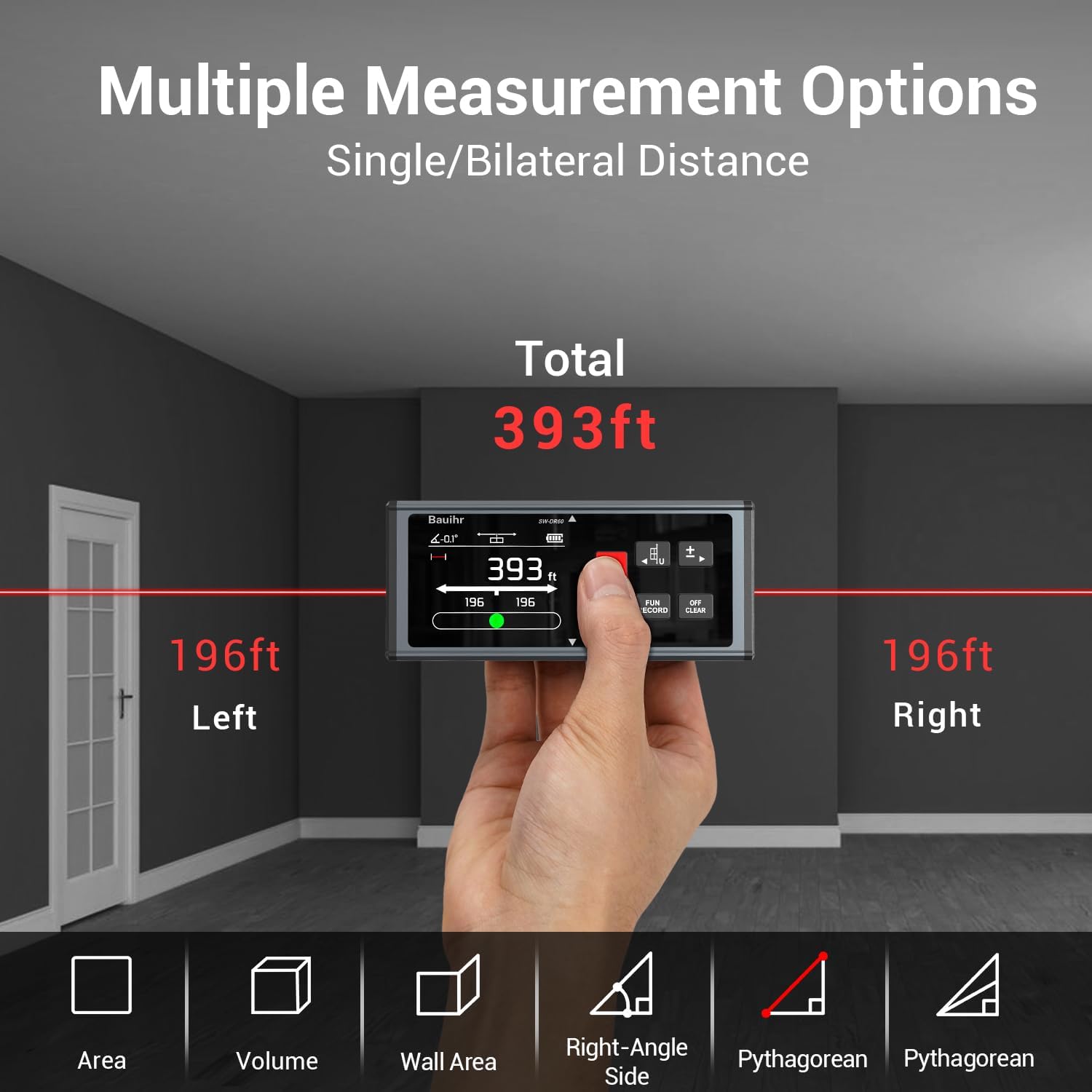
Image 4.1: The Bauihr SW-DR60 displaying multiple measurement options. The image shows the device in a hand, projecting lasers left and right, indicating a total measurement of 393ft, with 196ft to the left and 196ft to the right. Icons for Area, Volume, Wall Area, Right-Angle Side, and Pythagorean measurements are visible below.
4.1 Key Components
- Laser Emitters/Receivers: Located on both ends for bilateral measurement.
- Color Backlit LCD Display: Rotatable screen for clear readings.
- Control Buttons: For power, measurement, function selection, unit switching, and data management.
- Type-C Charging Port: For recharging the internal battery.
- Magnetic Base: For secure attachment to metal surfaces.

Image 4.2: The Bauihr SW-DR60 demonstrating its magnetic base, securely attached to a metal beam, allowing for hands-free operation.
4.2 Control Buttons (General Functions)
- Laser Button (Red Star Icon): Activates laser, initiates measurement.
- FUN/RECORD Button: Cycles through measurement functions, records data.
- OFF/CLEAR Button: Powers off, clears current measurement.
- Unit/Reference Point Button (M/in/Ft, +/-): Switches measurement units, adjusts reference point.
5. Setup
5.1 Initial Charging
The device comes with a built-in 850mAh Lithium battery. Before first use, fully charge the device.
- Connect the USB Type-C charging cable to the device's charging port.
- Connect the other end of the cable to a standard USB power adapter (not included) or a computer USB port.
- The battery indicator on the display will show charging status. A full charge takes approximately 2 hours and provides over 8000 measurements.

Image 5.1: The Bauihr SW-DR60 connected to a wall adapter via a USB-C cable for charging. Icons indicate an 850mAh battery, 2-hour full charge, and 8000+ measurements.
5.2 Power On/Off
- Power On: Press the Laser Button once.
- Power Off: Press and hold the OFF/CLEAR Button for a few seconds. The device will also automatically power off after a period of inactivity to conserve battery.
6. Operating Instructions
6.1 Basic Measurement (Single/Bilateral)
The device supports both single-direction and bilateral (dual) laser measurements.
- Activate Laser: Press the Laser Button once to turn on the laser.
- Select Measurement Mode: Use the FUN/RECORD Button to cycle between single-direction and bilateral measurement modes. The display will indicate the active mode (e.g., single arrow for one-way, double arrow for two-way).
- Take Measurement: Press the Laser Button again to take a measurement. The result will be displayed on the screen.

Image 6.1: A comparison illustrating the efficiency of dual laser measurement versus traditional one-way measurement. The top panel shows a person measuring with a single laser, while the bottom panel shows a person using the dual laser device, highlighting its ability to measure in two directions simultaneously.
6.2 Unit Switching
The device supports units in Meters (M), Inches (In), Feet (Ft), and Feet+Inches (Ft+In).
- Press the Unit/Reference Point Button repeatedly to cycle through the available units. The selected unit will be displayed on the screen.

Image 6.2: The Bauihr SW-DR60 display showing various measurement units: feet (ft), meters (m), inches (in), and feet+inches (ft+in).
6.3 Reference Point Adjustment
The measurement reference point can be adjusted from the front, middle, or rear of the device. This determines where the measurement begins.
- Press and hold the Unit/Reference Point Button to cycle through the three available reference points. An icon on the display will visually indicate the active reference point (e.g., bottom, middle, or top edge of the device).
6.4 Measurement Modes
The device offers various measurement functions:
- Distance Measurement: Standard single or bilateral distance.
- Area Measurement: Calculates the area of a surface.
- Volume Measurement: Calculates the volume of a space.
- Pythagorean Measurement: Indirect measurement using the Pythagorean theorem.
- Angle Measurement: Utilizes the built-in inclination sensor to measure angles.
- Continuous Measurement (Min/Max): Provides minimum and maximum values during continuous scanning.
- Addition/Subtraction: Allows for calculation with stored measurements.
To select a mode, press the FUN/RECORD Button repeatedly until the desired mode icon appears on the display. Follow the on-screen prompts to take the necessary measurements for the selected mode.

Image 6.3: The Bauihr SW-DR60 demonstrating easy operation with five buttons. The image shows the device performing one-way/two-way, area, volume, and Pythagorean measurements in different room settings.

Image 6.4: The Bauihr SW-DR60 displaying its angle sensor and digital bubble feature. The device is shown tilted on wooden planks, indicating an angle of -45.8 degrees on its screen.
6.5 Data Storage and Retrieval
The device can store up to 100 groups of measurement data.
- Store Data: After a measurement is taken, press the FUN/RECORD Button to save the result.
- Retrieve Data: Press and hold the FUN/RECORD Button to enter data retrieval mode. Use the arrow buttons (if available, or the same FUN/RECORD button to cycle) to navigate through stored measurements.

Image 6.5: The Bauihr SW-DR60 displaying multiple stored measurement values on its screen, laid over a blueprint background, illustrating its data storage capability.
6.6 Screen Rotation and Lock
The backlit LCD screen can rotate for easier viewing in different orientations.
- The screen automatically rotates based on the device's orientation.
- To lock the screen orientation, long press the Unit/Reference Point Button.

Image 6.6: The Bauihr SW-DR60 demonstrating its large backlit display with rotatable screen functionality. The image shows the device held in a hand, with smaller inset images illustrating the screen rotating to different orientations.
7. Maintenance
7.1 Cleaning
- Wipe the device with a soft, damp cloth. Do not use abrasive cleaners or solvents.
- Ensure the laser apertures and display are clean for accurate measurements.
7.2 Storage
- Store the device in a cool, dry place away from direct sunlight and extreme temperatures.
- If storing for an extended period, ensure the battery is partially charged (around 50%) and recharge periodically to maintain battery health.
8. Troubleshooting
| Problem | Possible Cause | Solution |
|---|---|---|
| Device does not power on. | Low battery. | Charge the device using the USB Type-C cable. |
| "Err" displayed during measurement. | Measurement range exceeded or too short; strong light interference; laser path obstructed. | Ensure target is within 0.05m to 120m range. Measure in a shaded area. Clear any obstructions. |
| Inaccurate measurements. | Unstable device; dirty laser lens; incorrect reference point. | Ensure the device is stable. Clean the laser lens. Verify the correct reference point is selected. |
| Screen not rotating. | Screen rotation lock is active. | Long press the Unit/Reference Point Button to unlock screen rotation. |
9. Specifications
| Feature | Detail |
|---|---|
| Model Name | SW-DR60 |
| Measuring Range | 0.05m - 120m (393ft) |
| Accuracy | ±1/8 inch |
| Laser Class | Class II (output <1mW) |
| Units | Meters (M), Inches (In), Feet (Ft), Feet+Inches (Ft+In) |
| Battery Type | Built-in 850mAh Lithium |
| Battery Life | 8000+ measurements per charge |
| Charging Time | Approx. 2 hours |
| Data Storage | 100 groups |
| Material | Aluminum |
| Color | Black |
| Item Weight | 152 Grams |
| Product Dimensions (LxWxH) | 4.53"L x 1.97"W x 0.94"H |
| IP Rating | IP54 (Dust and splash resistant) |
| Inclination Sensor | Yes, for digital angle measurement |
10. Warranty and Support
The Bauihr SW-DR60 comes with a 3-year warranty from the date of purchase.
For technical support, warranty claims, or further inquiries, please contact Bauihr customer service through the retailer where the product was purchased or refer to the official Bauihr website for contact information.