Introduction
This manual provides essential instructions for the proper installation, operation, and maintenance of your X-Sense XS01-M Wireless Smart Smoke Detector. Please read this manual thoroughly before use and retain it for future reference. The X-Sense XS01-M is designed to detect smoke and alert occupants to potential fire hazards, working in conjunction with an X-Sense Base Station (e.g., SBS50) and the X-Sense Home Security application.
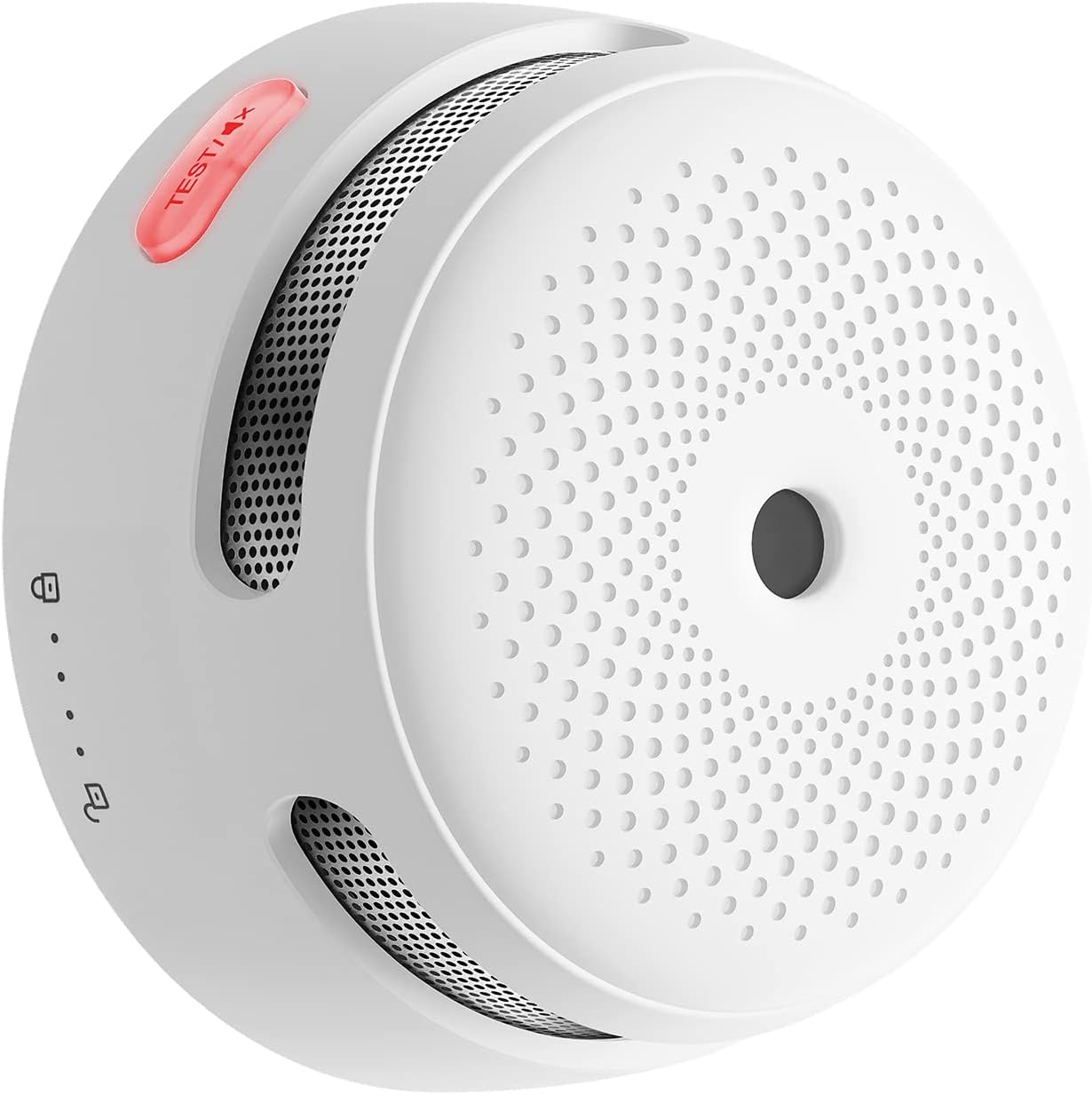
Image: The X-Sense XS01-M Wireless Smart Smoke Detector, a compact white device with a test button and speaker grilles.
Package Contents
Ensure all items are present before installation:
- X-Sense XS01-M Wireless Smart Smoke Detector (quantity as purchased, e.g., 3 units)
- Mounting Bracket
- Screws and Anchor Plugs
- CR123A Batteries (pre-installed or separate)
- User Manual (this document)
Note: The X-Sense Base Station (e.g., SBS50) is required for smart features and app connectivity and is sold separately.
Setup
1. Battery Installation
- Twist the mounting bracket counter-clockwise to detach it from the detector.
- Remove the battery compartment cover.
- Insert the CR123A batteries, observing the polarity (+/-) markings.
- Close the battery compartment cover.
- Reattach the mounting bracket by twisting clockwise until it clicks into place.
2. App Download and Base Station Setup
The XS01-M requires an X-Sense Base Station (e.g., SBS50) and the X-Sense Home Security app for smart features.
- Download the "X-Sense Home Security" app from the App Store or Google Play.
- Register an account and follow the in-app instructions to set up your X-Sense Base Station and connect it to your 2.4 GHz Wi-Fi network.

Image: A smartphone screen displaying the X-Sense app's Wi-Fi connection interface, illustrating the 2.4 GHz Wi-Fi network setup.
3. Pairing the Smoke Detector with the Base Station
- In the X-Sense Home Security app, navigate to "Add Device" and select the XS01-M smoke detector.
- Follow the on-screen prompts to put the detector into pairing mode. This usually involves pressing the test button on the detector.
- Once paired, the app will confirm the connection, and the detector's LED indicator will change.

Image: An X-Sense XS01-M smoke detector positioned next to an X-Sense Base Station, illustrating the system components.
4. Mounting Location
Install smoke detectors in all sleeping areas and on every level of your home, including the basement. For optimal protection, install a smoke detector in every room (except the bathroom and kitchen).
- Mount on the ceiling in the center of a room or at least 10 cm (4 inches) from a wall.
- If mounting on a wall, the top edge of the detector should be 10-30 cm (4-12 inches) below the ceiling.
- Avoid mounting near vents, fans, or in "dead air" spaces (e.g., apex of a vaulted ceiling).
5. Physical Installation
- Choose a suitable mounting location.
- Mark the positions for the two screw holes using the mounting bracket.
- Drill holes and insert the anchor plugs.
- Screw the mounting bracket firmly into place.
- Attach the smoke detector to the mounting bracket by aligning it and twisting clockwise until it locks.
Operating Instructions
Normal Operation
In normal operation, the detector's LED indicator will flash briefly every 60 seconds to confirm it is functioning correctly and connected to the base station.
Alarm Conditions
- Smoke Detection: If smoke is detected, the detector will emit a loud alarm (85 dB) and its LED will flash rapidly. The connected X-Sense Base Station will also sound a 100 dB alarm, and all other paired detectors will activate.
- App Notifications: Simultaneously, you will receive instant push notifications on your smartphone via the X-Sense Home Security app, alerting you to the specific detector that triggered the alarm.

Image: A smartphone screen displaying a real-time push notification from the X-Sense app, indicating a smoke alarm has been triggered.
Mute Function
In case of a false alarm (e.g., from cooking fumes), you can temporarily silence the alarm:
- Via Detector: Press the "TEST/MUTE" button on the smoke detector.
- Via App: Use the mute function within the X-Sense Home Security app.
- Via Base Station: Press the mute button on the X-Sense Base Station.
Note: The mute function is temporary. If smoke levels remain high, the alarm will reactivate after a few minutes.
Device Sharing
The X-Sense Home Security app allows you to share access to your security system with up to 12 family members. This ensures that multiple individuals receive alerts and can monitor the system status.

Image: A smartphone screen showing the X-Sense app's device sharing interface, allowing multiple users to manage the security system.
Maintenance
Regular Testing
Test your smoke detector weekly to ensure proper function:
- Manual Test: Press and hold the "TEST/MUTE" button on the detector until the alarm sounds. Release the button.
- App Test: Use the test function within the X-Sense Home Security app. This allows you to test the alarm remotely without physically reaching the device.
Battery Replacement
The detector will alert you to a low battery condition with a chirp and a flashing LED every 60 seconds. You will also receive a low battery notification via the X-Sense app.
- Twist the detector counter-clockwise to remove it from the mounting bracket.
- Open the battery compartment.
- Replace the old CR123A batteries with new ones, ensuring correct polarity.
- Close the battery compartment and reattach the detector to the mounting bracket.
- Test the detector after battery replacement.
Cleaning
Clean your smoke detector at least once a month to remove dust and debris that could interfere with its operation.
- Use a soft, damp cloth to wipe the exterior of the detector.
- Gently vacuum the vents and openings using a soft brush attachment.
- Do not use cleaning solvents or sprays on the detector.
Troubleshooting
| Problem | Possible Cause | Solution |
|---|---|---|
| Detector chirps every 60 seconds. | Low battery. | Replace the CR123A batteries. |
| Detector alarms without visible smoke. | Dust accumulation, high humidity, cooking fumes, steam. | Clean the detector. Relocate if consistently triggered by non-fire sources. Use the mute function temporarily. |
| Detector does not respond to test button. | Dead batteries, faulty unit. | Replace batteries. If problem persists, contact customer support. |
| No app notifications. | Base station offline, Wi-Fi issue, app permissions, phone settings. | Check base station status and Wi-Fi connection. Ensure app notifications are enabled on your phone. |
| Detector not pairing with base station. | Incorrect pairing procedure, distance from base station, base station not in pairing mode. | Ensure base station is in pairing mode. Bring detector closer to base station. Re-attempt pairing following app instructions. |
Specifications
- Model: XS01-M
- Power Source: 3 x CR123A batteries
- Alarm Volume: 85 dB at 3 meters (10 ft)
- Connectivity: Wireless (requires X-Sense Base Station and 2.4 GHz Wi-Fi)
- Operating Temperature: 0°C to 40°C (32°F to 104°F)
- Operating Humidity: ≤ 95% RH (non-condensing)
- Dimensions: 25.7 x 8.8 x 6.1 cm (10.1 x 3.5 x 2.4 inches)
- Weight: 102 Grams (0.22 lbs)
- Certifications: EN 14604
Warranty and Support
X-Sense provides a limited warranty for this product. For detailed warranty information, please refer to the warranty card included with your purchase or visit the official X-Sense website.
If you encounter any issues or have questions regarding your X-Sense XS01-M smoke detector, please contact X-Sense customer support:
- Website: www.x-sense.com
- Email: Refer to the contact section on the official website.
Please have your model number (XS01-M) and purchase information ready when contacting support.


