
Rtauys HK01518
Rtauys Rechargeable Sonic Electric Toothbrush User Manual
Model: HK01518
Introduction
Thank you for choosing the Rtauys Rechargeable Sonic Electric Toothbrush. This manual provides essential information for the safe and effective use of your new toothbrush. Please read it thoroughly before first use and keep it for future reference.
Safety Information
Please observe the following safety precautions:
- Warning: Keep out of reach of children under 3 years.
- Do not use for purposes other than oral hygiene.
- Replace brush heads every 3 months.
- Supervise children under 12 years while using this product.
- Statements regarding dietary supplements have not been evaluated by the FDA and are not intended to diagnose, treat, cure, or prevent any disease or health condition.
Package Contents
Your Rtauys Sonic Electric Toothbrush package includes:
- 1 x Rtauys Sonic Electric Toothbrush Handle (Light Blue)
- 8 x Premium Dupont Replacement Brush Heads (including 2 sensitive brush heads)
- 1 x Portable Travel Case
- 1 x USB Charging Cable
- 1 x User Manual

Image: Rtauys Sonic Electric Toothbrush in Light Blue, shown with 8 replacement brush heads and a white travel case.
Setup
- Charge the Toothbrush:
Before first use, fully charge the toothbrush. Connect the USB charging cable to the charging port on the toothbrush handle and plug the other end into a compatible USB power adapter (not included). The charging indicator light will show the charging status. A full charge takes approximately 3 hours and provides up to 120 days of use.

Image: The Rtauys electric toothbrush is shown charging via a USB cable plugged into a wall adapter, indicating 3 hours of charge for 120 days of use.
- Attach a Brush Head:
Align the brush head with the metal shaft on the toothbrush handle and push it down firmly until it clicks into place. Ensure it is securely attached.

Image: A hand demonstrates attaching a brush head to the light blue Rtauys electric toothbrush handle.
Operating Instructions
- Power On/Off:
Press the power button once to turn on the toothbrush. To turn it off, press and hold the power button for 2 seconds.
- Select a Brushing Mode:
After turning on the toothbrush, press the power button repeatedly to cycle through the 5 available brushing modes:
- White: For removing surface stains and whitening teeth.
- Clean: For standard daily brushing.
- Sensitive: For gentle cleaning, suitable for sensitive teeth and gums.
- Polish: For a 1-minute teeth polishing action.
- Massage: For gentle gum stimulation and massage.
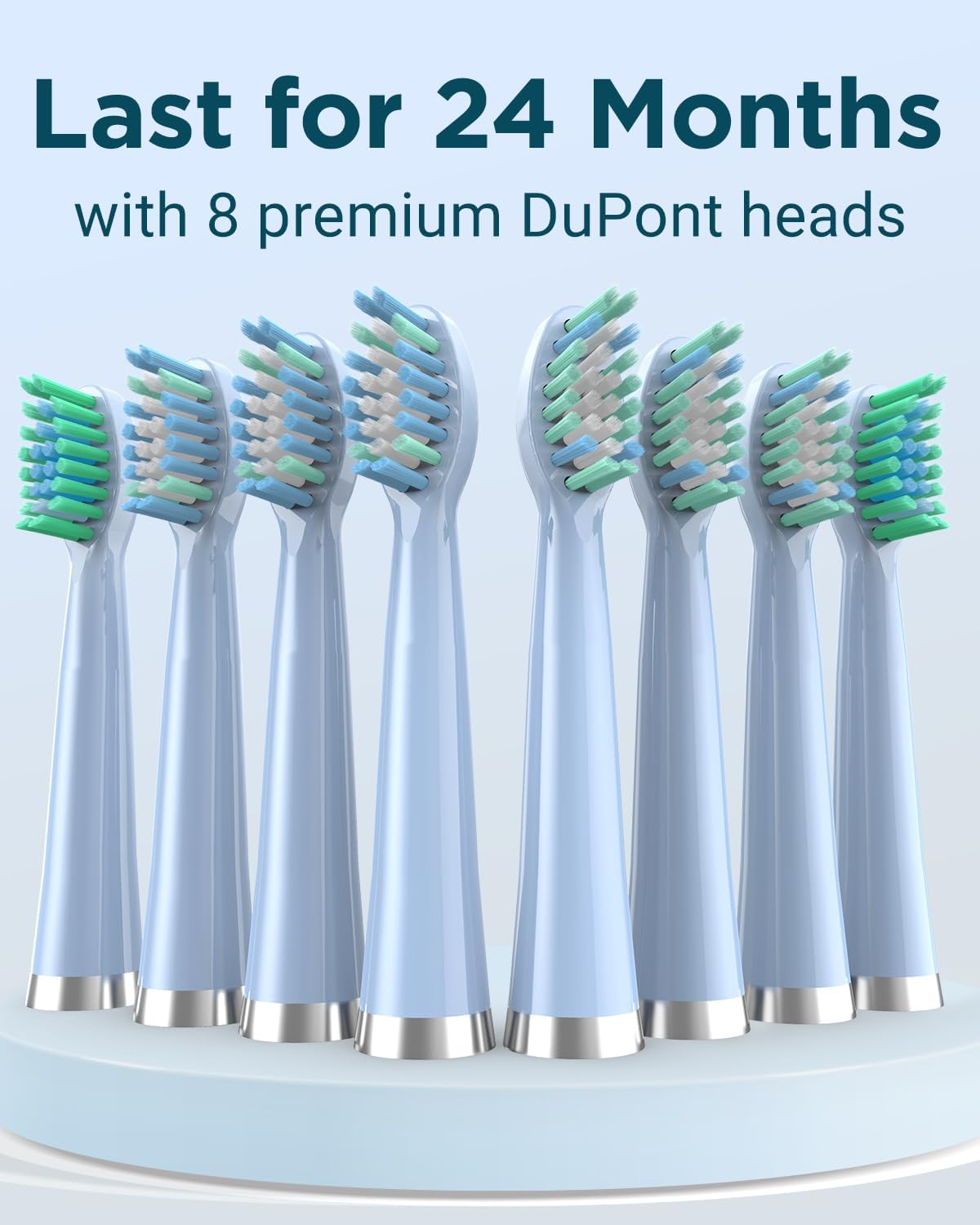
Image: The Rtauys electric toothbrush handle displays the five brushing modes: White, Clean, Sensitive, Polish, and Massage.
- Brushing Technique:
Apply a small amount of toothpaste to the brush head. Place the brush head against your teeth at a slight angle towards the gum line. Move the brush slowly across your teeth, allowing the sonic vibrations to clean each tooth surface. Do not scrub vigorously.

Image: A close-up view of the Rtauys electric toothbrush head actively cleaning teeth, demonstrating its sonic action.
- Smart Timer:
The toothbrush features a built-in 2-minute timer to ensure you brush for the dentist-recommended duration. It also has a 30-second reminder function that pauses briefly to signal when to move to the next quadrant of your mouth.
Maintenance
- Cleaning the Brush Head: After each use, rinse the brush head thoroughly under running water to remove any toothpaste residue and debris.
- Cleaning the Handle: The toothbrush handle is IPX7 waterproof, allowing for easy cleaning. Wipe the handle with a damp cloth. Do not immerse the charging base in water.
- Replacing Brush Heads: It is recommended to replace the brush head every 3 months, or sooner if the bristles become frayed. Your package includes 8 brush heads, providing approximately 2 years of use.

Image: The Rtauys electric toothbrush is shown partially submerged in water, illustrating its IPX7 waterproof capability.

Image: Eight replacement brush heads for the Rtauys electric toothbrush are displayed, highlighting their 2-year supply.
Troubleshooting
| Problem | Possible Cause | Solution |
|---|---|---|
| Toothbrush does not turn on. | Low battery or not charged. | Ensure the toothbrush is fully charged. Press and hold the power button for 2 seconds to turn on. |
| Weak vibrations. | Low battery. | Recharge the toothbrush. |
| Brush head feels loose. | Brush head not properly attached. | Remove and re-attach the brush head, ensuring it clicks into place. |
Specifications
- Model Number: HK01518
- Brand: Rtauys
- Power Source: Battery Powered (built-in rechargeable battery)
- Vibrations: Up to 41,000 high-frequency vibrations per minute
- Brushing Modes: 5 (White, Clean, Sensitive, Polish, Massage)
- Charging Time: Approximately 3 hours
- Battery Life: Up to 120 days per charge
- Waterproof Rating: IPX7
- Product Dimensions: 8.2 x 4.6 x 1.7 inches
- Item Weight: 11.29 ounces
- Age Range: Adult
Travel Features
The Rtauys Sonic Electric Toothbrush is designed for convenience, especially for travel. It includes a portable travel case to protect your toothbrush and brush heads.
Image: The Rtauys electric toothbrush and two brush heads are neatly stored within its portable travel case, ready for travel.
Official Product Videos
Sonic Electric Toothbrush for Adults
Video: An official product video demonstrating the features and benefits of the Rtauys Sonic Electric Toothbrush for adults, including its cleaning action and various modes.
Ask a question about this manual
Ask about setup, troubleshooting, compatibility, parts, safety, or missing instructions. Manuals+ will review the question and use this page’s manual context to help answer it.