
1. Introduction
This instruction manual provides essential information for the proper use and maintenance of your Re-Flix Superior Light 4-in-1 Universal Remote Control. This remote is specifically pre-programmed for the SELECLINE TV model 130108/32S18, ensuring immediate functionality upon battery insertion. Please read this manual thoroughly before use to ensure optimal performance and longevity of your device.
2. Product Overview
The Re-Flix Superior Light is a versatile 4-in-1 universal remote control designed for ease of use. It comes pre-programmed for the specified SELECLINE TV model, eliminating the need for manual code entry. Key features include:
- Pre-programmed Functionality: Ready to use with SELECLINE TV model 130108/32S18.
- No Code Entry Required: Simply insert batteries and begin use.
- Data Retention: Settings are retained even when batteries are removed or depleted.
- Infrared Technology: Reliable communication with your television.
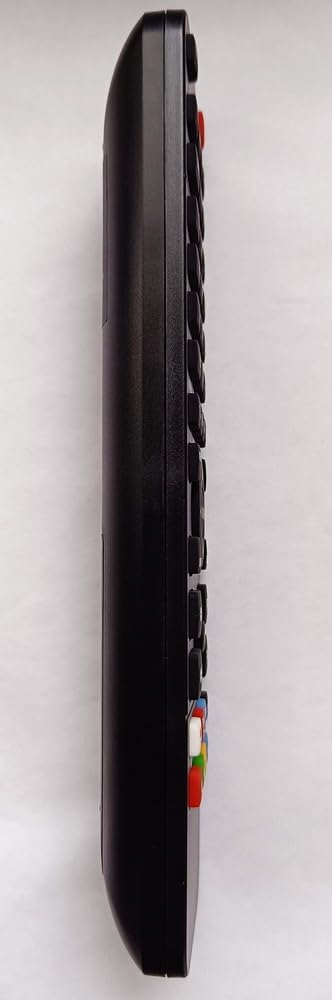
Image 1: Side view of the Re-Flix Superior Light 4-in-1 Universal Remote Control. This image shows the sleek black design and the arrangement of buttons along the remote's length.
3. Setup
3.1 Battery Installation
- Locate the battery compartment on the back of the remote control.
- Slide the battery compartment cover downwards or press the latch to open it.
- Insert two (2) AAA 1.5V batteries (not included), ensuring the correct polarity (+ and -) as indicated inside the compartment.
- Close the battery compartment cover securely.
3.2 Initial Use
Since your remote control is pre-programmed for the SELECLINE TV model 130108/32S18, no further setup is required. Once batteries are installed, the remote is ready for immediate use with your compatible television.
Important Note: If you intend to program this remote for other devices, a separate USB programmer is required. This programmer is not included with the remote control.
4. Operating Instructions
The Re-Flix Superior Light remote control provides standard functions for your SELECLINE TV. Point the remote directly at your television's infrared receiver for optimal performance.
- Power Button: Turns the TV on or off.
- Channel Up/Down: Changes the television channel.
- Volume Up/Down: Adjusts the sound volume.
- Mute Button: Silences the television audio.
- Input/Source Button: Cycles through available input sources (HDMI, AV, etc.).
- Number Buttons (0-9): For direct channel selection.
- Navigation Buttons (Arrow keys, OK): For menu navigation.
5. Maintenance
5.1 Battery Replacement
Replace batteries when the remote's response becomes sluggish or stops working. Always replace both batteries simultaneously with new AAA 1.5V batteries. Do not mix old and new batteries or different types of batteries.
5.2 Cleaning
To clean the remote control, wipe it with a soft, dry cloth. Do not use liquid cleaners, abrasive pads, or chemical solvents, as these may damage the remote's surface or internal components.
6. Troubleshooting
- Remote not responding:
- Check if the batteries are inserted correctly with the proper polarity.
- Replace old batteries with new ones.
- Ensure there is a clear line of sight between the remote and the TV's infrared receiver. Remove any obstructions.
- Verify that the remote is pointed directly at the TV.
- Incorrect functions or partial functionality:
- Confirm that your television is the SELECLINE TV model 130108/32S18. This remote is pre-programmed for this specific model.
- If you are attempting to use it with a different device, a USB programmer (not included) is required for additional programming.
7. Specifications
- Brand: Re-Flix
- Model Number: 747516 (Internal Model: SUPTPB028)
- Compatible Devices: Television (Pre-programmed for SELECLINE TV 130108/32S18)
- Connectivity Technology: Infrared
- Number of Buttons: 4 (referring to the 4-in-1 capability, though the remote has many more physical buttons)
- Maximum Range: 10 Meters
- Batteries: 2 x 1.5V AAA (not supplied)
- Weight: 89 g
- Dimensions: 21 x 4.7 x 2 cm

Image 2: Back view of the Re-Flix Superior Light 4-in-1 Universal Remote Control. This image displays the battery compartment and a label with model information, including 'MODEL: SUPTPB028'.
8. Warranty and Support
Specific warranty information for this product is not provided in the available documentation. For any warranty claims, technical support, or further assistance, please contact the retailer from whom you purchased the product or refer to the manufacturer's official website for their support policies.


