
Star Shower 17204
Star Shower Ultra 9 Outdoor Laser Light Projector Instruction Manual
Brand: Star Shower | Model: 17204
Introduction
The Star Shower Ultra 9 is an outdoor laser light projector designed to illuminate your home with thousands of brilliant lights. This manual provides essential information for the safe and effective setup, operation, and maintenance of your device. Please read these instructions carefully before use.
Key features include 9 unique light patterns, 3 color combinations (red, green, or both), and various light modes such as still, motion, or blinking. The unit also features a built-in light sensor for automatic operation.
Safety Information
- Read all instructions: Before operating the Star Shower Ultra 9, ensure you have read and understood all safety and operating instructions.
- Outdoor Use Only: This product is designed for outdoor use. Ensure all electrical connections are protected from moisture.
- Electrical Safety: Always connect the projector to a properly grounded outdoor outlet. Do not overload electrical circuits.
- Laser Safety: Do not stare directly into the laser light source. Avoid pointing the laser directly at people, animals, or aircraft.
- Children and Pets: Keep the device out of reach of children and pets to prevent accidental exposure to the laser or electrical components.
- Temperature Range: Operate the device within its specified temperature range. Refer to the specifications section for details.
- Damage Inspection: Before each use, inspect the power cord and housing for any damage. Do not use if damaged.
What's in the Box
Your Star Shower Ultra 9 package includes the following components:
- Star Shower Ultra 9 Laser Light Projector
- Extra-long Ground Stake
- Instruction Manual (this document)
Setup
- Choose a Location: Select a suitable outdoor location for your projector. Consider the desired coverage area and the distance to the surface you wish to illuminate.
Refer to the coverage chart below for optimal placement:

Image: A diagram illustrating the Star Shower Ultra 9 projector's coverage area at various distances from a house, with a table detailing square footage covered from 10 to 40 feet.
Projection Distance and Coverage Distance to Surface Coverage 10 feet 206 sq. ft. 20 feet 824 sq. ft. 25 feet 1288 sq. ft. 30 feet 1854 sq. ft. 35 feet 2524 sq. ft. 40 feet 3296 sq. ft. - Install Ground Stake: Attach the projector to the included ground stake. Firmly insert the ground stake into the soil in your chosen location. Ensure the projector is securely mounted and stable.

Image: A detailed view of the Star Shower Ultra 9 projector connected to its ground stake, illustrating how it is prepared for ground insertion.
- Connect Power: Plug the power cord into a standard 120V outdoor electrical outlet. Ensure the outlet is protected from weather elements.

Image: The Star Shower Ultra 9 projector positioned in a yard, projecting red and green laser lights onto the front of a house, demonstrating its operational setup.
Operating Instructions
The Star Shower Ultra 9 features simple one-button operation to cycle through its various settings.
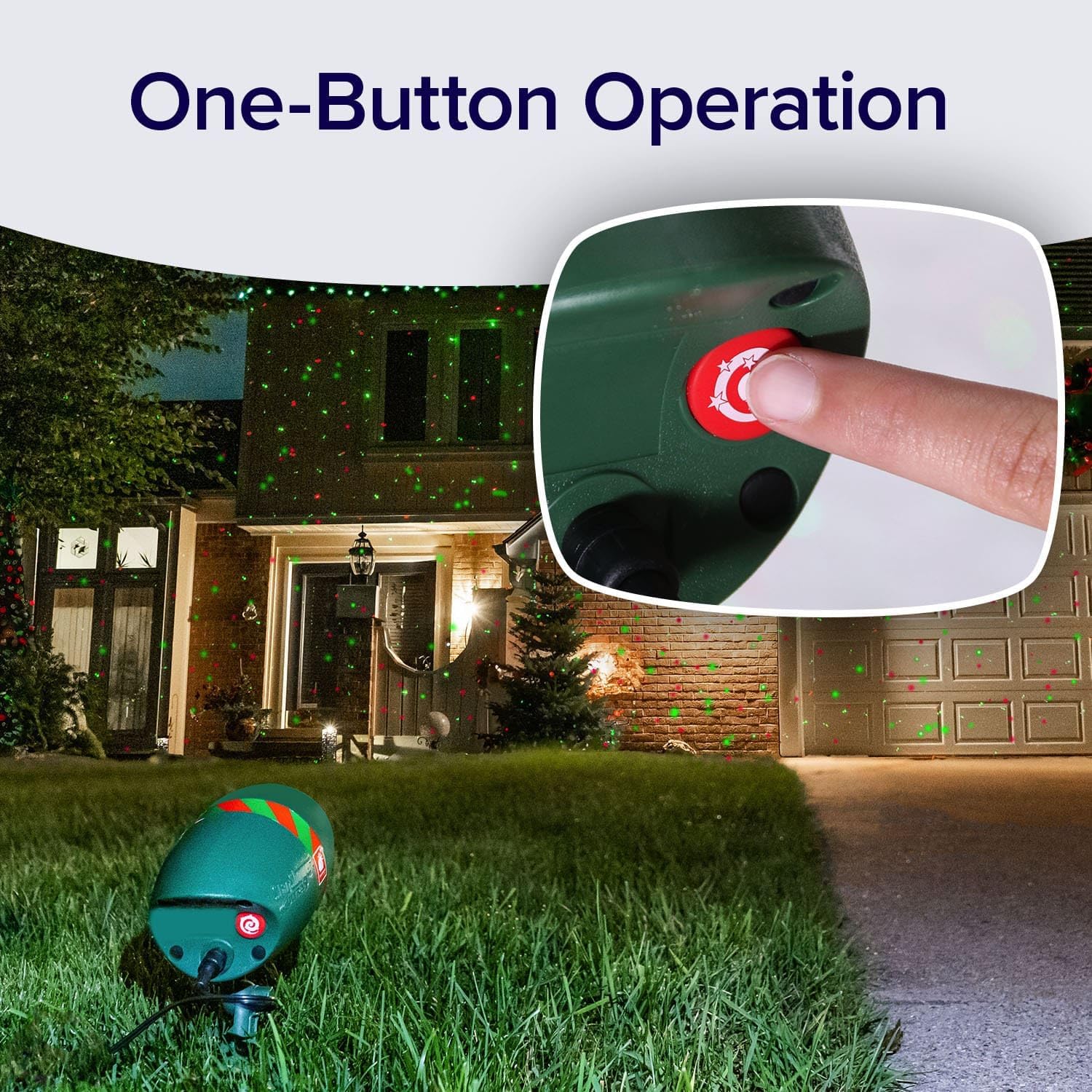
Image: A close-up view of the Star Shower Ultra 9 projector's single control button, highlighting its ease of use for cycling through settings.
- Power On/Off: Once plugged in, the built-in light sensor will automatically turn the projector on at dusk and off at dawn.
- Changing Light Patterns: The Star Shower Ultra 9 offers 9 unique light patterns. Press the control button on the back of the unit to cycle through these patterns. Each press will advance to the next pattern.
- Selecting Color Combinations: You can choose from three color combinations:
- Red and Green together
- Only Red
- Only Green
Continue pressing the control button to cycle through the color options within the selected pattern.

Image: A composite image demonstrating the three available color combinations (red, green, and red/green mixed) projected onto a house by the Star Shower Ultra 9.
- Adjusting Light Modes (Motion/Still/Blinking): The projector also allows you to customize the light display with different modes:
- Motion: Lights will move in a cascading pattern.
- Still: Lights will remain static.
- Blinking: Lights will twinkle.
Cycle through these modes by repeatedly pressing the control button after selecting your desired pattern and color combination.
Maintenance
- Cleaning: Ensure the projector is unplugged before cleaning. Use a soft, damp cloth to wipe the exterior. Do not use abrasive cleaners or solvents.
- Lens Care: Gently clean the laser lens with a soft, lint-free cloth to maintain optimal projection clarity.
- Storage: When not in use, store the projector in a cool, dry place, away from direct sunlight and extreme temperatures.
- Weather Resistance: The Star Shower Ultra 9 is designed to be weather-resistant, suitable for various outdoor conditions including rain and snow. However, avoid submerging the unit in water.

Image: A split image illustrating the Star Shower Ultra 9 projector functioning effectively in rainy conditions on grass and snowy conditions, confirming its weather-resistant design.
Troubleshooting
| Problem | Possible Cause | Solution |
|---|---|---|
| Projector does not turn on. | No power, faulty outlet, or light sensor detecting too much ambient light. | Check power connection and outlet. Ensure the light sensor is not obstructed and it is dark enough for operation. Test in a darker environment. |
| Lights are dim or unclear. | Dirty lens, excessive distance from surface, or ambient light interference. | Clean the laser lens. Reduce the distance to the projection surface. Ensure the area is sufficiently dark. |
| Patterns or colors are not changing. | Control button malfunction or incorrect operation. | Ensure the control button is being pressed firmly. Cycle through all options to confirm functionality. If unresponsive, contact customer support. |
| Projector turns on during the day. | Light sensor malfunction or obstruction. | Ensure the light sensor is clean and not obstructed by debris. If the issue persists, the sensor may be faulty. |
Specifications

Image: A technical drawing of the Star Shower Ultra 9 projector with detailed measurements, including its length, width, height, lens diameter, and the length of its ground stake.
- Model Number: 17204
- Brand: Star Shower
- Product Dimensions: 6.5"L x 5"W x 8"H
- Item Weight: 1.26 pounds
- Material: Acrylonitrile Butadiene Styrene (ABS)
- Light Source Type: Laser Light Projector
- Power Source: Corded Electric
- Voltage: 120 Volts
- Wattage: 7.5 Watts
- Amperage: 62.5 Milliamps
- Color: Green (housing)
- Mounting Type: Floor Mount (with ground stake)
- Special Features: Color Changing, Light Patterns, Light Modes, Built-in Light Sensor
- UPC: 097298048548
Warranty and Support
Specific warranty details are not provided in this manual. For warranty information, please refer to the product packaging or contact the manufacturer directly.
For technical support or further assistance, please visit the official Star Shower website or contact their customer service department. Contact information can typically be found on the product packaging or the manufacturer's website.
Related documents17204


Ask a question about this manual
Ask about setup, troubleshooting, compatibility, parts, safety, or missing instructions. Manuals+ will review the question and use this page’s manual context to help answer it.