
AIRHOT P2
AIRHOT P2 Walking Pad Treadmill User Manual
Model: P2-C-WH
Introduction
Thank you for choosing the AIRHOT P2 Walking Pad Treadmill. This manual provides essential information for the safe and efficient operation, maintenance, and troubleshooting of your new fitness equipment. Please read this manual thoroughly before initial use and retain it for future reference.

Image: The AIRHOT P2 Walking Pad Treadmill, demonstrating its compact design and suitability for both walking and running. A woman is shown actively using the treadmill, highlighting its functionality.
Important Safety Instructions
To reduce the risk of serious injury, always read and follow all warnings and instructions before using this treadmill. The manufacturer assumes no responsibility for personal injury or property damage sustained by or through the use of this product.
- Consult your physician before starting any exercise program.
- Keep children and pets away from the treadmill during operation.
- Place the treadmill on a flat, stable surface with adequate clearance around it.
- Ensure the power cord is not damaged and is properly plugged into a grounded outlet.
- Do not use the treadmill if it is damaged or malfunctioning.
- Wear appropriate athletic footwear and clothing.
- Do not step on or off the treadmill while the belt is moving.
- The maximum user weight capacity for this treadmill is 120.2 kg (265 lbs).
- Always use the safety key (if applicable) during operation.
- Unplug the treadmill from the power source before cleaning or maintenance.
Product Overview
The AIRHOT P2 Walking Pad Treadmill is designed for home use, offering a compact and portable solution for walking, jogging, and light running. It features a quiet motor and a wide running belt for a comfortable exercise experience.
Key Features:
- Quiet Operation: Equipped with a 2.5 HP motor designed for low noise levels (below 45dB).
- Shock Absorption: Features 8 silicone shock absorbers and a 5-layer running belt for comprehensive knee protection.
- Wide Running Belt: A 16.5-inch wide anti-skid belt provides ample space for comfortable movement.
- Portable Design: Easy to transport and store, making it ideal for small living spaces.
- LCD Display: Real-time display of exercise data including time, distance, speed, and calories.
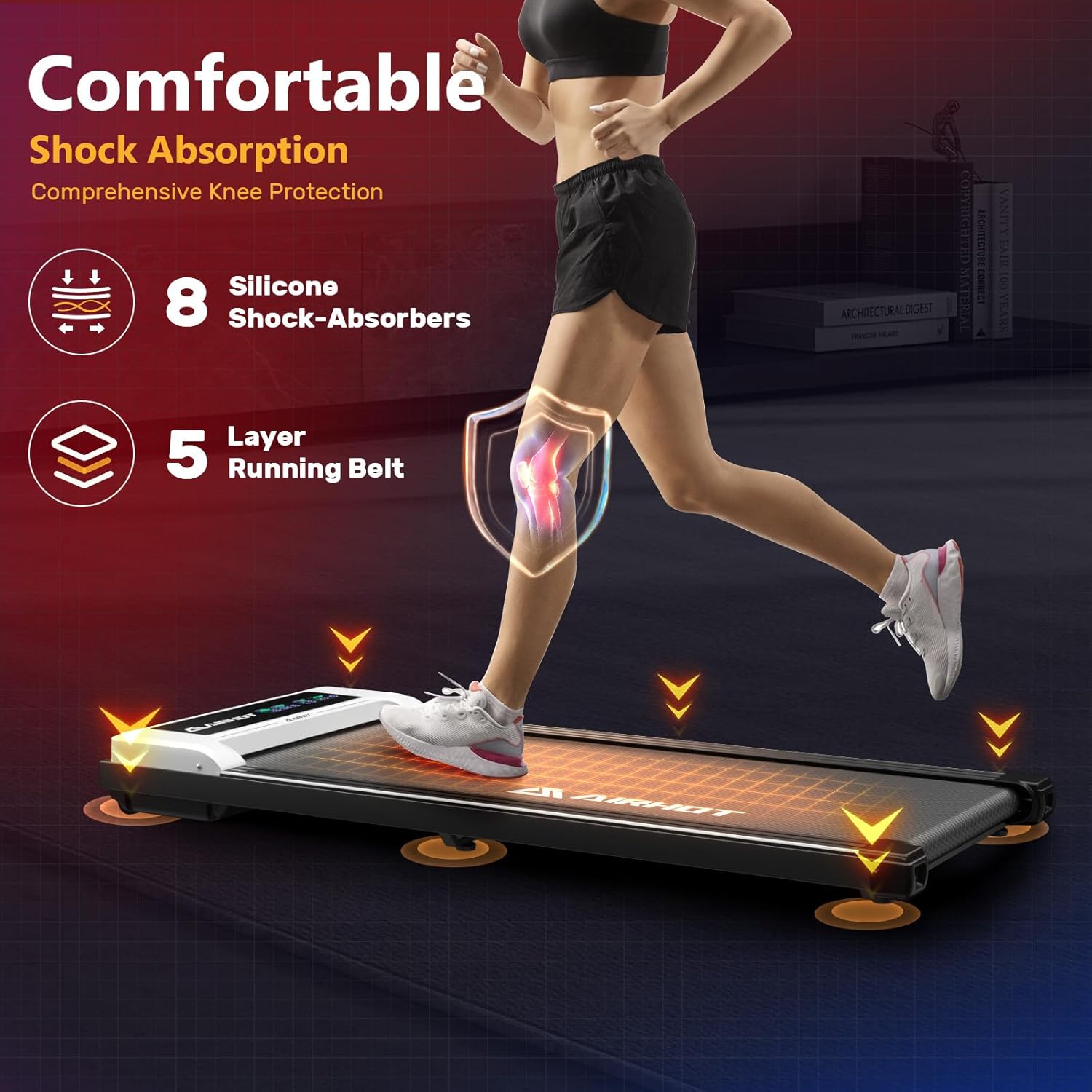
Image: Illustration of the treadmill's shock absorption system, detailing 8 silicone shock absorbers and a 5-layer running belt designed for user comfort and knee protection.

Image: A visual comparison highlighting the 16.5-inch width of the AIRHOT P2 running belt, emphasizing its spacious design compared to narrower alternatives.
Setup Instructions
The AIRHOT P2 Walking Pad Treadmill comes largely pre-assembled. Follow these steps for quick setup:
- Unpack: Carefully remove the treadmill from its packaging. Retain packaging materials for potential future transport or storage.
- Placement: Place the treadmill on a firm, level surface. Ensure there is at least 2 feet (60 cm) of clear space behind the treadmill and 1 foot (30 cm) on each side.
- Power Connection: Locate the power cord and plug it into a standard grounded electrical outlet. Ensure the power switch on the treadmill (usually located near the power cord inlet) is in the OFF position before plugging in.
- Remote Control: Insert batteries into the remote control (if not pre-installed). The remote is essential for operating the treadmill.
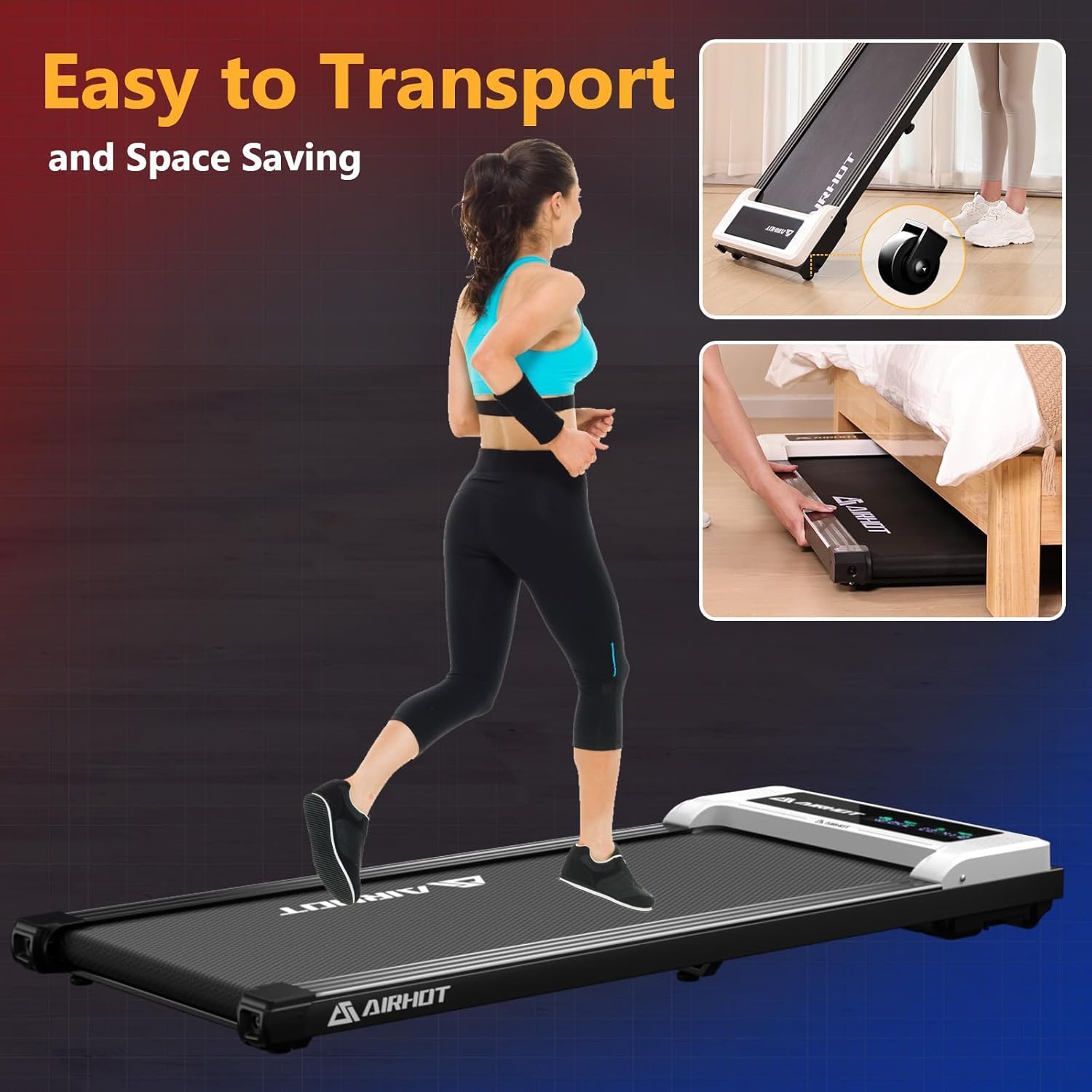
Image: Demonstrates the portability of the AIRHOT P2 Walking Pad Treadmill, showing how it can be easily rolled and stored under furniture, highlighting its space-saving design.
Operating Instructions
Familiarize yourself with the controls and functions before beginning your workout.
Getting Started:
- Power On: Flip the main power switch (located on the side or front of the treadmill) to the ON position. The display will illuminate.
- Remote Control: Use the provided remote control to operate the treadmill.
- Start: Press the START button on the remote. The treadmill belt will begin to move at a low speed.
- Adjust Speed: Use the + and - buttons on the remote to increase or decrease the speed. The speed range is typically 0.6 to 3.8 mph.
- Stop: Press the STOP button on the remote to gradually bring the treadmill to a halt.
Display Functions:
The integrated LCD display provides real-time feedback on your workout:
- Time: Duration of your workout.
- Distance: Total distance covered.
- Speed: Current speed of the running belt.
- Calories: Estimated calories burned.
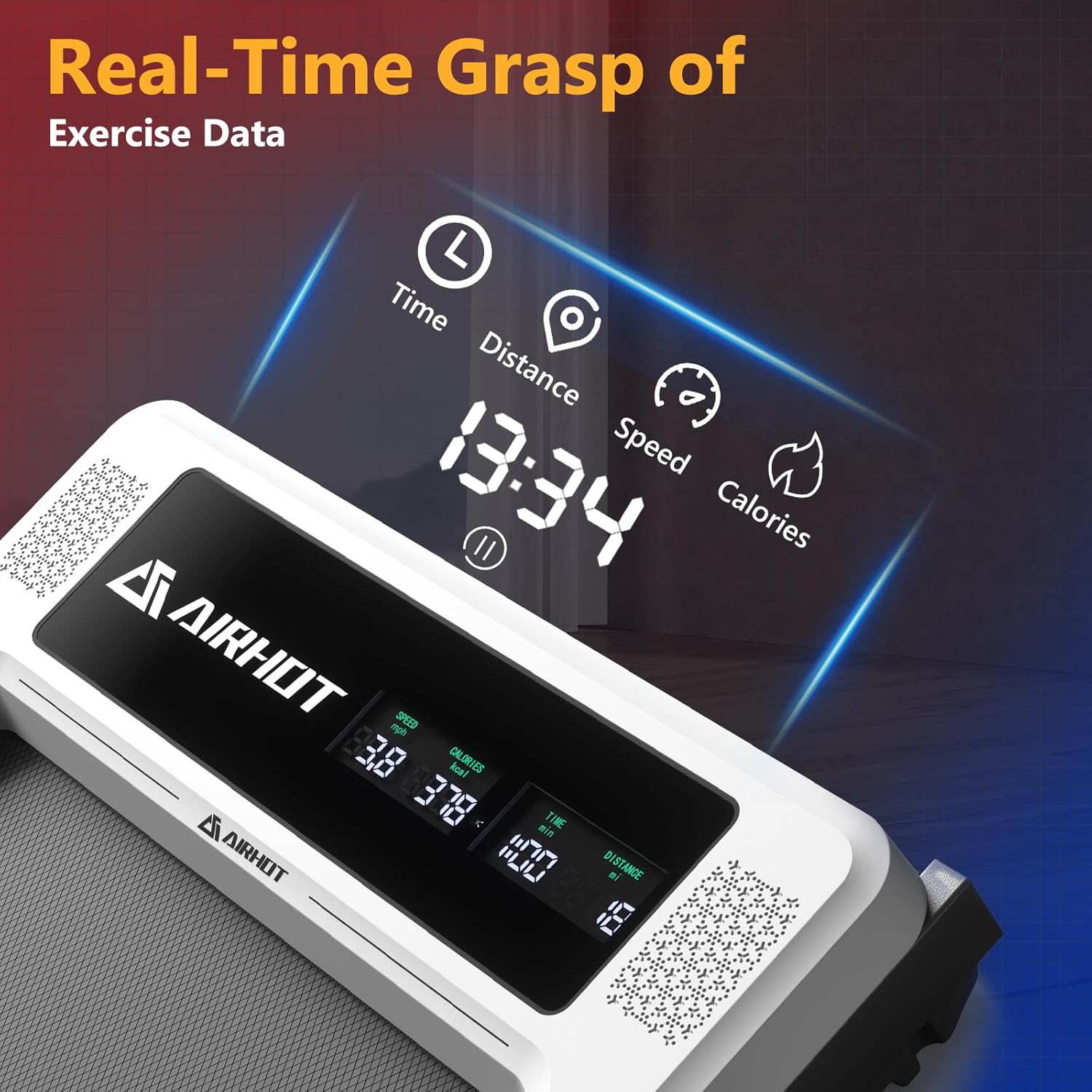
Image: Close-up view of the AIRHOT P2 Walking Pad Treadmill's LCD display, clearly showing real-time exercise data such as time, distance, speed, and calories burned.
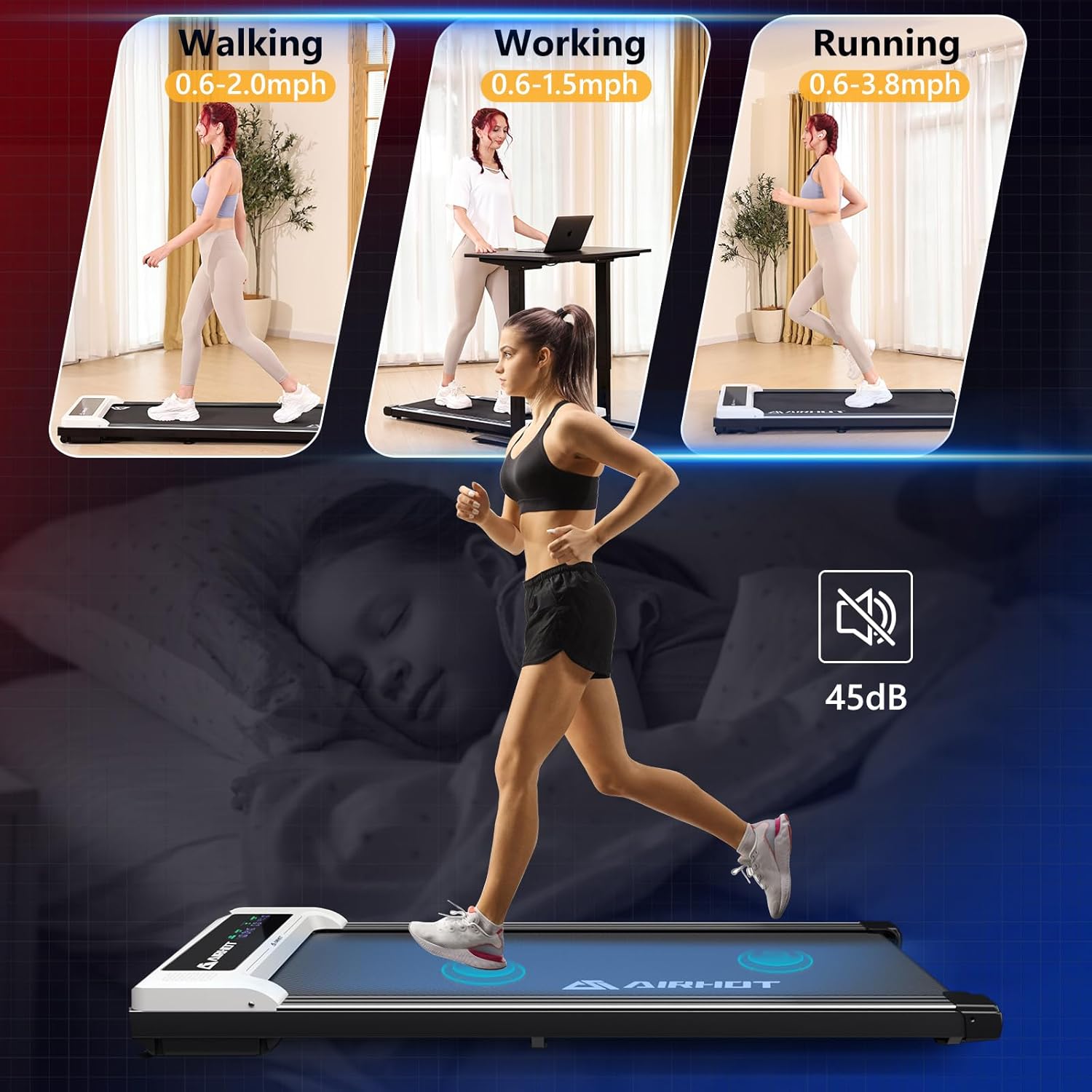
Image: Illustrates the versatility of the AIRHOT P2 Walking Pad Treadmill, depicting users engaging in walking, working at a standing desk while walking, and running, alongside an indicator of its quiet operation (45dB).
Maintenance
Regular maintenance ensures the longevity and optimal performance of your treadmill.
Cleaning:
- Always unplug the treadmill before cleaning.
- Wipe down the display and exterior surfaces with a soft, damp cloth. Avoid abrasive cleaners or solvents.
- Periodically vacuum underneath the treadmill to remove dust and debris.
Belt Lubrication:
The running belt requires periodic lubrication to reduce friction and extend its lifespan. Refer to the specific instructions provided with your lubrication kit (usually silicone oil). Generally, lubrication is recommended every 3-6 months depending on usage.
Belt Adjustment:
If the running belt becomes off-center or slips, it may need adjustment. Consult the detailed instructions in the full user manual or contact customer support for guidance. Typically, this involves using an Allen wrench to adjust tension bolts at the rear of the treadmill.
Troubleshooting
This section addresses common issues you might encounter. For problems not listed here, please contact customer support.
| Problem | Possible Cause | Solution |
|---|---|---|
| Treadmill does not power on. | Power cord not plugged in; main power switch off; circuit breaker tripped. | Ensure power cord is securely plugged in. Turn main power switch ON. Check household circuit breaker. |
| Belt does not move. | Treadmill not started; remote control battery low; safety key not in place (if applicable). | Press START on remote. Replace remote batteries. Ensure safety key is correctly inserted. |
| Belt slips or is off-center. | Belt tension too loose; belt alignment incorrect. | Refer to the belt adjustment section in the full manual or contact support for guidance on adjusting belt tension and alignment. |
| Unusual noise during operation. | Lack of lubrication; loose components; foreign object. | Lubricate the belt. Check for and tighten any loose screws. Inspect for foreign objects under the belt. |
Specifications
Technical details for the AIRHOT P2 Walking Pad Treadmill:
- Model: P2-C-WH
- Brand: AIRHOT
- Color: White
- Material: Alloy Steel
- Motor Horsepower: 2.5 HP
- Speed Range: 0.6 - 3.8 Miles per Hour
- Maximum Weight Recommendation: 120.2 kg (265 lbs)
- Item Weight: 19.5 kg
- Item Dimensions (LxWxH): 124.5 x 52.8 x 12.4 Centimeters
- Running Belt Width: 16.55 Inches
- Display Type: LCD
- Special Feature: Portable
- Included Components: User Manual (and treadmill, remote control)

Image: Detailed view of the 2.5 HP quiet and powerful motor of the AIRHOT P2 Walking Pad Treadmill, highlighting its fully enclosed copper wire design for reduced noise generation (below 45dB) and a weight capacity of 265 lbs.
Warranty and Support
For warranty information, please refer to the documentation included with your purchase or visit the official AIRHOT website. If you encounter any issues or require assistance, please contact AIRHOT customer support.
Customer Support: Please refer to your purchase receipt or the official AIRHOT website for contact details, including phone numbers or email addresses for technical support and service inquiries.
Ask a question about this manual
Ask about setup, troubleshooting, compatibility, parts, safety, or missing instructions. Manuals+ will review the question and use this page’s manual context to help answer it.