
Introduction
The Re-Flix Superior Light Universal Remote Control, model 764954, is designed to provide seamless control for your LG television, specifically replacing the AKB73755488 remote. This 4-in-1 universal remote can also control up to three additional devices (SAT, AUX, DVD). It comes pre-programmed for immediate use with compatible LG TVs, requiring no complex setup or code searching. This manual provides instructions for its setup, operation, maintenance, and troubleshooting.
Setup
1. Battery Installation
The remote control requires two AAA batteries (not included). Follow these steps to install them:
- Locate the battery compartment on the back of the remote control.
- Press down on the latch and slide the battery cover downwards to open it.
- Insert two AAA batteries, ensuring the positive (+) and negative (-) terminals align correctly with the markings inside the compartment.
- Slide the battery cover back into place until it clicks securely.

Image: Back of the remote control with the battery compartment. The compartment is located at the bottom, designed for easy access to insert or replace AAA batteries.
2. Initial Use (No Configuration Required)
This Re-Flix remote control is pre-programmed for LG TVs (AKB73755488 compatible) and is ready for immediate use after battery installation. No additional setup, code searching, or pairing is required for basic LG TV functions.
Operating Instructions
Basic TV Functions
Once batteries are installed, point the remote control directly at your LG TV. The buttons are intuitively laid out for common functions:
- Power Button: Turns the TV on or off.
- Volume Up/Down: Adjusts the sound level.
- Channel Up/Down: Changes TV channels.
- Mute Button: Silences the TV audio.
- Input/Source Button: Cycles through available input sources (HDMI, AV, etc.).
- Number Pad: Directly enter channel numbers.
- Navigation Buttons (Arrow Keys, OK): Navigate menus and confirm selections.
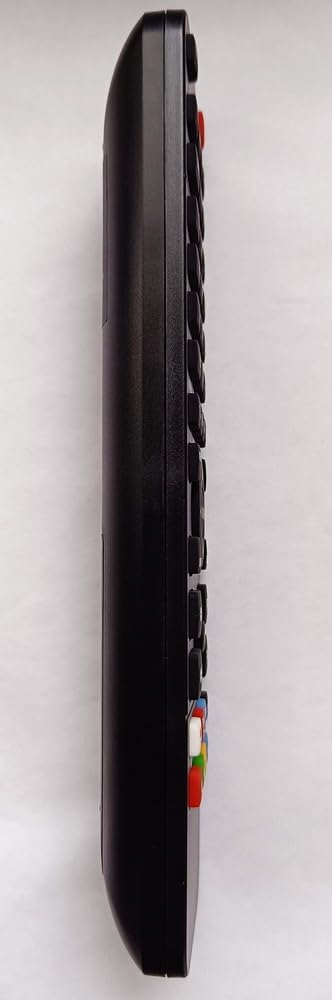
Image: Side profile of the Re-Flix remote control. This view highlights its ergonomic design, making it comfortable to hold and operate.
4-in-1 Universal Control
This remote is a 4-in-1 universal remote, capable of controlling up to four different devices. While pre-programmed for LG TVs, it can be configured for other devices such as Satellite receivers (SAT), Auxiliary devices (AUX), and DVD players. Refer to the specific instructions provided with the remote for programming these additional devices, which typically involves a code-entry process or auto-search function.
Maintenance
Cleaning the Remote Control
To maintain the remote's functionality and appearance:
- Wipe the surface with a soft, dry cloth.
- For stubborn dirt, slightly dampen the cloth with water or a mild, non-abrasive cleaner.
- Avoid using harsh chemicals, solvents, or abrasive materials, as these can damage the remote's finish or internal components.
Battery Replacement
Replace batteries when the remote's response becomes sluggish or it stops functioning. Always replace both batteries at the same time with new AAA batteries. Do not mix old and new batteries, or different types of batteries. Dispose of used batteries responsibly according to local regulations.
Troubleshooting
If you encounter issues with your Re-Flix remote control, try the following solutions:
- Remote not responding: Check if the batteries are inserted correctly with the correct polarity. Replace old batteries with new ones.
- Remote range is poor: Ensure there are no obstructions between the remote and the TV's infrared receiver. Make sure the remote is pointed directly at the TV.
- Specific buttons not working: Clean the remote control, especially around the unresponsive buttons, to remove any dirt or debris that might be interfering with contact.
- TV not responding to commands: Verify that the TV is powered on. If using the 4-in-1 functionality, ensure the remote is set to the correct device mode (e.g., TV mode).
- Remote still not working: If the remote was dropped or sustained physical damage, internal components might be affected. Consider replacing the remote.
Specifications
| Feature | Detail |
|---|---|
| Brand | Re-Flix |
| Model Number | 764954 |
| Special Feature | Universal, Pre-programmed for LG TV AKB73755488 |
| Color | Black |
| Compatible Devices | Television (LG), SAT, AUX, DVD |
| Connectivity Technology | Infrared |
| Controller Type | Remote Control |
| Maximum Range | 10 Meters |
| Battery Description | 2 x AAA (not included) |
| Manufacturer | Re-Flix |
| ASIN | B0C9SSWK6C |
Warranty and Support
For information regarding warranty coverage or technical support, please refer to the documentation provided at the time of purchase or contact your retailer. Keep your proof of purchase for any warranty claims.
