
1. Introduction
Thank you for choosing the Re-Flix Superior Light 4-in-1 Universal Remote Control. This remote is designed for ease of use, coming pre-programmed for your specific device, such as a TV decoder. Simply insert batteries, and it is ready for immediate operation. This manual provides essential information on setup, operation, maintenance, and troubleshooting to ensure optimal performance.
2. Product Overview
The Re-Flix Superior Light remote control is a versatile device designed to simplify your home entertainment experience. Its ergonomic design and intuitive button layout provide comfortable and efficient control.
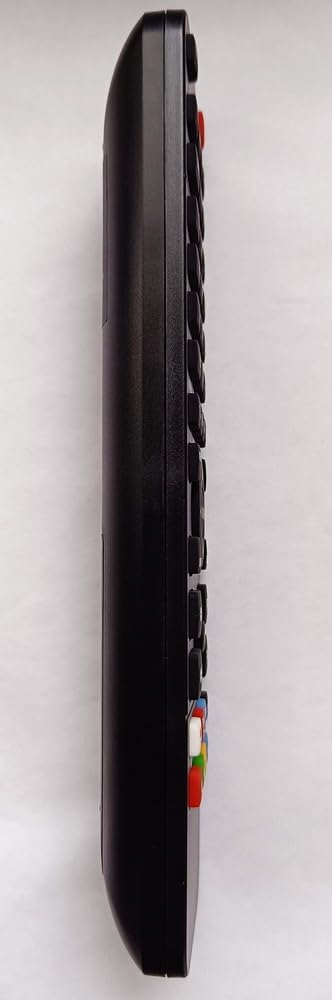
Figure 2.1: Side view of the remote control, highlighting its ergonomic shape and button placement.

Figure 2.2: Back view of the remote control, displaying the battery cover and the product information label.
3. Setup
3.1 Battery Installation
To power your remote control, follow these steps:
- Locate the battery compartment on the back of the remote control (refer to Figure 2.2).
- Slide the battery compartment cover downwards or press the latch and lift to open.
- Insert two (2) 1.5V AAA batteries, ensuring the positive (+) and negative (-) terminals align correctly with the markings inside the compartment.
- Replace the battery compartment cover by sliding it back into place until it clicks securely.
Note: Batteries are not included with the remote control.
3.2 Initial Use
Your Re-Flix Superior Light remote control is pre-programmed for the device specified at the time of purchase (e.g., GTMEDIA P30M3ST-1 TV Decoder). Once batteries are installed, the remote is ready for immediate use without any additional code entry or setup.
Important:
- Ensure that the model designation of your device or original remote control matches the model indicated in the product description.
- If you wish to program the remote for other devices, a separate USB programmer is required. This programmer is not included with the remote control.
4. Operating Instructions
This remote control operates using infrared (IR) technology. Ensure a clear line of sight between the remote's IR emitter and your device's IR receiver for proper functionality.
4.1 Basic Functions
The remote provides standard controls for your compatible TV decoder:
- Power Button: Turns your device on or off.
- Channel Up/Down: Navigates through channels.
- Volume Up/Down: Adjusts the audio volume.
- Numeric Keypad: For direct channel input.
- Menu/Guide: Accesses your device's menu or program guide.
- Navigation Buttons (Arrows, OK): For navigating menus and confirming selections.
Refer to your device's manual for specific functions corresponding to each button on the remote.
5. Maintenance
5.1 Cleaning
To maintain the remote control's appearance and functionality:
- Wipe the surface with a soft, dry cloth.
- For stubborn dirt, slightly dampen the cloth with water or a mild, non-abrasive cleaner.
- Avoid using harsh chemicals, solvents, or abrasive materials, as these can damage the remote's finish or internal components.
5.2 Battery Replacement
Replace the batteries when the remote's response becomes sluggish or stops working. The remote retains its programming even when batteries are low or removed.
- Follow the battery installation steps outlined in Section 3.1.
- Always replace both batteries at the same time with new 1.5V AAA batteries.
- Dispose of used batteries responsibly according to local regulations.
6. Troubleshooting
If you encounter issues with your remote control, refer to the following common solutions:
- Remote not responding:
- Check if the batteries are correctly inserted and have sufficient charge. Replace if necessary.
- Ensure there is a clear line of sight between the remote and your device's IR receiver. Remove any obstructions.
- Make sure you are within the effective operating range of the remote.
- Remote not controlling the intended device:
- Verify that the remote was purchased for the correct device model. This remote is pre-programmed for a specific device.
- If you are attempting to control a different device, remember that a separate USB programmer is required for additional programming.
- Buttons are sticky or unresponsive:
- Clean the remote control as described in Section 5.1.
7. Specifications
| Feature | Detail |
|---|---|
| Brand | Re-Flix |
| Model Number | 747516 |
| Connectivity Technology | Infrared (IR) |
| Compatible Devices | TV Decoder (e.g., GTMEDIA P30M3ST-1) |
| Maximum Supported Devices | 1 (pre-programmed) |
| Batteries Required | 2 x 1.5V AAA (not supplied) |
| Dimensions (L x W x H) | 21 x 4.7 x 2 cm |
| Weight | 89 g |
8. Warranty and Support
This Re-Flix product is covered by a standard manufacturer's warranty. For specific warranty terms and conditions, please refer to the documentation provided at the time of purchase or contact your retailer.
For technical support, troubleshooting assistance beyond this manual, or inquiries regarding additional programming options (e.g., USB programmer), please contact the seller or manufacturer directly. Provide your product model number (747516) and details of your issue for efficient service.