
Introduction
This manual provides instructions for the Re-Flix Superior Light remote control, model 747516. This remote is pre-programmed for immediate use with your Daewoo ST771 VCR. It is designed to offer a straightforward replacement for your original remote, requiring no complex setup procedures for the specified device.
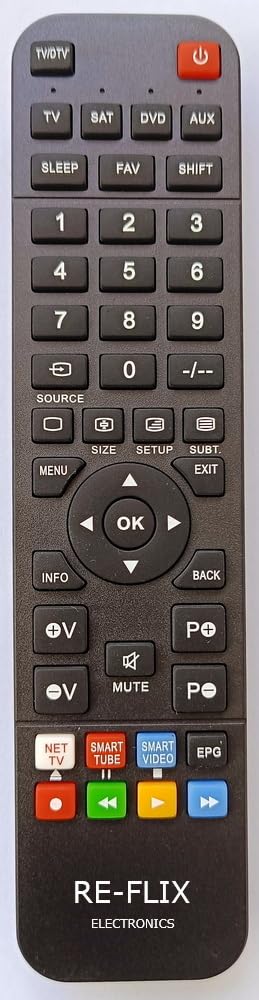
Figure 1: Front view of the Re-Flix Superior Light remote control.
Setup
1. Battery Installation
The remote control requires two (2) AAA 1.5V batteries (not included). Follow these steps to install them:
- Locate the battery compartment cover on the back of the remote control.
- Slide the cover downwards or press the latch to open it.
- Insert two AAA batteries, ensuring the positive (+) and negative (-) terminals align correctly with the markings inside the compartment.
- Slide the battery compartment cover back into place until it clicks securely.

Figure 2: Back view of the remote control with the battery compartment.
2. Initial Use
This Re-Flix remote control is pre-programmed for the Daewoo ST771 VCR. No codes or additional programming steps are required for its primary function. Once batteries are installed, the remote is ready for immediate use with your compatible VCR.
Operating Instructions
To operate your Daewoo ST771 VCR, simply point the remote control directly at the VCR's infrared receiver and press the desired function button. Ensure there are no obstructions between the remote and the VCR.
- Power Button: Turns the VCR on or off.
- Play/Pause/Stop/Rewind/Fast Forward: Standard VCR transport controls.
- Channel Up/Down: Changes channels on the VCR tuner.
- Volume Up/Down: Adjusts the audio output level (if supported by the VCR).
- Numeric Keypad: For direct channel entry or other VCR functions.
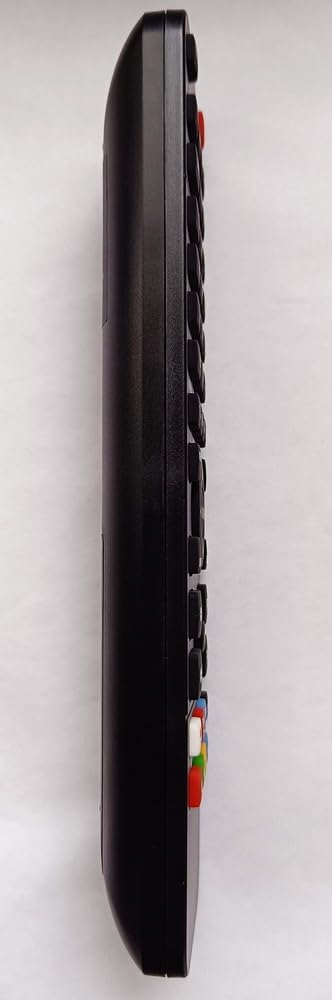
Figure 3: Side view of the remote control.
Advanced Features (4-in-1 Capability)
While this remote is pre-programmed for your Daewoo ST771 VCR, it is a 4-in-1 universal remote. To program it for additional devices (e.g., TV, DVD player), a separate USB programming device is required. This programming device is not included with the remote control. For programming other devices, please refer to the instructions provided with the USB programming device.
Maintenance
- Cleaning: Use a soft, dry cloth to clean the remote control. Avoid using liquid cleaners or abrasive materials.
- Battery Replacement: Replace batteries when the remote's performance diminishes. Always replace both batteries at the same time with new ones of the same type.
- Data Retention: The remote control is designed to retain its programming even when batteries are removed or depleted.
- Storage: Store the remote in a dry place, away from direct sunlight and extreme temperatures.
Troubleshooting
- Remote not responding:
- Ensure batteries are correctly installed and not depleted. Replace if necessary.
- Check for any obstructions between the remote control and the VCR's infrared receiver.
- Verify that the VCR is powered on.
- Some buttons not working:
- This remote is specifically pre-programmed for the Daewoo ST771 VCR. Some buttons may not have a corresponding function on your specific VCR model or may require a different VCR input mode.
- Ensure the remote is pointed directly at the VCR.
Specifications
| Feature | Detail |
|---|---|
| Brand | Re-Flix |
| Model Number | 747516 |
| Compatibility | Daewoo ST771 VCR (pre-programmed) |
| Power Source | 2 x AAA 1.5V Batteries (not included) |
| Dimensions (L x W x H) | 21.0 x 4.7 x 2.0 cm |
| Weight | 89 g |
| Universal Capability | 4-in-1 (requires separate USB programming device for additional devices) |
Warranty and Support
For warranty information or technical support, please refer to the documentation provided at the time of purchase or contact the seller directly. Keep your proof of purchase for any warranty claims.