1. Introduction
This manual provides essential information for the proper use and maintenance of your Re-Flix Superior Light remote control, specifically pre-programmed for the AMSTRAD D250 DVD/BD player. This remote is designed for immediate use with the specified device upon battery insertion, requiring no complex setup or code entry.
2. Setup
2.1 Battery Installation
The remote control requires two (2) AAA 1.5V batteries (not included). Follow these steps to install them:
- Locate the battery compartment on the back of the remote control.
- Slide the battery compartment cover downwards to open it.
- Insert two AAA batteries, ensuring the positive (+) and negative (-) terminals align correctly with the markings inside the compartment.
- Close the battery compartment cover by sliding it back into place until it clicks securely.

Figure 1: Back of the remote control with the battery compartment. Insert two AAA batteries as shown.
2.2 Initial Use
Your Re-Flix Superior Light remote control is pre-programmed for the AMSTRAD D250 DVD/BD player. Once batteries are installed, it is ready for immediate use. No additional codes or programming steps are required for this specific device.
Important: Ensure that the model designation of your device (AMSTRAD D250 DVD/BD) matches the intended compatibility of this remote control. If you wish to program this remote for other devices, a separate USB programming device is required, which is not included with this product.
3. Operating Instructions
The Re-Flix Superior Light remote control provides standard functions for your AMSTRAD D250 DVD/BD player. Point the remote directly at the device's infrared receiver for optimal performance.
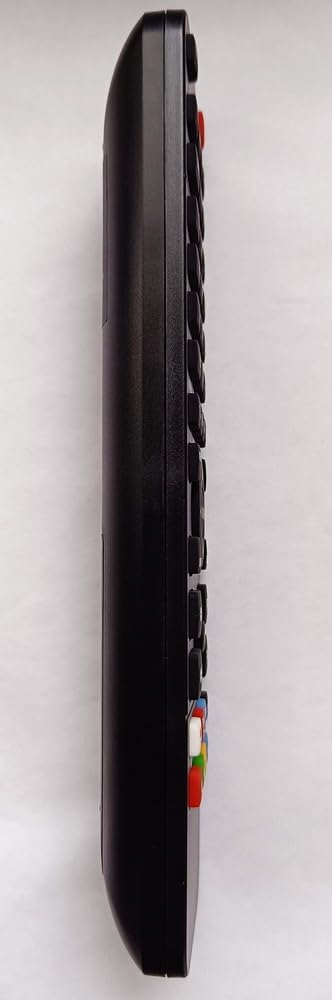
Figure 2: Side view of the remote control, illustrating its ergonomic design.
3.1 Basic Functions
- Power Button: Turns the AMSTRAD D250 DVD/BD player on or off.
- Play/Pause: Starts or pauses playback of a DVD or BD.
- Stop: Stops playback.
- Fast Forward/Rewind: Skips forward or backward through content.
- Next/Previous Track: Navigates to the next or previous chapter/track.
- Volume Up/Down: Adjusts the volume of the connected audio system (if controlled by the DVD/BD player).
- Mute: Silences the audio output.
3.2 Navigation and Menu Functions
- Directional Arrows (Up, Down, Left, Right): Navigate through menus and selections.
- OK/Enter Button: Confirms a selection or enters a menu option.
- Menu Button: Accesses the main menu of the DVD/BD.
- Return/Back Button: Returns to the previous menu or screen.
- Numeric Keypad (0-9): Used for direct track/chapter selection or inputting numbers.
4. Maintenance
4.1 Battery Replacement
Replace batteries when the remote control's response becomes sluggish or stops functioning. Always replace both batteries simultaneously with new AAA 1.5V batteries. Do not mix old and new batteries, or different types of batteries.
4.2 Cleaning
To clean the remote control, use a soft, dry cloth. For stubborn dirt, slightly dampen the cloth with water. Do not use abrasive cleaners, solvents, or alcohol, as these can damage the surface and internal components. Avoid getting moisture into the battery compartment or button crevices.
5. Troubleshooting
If you encounter issues with your remote control, please refer to the following common solutions:
- Remote not responding:
- Check if the batteries are correctly inserted with the correct polarity.
- Replace old batteries with new ones.
- Ensure there are no obstructions between the remote control and the AMSTRAD D250 DVD/BD player's infrared sensor.
- Make sure you are within the effective range of the remote control (typically up to 7 meters).
- Remote controls other devices unexpectedly:
- This remote is pre-programmed for the AMSTRAD D250. If it affects other devices, ensure they are not in the direct line of sight or are not responding to similar infrared signals.
6. Specifications
| Feature | Detail |
|---|---|
| Brand | Re-Flix |
| Model Number | 747516 |
| Compatibility | AMSTRAD D250 DVD/BD Player (pre-programmed) |
| Battery Type | 2 x AAA 1.5V (not included) |
| Weight | 89 g |
| Dimensions (L x W x H) | 21.0 x 4.7 x 2.0 cm |
7. Warranty and Support
Specific warranty information for this product may vary by region and retailer. Please refer to your purchase documentation or contact your point of sale for details regarding warranty coverage.
For technical support or further inquiries, please contact the retailer or the manufacturer, Re-Flix, through their official support channels. Ensure you have your product model number (747516) and purchase details available when seeking assistance.