
1. Introduction
This manual provides detailed instructions for the safe and effective use of your MANECODE 7-in-1 Electric Razor. Please read this manual thoroughly before first use and retain it for future reference. This device is designed for personal grooming and offers multiple functions for shaving and trimming.

Image 1.1: The MANECODE 7-in-1 Electric Razor kit, showcasing the main shaver unit, various attachments, USB charging cable, and charging dock.
2. Safety Information
To ensure safe operation and prevent injury or damage to the device, observe the following safety guidelines:
- Do not use the device near water sources while it is charging. Ensure the device is completely dry before connecting it to the charging station or USB cable.
- Always follow the manufacturer's instructions for cleaning and maintenance to prevent skin irritation and cuts.
- This product is intended for adult use only. Keep out of reach of children.
- Do not disassemble or attempt to repair the device yourself. Contact customer support for assistance.
- Avoid using the shaver if the blades are damaged or worn, as this may cause skin irritation or injury.
- Only use the provided charging cable and station.
3. Package Contents
Verify that all items are present in your package:
- Electric Razor Main Unit
- Rotary Shaver Head (pre-installed)
- Precision Trimmer Head
- Nose and Ear Trimmer Head
- Facial Cleansing Brush Head
- 3 Trimmer Guide Combs (1/8 inch, 1/4 inch, 3/8 inch)
- USB Charging Station
- USB Charging Cable
- Protective Cap
- Blade Care Oil
- Cleaning Brush
- User Manual
Image 3.1: A visual representation of all included accessories and the main unit.
4. Product Features
- Floating 8 Contouring Technology: The innovative shaving head moves in eight directions, adapting to facial contours for a close and comfortable shave.
- Self-Sharpening Dual Blades: Equipped with stainless steel blades that maintain sharpness over time, featuring two rows of blades and an anti-friction coating for reduced irritation.
- IPX6 Waterproof Rating: Allows for both wet and dry shaving, and easy cleaning under running water.
- Retractable Blade: Integrated pop-up trimmer for precise shaping of sideburns, mustache, and beard lines.
- Versatile Attachments: Includes a precision trimmer, nose/ear trimmer, and facial cleansing brush for comprehensive grooming.
- USB Charging Station: Provides convenient charging and organized storage for the shaver and its attachments.
- Long-Lasting Battery: Offers up to 80 minutes of cordless use after a 2-hour charge.
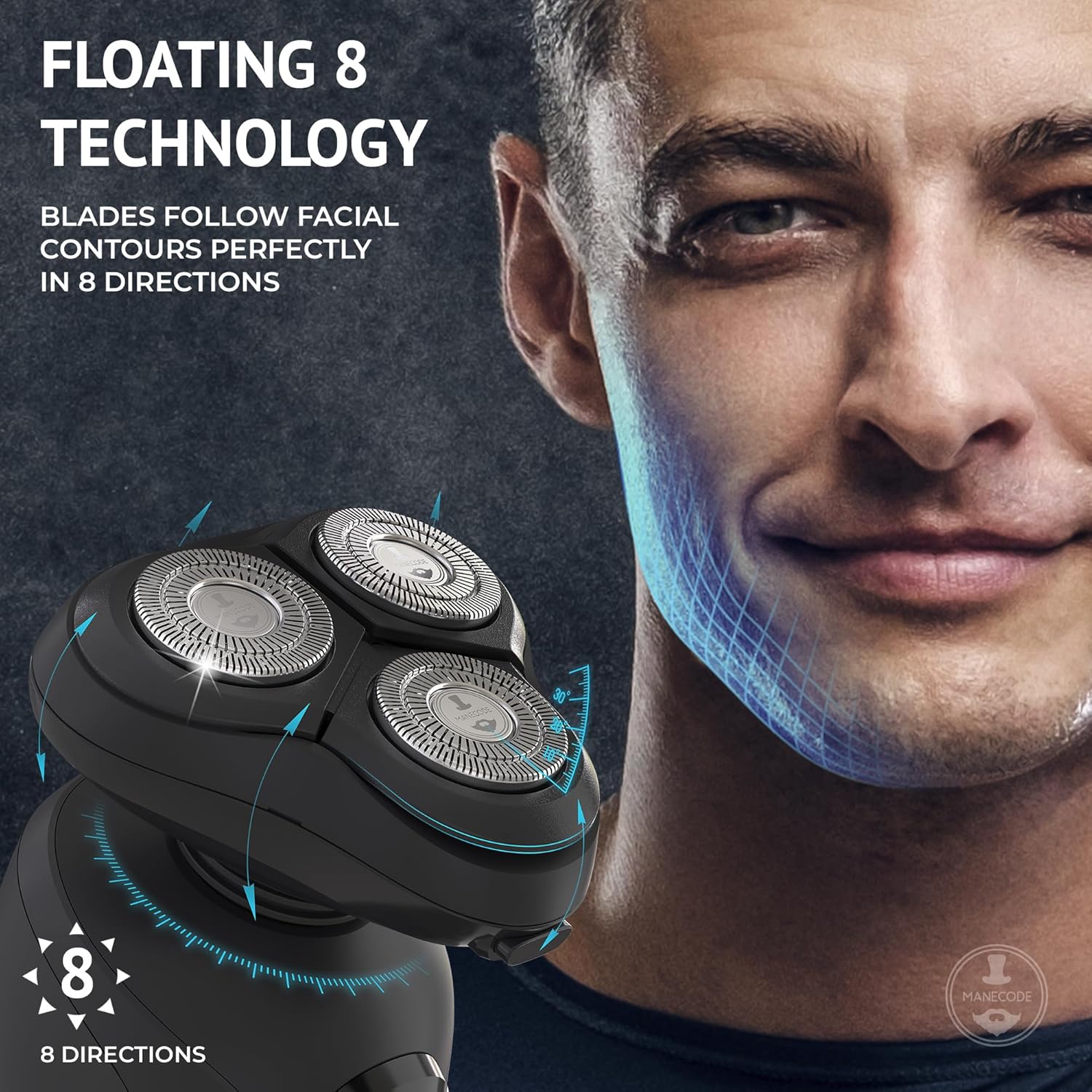
Image 4.1: The Floating 8 Contouring Technology allows the shaver head to adapt to facial curves.

Image 4.2: Illustration of the self-sharpening dual blade system, highlighting stainless steel construction and anti-friction coating.

Image 4.3: The shaver is IPX6 waterproof, suitable for wet shaving and easy cleaning under running water.
5. Setup
5.1 Initial Charging
Before first use, fully charge the electric razor. Connect the USB charging cable to the charging station, then plug the other end into a compatible USB power adapter (not included) or a USB port. Place the shaver into the charging station. The display on the shaver will indicate charging status. A full charge takes approximately 2 hours.

Image 5.1: The charging station provides a secure place for the shaver and indicates charging progress.
5.2 Attaching/Detaching Heads
To change an attachment, gently twist the current head counter-clockwise and lift it off. Align the desired attachment with the main unit and twist clockwise until it clicks securely into place.
6. Operating Instructions
6.1 Shaving with the Rotary Head
- Ensure the shaver is fully charged.
- For a dry shave, turn on the shaver and glide it over your face in small, circular motions.
- For a wet shave, apply shaving cream or gel to your face, then turn on the shaver and glide it over your face in small, circular motions.
- Apply gentle pressure; excessive pressure is not necessary and may cause irritation.
6.2 Using the Retractable Blade
The retractable blade is ideal for precise shaping. To activate, slide the switch on the back of the shaver upwards. Use the blade to define sideburns, mustaches, and beard lines. Slide the switch down to retract the blade when finished.

Image 6.1: The retractable blade allows for precise trimming and shaping.
6.3 Using Trimmer Attachments
Attach the precision trimmer head. Select one of the three guide combs (1/8 inch, 1/4 inch, or 3/8 inch) and snap it onto the trimmer head. Turn on the shaver and move it against the direction of hair growth to trim beards or hair to the desired length.
6.4 Using the Nose and Ear Trimmer
Attach the nose and ear trimmer head. Gently insert the trimmer tip into your nostril or ear canal. Move it slowly to trim unwanted hair. Do not insert too deeply.

Image 6.2: The nose and ear trimmer provides a safe way to remove unwanted hair.
6.5 Using the Facial Cleansing Brush
Attach the facial cleansing brush head. Dampen your face and apply a small amount of facial cleanser to the brush or your skin. Turn on the shaver and gently move the brush in circular motions across your face. This attachment can also be used for applying shaving soap or exfoliating.

Image 6.3: The facial cleansing brush helps exfoliate skin and prepare it for shaving.
7. Maintenance and Cleaning
Regular cleaning ensures optimal performance and hygiene.
- Daily Cleaning: After each use, turn off the shaver. Open the shaver head by pressing the release button (if applicable) or gently twisting. Rinse the shaver head and the internal hair chamber under warm running water until all hair clippings are removed. Shake off excess water and allow to air dry.
- Deep Cleaning: Periodically, detach the rotary shaver head completely. Use the small cleaning brush to remove stubborn hair and debris from the blades and internal components. Reassemble the head securely.
- Blade Care Oil: Apply a small drop of the provided blade care oil to the shaver blades once a month or as needed. Run the shaver for a few seconds to distribute the oil. This helps maintain blade performance and longevity.
- Storage: Store the shaver and its attachments in the charging station or a clean, dry place. Use the protective cap for the rotary shaver head when not in use.
8. Charging and Battery
The shaver is powered by a rechargeable Lithium Polymer battery.
- Charging Time: Approximately 2 hours for a full charge.
- Working Time: Up to 80 minutes of continuous cordless use on a full charge.
- Battery Indicators: The display panel on the handle provides information on battery charge status.
- Charging Environment: Charge the device in a dry environment. Do not charge in direct sunlight or extreme temperatures.
9. Troubleshooting
If you encounter issues with your MANECODE Electric Razor, refer to the following common solutions:
| Problem | Possible Cause | Solution |
|---|---|---|
| Shaver does not turn on. | Battery is depleted. | Charge the shaver fully (approx. 2 hours). |
| Shaver does not charge. | Charging cable or station not properly connected. | Ensure all connections are secure. Try a different USB port or adapter. |
| Poor shaving performance / pulling hair. | Blades are dirty or dull. | Clean the shaver head thoroughly. Apply blade care oil. If performance does not improve, consider replacing the shaver head. |
| Skin irritation after shaving. | Incorrect shaving technique or sensitive skin. | Ensure you are using gentle, circular motions. Try wet shaving with shaving cream. Clean the shaver head before each use. |
| Trimmer keeps popping up. | Accidental activation of the release button. | Adjust grip to avoid pressing the trimmer release button during use. |
10. Specifications
| Feature | Detail |
|---|---|
| Model Name | MAVERICK |
| Power Source | Battery Powered (1 Lithium Polymer battery included) |
| Special Features | Dry Shave, Wet Shave, Pivoting Head, Waterproof (IPX6), Hybrid |
| Recommended Uses | Beard, Ear, Face, Mustache, Nose Hair, Scalp |
| Product Dimensions | 6.89 x 2.36 x 3 inches |
| Item Weight | 2.03 Pounds |
| Wattage | 5 watts |
| Manufacturer | Manecode |
11. Warranty and Support
The MANECODE 7-in-1 Electric Razor is designed for durability and performance. While specific warranty details are not provided in this manual, many products come with a manufacturer's guarantee. Please refer to your purchase documentation or contact MANECODE customer support for information regarding warranty coverage and service.
For technical support, replacement parts, or any questions not covered in this manual, please visit the official MANECODE website or contact their customer service department.