
1. Introduction
This manual provides detailed instructions for the setup, operation, and maintenance of your HUIYEETEX YR2188B 2-Channel Motorized Blind Controller. Please read this manual thoroughly before use to ensure proper functionality and to maximize the lifespan of your device.
2. Product Overview
The HUIYEETEX YR2188B is a 2-channel remote control designed for operating motorized electric blinds and shades. It allows for convenient control of up to two individual blinds or groups of blinds, offering precise positioning with predefined limit settings.

Figure 2.1: Front and back view of the HUIYEETEX YR2188B 2-Channel Motorized Blind Controller, including its transparent wall mount.

Figure 2.2: Detailed diagram illustrating the button layout and functions of the YR2188B remote control, along with the battery compartment and back holder.
Key Features:
- 2-Channel Control: Operate up to two individual blinds or groups of blinds independently.
- Precise Limit Settings: Adjust blinds to 25%, 50%, or 75% open positions.
- Easy Operation: Simple button interface for raising, lowering, and stopping blinds.
- Wall Mount Included: Convenient storage for the remote.
3. Specifications
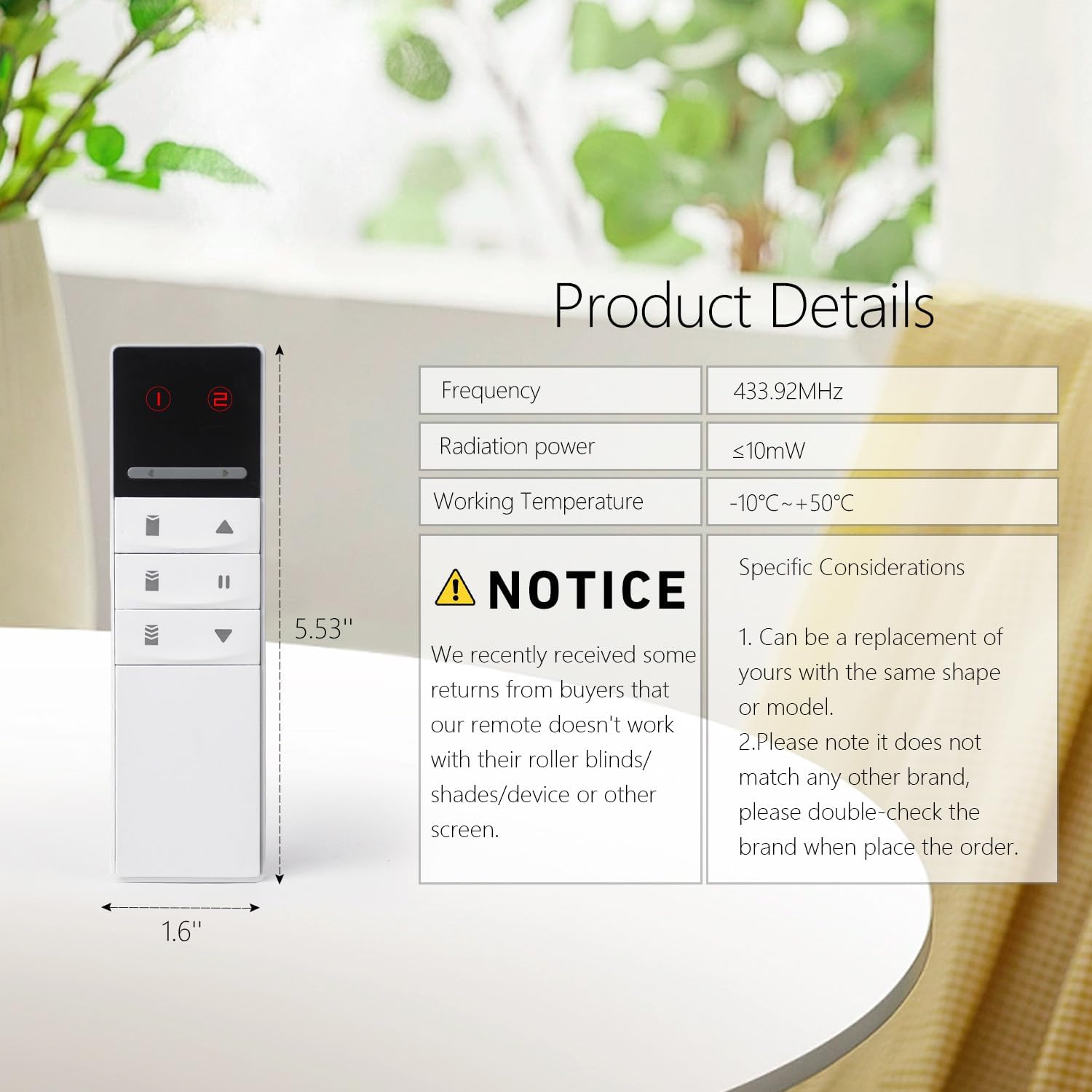
Figure 3.1: Product details and specifications for the HUIYEETEX YR2188B remote control.
| Feature | Detail |
|---|---|
| Model | YR2188B |
| Brand | HUIYEETEX |
| Frequency | 433.92MHz |
| Radiation Power | ≤10mW |
| Working Temperature | -10°C ~ +50°C |
| Max Number of Supported Devices | 2 (channels) |
| Compatible Devices | Electric Blinds & Shades |
| Connectivity Technology | Infrared (IR) |
| Number of Buttons | 2 (channel selection) + 5 (control) |
| Battery Type | 3V CR2032 (as indicated on product image) |
| Package Dimensions | 6 x 2 x 1 inches |
| Item Weight | 2.39 ounces |
4. Setup
4.1. Battery Installation
- Locate the battery compartment cover on the back of the remote control.
- Slide the cover open.
- Insert one CR2032 3V battery, ensuring the correct polarity (+/-).
- Close the battery compartment cover securely.
4.2. Pairing with Motorized Blinds
The HUIYEETEX YR2188B remote control is designed to be a replacement or an additional transmitter for compatible HUIYEETEX motorized blinds. The pairing process typically involves a specific sequence of button presses on both the remote and the blind motor. Refer to the instruction manual provided with your motorized blind motor for detailed pairing instructions. The remote features a 'Confirm Button' (as shown in Figure 2.2) which may be used during the pairing process.
For additional information or to scan a QR code related to product details, you may visit http://qr61.cn/o88cI8/qHoKkBK.
5. Operating Instructions
Once paired, the remote allows for intuitive control of your motorized blinds.

Figure 5.1: Operating two motorized roller shades using the HUIYEETEX YR2188B remote control.

Figure 5.2: The 2-channel remote control effectively managing two shades in a dining room setting.
5.1. Channel Selection
- Use the Channel 1 and Channel 2 buttons (labeled '1' and '2' at the top of the remote) to select which blind or group of blinds you wish to control. The active channel will typically be indicated by an illuminated LED.
5.2. Basic Control Functions
- Up (▲): Press this button to raise the selected blind.
- Down (▼): Press this button to lower the selected blind.
- Stop (▮▮): Press this button to stop the blind at its current position.
5.3. Limit Setting (Predefined Positions)
The remote allows you to quickly move your blinds to specific preset positions:
- 75% Limit: Press the button labeled with a partially open blind icon (three horizontal lines, top position) to move the blind to the 75% open position.
- 50% Limit: Press the button labeled with a partially open blind icon (three horizontal lines, middle position) to move the blind to the 50% open position.
- 25% Limit: Press the button labeled with a partially open blind icon (three horizontal lines, bottom position) to move the blind to the 25% open position.
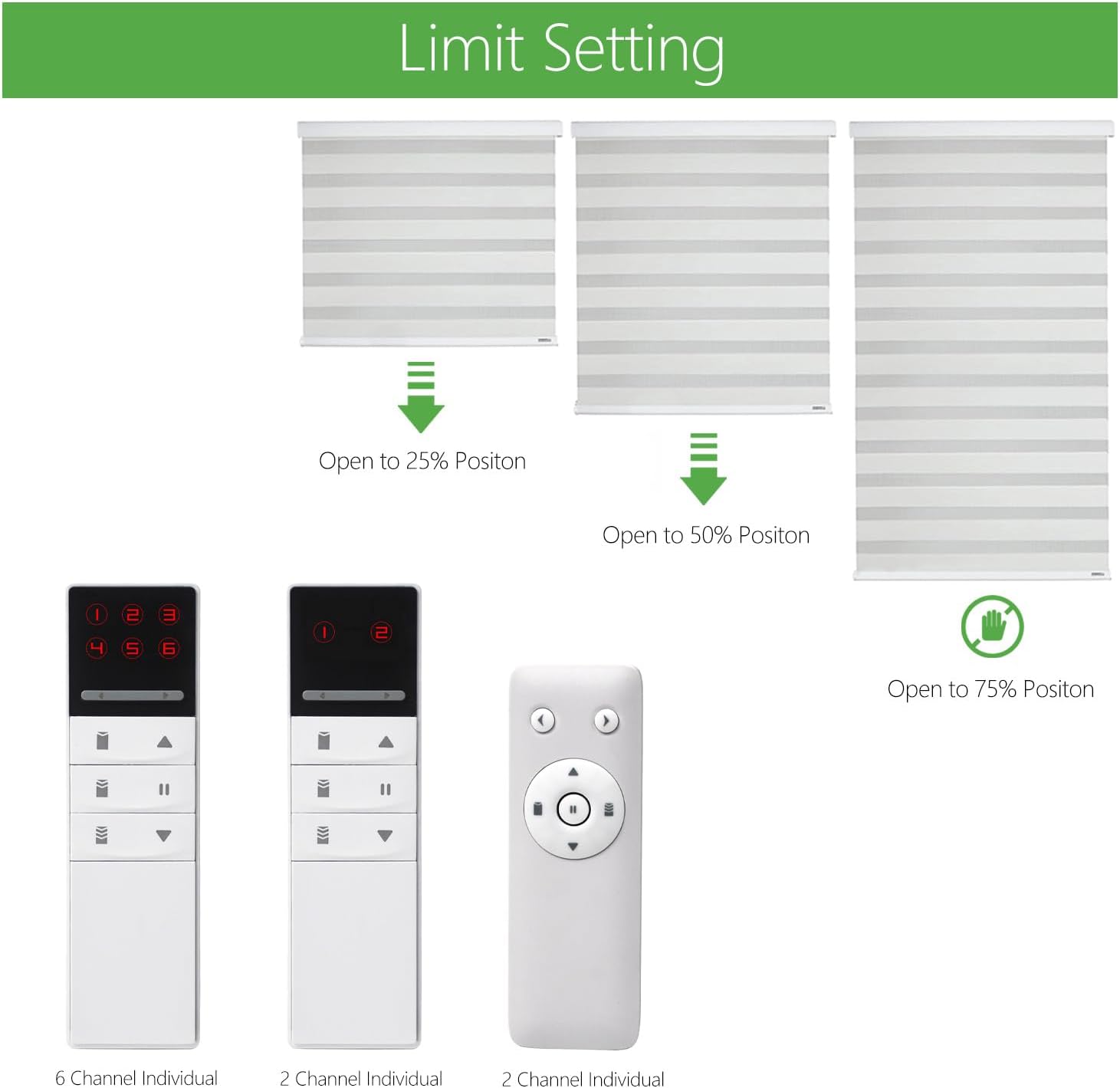
Figure 5.3: Visual representation of the 25%, 50%, and 75% limit settings for motorized blinds.
6. Compatibility
The HUIYEETEX YR2188B 2-Channel Motorized Blind Controller is designed to work specifically with HUIYEETEX motorized blinds and shades. It is crucial to ensure that your existing controller has the same shape or model number (YR2188B) for compatibility. This remote is not universally compatible with all brands of motorized blinds.

Figure 6.1: Important notice regarding incompatible brands for the HUIYEETEX YR2188B remote.
Known Incompatible Brands:
- Somfy
- Graber and Bali blinds
- Sivola Triathlon Shades
- Rollease Acmeda shade motors
- Tucson DC1602b
- Lutron's Sivola GED
- Levolor motorized sheer shades
- Select blinds
- 3 day blinds
Always double-check the brand and model of your existing motorized blinds before purchasing to ensure compatibility.
7. Troubleshooting
If you encounter issues with your HUIYEETEX YR2188B remote control, consider the following troubleshooting steps:
- Remote Not Responding:
- Check if the battery is correctly installed and has sufficient power. Replace the CR2032 battery if necessary.
- Ensure there are no obstructions between the remote and the blind motor's receiver.
- Confirm that the correct channel (1 or 2) is selected on the remote.
- Blinds Not Moving to Preset Positions:
- Verify that the blind motor's limits have been properly set. Refer to your blind motor's manual for instructions on setting upper and lower limits.
- Attempt to re-pair the remote with the blind motor if the issue persists.
- Intermittent Control:
- Ensure the remote is within the effective operating range of the blind motor.
- Minimize potential sources of interference (e.g., other wireless devices).
If these steps do not resolve the issue, please contact HUIYEETEX customer support for further assistance.
8. Maintenance
- Cleaning: Wipe the remote control with a soft, dry cloth. Avoid using abrasive cleaners or solvents.
- Battery Replacement: Replace the CR2032 battery when the remote's performance degrades or if the indicator light does not illuminate. Dispose of used batteries responsibly.
- Storage: Store the remote in a cool, dry place, away from direct sunlight and extreme temperatures. Use the provided wall mount for convenient and safe storage.
9. Warranty and Support
For warranty information and customer support, please refer to the documentation included with your original product purchase or visit the official HUIYEETEX website. If you have any questions or require technical assistance, please contact HUIYEETEX customer service directly.