
1. Introduction
This manual provides essential information for the safe and effective use of your Maksone USZ2302-W Folding Walking Pad Treadmill. Please read it thoroughly before operation and retain it for future reference.

Image: The Maksone USZ2302-W Folding Walking Pad Treadmill, showcasing its compact design and extended handlebar.
2. Safety Information
- Weight Limit: Do not exceed the maximum user weight of 265 pounds (120 kg).
- Emergency Stop: Always attach the safety key clip to your clothing before starting the treadmill. In case of an emergency, the safety key will detach, immediately stopping the machine.
- Placement: Place the treadmill on a flat, stable surface. Ensure adequate clear space around the treadmill for safe operation and emergency dismount.
- Children and Pets: Keep children and pets away from the treadmill during operation.
- Footwear: Always wear appropriate athletic footwear when using the treadmill.
- Lubrication: Ensure the running belt is properly lubricated before first use and regularly thereafter, as specified in the maintenance section. Insufficient lubrication can affect performance and safety.
- Handlebar Use: The adjustable handlebar provides support. Use it for balance, but do not lean heavily on it.
3. Package Contents
Verify that all components are present in the package:
- Maksone USZ2302-W Folding Walking Pad Treadmill
- Remote Control
- Power Cord
- Safety Key
- Lubricant
- Tool Kit
- User Manual (this document)
4. Setup
4.1 Unpacking and Placement
The Maksone USZ2302-W treadmill comes pre-assembled. Carefully remove it from its packaging. Place the treadmill on a firm, level surface. Ensure there is at least 2 feet (60 cm) of clear space on all sides and 6 feet (180 cm) behind the treadmill for safe operation.
4.2 Unfolding and Handlebar Adjustment
- Gently unfold the treadmill from its compact storage position.
- Raise the handlebar to the desired height. Secure it in place using the cross fixed lock mechanism. The handlebar can be adjusted to various angles and heights for user comfort and preference.
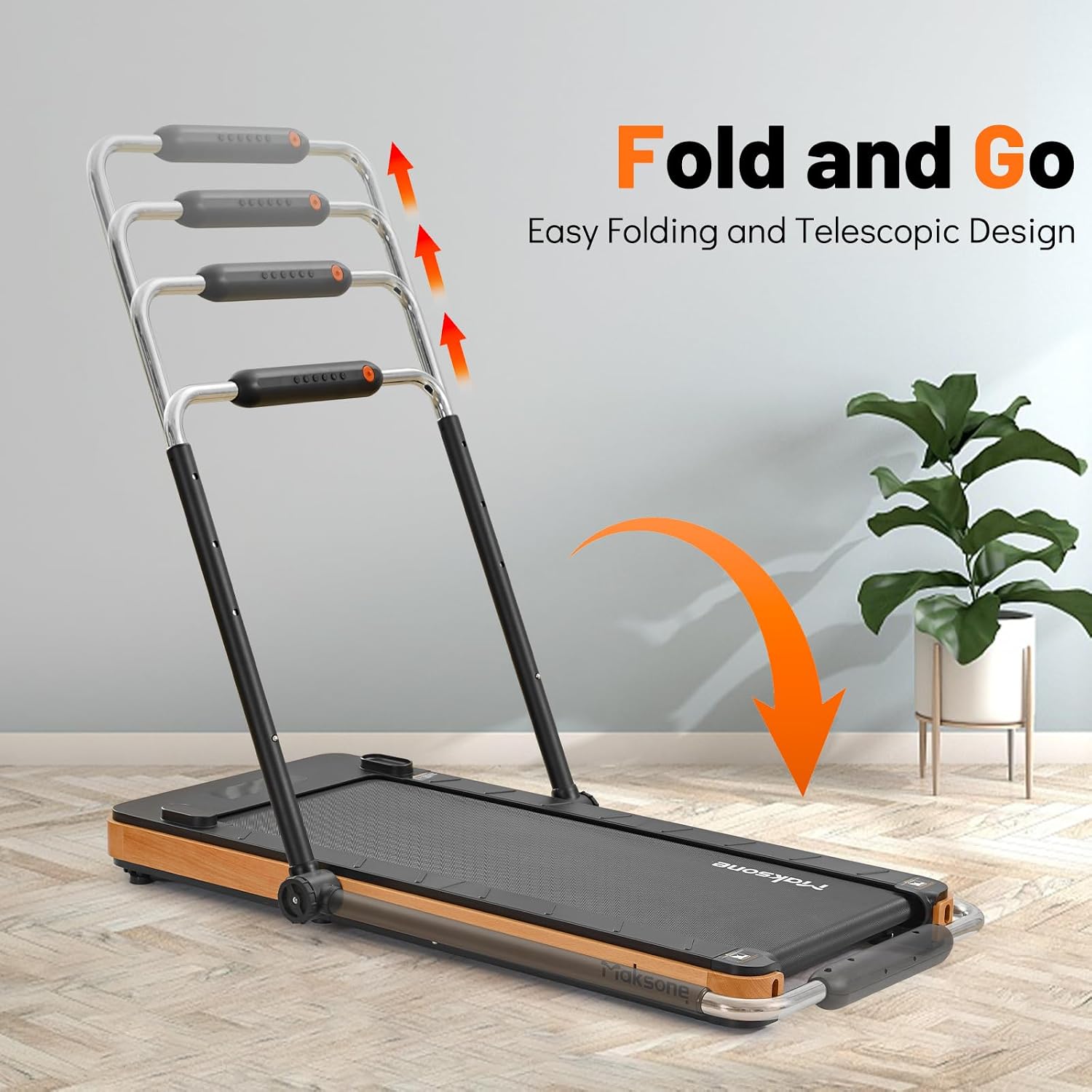
Image: Illustration of the treadmill's folding and telescopic handlebar design.

Image: Detailed view of the control panel, digital display, cross fixed lock for the handlebar, and the remote control.
4.3 Initial Lubrication
Before first use, apply the provided lubricant to the running belt as instructed in the Maintenance section. This ensures smooth operation and prolongs the life of the treadmill.
4.4 Power Connection
Connect the power cord to the treadmill and then to a grounded electrical outlet. Ensure the power switch is in the OFF position before plugging in.
5. Operation
5.1 Starting the Treadmill
- Ensure the treadmill is properly set up and plugged in.
- Attach the safety key clip to your clothing. Insert the safety key into its designated slot on the control panel.
- Step onto the treadmill's side rails.
- Press the START button on the control panel or remote control. The treadmill will typically begin with a low speed after a brief countdown.
5.2 Adjusting Speed and Programs
- Speed Adjustment: Use the '+' and '-' buttons on the remote control or control panel to increase or decrease the speed. The speed range is 0.5 to 7.5 miles per hour (MPH).
- Pre-set Programs: The treadmill features 12 pre-set workout programs. Refer to the display and control panel for program selection and details.
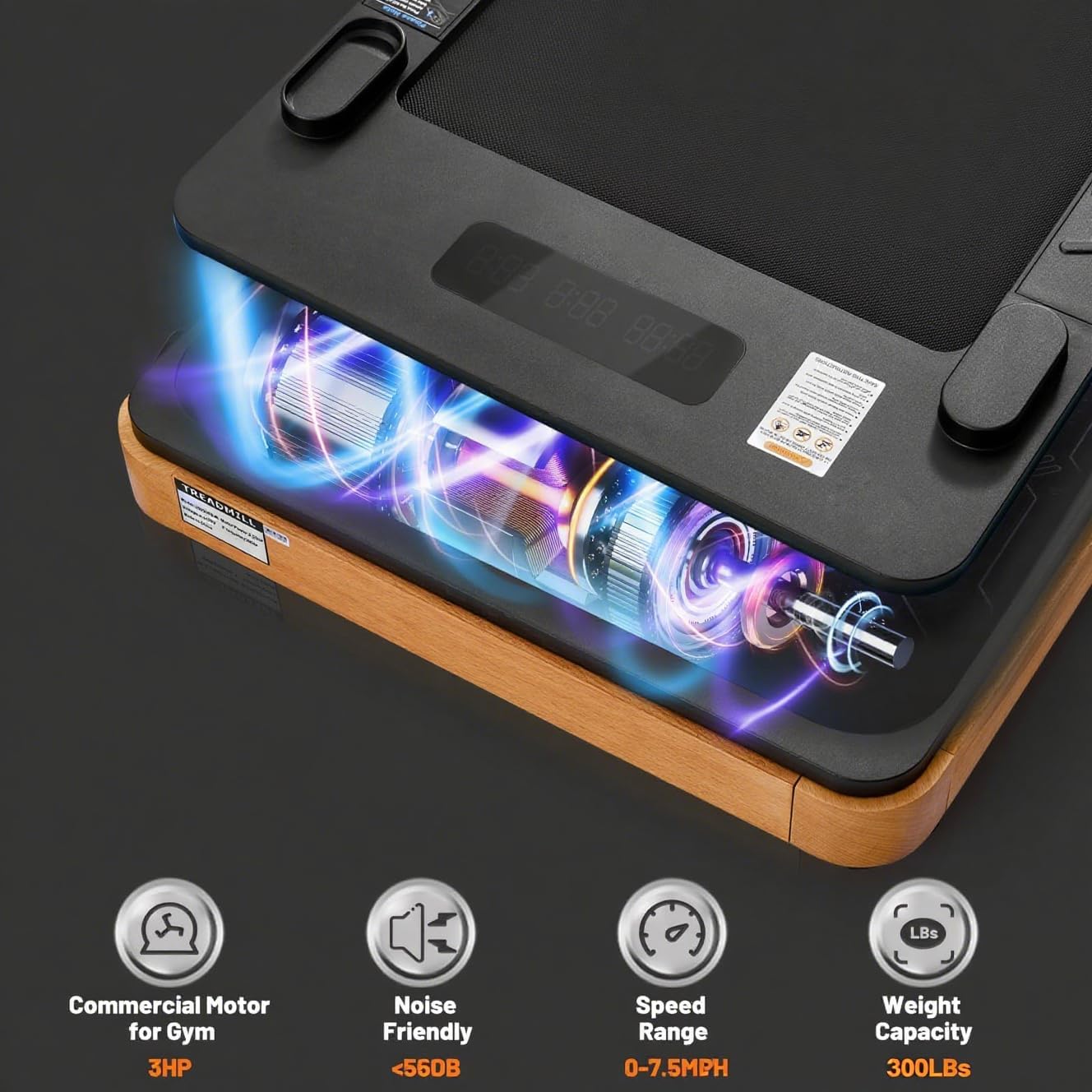
Image: Internal view highlighting the 3HP motor, quiet operation, speed range, and weight capacity.
5.3 Display Information
The LED/LCD display shows key workout metrics, including:
- Time
- Speed
- Distance
- Calories Burned
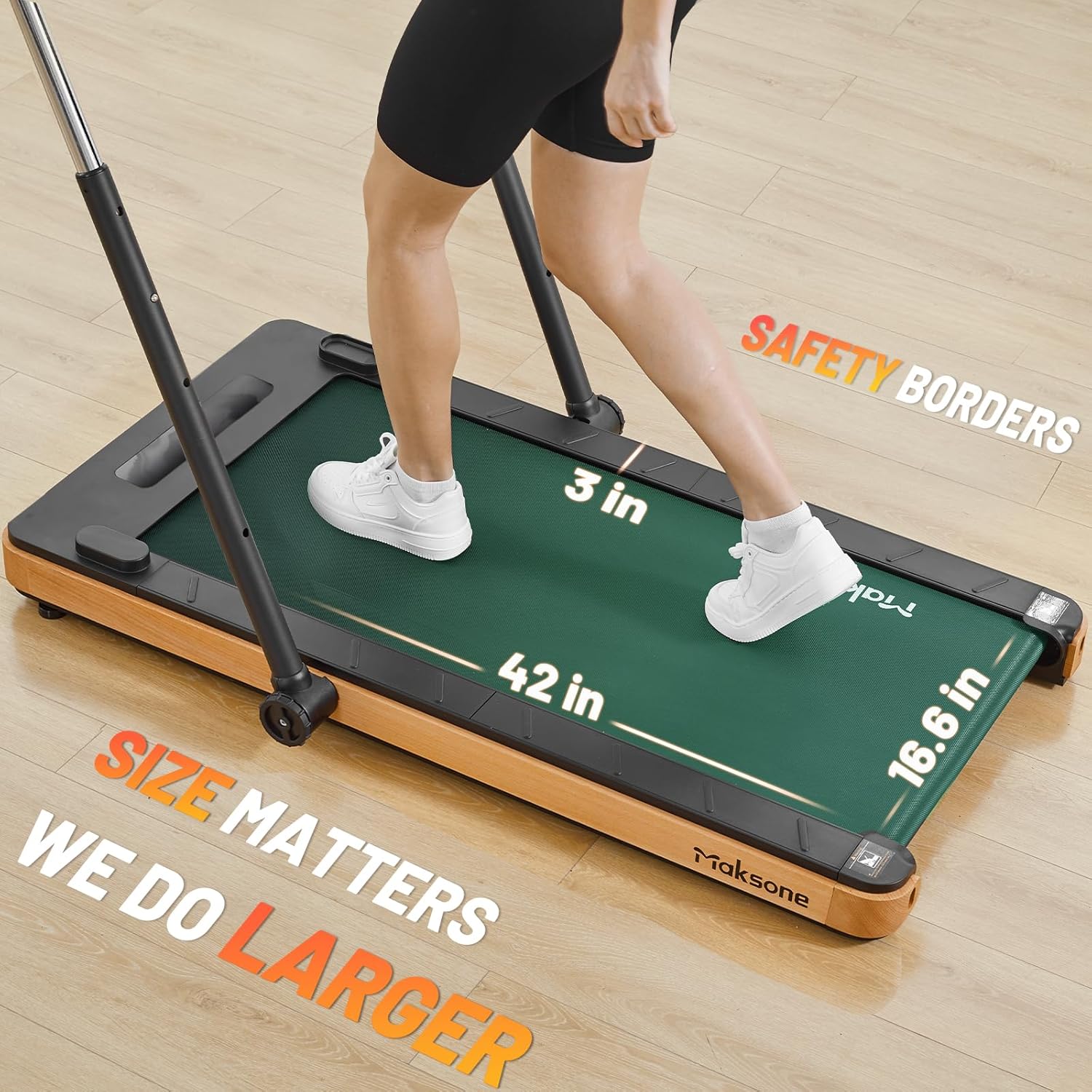
Image: Demonstrates the spacious running area (42 x 16.6 inches) and safety borders of the treadmill.
5.4 Stopping the Treadmill
To stop the treadmill, press the STOP button on the control panel or remote. For an emergency stop, pull the safety key from its slot.
6. Maintenance
6.1 Lubrication of the Running Belt
Regular lubrication is crucial for the treadmill's performance and longevity. Apply the provided silicone lubricant every 30-50 hours of use, or as needed if the belt feels dry or noisy.
- Turn off and unplug the treadmill.
- Lift the edge of the running belt.
- Apply a small amount of lubricant evenly under the center of the belt.
- Plug in the treadmill and run it at a low speed (e.g., 1 MPH) for 5 minutes to distribute the lubricant.
6.2 Running Belt Adjustment
If the running belt shifts to one side or slips, it may need adjustment. Use the included tool kit to adjust the tension bolts at the rear of the treadmill. Turn the bolts in small increments (quarter turns) and test the belt after each adjustment until it is centered and properly tensioned. Refer to the specific instructions in the included tool kit for detailed steps.
6.3 Cleaning
Wipe down the treadmill surfaces with a damp cloth after each use. Avoid using abrasive cleaners or solvents. Regularly vacuum around and under the treadmill to prevent dust buildup.
7. Troubleshooting
| Problem | Possible Cause | Solution |
|---|---|---|
| Treadmill does not start | Power cord not connected; Safety key not inserted; Power switch off. | Check power connection; Insert safety key; Turn power switch ON. |
| Running belt slips or hesitates | Belt requires lubrication; Belt tension is too loose. | Apply lubricant (see Maintenance); Adjust belt tension (see Maintenance). |
| Unusual noise during operation | Lack of lubrication; Loose components; Belt misalignment. | Lubricate belt; Check and tighten all visible bolts; Adjust belt alignment. |
| Remote control not responding | Battery low or dead; Remote out of range; Interference. | Replace CR2 battery (included); Ensure remote is close to the treadmill; Remove any obstructions. |
8. Specifications
- Model: USZ2302-W
- Product Dimensions: 140.72 x 76.71 x 15.75 cm (55.4 x 30.2 x 6.2 inches)
- Item Weight: 34.93 kg (77 lbs)
- Maximum Weight Capacity: 265 lbs (120 kg)
- Motor Horsepower: 3 HP
- Speed Range: 0.5 - 7.5 MPH
- Running Area: 42 x 16.6 inches
- Frame Material: Wood
- Other Materials: Acrylonitrile Butadiene Styrene (ABS)
- Display Type: LED/LCD
- Number of Programs: 12
- Power Source: Corded Electric
- Batteries: 1 CR2 battery (for remote, included)
- Special Features: Adjustable Height Handlebar, Shock Absorption System

Image: Visual representation of the treadmill's shock-absorbing system, designed to protect joints.
9. Warranty and Support
Maksone provides up to 12 months of after-sales support for its products. For any questions, technical assistance, or warranty claims, please contact Maksone customer service. Refer to the product packaging or the official Maksone website for the most current contact information.
When contacting support, please have your model number (USZ2302-W) and purchase date available.