
Famree Pet PCBM65A
Famree Pet Smart Self-Cleaning Cat Litter Box PCBM65A User Manual
Model: PCBM65A
1. Introduction
Thank you for choosing the Famree Pet Smart Self-Cleaning Cat Litter Box. This automatic litter robot is designed to provide a clean and odor-free environment for your cat(s) and simplify litter maintenance for you. It features APP control, ionic deodorization, and advanced safety sensors. Please read this manual thoroughly before initial use to ensure proper setup, operation, and maintenance.

Figure 1.1: Famree Pet Smart Self-Cleaning Cat Litter Box and companion app.
2. Safety Information
To prevent injury or damage, observe the following safety precautions:
- Always place the litter box on a firm, level surface. Avoid soft carpets or uneven floors, which can interfere with sensor operation.
- Do not allow children or individuals with reduced physical, sensory, or mental capabilities to operate the device without supervision.
- Keep hands and foreign objects away from the rotating barrel during operation.
- Ensure the power cord is not damaged or pinched. Disconnect power before cleaning or maintenance.
- This appliance is designed for indoor use only.
- Do not immerse the main unit in water.

Figure 2.1: Integrated safety features including infrared induction and gravity sensors.
The device incorporates multiple safety mechanisms, including infrared induction and gravity sensors, to detect the presence of a cat and prevent operation when a cat is inside or nearby. The integrated design of the litter box and waste drawer minimizes pinch points.
3. Setup
3.1 Unpacking and Placement
- Carefully remove all components from the packaging.
- Place the main unit on a hard, level floor in a suitable location, ensuring access to a power outlet. Avoid placing it on soft surfaces like thick carpets, which can affect sensor accuracy.
- Ensure there is adequate space around the unit for proper ventilation and access for cleaning.
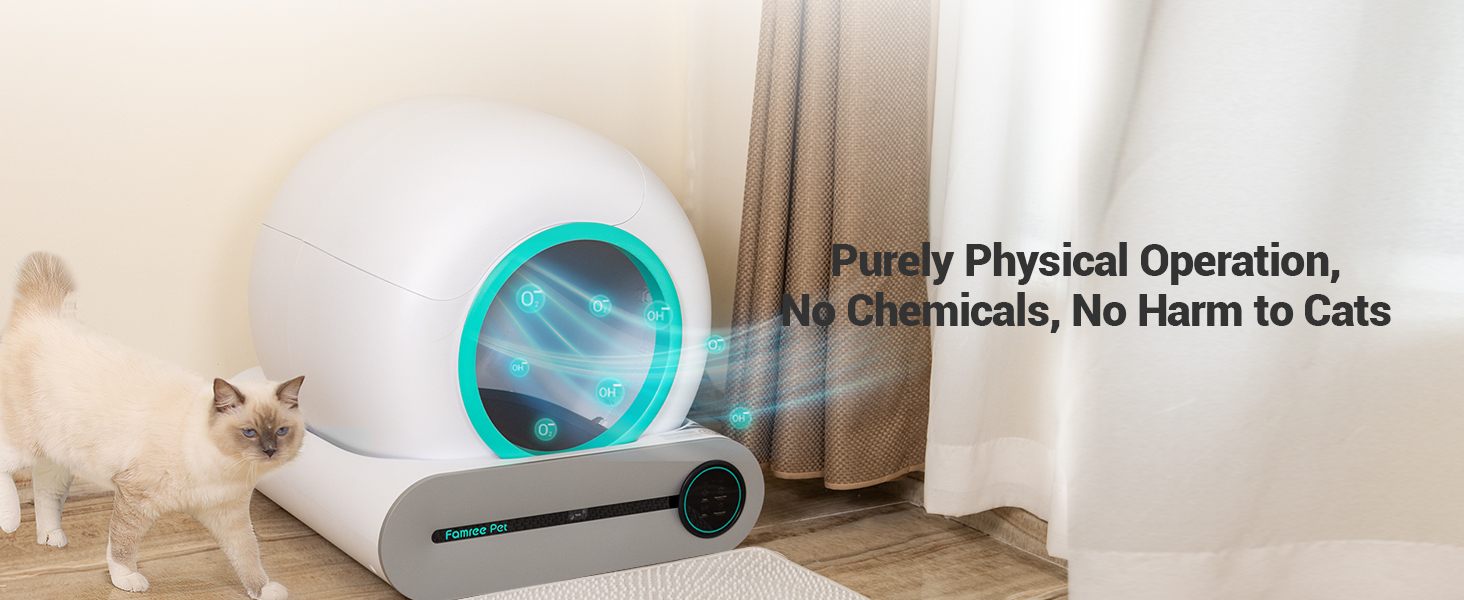
Figure 3.1: Infrared monitoring ensures safe operation by detecting cat presence.
3.2 Adding Litter
- Open the top cover of the litter box.
- Pour clumping cat litter into the barrel. The litter level should be between the MIN and MAX fill lines indicated inside the barrel.
- Close the top cover securely.

Figure 3.2: The litter box is compatible with various clumping litter types, including Tofu, Mixed, Bentonite, and Mineral, with particle sizes up to 0.1 inch (2.5 mm) diameter and 0.59 inch (15 mm) length.
3.3 Power Connection and Initial Calibration
- Connect the power adapter to the unit and plug it into a wall outlet.
- The unit will perform an initial calibration cycle. Do not interrupt this process.
3.4 App Installation and Pairing
- Download the Famree Pet app from your smartphone's app store (iOS or Android).
- Create an account or log in.
- Follow the in-app instructions to add your Famree Pet Smart Self-Cleaning Cat Litter Box. This typically involves selecting the device type and connecting to your home Wi-Fi network.
4. Operating Instructions
4.1 Automatic Cleaning
The litter box is designed to automatically clean after your cat uses it. The integrated sensors detect when your cat enters and exits, initiating a cleaning cycle after a preset delay (adjustable via the app).

Figure 4.1: The litter box offers Manual, Auto, and Scheduled cleaning modes.
4.2 App Control Functions
The Famree Pet app provides comprehensive control and monitoring:
- Manual Cleaning: Initiate a cleaning cycle on demand.
- Scheduled Cleaning: Set specific times for cleaning cycles.
- Deodorization: Activate the ionic deodorizer.
- Empty Litter: Initiate a full litter emptying cycle for changing all litter.
- Cat Health Monitoring: Track cat weight, excretion times, and usage frequency.
- Notifications: Receive alerts for full waste bin, cleaning cycles, and other status updates.

Figure 4.2: The app provides cat health monitoring and control over various functions.
4.3 Ionic Deodorization
The integrated ionic deodorizer helps neutralize odors. This system operates physically without chemicals, ensuring safety for your pets. It can be activated manually or set to operate automatically via the app.

Figure 4.3: The ionic odor purification system eliminates odors efficiently.
5. Maintenance
5.1 Emptying the Waste Bin
The waste collection bin has a capacity of 9L (2.4 Gal), which can last up to 15 days for a single cat. The app will notify you when the bin is full.

Figure 5.1: Steps for quick cleaning and maintenance, including removing the waste bag and the litter barrel for washing.
- Ensure the unit is in a paused state or powered off.
- Locate the waste drawer, typically at the front base of the unit.
- Pull out the waste drawer.
- Remove the full waste bag, seal it, and dispose of it.
- Insert a new waste bag into the drawer, ensuring it is properly seated.
- Slide the waste drawer back into the unit until it clicks into place.

Figure 5.2: Detailed steps for changing the litter box liner.
5.2 Cleaning the Unit
Regular cleaning of the internal components is recommended to maintain hygiene and performance.
- Barrel Cleaning: The inner barrel can be removed and washed with mild soap and water. Ensure it is completely dry before reassembling.
- Base Unit: Wipe the exterior and interior of the base unit with a damp cloth. Avoid getting water into electronic components.
- Sensors: Periodically wipe the infrared and gravity sensors to ensure they are free from dust or litter, which could affect their accuracy.
6. Troubleshooting
If you encounter issues, refer to the following common problems and solutions:
| Problem | Possible Cause | Solution |
|---|---|---|
| Unit not powering on | Power cord disconnected; outlet issue | Check power connections; try a different outlet. |
| Cleaning cycle not starting | Cat detected inside; sensors obstructed; manual mode active | Ensure no cat is present; clean sensors; check app settings for auto-clean. |
| Odor persists | Waste bin full; deodorizer off; poor litter quality | Empty waste bin; activate deodorizer via app; use high-quality clumping litter. |
| Litter leakage or mess around unit | Incorrect litter level; waste bag not properly installed; unit on uneven surface | Adjust litter level; ensure waste bag is secure; place unit on a hard, level floor. |
| App connectivity issues | Wi-Fi signal weak; incorrect network password; device not paired | Check Wi-Fi signal; re-enter password; re-pair device via app. |
If the problem persists after attempting these solutions, please contact customer support.
7. Specifications
| Feature | Detail |
|---|---|
| Brand | Famree Pet |
| Model Name | PCBM65A |
| Color | Green |
| Litter Box Capacity | 65 Liters (17.2 Gallons) |
| Waste Bin Capacity | 9 Liters (2.4 Gallons) |
| Control Method | App, Touch Buttons |
| Deodorization | Ionic Odor Purification |
| Sensors | Infrared Induction, Gravity Sensors |
| Compatible Litter Types | Clumping litter (Tofu, Mixed, Bentonite, Mineral) with specific particle size limits |
| Item Weight | 22.2 pounds |
| Product Dimensions (LxWxH) | 17.8 x 12.7 x 12.4 inches |
| Power Source | Battery Powered (likely refers to internal battery for app functions, main unit is AC powered) |

Figure 7.1: Product dimensions and recommended cat weight range.
8. Warranty and Support
8.1 Warranty Information
Please refer to the warranty card included with your product for specific warranty terms and conditions. Typically, Famree Pet products come with a limited warranty covering manufacturing defects from the date of purchase.
8.2 Customer Support
For technical assistance, troubleshooting, or warranty claims, please contact Famree Pet customer support. Contact information can usually be found on the product packaging, the official Famree Pet website, or within the Famree Pet mobile application.