
1. Product Overview
The KIDISLE CM1429TE-UL is a programmable drip coffee maker designed for home and office use. It features a 24-hour auto-brew timer, brew strength control, and a 2-hour auto-shutoff function to keep coffee warm.
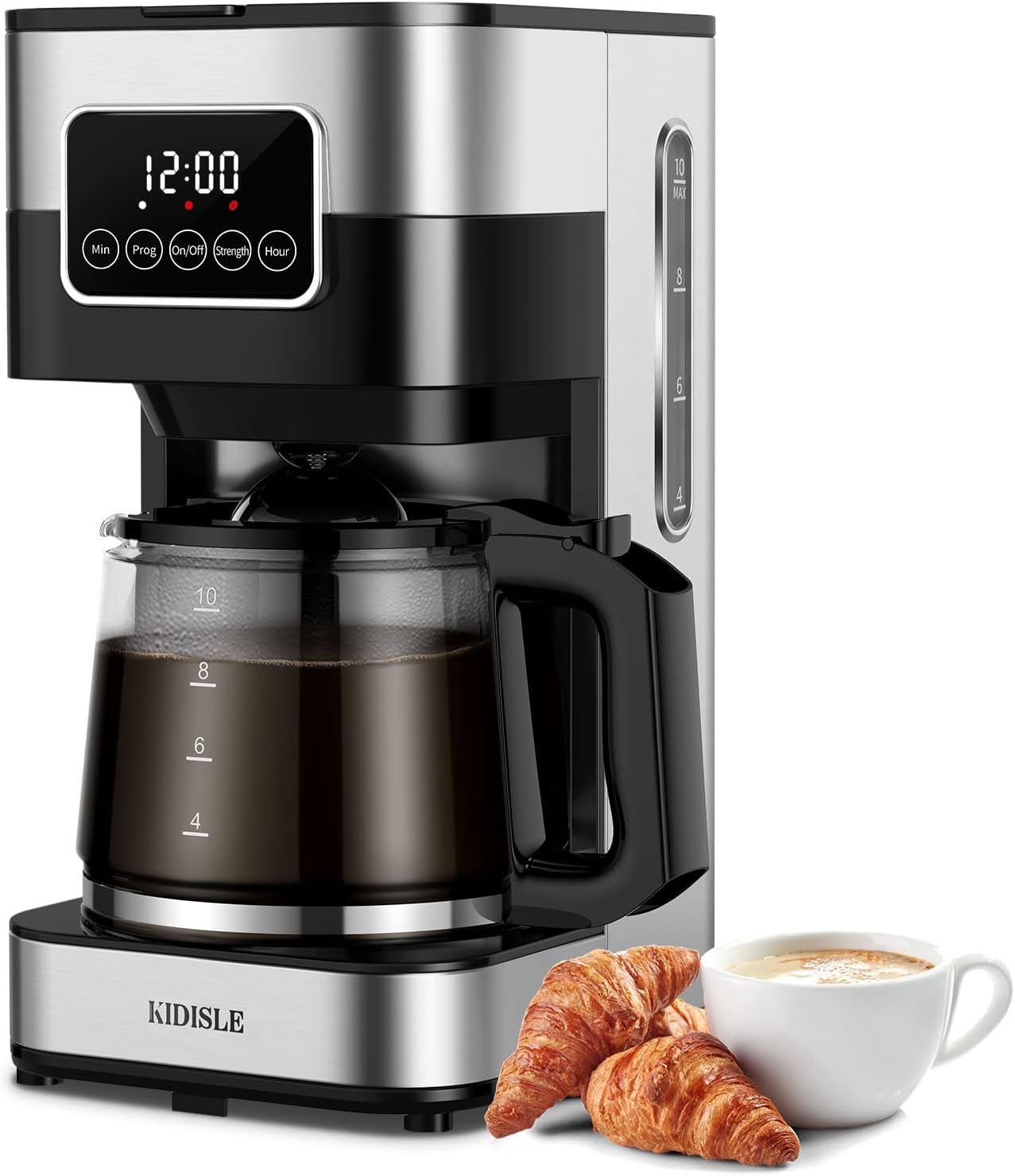
Image 1: The KIDISLE CM1429TE-UL coffee maker, showcasing its sleek design and a full carafe of coffee.
2. Setup and First Use
2.1 Unboxing and Initial Cleaning
- Carefully remove all packaging materials from the coffee maker.
- Wash the glass carafe, lid, and reusable filter basket in warm, soapy water. Rinse thoroughly and dry.
- Wipe the exterior of the coffee maker with a damp cloth.
2.2 First Brew Cycle (Cleaning Cycle)
Before brewing coffee for consumption, run a cleaning cycle to remove any manufacturing residues.
- Fill the water reservoir with clean water up to the '10 CUP' mark.
- Place the empty reusable filter basket into the filter holder. Do not add coffee grounds.
- Place the empty glass carafe with its lid on the warming plate.
- Plug the coffee maker into a standard electrical outlet.
- Press the 'On/Off' button to start the brewing cycle.
- Allow the cycle to complete. Discard the hot water from the carafe.
- Repeat this process once more for thorough cleaning.
3. Operating Instructions
3.1 Brewing Coffee
- Ensure the coffee maker is plugged in.
- Open the top lid and fill the water reservoir with fresh, cold water to your desired level (up to 10 cups).
- Place the reusable filter basket into the filter holder. Add your preferred amount of ground coffee into the filter. For optimal taste, refer to coffee packaging for recommended ratios.
- Close the top lid and place the glass carafe with its lid onto the warming plate.
- Press the 'On/Off' button to begin brewing. The indicator light will illuminate.
- The coffee maker will automatically keep the coffee warm for 2 hours after brewing, then shut off.
3.2 Brew Strength Control
You can adjust the coffee strength to your preference:
- After adding coffee grounds and water, press the 'Strength' button before pressing 'On/Off'.
- The indicator light for 'Strength' will illuminate, indicating a bolder brew setting.
- Press 'Strength' again to return to regular brew.
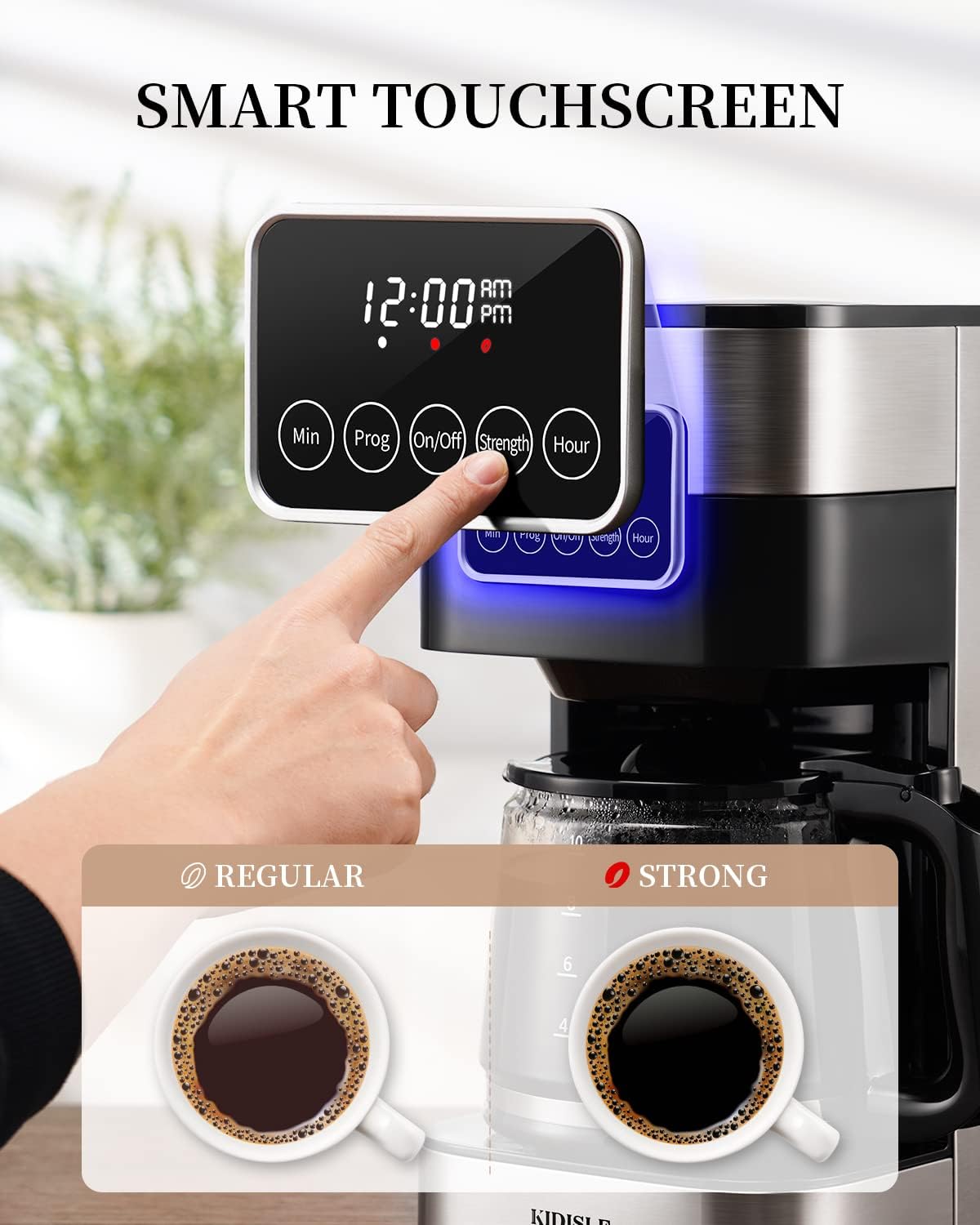
Image 2: The smart touchscreen interface, showing the 'Strength' button for selecting regular or bold coffee flavor.
3.3 Setting the Programmable Timer (Delay Brew)
The 24-hour programmable timer allows you to set the coffee maker to start brewing at a specific time.
- Prepare the coffee maker for brewing as described in section 3.1 (water, coffee grounds, carafe in place).
- Press the 'Prog' button. The display will flash.
- Use the 'Hour' and 'Min' buttons to set your desired brew start time.
- Press the 'Prog' button again to confirm the setting. The 'Prog' indicator light will illuminate.
- The coffee maker will automatically start brewing at the set time.

Image 3: The coffee maker displaying the 24-hour auto brew timer, allowing users to schedule brewing in advance.
3.4 Pause and Pour Function
This feature allows you to temporarily remove the carafe during the brewing cycle to pour a cup of coffee.
- During brewing, carefully remove the carafe from the warming plate. The brewing process will pause.
- Pour your coffee.
- Return the carafe to the warming plate within 20 seconds to prevent overflow from the filter basket. Brewing will resume automatically.

Image 4: Illustration of the pause and pour function, showing coffee being poured from the carafe during brewing, with an anti-drip mechanism.
3.5 Auto Shut-Off
For safety and energy saving, the coffee maker automatically shuts off 2 hours after the brewing cycle is complete.
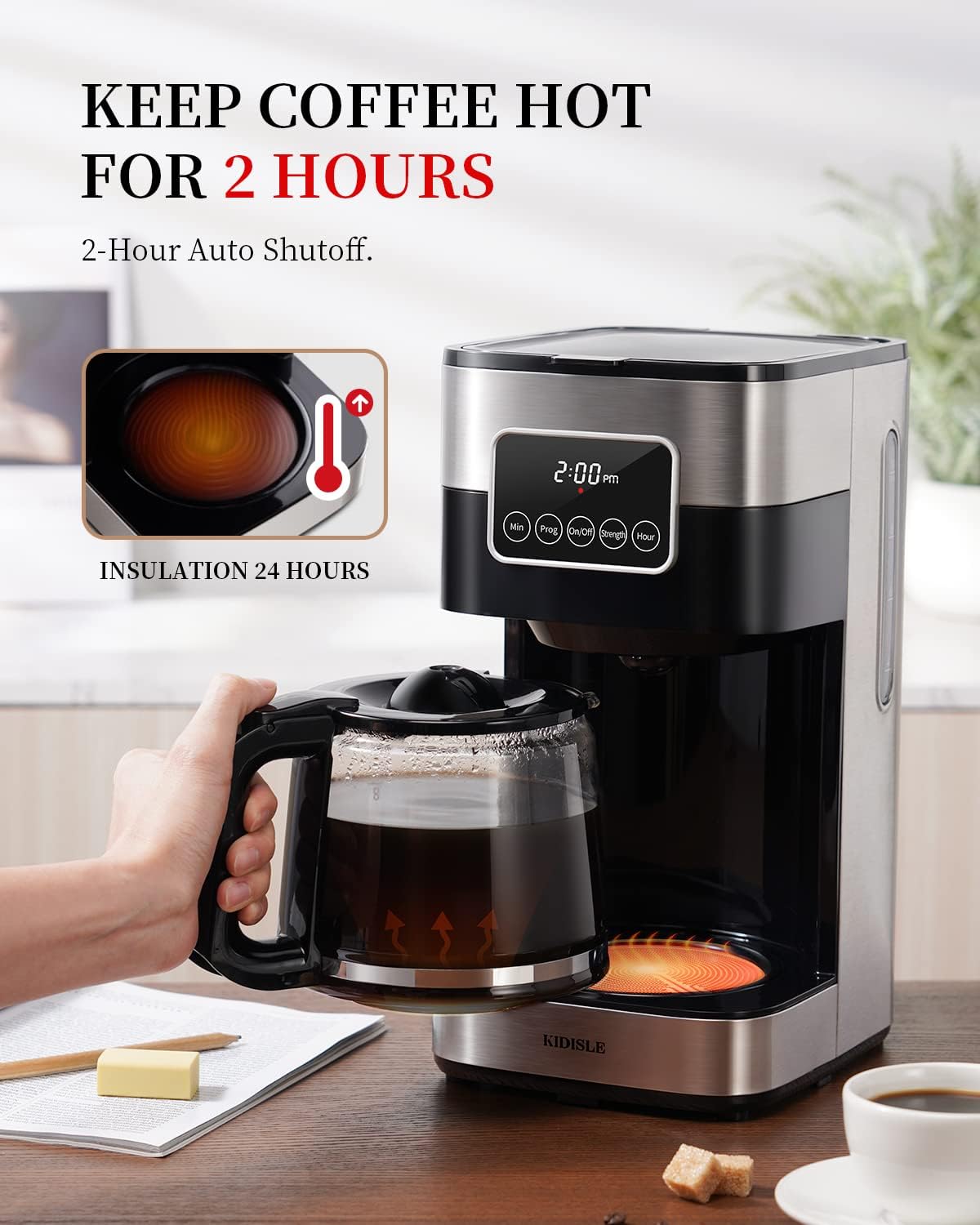
Image 5: The coffee maker highlighting its ability to keep coffee hot for 2 hours before automatically shutting off.
4. Maintenance
4.1 Daily Cleaning
- Always unplug the coffee maker before cleaning.
- Wash the glass carafe, lid, and reusable filter basket after each use with warm, soapy water. Rinse thoroughly.
- Wipe the exterior of the coffee maker, including the warming plate, with a damp cloth. Do not immerse the coffee maker in water.
4.2 Descaling (Mineral Deposit Removal)
Mineral deposits from water can affect coffee taste and brewing performance. Descale your coffee maker every 2-4 weeks, depending on water hardness.
- Fill the water reservoir with a mixture of white vinegar and water (1:2 ratio).
- Place the empty reusable filter basket and carafe in position.
- Run a full brewing cycle.
- After the cycle, let the coffee maker cool for 15 minutes.
- Discard the vinegar solution.
- Run two full cycles with clean, fresh water to rinse thoroughly.
5. Troubleshooting
If you encounter issues with your coffee maker, please refer to the following common problems and solutions:
| Problem | Possible Cause | Solution |
|---|---|---|
| Coffee does not brew. | Not plugged in; power outage; 'On/Off' button not pressed; programmable timer set. | Ensure power cord is securely plugged in. Check circuit breaker. Press 'On/Off'. Check if 'Prog' light is on and wait for scheduled brew time. |
| Coffee is too weak. | Insufficient coffee grounds; 'Strength' setting not selected; too much water. | Add more coffee grounds. Select the 'Strength' setting for a bolder brew. Use less water. |
| Coffee overflows from filter. | Too much coffee grounds; filter basket clogged; carafe not properly placed; carafe removed for too long. | Reduce coffee grounds. Clean filter basket. Ensure carafe is correctly seated. Return carafe to warming plate within 20 seconds during 'Pause and Pour'. |
| Coffee tastes burnt. | Coffee left on warming plate too long; mineral buildup. | Serve coffee promptly after brewing. Descale the coffee maker as per section 4.2. |
| Hot plate not turning off. | Malfunction. | Unplug the unit immediately. Contact customer support for assistance. |
6. Specifications
| Feature | Detail |
|---|---|
| Brand | KIDISLE |
| Model Number | CM1429TE-UL |
| Capacity | 10 Cups (2.27 kg) |
| Power/Wattage | 1000W |
| Voltage | 120 Volts |
| Material | Glass (Carafe) |
| Product Dimensions | 20.32 x 17.02 x 32.26 cm (8 x 6.7 x 12.7 inches) |
| Item Weight | 2.31 kg |
| Special Features | Auto Shut-Off, Programmable, Brew Strength Control |
| Coffee Maker Type | Drip Coffee Machine |

Image 6: The coffee maker with its key dimensions (width, depth, height) indicated for reference.
7. Warranty and Support
KIDISLE provides a 2-year guarantee for this product. In the unlikely event that you are not satisfied, a replacement or full refund may be offered.
For customer support, warranty claims, or further assistance, please refer to the contact information provided with your product packaging or visit the official KIDISLE website.