
1. Introduction
This manual provides essential information for the safe and effective use of your ALITOVE 12V 3A 36W AC/DC Power Adapter (Model ALT-1203). Please read these instructions carefully before installation and operation. This power adapter is designed to convert AC household current to a stable 12V DC output, suitable for various electronic devices requiring up to 3A of current.

Image 1.1: ALITOVE 12V 3A 36W AC/DC Power Adapter. This image shows the compact black power adapter with its attached DC output cable and standard AC input plug.
2. Product Features
The ALITOVE 12V 3A 36W AC/DC Power Adapter incorporates several features for reliable and safe operation:
- Universal Input Voltage: Accepts AC 100-240V, 50/60Hz, making it suitable for international use with appropriate plug adapters.
- Stable DC Output: Provides a consistent 12V DC output with a maximum current of 3A (36W).
- Wide Compatibility: Features a 5.5mm x 2.5mm DC plug, also compatible with 5.5mm x 2.1mm ports. The plug polarity is center positive (+), outer negative (-).
- Multiple Safety Protections: Includes automatic overload protection, over-voltage protection, over-current protection, over-temperature protection, and short circuit protection.
- Durable Construction: Made with flame-retardant and high-temperature resistant PC & ABS synthetic materials.
- Anti-interference Magnetic Ring: Designed to reduce electromagnetic interference (EMI) for stable current transmission.
- High-Quality Power Cord: Utilizes oxygen-free copper for better conductivity and a superior PVC cable jacket to prevent leakage.
- Reinforced Stress Points: Designed to withstand wear and tear at cable connections.
- Optional Female Terminal Connector: Some packages may include a female terminal connector for screw-in wire connections, expanding application range without soldering.

Image 2.1: Detailed features of ALITOVE power adapter construction. This image highlights the solid PC & ABS shell, anti-interference magnetic ring, safe & reliable power cord, reinforced stress point, and the optional female terminal connector.

Image 2.2: Internal circuit board with multiple safety protections. This image displays the internal components of the power adapter, illustrating the design for over-voltage, over-current, short circuit, over-temperature, anti-EMI, and surge protection.
3. Specifications
Refer to the table below for detailed technical specifications of the ALITOVE 12V 3A 36W AC/DC Power Adapter.
Image 3.1: Product parameters table for ALITOVE 12V 3A power adapter. This image presents a clear table outlining the product name, brand, input voltage, output voltage, output current, output wattage, and DC connector size.
| Parameter | Value |
|---|---|
| Product Name | AC/DC Power Adapter |
| Brand | ALITOVE |
| Model Number | ALT-1203 |
| Input Voltage | AC 100-240V, 50/60Hz |
| Output Voltage | DC 12V |
| Output Current | 3A Max |
| Output Wattage | 36W Max |
| DC Connector Size | 5.5mm x 2.5mm (compatible with 5.5mm x 2.1mm) |
| DC Plug Polarity | Inner positive (+), Outer negative (-) |
| Product Dimensions | 4.72 x 1.57 x 1.18 inches (12 x 4 x 3 cm) |
| Item Weight | Approximately 3.09 pounds (for a 10-pack) |
| Safety Standards | FCC, CE, RoHS |

Image 3.2: Universal DC Output Tip dimensions and polarity. This image illustrates the physical dimensions of the DC plug (5.5mm outer, 2.1/2.5mm inner) and clearly indicates the inner positive, outer negative polarity.
4. Setup and Installation
Follow these steps to properly set up your ALITOVE power adapter:
- Verify Device Compatibility: Ensure your device requires a 12V DC input and draws no more than 3A (36W) of power. Check your device's power port to confirm it is compatible with a 5.5mm x 2.5mm or 5.5mm x 2.1mm DC plug with center positive polarity.
- Connect to Device: Insert the DC output plug of the power adapter into the power input port of your electronic device.
- Connect to Power Outlet: Plug the AC input plug of the power adapter into a standard AC 100-240V wall outlet.
- Power On: Once connected, your device should receive power.

Image 4.1: DC plug size comparison. This image shows the 5.5mm x 2.5mm DC plug and indicates its compatibility with 5.5mm x 2.1mm ports.

Image 4.2: Power adapter connected to a security camera. This image demonstrates the power adapter plugged into a wall outlet and supplying power to a security camera, illustrating a typical application.
5. Operating Instructions
The ALITOVE 12V 3A 36W AC/DC Power Adapter is designed for simple plug-and-play operation. Once correctly connected to a compatible device and a power outlet, it will provide continuous 12V DC power.
- Load Capacity: For optimal performance and longevity, it is recommended that the connected device's power consumption does not exceed 80% of the adapter's maximum load (i.e., less than 29W for a 36W adapter).
- Indoor Use Only: This power adapter is intended for indoor use in dry environments. Do not expose it to water, moisture, or high humidity.
- Universal Compatibility: This adapter is suitable for a wide range of 12V DC devices under 3A/36W, including LED strips, ham radio transceivers, CCTV cameras, car subwoofer amplifiers, audio amplifiers, wireless routers, ADSL modems, and DVR/NVR security cameras.
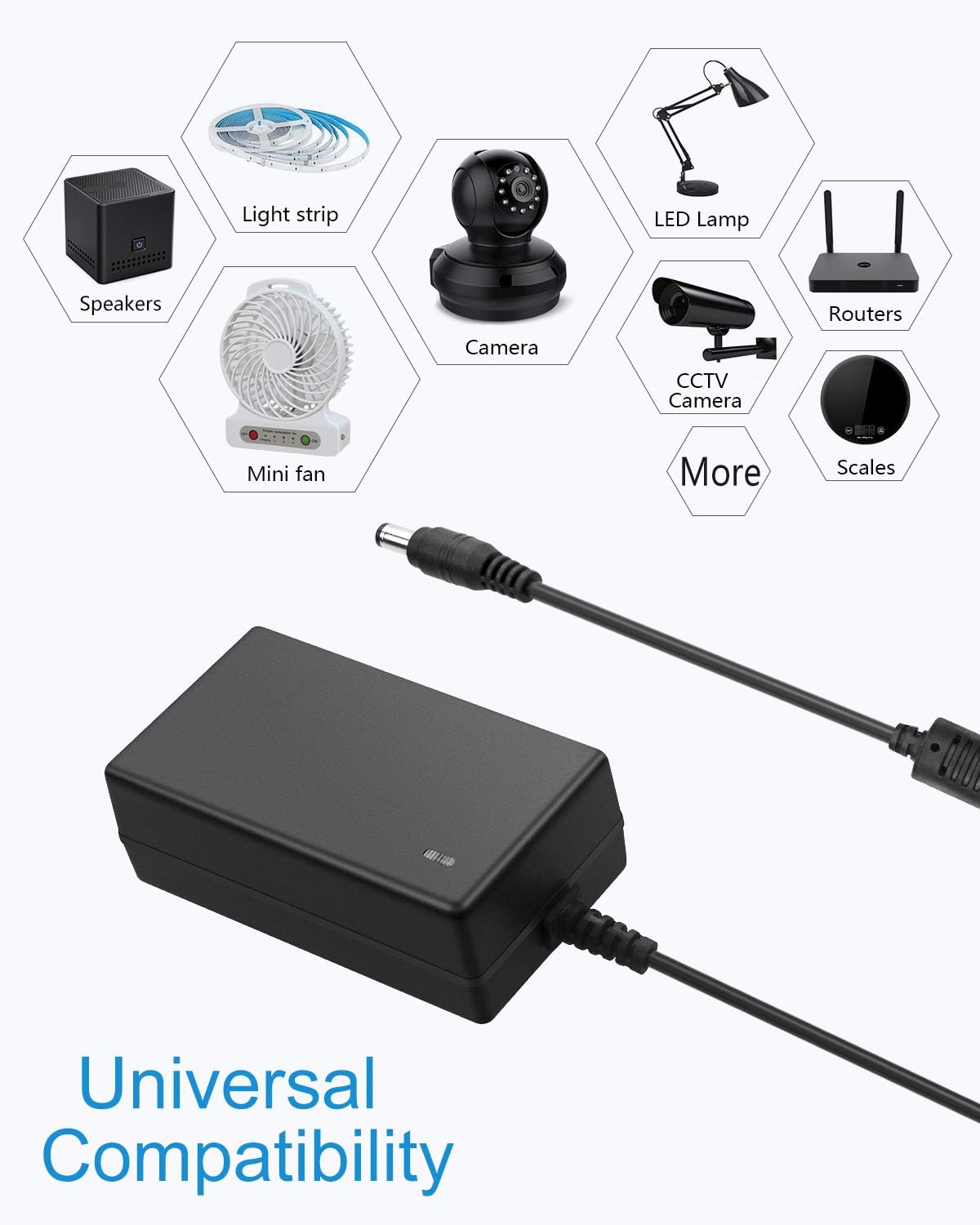
Image 5.1: Icons representing universal compatibility with various devices. This image displays icons for speakers, light strips, cameras, LED lamps, mini fans, routers, and scales, indicating the broad range of devices compatible with the power adapter.
6. Maintenance
To ensure the longevity and proper functioning of your power adapter, follow these maintenance guidelines:
- Cleaning: Disconnect the adapter from the power outlet and the device before cleaning. Use a dry, soft cloth to wipe the exterior. Do not use liquid cleaners or solvents.
- Storage: Store the adapter in a cool, dry place away from direct sunlight and extreme temperatures when not in use.
- Cable Care: Avoid bending or crimping the power cord excessively. Do not place heavy objects on the cable.
- Inspection: Periodically inspect the adapter and cables for any signs of damage, such as frayed wires, cracks, or loose connections. If damage is found, discontinue use immediately.
7. Troubleshooting
If you encounter issues with your power adapter, refer to the following common troubleshooting steps:
| Problem | Possible Cause | Solution |
|---|---|---|
| No power to device | 1. Adapter not plugged in correctly. 2. Wall outlet has no power. 3. Device requires different voltage/current. 4. DC plug not fully inserted or incompatible. 5. Adapter or device is faulty. | 1. Ensure both AC and DC plugs are securely connected. 2. Test the wall outlet with another device. 3. Verify device specifications match adapter (12V, max 3A). 4. Check DC plug size and polarity (5.5mm x 2.5mm/2.1mm, center positive). 5. If all else fails, contact support. |
| Adapter gets excessively hot | 1. Overload (device draws too much power). 2. Poor ventilation. | 1. Ensure device power consumption is within adapter limits (max 3A/36W, recommended <29W). Disconnect and allow to cool. 2. Ensure the adapter is in a well-ventilated area and not covered. |
| Device flickers or malfunctions | 1. Insufficient power (device draws more than 3A). 2. Unstable power supply. | 1. Confirm device power requirements. If it exceeds 3A, a higher-rated adapter is needed. 2. Ensure the adapter is not overloaded and is connected to a stable power source. |
If the problem persists after attempting these solutions, please contact ALITOVE customer support.
8. Safety Information
Please observe the following safety precautions to prevent injury or damage:
- Do not disassemble or modify the power adapter.
- Keep the adapter away from water, fire, and high temperatures.
- Do not use the adapter if the casing or cable is damaged.
- Ensure proper ventilation around the adapter during operation.
- This adapter is for indoor use only.
- Keep out of reach of children.
9. Warranty and Support
ALITOVE provides the following support for this product:
- 60-Day Refund Policy: If you are not satisfied with your purchase, you may be eligible for a refund within 60 days.
- 24-Month Exchange: The product is covered by a 24-month exchange policy for manufacturing defects.
- Customer Support: For any issues or inquiries, ALITOVE aims to respond to emails within 6 hours. All issues can typically be resolved via email support.
For support, please refer to the contact information provided with your purchase or visit the official ALITOVE website.