
Soleilwear JD001
Soleilwear Mini Electric Screwdriver JD001 User Manual
Precision Repair Tool for Electronics
1. Introduction
Thank you for choosing the Soleilwear Mini Electric Screwdriver Kit. This comprehensive 52-in-1 tool is designed for precision work on various electronic devices, including mobile phones, cameras, laptops, watches, and other delicate instruments. Its compact design, magnetic bit storage, and dual operating modes ensure efficiency and ease of use for both professionals and DIY enthusiasts.
2. Package Contents
The Soleilwear Mini Electric Screwdriver Kit includes the following items:
- 1 x Electric Screwdriver Handle
- 48 x S2 Steel Precision Magnetic Bits (various types including Phillips, Flat, Torx)
- 1 x Tweezers
- 1 x Crowbar (Pry Tool)
- 1 x Type-C USB Charging Cable (USB-A to USB-C, does not support USB-C PD chargers)
- 1 x Aluminium Alloy Storage Case with Pop-up Design and Magnetization Area

Figure 1: All components included in the Soleilwear Mini Electric Screwdriver Kit.
3. Product Features
- Compact & Portable Design: Pen-shaped handle with circular arc surface for comfortable grip and control.
- Magnetic Storage & Pop-up Case: Convenient push pop-up case design. Screwdriver and bits are magnetic for secure storage. Includes an extra magnetization area to enhance bit magnetism.
- Dual Mode Operation: Supports both electric (0.3 N.m torque, 200 r/min) and manual (3.5 N.m torque) modes for versatile use.
- Long-lasting Battery: Powered by a 350mAh rechargeable lithium battery, offering up to 180 minutes of continuous use or 90 days standby on a 45-minute full charge.
- LED Shadowless Lights: Integrated LED lights illuminate the work area for improved visibility.
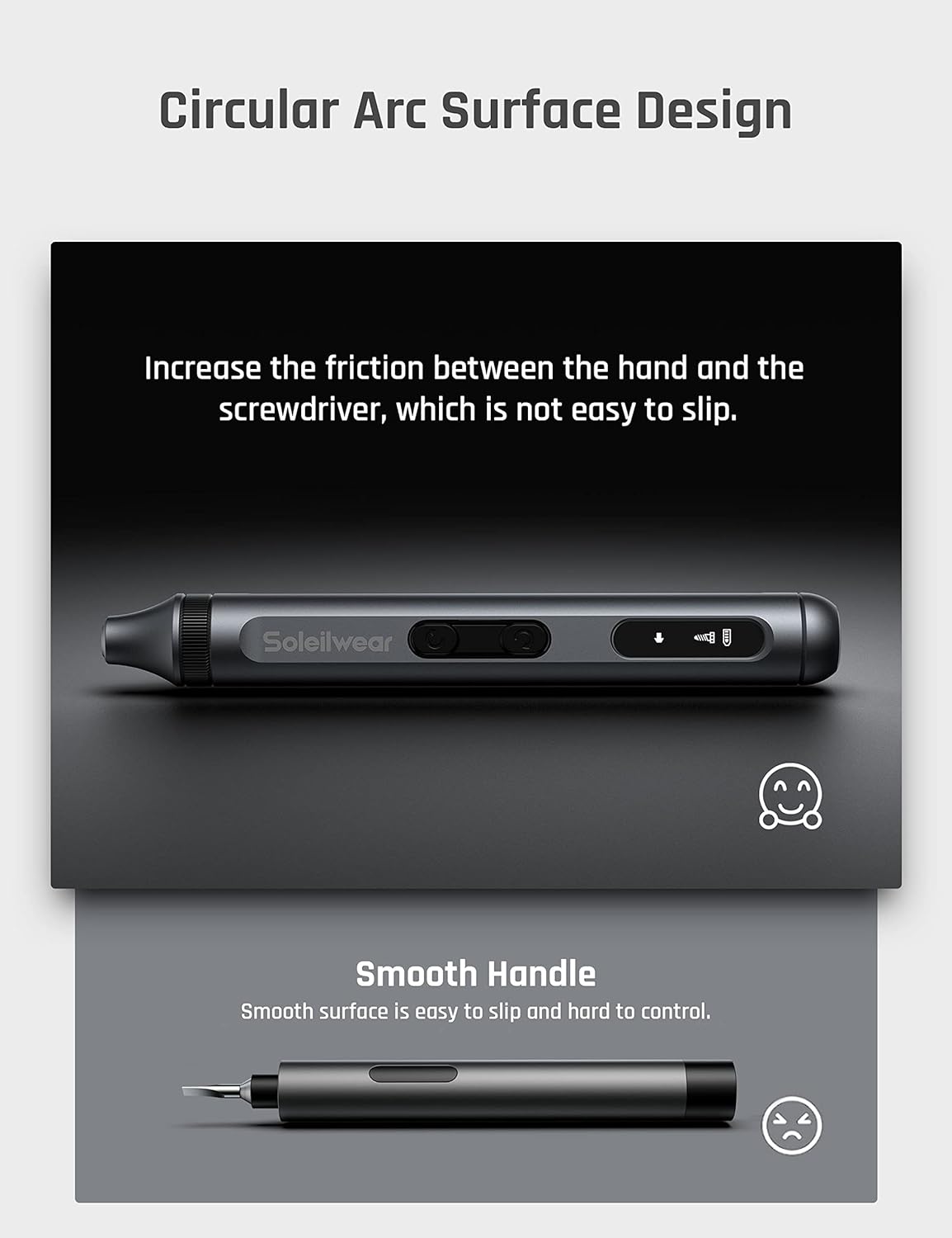
Figure 2: The screwdriver's ergonomic circular arc surface design for enhanced grip.
4. Setup
4.1. Charging the Screwdriver
- Locate the Type-C charging port at the end of the screwdriver handle.
- Connect the provided USB-A to USB-C charging cable to the screwdriver and a compatible USB-A power source.
- The battery indicator on the screwdriver's display will show charging status. A full charge takes approximately 45 minutes.
Note: This device only supports USB-A to USB-C charging and is not compatible with USB-C Power Delivery (PD) chargers.

Figure 3: Charging the screwdriver using the Type-C USB cable.
4.2. Accessing Bits and Screwdriver
- To open the storage case, gently press the end of the case. The inner tray containing the screwdriver and bits will pop up.
- Select the desired precision bit from the magnetic slots.
- Insert the chosen bit firmly into the magnetic chuck of the electric screwdriver.
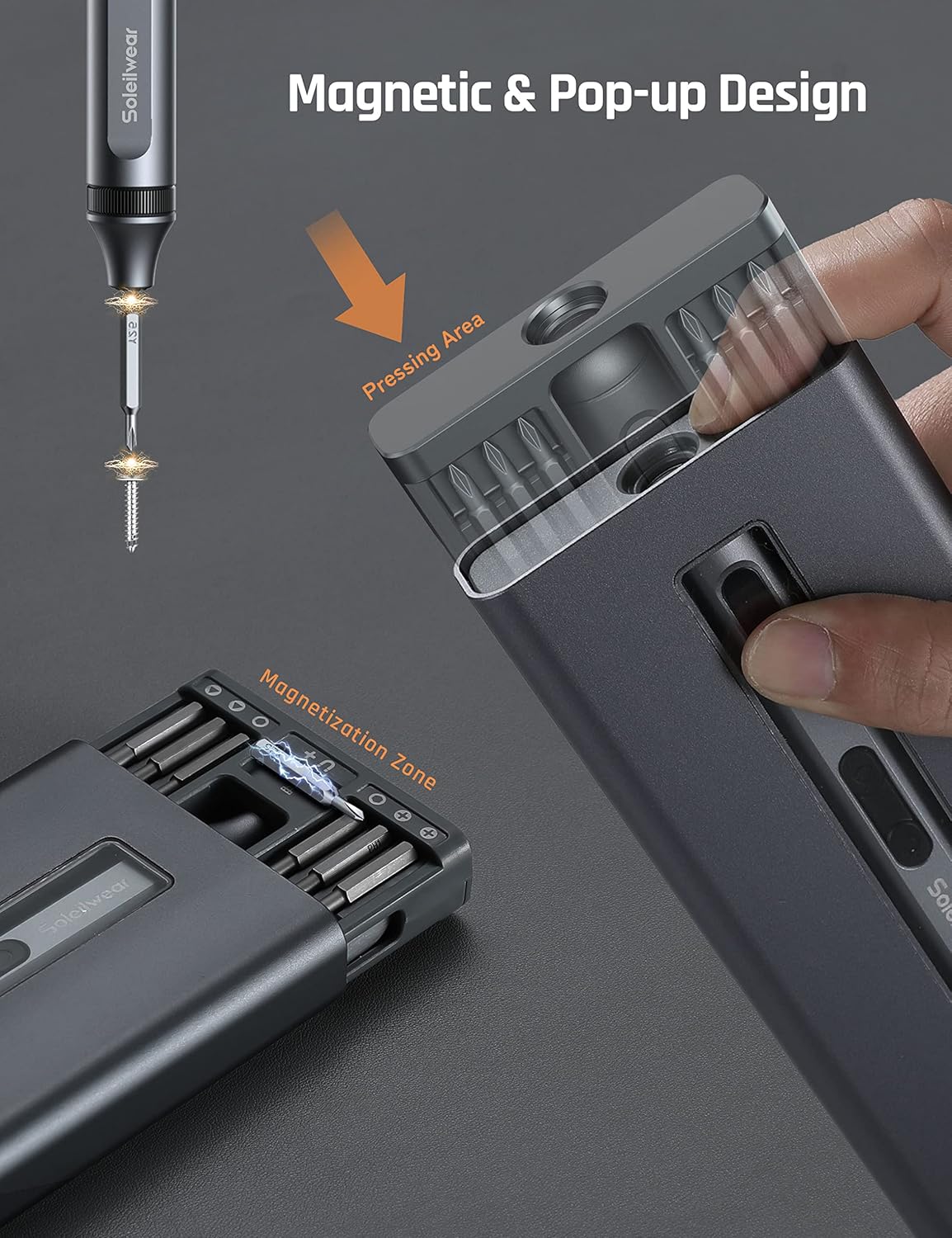
Figure 4: The magnetic pop-up case design for easy access to bits and screwdriver.
4.3. Magnetization Area
The storage case includes a dedicated magnetization area. If a bit's magnetic strength weakens, touch the bit or the screwdriver tip to this area to re-magnetize it.
5. Operating Instructions
5.1. Electric Mode Operation
- Ensure the correct bit is securely inserted into the screwdriver.
- To drive a screw (tighten), press the forward button (usually indicated by an arrow pointing right or up).
- To remove a screw (loosen), press the reverse button (usually indicated by an arrow pointing left or down).
- The electric mode provides a torque of 0.3 N.m and a rotation speed of 200 r/min.
Video 1: Official product overview demonstrating the features and use of the Soleilwear Mini Electric Screwdriver Kit.
5.2. Manual Mode Operation
For screws requiring higher torque or when the battery is depleted, the screwdriver can be used in manual mode. Simply apply force as you would with a traditional screwdriver. The manual torque capability is up to 3.5 N.m.
Video 2: Demonstration of using the electric screwdriver to quickly remove screws from an electronic device.
5.3. LED Shadowless Lights
The screwdriver is equipped with LED lights that automatically illuminate the work area when the electric mode is activated, providing clear visibility and reducing shadows.
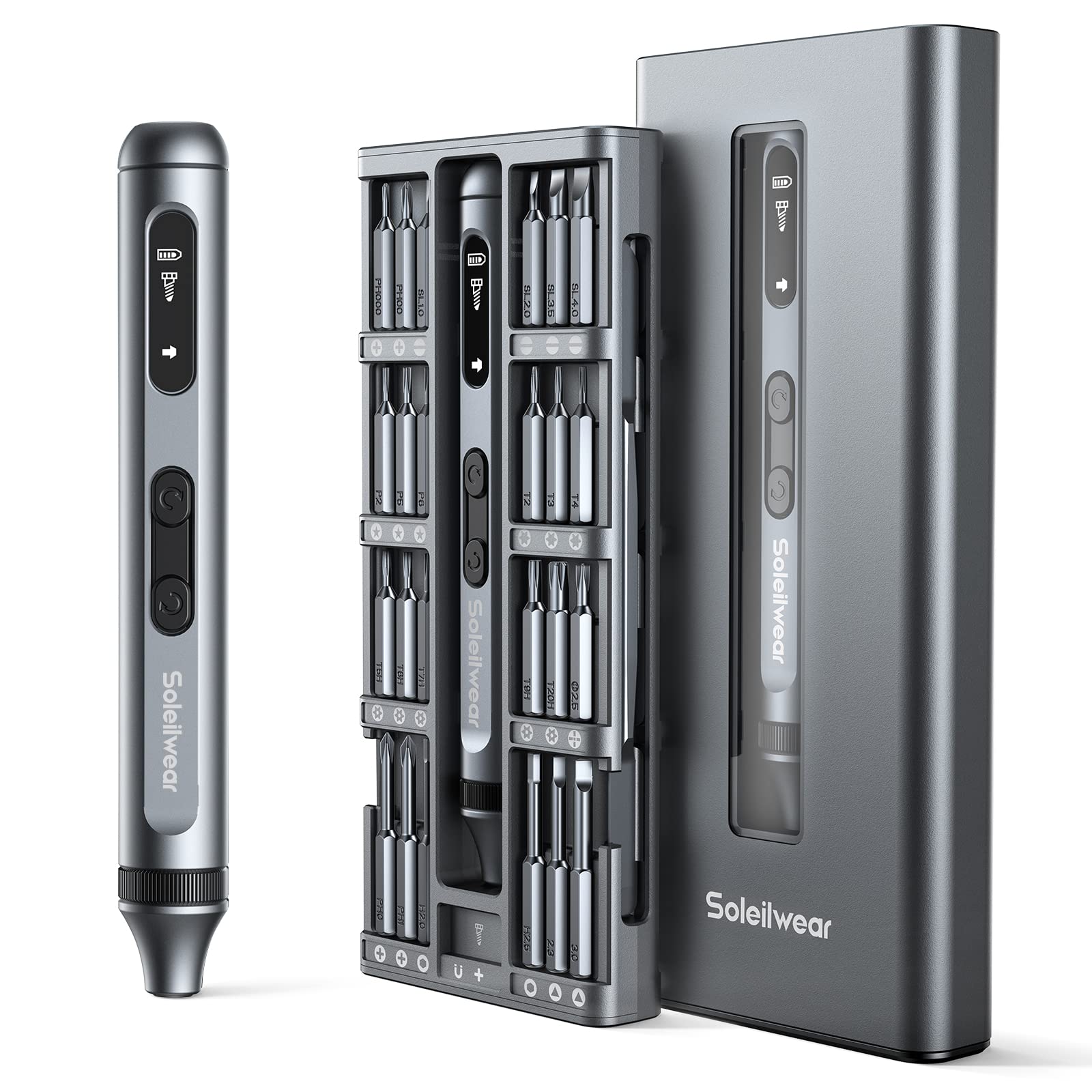
Figure 5: The compact size of the screwdriver and its case, ideal for portability.
6. Maintenance
- Cleaning: Wipe the screwdriver and bits with a soft, dry cloth after each use. Avoid using harsh chemicals or abrasive materials.
- Storage: Always store the screwdriver and bits in their magnetic case to prevent loss and maintain organization. Keep in a cool, dry place away from direct sunlight and moisture.
- Battery Care: To prolong battery life, avoid fully discharging the battery frequently. Charge the device regularly, even if not in constant use.
7. Troubleshooting
- Screwdriver not turning on: Check battery level. If low, charge the device for at least 45 minutes.
- Insufficient electric torque: For tighter screws, switch to manual mode. Ensure the bit is fully inserted and not stripped.
- Bits not holding in chuck: Verify the bit is fully inserted. If the bit's magnetism is weak, use the magnetization area in the case.
- Charging issues: Ensure you are using the provided USB-A to USB-C cable and a compatible USB-A power source. The device does not support USB-C PD chargers.
8. Specifications
| Feature | Detail |
|---|---|
| Brand | Soleilwear |
| Model Number | JD001 |
| Number of Items | 1 (Kit) |
| Head Style | Phillips, Flat, Torx (48 types) |
| Material | Alloy Steel (bits), Aluminum (handle) |
| Color | Off White (product description states grey Aluminium Alloy for handle/cover) |
| Electric Torque | 0.3 N.m |
| Manual Torque | 3.5 N.m |
| Speed | 200 RPM |
| Battery Capacity | 350mAh Lithium Ion |
| Charging Time | Approx. 45 minutes |
| Continuous Use Time | 180 minutes |
| Standby Time | 90 days |
| Power Source | Battery Powered |
| Voltage | 5 Volts |
| Item Dimensions (L x W x H) | 6.77 x 2.83 x 0.87 inches |
| Item Weight | 1.06 pounds |
9. Warranty and Support
For warranty information or technical support, please refer to the contact details provided with your purchase or visit the official Soleilwear website. Keep your proof of purchase for any warranty claims.