
Product Overview
The Roslim Wood Dual Monitor Stand Riser is designed to optimize your workspace by elevating your monitors to an ergonomic viewing height, reducing neck and eye strain. Its sturdy construction and integrated storage solutions help maintain a tidy and organized desk environment. This stand is versatile, accommodating two monitors, laptops, printers, or TV screens.

Image: The Roslim Wood Dual Monitor Stand Riser in black, featuring a sleek design with space for two monitors and a laptop, enhancing desk organization.
Video: An overview of the Roslim Dual Monitor Stand, highlighting its features and benefits for an organized workspace.
Setup Instructions
Assembly of your Roslim monitor stand is straightforward and requires minimal tools, which are included in the package. Please follow these steps carefully:
- Unpack Components: Carefully remove all parts from the packaging. Verify that all components are present according to the included parts list.
- Attach Metal Legs: Secure the metal support legs to the underside of the wooden platform using the provided screws. Ensure they are firmly tightened for stability.
- Install Drawer (if applicable): If your model includes a drawer, slide the mesh drawer into its designated slot beneath the platform.
- Apply Anti-slip Pads: Attach the anti-slip rubber pads to the bottom of the metal legs to prevent the stand from sliding and protect your desk surface.
- Position the Stand: Place the assembled monitor stand on your desk in the desired location.

Image: A close-up view illustrating the easy assembly of the monitor stand, highlighting the attachment of metal legs and the anti-skid sticker design for stability.

Image: Detailed view of the monitor stand's easy assembly, showing how the metal legs are secured to the wooden platform.

Image: A close-up of the sturdy metal legs, emphasizing the robust support structure of the monitor stand.

Image: A detailed view of the anti-slip rubber pads on the bottom of the stand's legs, designed to prevent movement and protect surfaces.
Video: Step-by-step installation guide for the Roslim Monitor Stand, demonstrating the assembly process.
Operating Instructions
The Roslim Dual Monitor Stand is designed for simple and effective use. Once assembled and positioned, it provides an elevated surface for your display equipment.
- Monitor Placement: Place your monitors or other display devices directly on the wooden platform. The stand is designed to support up to two monitors, or a combination of a monitor and a laptop.
- Ergonomic Positioning: Ensure your monitors are at eye level to promote proper posture and reduce neck strain during prolonged use.
- Utilize Storage: Use the integrated drawer and the space underneath the stand to store keyboards, mice, notebooks, and other desk accessories, keeping your workspace clutter-free.

Image: A typical office setup showing the monitor stand supporting two monitors and a laptop, illustrating its practical application.

Image: The monitor stand used with a single monitor, demonstrating ample space for additional desk accessories.
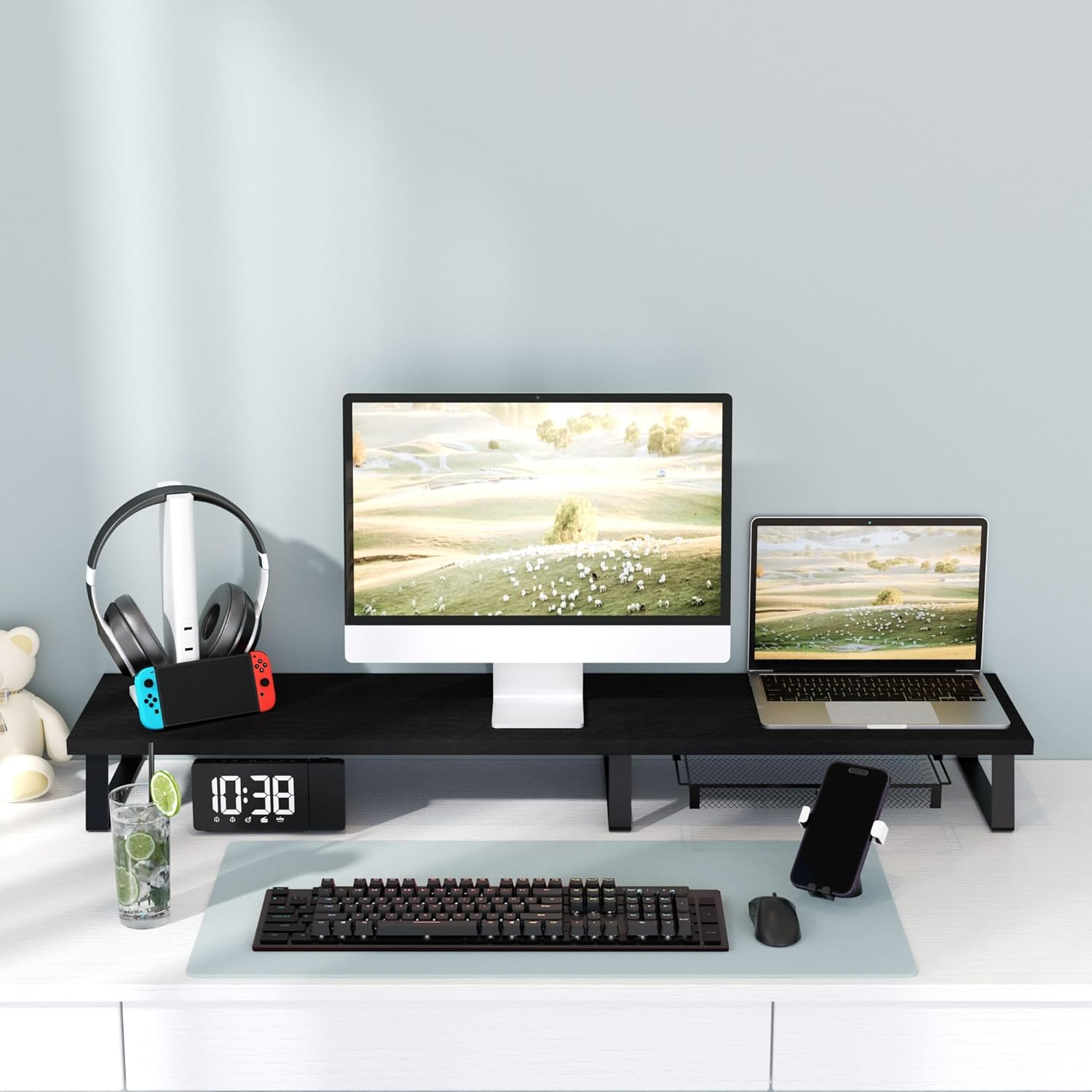
Image: The monitor stand configured for a dual monitor setup, including a laptop, showcasing its adaptability for various workstation needs.

Image: An illustration demonstrating the benefits of the monitor stand for maintaining correct ergonomic posture, contrasting it with poor posture without a stand.

Image: A close-up of the convenient pull-out mesh drawer, ideal for storing small office supplies and keeping the desk organized.
Maintenance
To ensure the longevity and appearance of your Roslim monitor stand, follow these simple maintenance guidelines:
- Cleaning: Wipe the wooden surface with a soft, damp cloth. Avoid harsh chemicals or abrasive cleaners that could damage the finish.
- Inspection: Periodically check all screws and connections to ensure they remain tight. Re-tighten if necessary to maintain stability.
- Weight Capacity: Do not exceed the maximum load capacity of 110.2 pounds (50 kg) to prevent damage to the stand or injury.
Troubleshooting
If you encounter any issues with your monitor stand, consider the following common solutions:
- Wobbling: If the stand feels wobbly, ensure all screws are securely tightened. Check that the stand is placed on a flat, stable surface.
- Scratches on Desk: Verify that the anti-slip pads are correctly attached to all legs to prevent scratches on your desk surface.
- Drawer Sticking: If the drawer is difficult to open or close, check for any obstructions in the tracks or ensure it is properly aligned.
Specifications
| Feature | Detail |
|---|---|
| Model Number | B0C98Z5WHJ |
| Color | Black |
| Material | Metal, Wood |
| Item Dimensions (L x W x H) | 42.5 x 9.4 x 4.1 inches |
| Item Weight | 4.42 Kilograms |
| Load Capacity | 110.2 Pounds (50 kg) |
| Number of Levels | 1 |
| Base Type | Leg |
| Finish Type | Polished (Metal), Unfinished/Natural (Wood) |
| Assembly Required | Yes |

Image: Detailed dimensions of the monitor stand, including length, width, and height, for accurate space planning.
Warranty and Support
Roslim is committed to providing high-quality products and excellent customer service. Your satisfaction is our priority.
- After-sales Service: If you encounter any problems or have questions regarding your monitor stand, please contact Roslim customer support. We aim to respond to inquiries within 24 hours.
- Return Policy: If you are not satisfied with your monitor riser, you may return it for a full refund, no questions asked.