
Introduction
The SUPBAND Knee Massager HY-991 is a versatile device designed to provide comfort and relief through a combination of heat, vibration, red light therapy, and 3D massage. This cordless, portable, and rechargeable massager is engineered for ease of use and effective application to the knee, elbow, or shoulder areas. This manual provides essential information for the safe and optimal use of your device.

Image: Overview of the SUPBAND Knee Massager highlighting its 4-in-1 features.
What's Included
Upon unpacking your SUPBAND Knee Massager HY-991, please ensure all the following items are present:
- 1 x SUPBAND Knee Massager Unit
- 1 x Type-C USB Charging Cable
- 1 x User Guide (this manual)

Image: Visual representation of the items included in the product package.
Setup
1. Charging the Device
Before initial use, fully charge the knee massager. Connect the provided Type-C USB charging cable to the charging port on the device and to a suitable USB power source. The device features a large capacity 2600 mAh battery for extended use.

Image: The Type-C USB charging port located on the device.
2. Wearing the Massager
Wrap the massager around your knee, elbow, or shoulder. Adjust the Velcro straps for a secure and comfortable fit. Ensure the LED touch screen display is facing you for easy access to controls. The tighter the strap, the better the effect of the massage.

Image: Proper placement and adjustment of the massager on the knee.
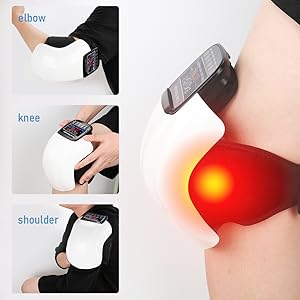
Image: Versatile application of the massager on different joints.
Operating Instructions
1. Control Panel Overview
The device features an intuitive LED touch screen display for easy control. Familiarize yourself with the buttons:
- On/Off Button: Long press to start or end operation.
- Time Button: Adjusts the automatic shut-off timer (15/20/25/30 minutes).
- Heating Button: Cycles through 3 heating levels (Low: 45℃/115℉, Medium: 50℃/125℉, High: 55℃/130℉).
- Mode Button: Cycles through 3 vibration modes (low, high, automatic switching).
- Intensity Button: Adjusts the intensity of the massage.
- Red Light Button: Toggles the red light therapy on/off.
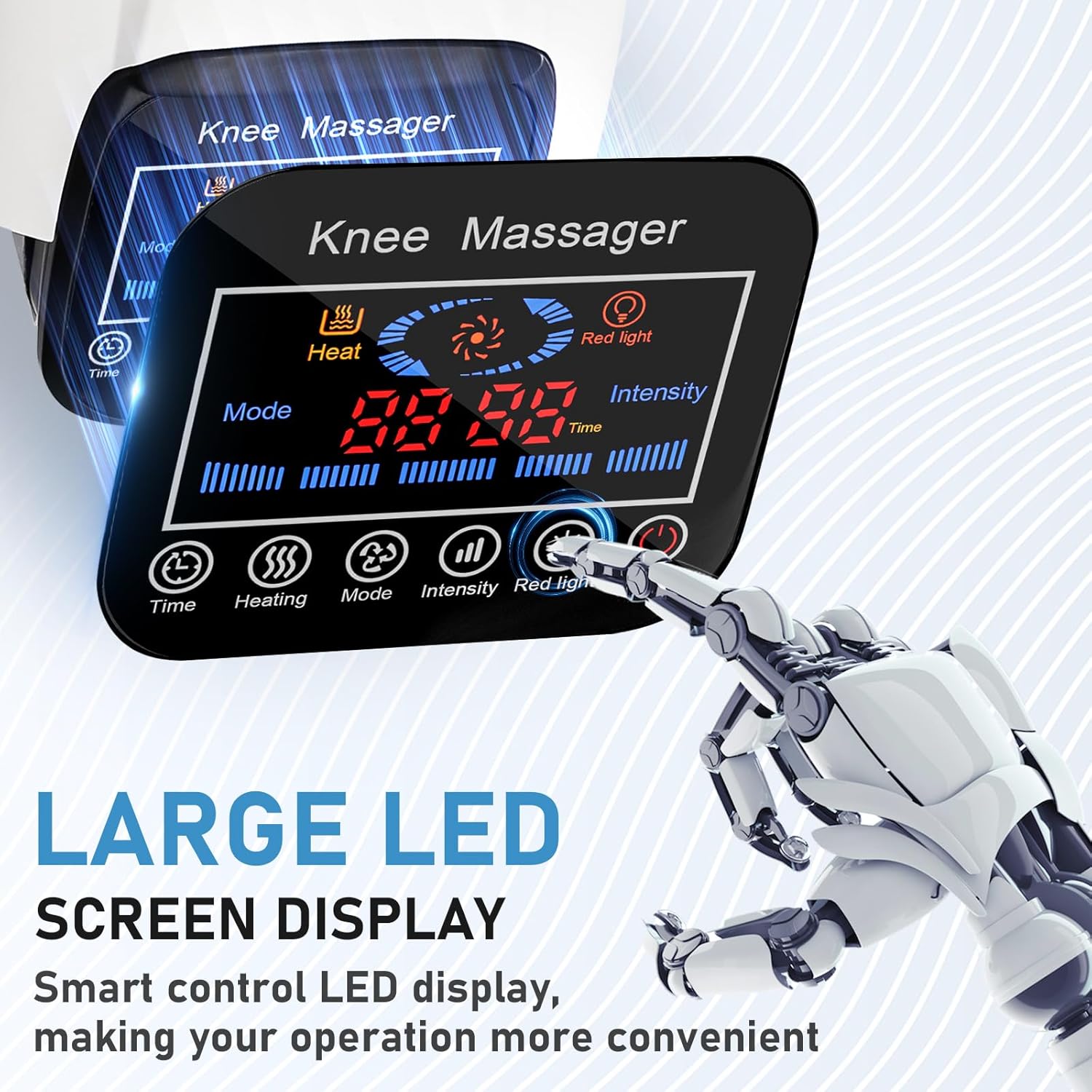
Image: The LED touch screen display and control buttons.
2. Activating Functions
After securing the massager, long press the On/Off button to power on the device. Use the dedicated buttons to select your desired heating level, vibration mode, massage intensity, and to activate or deactivate the red light therapy. You can combine these functions as needed.
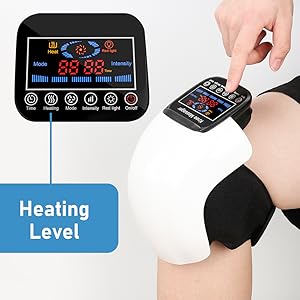
Image: Adjusting the heating level on the control panel.
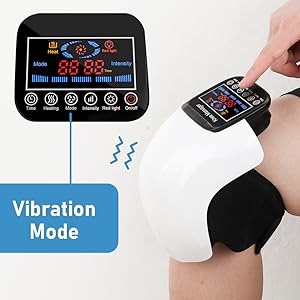
Image: Selecting a vibration mode.

Image: Red light therapy in action.
3. Setting the Timer
Press the Time button to set the desired duration for your massage session. The device will automatically stop after 15, 20, 25, or 30 minutes, providing a convenient and safe user experience.

Image: The timer function set for a 15-minute session.
Features in Detail
- Heating and Vibration Function: The massager offers 3 heating levels (45℃/115℉, 50℃/125℉, 55℃/130℉) and 3 vibration modes (low, high, automatic switching) to help relax muscles and alleviate discomfort.
- 3D Massage Module: Beyond traditional heat and vibration, the device incorporates a 3D massage module for a comprehensive massage experience.
- Red Light Therapy: Integrated red light LEDs are designed to support circulation in the targeted area.
- Cordless and Portable: Weighing approximately 1.65 lbs, this massager is lightweight and cordless, making it suitable for use at home, in the office, or while traveling.

Image: Visual explanation of the 3D massage module.

Image: The massager's portable design, suitable for travel.
Proper Usage
For optimal results, ensure proper positioning of the massager. When using on the knee, a slightly bent knee angle (approximately 90 degrees) can enhance the massage effect. Avoid using the device with a completely straight leg, as this may reduce the effectiveness of the side pressure massage.

Image: Guidance on achieving the best massage effect through correct posture.
Maintenance
To ensure the longevity and proper functioning of your SUPBAND Knee Massager, follow these maintenance guidelines:
- Cleaning: Wipe the device with a soft, damp cloth. Do not use abrasive cleaners or immerse the device in water.
- Storage: Store the massager in a cool, dry place away from direct sunlight and extreme temperatures.
- Battery Care: For optimal battery life, avoid fully discharging the battery frequently. Charge the device regularly, even if not in constant use.
Troubleshooting
If you encounter any issues with your SUPBAND Knee Massager, please refer to the following common solutions:
- Device Not Turning On: Ensure the device is fully charged. Long press the On/Off button for a few seconds.
- No Heat/Vibration: Check if the respective functions are activated on the control panel. Ensure the device has sufficient battery charge.
- Charging Issues: Verify that the Type-C USB cable is securely connected to both the device and the power source. Try a different USB port or adapter.
If problems persist, please contact customer support as detailed in the Warranty and Support section.
Specifications
| Feature | Detail |
|---|---|
| Product Dimensions | 11.3 x 5.09 x 8.09 inches |
| Item Weight | 1.67 Pounds |
| Model Number | HY-991 |
| Power Source | Battery Powered (1 Lithium Ion battery included) |
| Material | Acrylonitrile Butadiene Styrene |
| Heating Levels | 3 (Low: 45℃/115℉, Medium: 50℃/125℉, High: 55℃/130℉) |
| Vibration Modes | 3 (Low, High, Automatic Switching) |
| Timer Function | 15/20/25/30 minutes auto-stop |
Warranty and Support
The SUPBAND Knee Massager HY-991 comes with a 90-day warranty. For any questions, concerns, or warranty claims, please contact SUPBAND customer support. We aim to resolve inquiries within 48 hours.
IMPORTANT: The SUPBAND knee massager is a healthcare product and is not intended to treat any specific condition. If you experience serious discomfort, please consult a healthcare professional.
Official Product Video
Watch this official product video from SUPBAND for a visual guide on using the knee massager.
Video: An official demonstration of the SUPBAND Knee Massager by the seller, "chang yu dian zi".