
eeTao Voyager HOVER3030B Hover-4040HB Adapter
User Manual: eeTao 3-Prong 42V AC/DC Adapter Charger
Model: Voyager HOVER3030B Hover-4040HB Adapter
1. Introduction
This user manual provides essential information for the safe and effective use of your eeTao 3-Prong 42V AC/DC Adapter Charger. Please read this manual thoroughly before using the product and retain it for future reference.
This adapter is designed to provide power for compatible devices, specifically various Voyager hoverboard models requiring a 42V DC output for their 36V Li-ion batteries.
2. Safety Information
⚠ WARNING: Important Safety Instructions
- Ensure the adapter's output voltage (42V) and connector type (3-Prong) match your device's requirements. This charger is NOT compatible with 4-Prong connectors.
- Use the adapter only with devices specified in this manual or confirmed compatible by the manufacturer.
- Do not expose the adapter to water, moisture, or extreme temperatures.
- Do not disassemble, modify, or attempt to repair the adapter. Refer all servicing to qualified personnel.
- Unplug the adapter from the power outlet when not in use or during electrical storms.
- Keep out of reach of children.
- The adapter features Over Voltage Protection (OVP), Over Current Protection (OCP), and Short Circuit Protection (SCP) for enhanced safety.
- Note: Rechargeable batteries have a limited lifespan (typically 1 to 3 years). If your device's battery is old or dead, it may not accept a charge, which is not an issue with the charger. A voltmeter is recommended to verify charger functionality if issues arise.
3. Product Overview
The eeTao 3-Prong 42V AC/DC Adapter Charger is designed to efficiently power and charge compatible 36V Li-ion battery packs found in various Voyager hoverboard models. It features a standard 3-prong connector for secure and reliable connection.
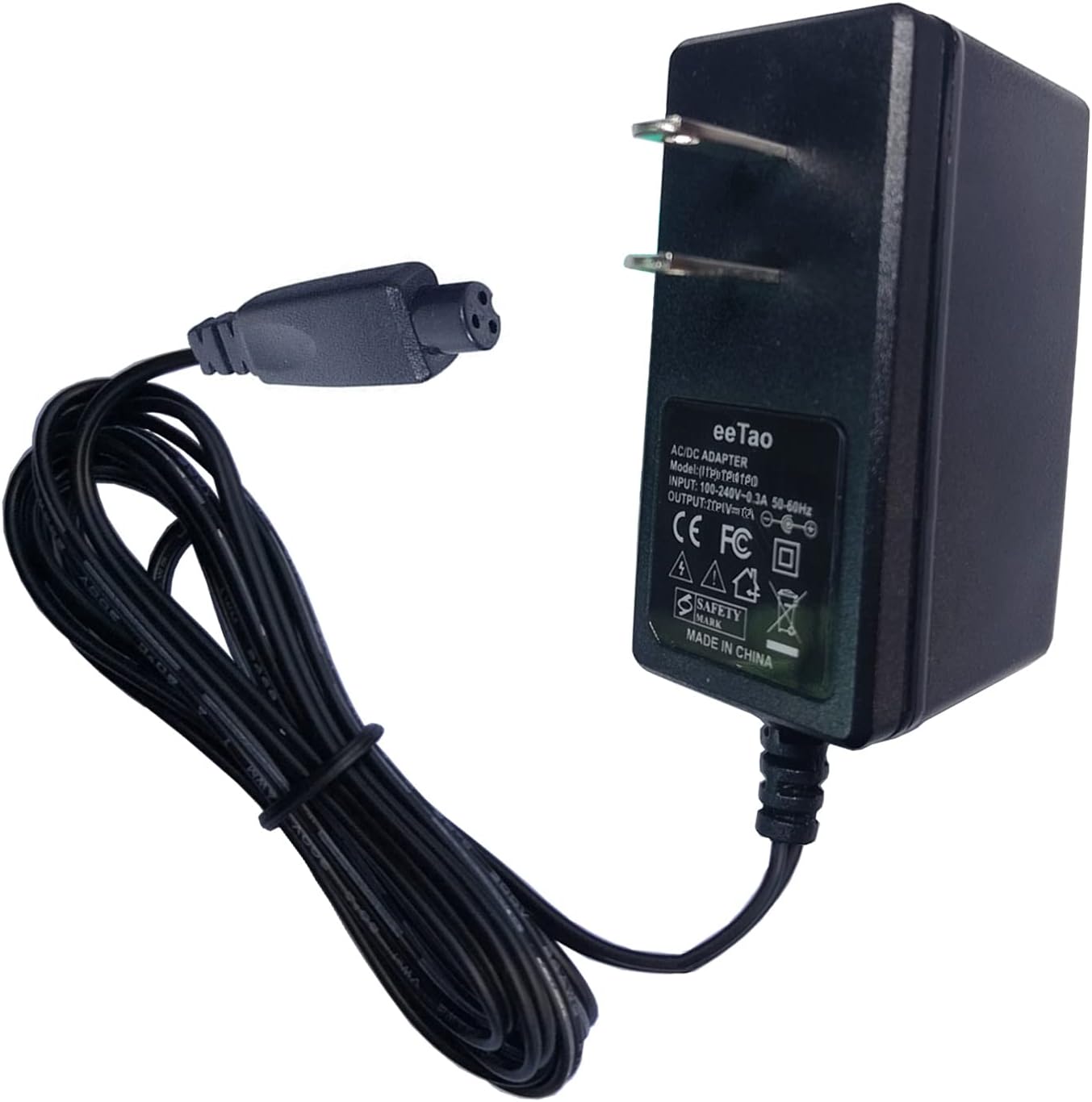
Figure 3.1: Overview of the eeTao 3-Prong 42V AC/DC Adapter Charger. This image shows the main adapter unit with its power prongs and the attached cable leading to the 3-prong output connector.

Figure 3.2: Compatibility check for the charger. This diagram illustrates the difference between a compatible 3-prong female connector and an incompatible 4-prong female connector, emphasizing the importance of verifying your device's port type.

Figure 3.3: Detailed view of the 3-prong inline female connector. This image highlights the specific groove on the connector and the corresponding convex slot on the charging port, which must align for proper connection. The dimensions of the connector (8mm / 0.31 inch) are also shown.
4. Setup
- Verify Compatibility: Before connecting, ensure your device (e.g., hoverboard) requires a 42V DC input and has a 3-prong charging port. Refer to your device's manual or specifications.
- Inspect Charger: Check the charger and its cable for any visible damage. Do not use if damaged.
- Connect to Device: Align the 3-prong connector of the charger with the charging port on your device. Ensure the groove on the charger's connector matches the convex slot on the device's port for a secure fit. Insert firmly.
- Connect to Power Outlet: Plug the AC prongs of the adapter into a standard 100-240VAC 50/60Hz wall outlet.
5. Operating Instructions
Once connected, the charger will begin supplying power to your device or charging its battery. Most devices will have an indicator light to show charging status (e.g., red for charging, green for fully charged). Refer to your device's manual for specific charging indicators.
- Allow the device to charge fully before disconnecting, if applicable.
- Do not leave the device charging unattended for extended periods, especially overnight.
- Disconnect the charger from the wall outlet first, then from the device, once charging is complete or power is no longer needed.
6. Maintenance
- Cleaning: Disconnect the charger from all power sources before cleaning. Use a soft, dry cloth to wipe the surface. Do not use liquid cleaners or aerosols.
- Storage: Store the charger in a cool, dry place away from direct sunlight and moisture when not in use. Avoid wrapping the cable too tightly around the adapter to prevent damage.
- Inspection: Periodically inspect the cable and connector for any signs of wear, cuts, or damage. Replace the charger if any damage is found.
7. Troubleshooting
| Problem | Possible Cause | Solution |
|---|---|---|
| Charger not supplying power / Device not charging. |
|
|
| Charger gets warm during use. | Normal operation. | A slight warmth is normal during charging. If it becomes excessively hot or emits smoke/odor, disconnect immediately and cease use. |
8. Specifications
| Feature | Detail |
|---|---|
| Input Voltage | 100-240VAC, 50/60Hz |
| Output Voltage | 42V DC |
| Output Current | 0.4A (400mA) |
| Connector Type | 3-Prong (Coaxial) |
| Product Dimensions | 3 x 3 x 1 inches (approx.) |
| Item Weight | 4 ounces (approx.) |
| Safety Features | OVP (Over Voltage Protection), OCP (Over Current Protection), SCP (Short Circuit Protection) |
| Compatible Models | Voyager HOVER3030B-BLU, HOVER3030B-PUR, Hover-4040HB-GRN, HOVER4040HB, 4040HB-GRN, HOVER4040HB-PNK-STK-1, and other 36V/2Ah Li-ion battery devices with 3-prong 42V input. |
9. Warranty and Support
eeTao provides the following warranty and support for this product:
- Refund Policy: 30 Days Refund.
- Exchange Policy: 24 Months Exchange.
For warranty claims or technical support, please contact the seller or manufacturer through the platform where the product was purchased. Ensure you have your purchase details readily available.