

1. Product Overview
The BALDR Wireless Weather Station is designed to provide accurate, real-time weather information and indoor climate data. Featuring a 7.5-inch VA display, Wi-Fi connectivity, and an external sensor, it offers comprehensive monitoring of temperature, humidity, and atmospheric pressure. The station integrates with the HomGar app for remote access and data logging, ensuring you stay informed about your environment.

Image 1.1: The BALDR Wireless Weather Station, showing the main display unit, the compact outdoor sensor, and a smartphone screen demonstrating the accompanying mobile application.
Key Features:
- Wi-Fi and App Control: Monitor indoor and outdoor temperature and humidity remotely via the HomGar app (2.4GHz Wi-Fi required).
- Multi-functional Display: Shows weather forecast, time, calendar, temperature, humidity, and atmospheric pressure. Includes alarm and snooze functions.
- Real-time Weather Forecasts: Automatically retrieves accurate local weather predictions from the internet.
- Large VA Display: 7.5-inch color digital display with wide viewing angles and five-level adjustable brightness for easy readability.
- Multi-Sensor Support: Supports up to 3 outdoor sensors (one included) with a range of up to 100m.
- Temperature & Humidity Detection: Detects indoor and outdoor temperatures (-40℃ to 60℃) and humidity levels.
- Automatic Time Setting: Utilizes RCC technology and Wi-Fi connection for automatic and accurate time synchronization.
- Data Logging: Records temperature, humidity, and atmospheric pressure changes for up to two years via the HomGar app.
2. Setup Guide
2.1 Package Contents
Before beginning, ensure all components are present:
- 1 x BALDR Weather Station Main Unit
- 1 x Outdoor Sensor
- 1 x Power Cable
- 1 x Quick User Manual
2.2 Initial Power-Up
- Connect the power cable to the main weather station unit and plug it into a power outlet. The display will light up.
- Open the battery compartment on the outdoor sensor and insert 2 x AA batteries (not included), observing polarity. Close the compartment securely.
- The outdoor sensor will automatically attempt to pair with the main unit. Once connected, the outdoor temperature and humidity will appear on the main display.
2.3 Wi-Fi and App Connection
To utilize smart features and automatic time synchronization, connect the weather station to your Wi-Fi network via the HomGar app.
- Download the HomGar app from your smartphone's app store (available for iOS and Android).
- Register or log in to your HomGar account.
- Follow the in-app instructions to add a new device. Ensure your smartphone is connected to a 2.4GHz Wi-Fi network, as the weather station only supports this frequency.
- The app will guide you through the pairing process, which typically involves putting the weather station into pairing mode (refer to the quick user manual for specific button presses).
- Once connected, the weather station will automatically synchronize its time and date via Wi-Fi, and you will be able to view data remotely.

Image 2.1: The weather station display alongside a smartphone showing the HomGar application interface, emphasizing the Wi-Fi connectivity and app control.
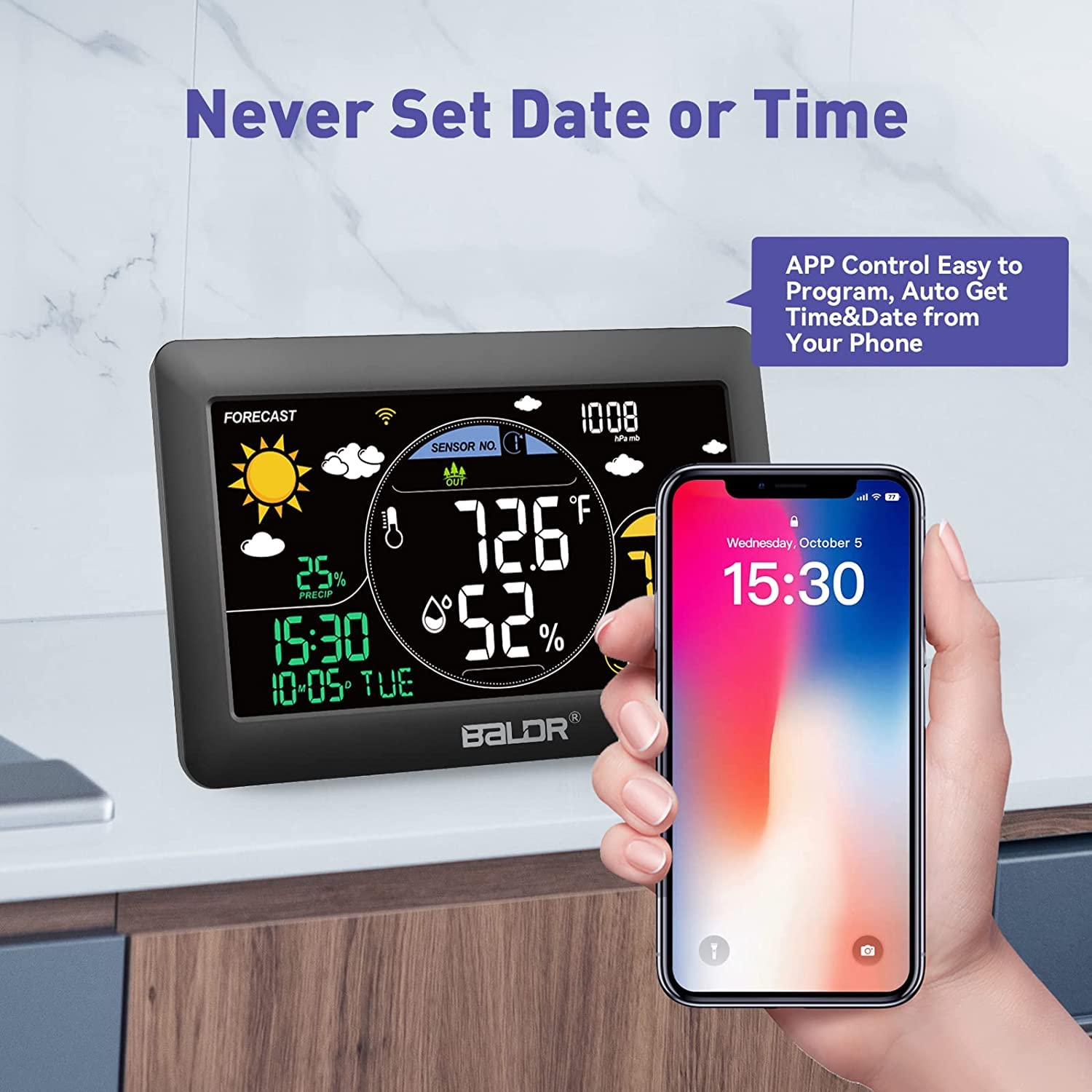
Image 2.2: The weather station display indicating that time and date are automatically set and programmed through the connected smartphone application, eliminating manual adjustments.
3. Operating Instructions
3.1 Display Overview
The 7.5-inch VA display provides a clear and comprehensive overview of all relevant data. The screen's brightness can be adjusted to five levels for optimal viewing in various lighting conditions.

Image 3.1: An illustration of the 7.5-inch large colorful LCD display, highlighting its various features including real weather forecast, time and date, thermometer, humidity, barometric pressure, alerts, comfort level indicator, and adjustable backlight.
3.2 Weather Forecast
The weather station automatically retrieves accurate weather forecasts from the internet, displaying them with intuitive icons. These forecasts help you anticipate upcoming weather changes.

Image 3.2: A comparison of the real-time weather forecast displayed on the weather station and within the HomGar app, showing daily and weekly predictions with corresponding weather icons.
3.3 Temperature and Humidity Monitoring
The station continuously monitors indoor and outdoor temperature and humidity. Maintaining optimal humidity levels (40%~70%) is crucial for comfort and health.

Image 3.3: The weather station displaying temperature and humidity, with accompanying visuals illustrating how humidity levels can affect common ailments like runny nose, arthritis, sore throat, and headache.
3.4 Smart App and Wi-Fi Control
The HomGar app provides comprehensive control and monitoring capabilities. You can view real-time data, access historical records, control backlight periods, and manage multiple sensors.

Image 3.4: A user interacting with the HomGar app on a smartphone, showcasing the various smart features including real-time weather forecast, temperature/humidity/pressure record charts, multi-channel support (up to 3), backlight control, automatic calibration time, and family co-management.
3.5 Data Storage and History
The HomGar app offers free data storage, allowing you to view temperature, humidity, and atmospheric pressure changes over time. Data is updated every three minutes and can be accessed for up to two years.

Image 3.5: The weather station display and a smartphone screen showing the HomGar app's data storage feature, allowing users to view historical temperature and humidity trends over 24 hours, 10 days, or longer periods.
4. Maintenance
4.1 Cleaning
To clean the weather station and outdoor sensor, use a soft, dry cloth. Do not use abrasive cleaners or solvents, as these may damage the surfaces or electronic components.
4.2 Battery Replacement (Outdoor Sensor)
When the battery indicator for the outdoor sensor appears on the main display or in the app, replace the batteries promptly. Use 2 x AA batteries, ensuring correct polarity.
4.3 Placement Considerations
- Main Unit: Place the main unit indoors, away from direct sunlight, heat sources, or vents that could affect temperature readings.
- Outdoor Sensor: Mount the outdoor sensor in a shaded, well-ventilated area, protected from direct rain and sunlight, to ensure accurate readings. Ensure it is within 100 meters (328 feet) of the main unit, free from major obstructions.
5. Troubleshooting
If you encounter issues with your BALDR Wireless Weather Station, refer to the following common problems and solutions:
- No Display on Main Unit: Ensure the power cable is securely connected and the power outlet is functional.
- Outdoor Sensor Not Connecting:
- Check if batteries are correctly inserted and not depleted in the outdoor sensor.
- Ensure the sensor is within range (100m) of the main unit and there are no significant obstructions.
- Try re-pairing the sensor by removing and reinserting its batteries, then initiating a sensor search on the main unit (refer to the quick user manual for specific steps).
- Wi-Fi Connection Issues:
- Confirm your Wi-Fi network is 2.4GHz. The station does not support 5GHz networks.
- Ensure your Wi-Fi password is entered correctly in the HomGar app.
- Restart your Wi-Fi router and the weather station.
- Ensure your smartphone is connected to the same 2.4GHz Wi-Fi network during the setup process.
- Inaccurate Readings:
- Verify proper placement of both units, away from direct heat, cold, or moisture sources.
- Allow some time for the sensors to stabilize after initial setup or relocation.
For persistent issues, consult the detailed user manual or contact BALDR customer support.
6. Specifications
| Attribute | Value |
|---|---|
| Model Number | PP-388B |
| Package Dimensions | 27.6 x 14.1 x 5.2 cm |
| Item Weight | 590 grams |
| Manufacturer | BALDR |
| Power Source | Battery Powered (Outdoor Sensor), AC Powered (Main Unit) |
| Connectivity Technology | Wi-Fi (2.4GHz) |
| Material | Acrylonitrile Butadiene Styrene (ABS) |
| Color | Black |
| Specific Product Uses | Date, Humidity, Pressure, Temperature |
| Recommended Uses | Home, Office, Garden, Laboratory, Restaurant |
| Special Feature | App/Wi-Fi Control, Real-time Accurate Weather Forecasts, Supports up to 3 Channels |
7. Warranty and Support
7.1 Warranty Information
BALDR products are manufactured with a commitment to quality. For specific warranty terms and conditions, please refer to the documentation included with your purchase or visit the official BALDR website. Typically, a limited warranty covers defects in materials and workmanship under normal use.
7.2 Customer Support
If you require further assistance, have questions about product operation, or need to report an issue, please contact BALDR customer support. Contact details can usually be found in the quick user manual or on the official BALDR website. When contacting support, please have your product model number (PP-388B) and purchase information ready.