
1. Introduction
The Partx Satellite Radio Extension Cable is designed to provide an extended connection between your satellite radio receiver and its antenna. This 23-foot cable allows for greater flexibility in antenna placement, ensuring optimal signal reception in various vehicle types. Constructed with durable materials and featuring SMB connectors, it ensures a secure and reliable signal transmission.
2. Product Features
- Length: Approximately 23 feet (7 meters), providing extensive reach for antenna positioning.
- SMB Connectors: Equipped with SMB Male to SMB Female straight connectors, specifically designed for satellite radio applications, ensuring a secure and reliable connection.
- Coaxial Cable: Utilizes coaxial cable construction, which includes a central conductor, insulation, shielding, and an outer jacket, optimized for transmitting high-frequency signals with minimal interference and signal loss.
- Durability: Manufactured with high-quality materials to ensure longevity and resistance to regular use, bending, and environmental factors without compromising signal integrity.
- Compatibility: Designed to be compatible with standard SMB connections commonly found in most satellite radio systems, receivers, and antennas.
3. Compatibility
This satellite radio extension cable is designed for broad compatibility with satellite radio systems that utilize SMB connectors. It is generally compatible with:
- Various General Motors (GM) vehicles, including Chevrolet, GMC, Buick, and Cadillac models.
- Certain Ford vehicles.
- Some Chrysler, Dodge, and Jeep vehicles.
- Certain Audi vehicles.
- Certain Volkswagen (VW) models.
It is recommended to verify the specific vehicle model and year, as well as the connector type of your existing satellite radio system, to ensure full compatibility before installation.
4. Setup and Installation
The Partx Satellite Radio Extension Cable is designed for straightforward installation. Follow these steps for proper setup:
- Identify Connectors: Locate the SMB connector on your existing satellite radio antenna cable and the SMB input on your satellite radio receiver.
- Connect Extension Cable: Connect the SMB female end of the extension cable to the SMB male end of your existing antenna cable. Ensure the connection is firm and secure.
- Connect to Receiver: Connect the SMB male end of the extension cable to the SMB input on your satellite radio receiver. Again, ensure a firm and secure connection.
- Route Cable: Carefully route the extension cable along the desired path within your vehicle. Avoid sharp bends, kinks, or placing the cable where it might be pinched or damaged. Secure the cable using cable ties or clips if necessary to prevent movement and potential damage.
- Test System: Once the cable is connected and routed, power on your satellite radio system and verify that the signal is being received clearly.
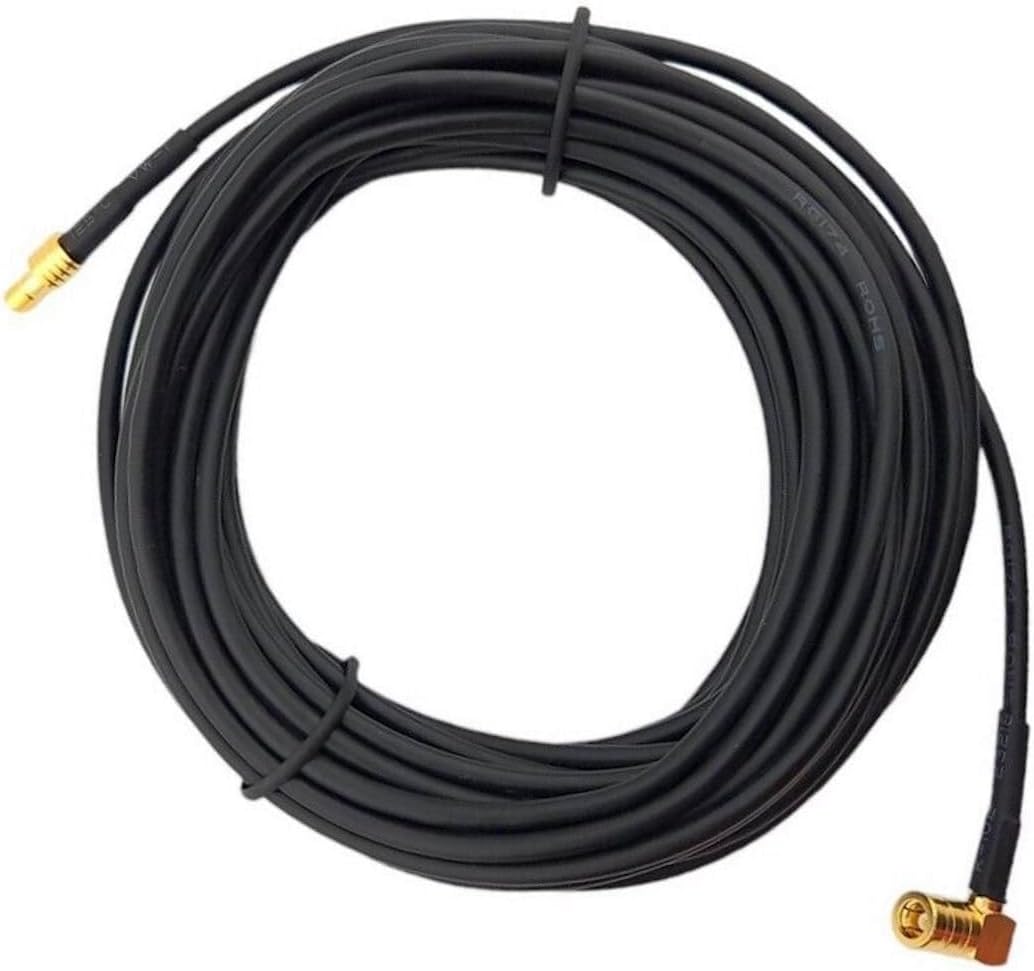
Image 1: The Partx 23-foot satellite radio extension cable, coiled for packaging. This image shows the overall length and black insulation of the cable.

Image 2: A close-up view of the gold-plated SMB male (right angle) and SMB female (straight) connectors on the Partx extension cable. These connectors ensure a secure fit for satellite radio applications.
5. Operation
The Partx Satellite Radio Extension Cable operates passively by extending the physical reach of your satellite radio antenna. Once properly installed, it facilitates the transmission of the satellite signal from the antenna to the receiver. No active operation or configuration is required for the cable itself.
6. Maintenance
To ensure the longevity and optimal performance of your extension cable, consider the following maintenance tips:
- Avoid Kinks and Sharp Bends: Do not bend the cable sharply or create kinks, as this can damage the internal coaxial structure and lead to signal degradation.
- Protect Connectors: Keep the SMB connectors clean and free from dust, dirt, or moisture. Avoid pulling on the cable by the wire; always grasp the connector itself when connecting or disconnecting.
- Secure Routing: Ensure the cable is securely routed and not exposed to areas where it could be stepped on, pinched by doors, or subjected to excessive friction.
- Regular Inspection: Periodically inspect the cable and connectors for any signs of wear, fraying, or damage. Replace the cable if significant damage is observed.
7. Troubleshooting
If you experience issues with your satellite radio signal after installing the extension cable, consider the following troubleshooting steps:
- Check All Connections: Ensure that both ends of the extension cable are securely and fully connected to the antenna cable and the radio receiver. A loose connection is a common cause of signal loss.
- Inspect Cable for Damage: Visually inspect the entire length of the extension cable for any visible damage, such as cuts, kinks, or severe bends. Internal damage may not be visible but can still affect performance.
- Verify Antenna Placement: Ensure your satellite radio antenna is placed in a location with a clear line of sight to the sky, free from obstructions like tall buildings, trees, or vehicle structures that might block the satellite signal.
- Test Without Extension: If possible, temporarily connect your antenna directly to the radio receiver (without the extension cable) to determine if the issue is with the extension cable itself or another component of your satellite radio system.
- Environmental Factors: Be aware that heavy rain, snow, or dense foliage can temporarily affect satellite signal reception.
8. Specifications
| Attribute | Detail |
|---|---|
| Brand | Partx |
| Model Number | B0C8W3WTHK |
| Cable Length | 23 Feet (approx. 7 meters) |
| Connector Type | SMB Male to SMB Female Straight Connector |
| Cable Type | Coaxial Cable |
| UPC | 685674672755 |
| Manufacturer | Partx |
9. Warranty and Support
For information regarding warranty coverage, returns, or technical support for your Partx Satellite Radio Extension Cable, please refer to the product packaging or contact the seller directly through your purchase platform. Keep your proof of purchase for any warranty claims.