
Atcall SF005A
Atcall Cell Phone Booster User Manual
Model: SF005A
Introduction
Welcome to the Atcall Cell Phone Booster user manual. This device is designed to significantly improve 5G and 4G LTE cellular signals within your home or office, covering up to 6,000 sq ft. It is compatible with all major U.S. carriers, including Verizon, AT&T, T-Mobile, and Sprint. Enjoy clearer calls, faster data speeds, and fewer dropped connections.


Package Contents
Before you begin, please verify that all items are included in your package:
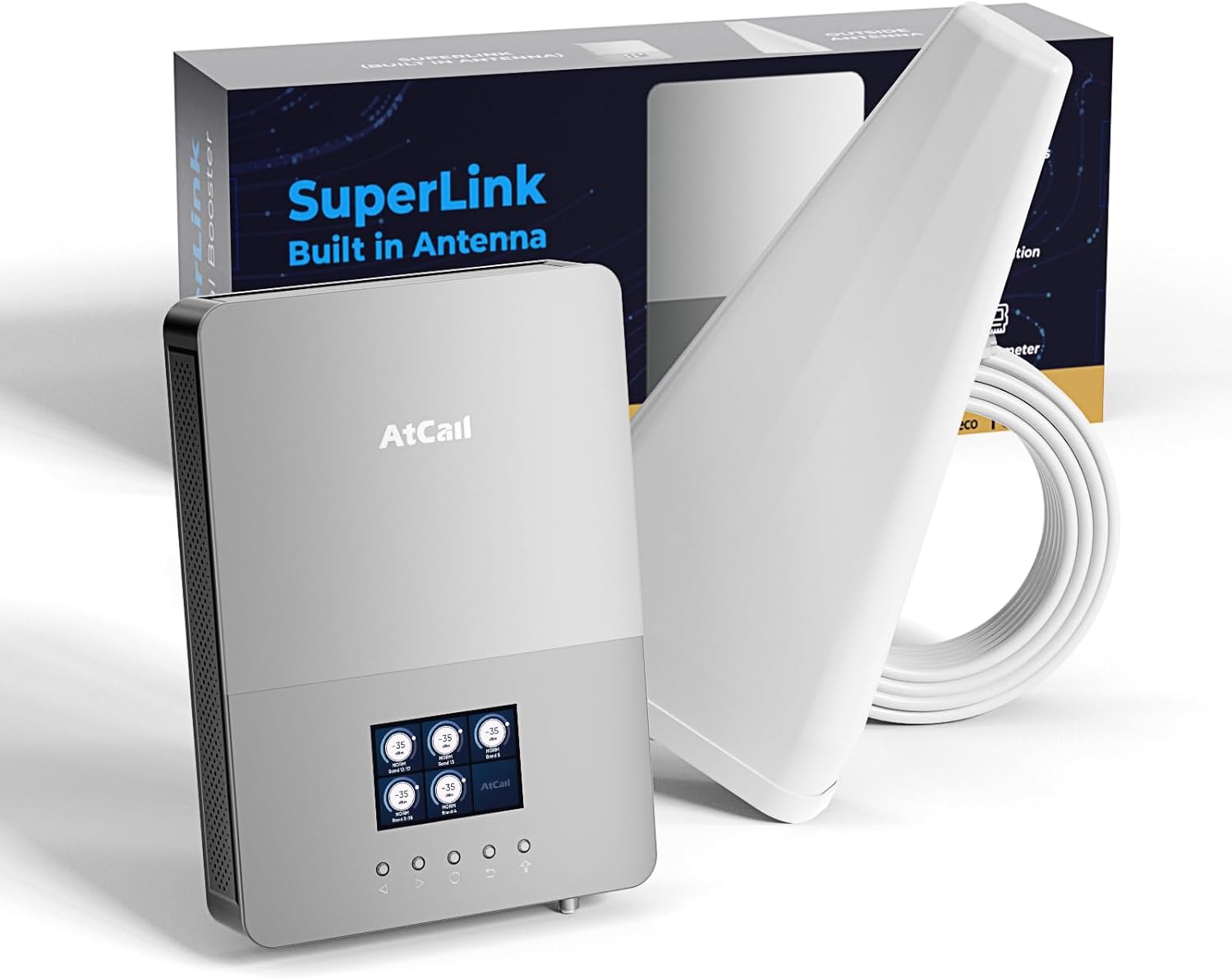
- 1 x Signal Booster (Built-in Indoor Panel Antenna)
- 1 x Upgraded Outdoor Directional Antenna
- 1 x 60ft Coaxial Cable
- 1 x Power Supply
- Mounting Kits (Roof/Pole Mount Bracket, U-bolt, nuts, screws)
Setup and Installation
Follow these steps for optimal performance. A proper installation ensures maximum signal improvement.
Step 1: Choose Outdoor Antenna Location
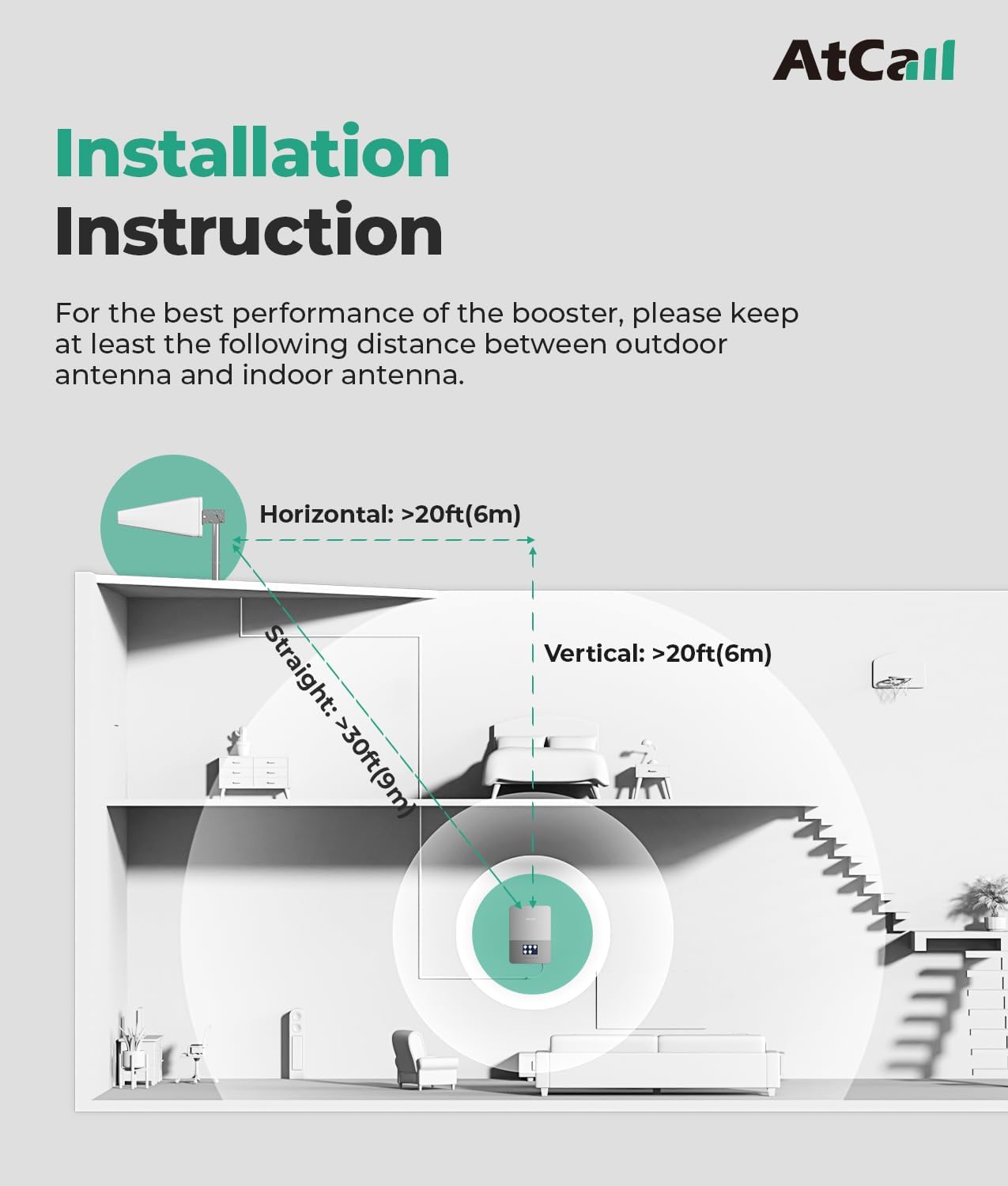
The outdoor directional antenna should be mounted on your roof or a high pole, pointing towards the nearest cell tower of your carrier. Use a cell phone signal map application to identify the best direction for your specific carrier. Ensure there is at least 20 feet (6 meters) horizontal and 30 feet (9 meters) straight distance between the outdoor and indoor antennas to prevent oscillation.
Step 2: Mount Outdoor Antenna
Secure the outdoor antenna using the provided mounting brackets. The "UP" arrow on the antenna indicates the correct orientation.
Video Description: This video demonstrates the physical installation of the outdoor antenna, including attaching it to a pole or surface and connecting the coaxial cable. It highlights the importance of proper orientation and secure mounting.
Step 3: Route Coaxial Cable
Connect the 60ft coaxial cable to the outdoor antenna. Carefully route the cable from the outdoor antenna to the location where you plan to place the indoor booster unit. Ensure the cable is not kinked or damaged during routing.
Step 4: Connect Indoor Booster Unit
Connect the routed coaxial cable from the outdoor antenna to the "OUTDOOR" port on the indoor booster unit. Connect the power supply to the "POWER" port on the indoor unit and plug it into a standard electrical outlet. The unit will power on and the LCD display will activate.

Operating Instructions
The Atcall Cell Phone Booster features an intuitive HD LCD display for real-time monitoring and control.
LCD Display Overview
The LCD display shows real-time downlink signal strength (dBm), working status, and frequency bands. It also indicates Uplink Gain and Downlink Gain.

Navigating the Display
Use the navigation buttons below the display to cycle through different information screens and adjust settings:
- Left/Right Arrows: Navigate between different display modes or frequency bands.
- Confirm Button: Select a displayed option or enter a setting.
- Return Button: Go back to the previous screen.
- Up/Down Arrows (implied by video): Adjust values or toggle settings (e.g., On/Off for frequency bands).
Checking Signal Strength
To check your current signal strength and identify the best frequency band for your location, you can use your smartphone:
For iPhone:
- Dial
*3001#12345#*then press the call button. - Choose "All Metrics", then "Click Serving Cell Info".
- Check "Band Info".
For Android Phone:
- Download "Network Cell Info Lite" app.
- Choose "GAUGE".
- Check "BAND".

Maintenance
The Atcall Cell Phone Booster is designed for low maintenance.
- Cleaning: Periodically wipe the indoor unit and outdoor antenna with a soft, dry cloth to remove dust and debris. Do not use harsh chemicals or abrasive cleaners.
- Cable Inspection: Annually inspect the coaxial cable for any signs of wear, damage, or loose connections. Ensure all connections are secure.
- Antenna Alignment: If signal performance degrades, re-check the alignment of the outdoor antenna to ensure it is still pointing towards the strongest cell tower.
Troubleshooting
If you experience issues with your Atcall Cell Phone Booster, refer to the following common solutions:
No Signal Improvement:
- Check Antenna Separation: Ensure sufficient distance (at least 20ft horizontal, 30ft straight) between the outdoor and indoor antennas. Insufficient separation can cause oscillation and reduce performance.
- Outdoor Antenna Direction: Verify the outdoor antenna is correctly pointed towards the nearest cell tower for your carrier. Use a signal mapping app for precise aiming.
- Cable Connections: Confirm all coaxial cable connections are tight and secure at both the outdoor antenna and the indoor booster unit.
- Power Supply: Ensure the booster unit is properly powered on and the power indicator light is active.
LCD Display Errors:
- "OSC" or Overload Indicator: This indicates oscillation due to insufficient isolation between antennas. Increase the separation distance or adjust the antenna's direction.
- Low Signal Strength on Display: The outdoor antenna might not be receiving a strong enough signal. Re-aim the antenna or consider a higher mounting location.
Intermittent Signal:
- Loose Connections: Check all cable connections.
- Environmental Factors: Heavy rain, snow, or dense foliage can temporarily affect signal strength.
For further assistance, please contact Atcall professional tech support.
Specifications
| Feature | Detail |
|---|---|
| Model | SF005A |
| HVIN | SF005A |
| FCC ID | 2A34B-SFZN005 |
| Supported Bands | 12/17, 13, 5, 2/25, 4/66 |
| Supported Carriers | Verizon, AT&T, T-Mobile, Sprint, Straight Talk, and more |
| Coverage Area | Up to 6,000 Sq Ft |
| Max Gain | 65dB |
| Special Features | Easy Installation, Upgraded Log-Periodic Antenna, All US Carriers, Coverage 6000 Sq. Ft, Real Time LCD Monitor |
| Package Dimensions | 22 x 9.5 x 5 inches |
| Item Weight | 7.24 pounds |
| Color | Super Link |
| Manufacturer | Atcall |
| Country of Origin | China |
| Date First Available | June 21, 2023 |

Warranty and Support
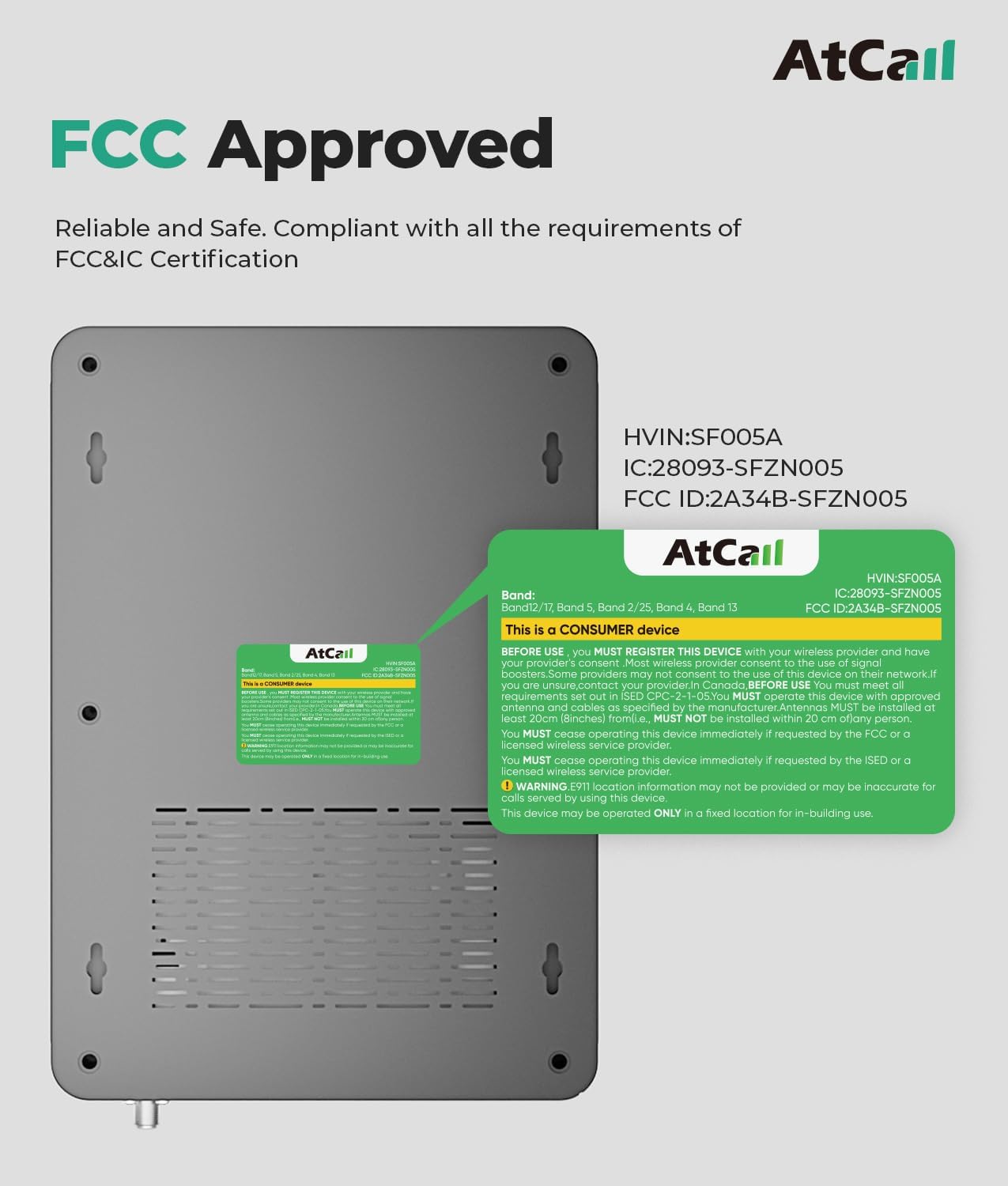
The Atcall Cell Phone Booster is FCC Approved (HVIN: SF005A, FCC ID: 2A34B-SFZN005) and complies with all relevant standards.
For any questions or technical assistance, please contact our professional online tech support team.
Ask a question about this manual
Ask about setup, troubleshooting, compatibility, parts, safety, or missing instructions. Manuals+ will review the question and use this page’s manual context to help answer it.