
Introduction
This manual provides instructions for the proper setup, operation, and maintenance of your uRage SoundZ 710 7.1 V2 Wired Gaming Headset. Please read this manual carefully before using the product to ensure optimal performance and longevity.
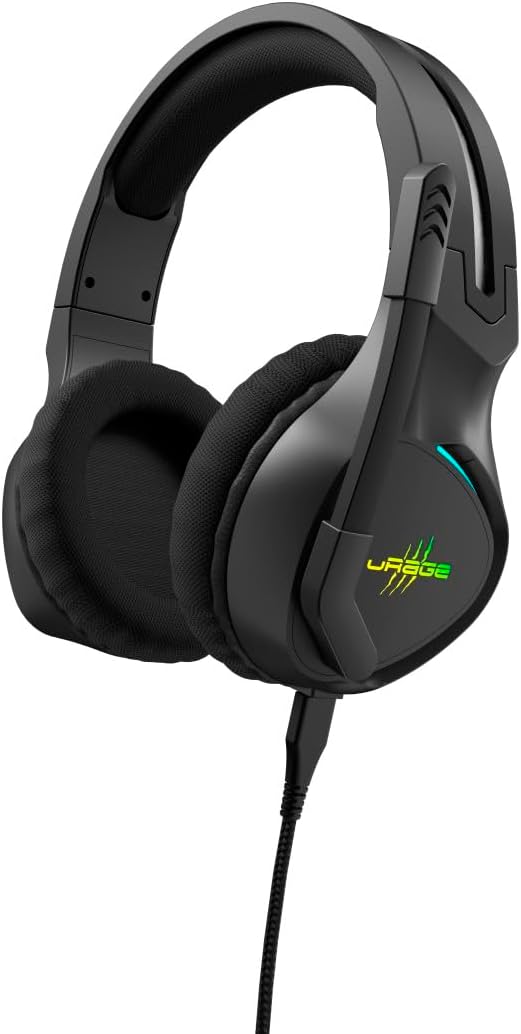
Image: The uRage SoundZ 710 7.1 V2 gaming headset, showcasing its design and illuminated logo.
Safety Instructions
- Do not expose the headset to extreme temperatures, humidity, or direct sunlight.
- Avoid dropping or subjecting the headset to strong impacts.
- Do not attempt to disassemble or modify the headset. This will void the warranty.
- Keep the headset away from water and other liquids.
- Clean the headset with a soft, dry cloth only.
- Prolonged listening at high volume levels may cause hearing damage.
Package Contents
Verify that all items are present in the package:
- uRage SoundZ 710 7.1 V2 Gaming Headset
- Detachable uFlex USB-C to USB-A Cable
- Cable Management Tie
- User Manual
Setup
1. Connecting the Headset
The uRage SoundZ 710 7.1 V2 headset uses a detachable USB-C to USB-A cable for connection. This headset is designed for plug-and-play functionality with PC and PS5.
- Connect the USB-C end of the provided cable to the port on the headset.
- Connect the USB-A end of the cable to an available USB port on your PC or PS5 console.
- The headset will be automatically recognized by your system.

Image: Close-up of the USB-A connector, part of the detachable headset cable.
2. Software Installation (for PC)
For optimal audio experience on PC, including virtual 7.1 surround sound and DTS Headphone:X 2.0, software installation is recommended. This software is compatible with Windows 11/10.
- Visit the official uRage website to download the dedicated gaming software for the SoundZ 710 7.1 V2 headset.
- Follow the on-screen instructions to install the software.
- The DTS Headphone:X 2.0 license is valid for 12 months after redemption.
Operating Instructions
Virtual 7.1 Surround Sound
The headset features virtual 7.1 surround sound for enhanced audio localization, particularly beneficial in gaming. On PC, this feature is managed through the dedicated software. On PS5, the console's audio settings may need adjustment to utilize surround sound capabilities.
Microphone Functionality
The flexible microphone arm can be positioned individually for clear voice communication. The headset includes a Flip-to-Mute function:
- To mute the microphone, simply raise the microphone arm upwards.
- To unmute and speak, lower the microphone arm back into position.

Image: A person wearing the uRage SoundZ 710 7.1 V2 headset, demonstrating its use during a gaming session.
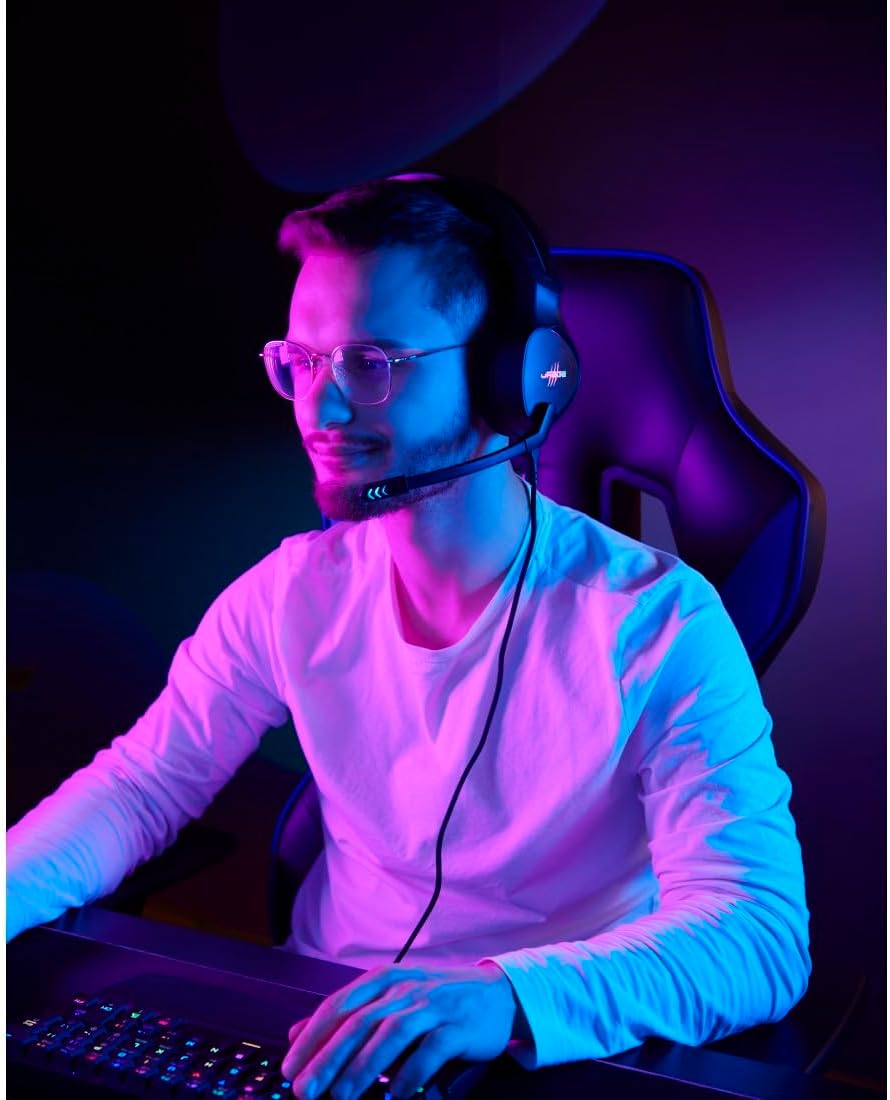
Image: Another user wearing the headset, with the microphone positioned for communication.
Volume Control
The volume can be adjusted directly on the headset using the integrated rotary control. Locate the volume wheel on one of the earcups and rotate it to increase or decrease the audio level.
LED Lighting
The headset features LED lighting with multiple color options and change intervals. These settings can typically be customized via the dedicated PC software. Refer to the software's interface for specific controls.

Image: The uRage SoundZ 710 7.1 V2 headset displaying its customizable LED lighting in purple and green hues.
Maintenance
Cleaning
To maintain the headset's condition, clean it regularly:
- Use a soft, dry, lint-free cloth to wipe the surfaces of the headset.
- Do not use liquid cleaners, aerosols, or solvents.
- Ensure no moisture enters the earcups or microphone.
Storage
When not in use, store the headset in a clean, dry place, away from direct sunlight and extreme temperatures. The detachable cable can be removed for easier storage and to prevent tangling.
Troubleshooting
No Sound / Low Volume
- Ensure the headset cable is securely connected to both the headset and the device (PC/PS5).
- Check the volume control wheel on the headset and adjust it.
- Verify the audio output settings on your PC or PS5 to ensure the headset is selected as the default output device.
- Increase the system volume on your PC or PS5.
- If on PC, check the volume settings within the uRage gaming software.
Microphone Not Working
- Ensure the microphone arm is lowered and not in the "mute" (upright) position.
- Check the microphone input settings on your PC or PS5 to ensure the headset microphone is selected as the default input device.
- Verify microphone privacy settings on your operating system.
- If on PC, check microphone settings within the uRage gaming software.
LED Lighting Not Functioning
- Ensure the headset is properly connected and receiving power.
- If on PC, check the lighting settings within the uRage gaming software.
Specifications
| Model Name | SoundZ 710 7.1 V2 |
| Brand | uRage |
| Color | Black |
| Connectivity Technology | Wired (USB-A, USB-C) |
| Ear Placement | Over-Ear (Circumaural) |
| Speaker Diameter | 50 mm |
| Headphone Impedance | 20 Ohms |
| Headphone Sensitivity | 115 dB +/- 3 dB |
| Headphone Frequency Response | 20 Hz - 20 kHz |
| Microphone Type | Flexible, Unidirectional |
| Microphone Impedance | 2200 Ohms |
| Microphone Sensitivity | -42 dB +/- 3 dB |
| Microphone Frequency Response | 50 Hz - 10 kHz |
| Cable Length | 2.20 m |
| Weight | 342 g |
| Compatible Operating Systems | Windows 11/10 |
| Compatible Devices | PC, PS5, Laptop |
| Special Features | Virtual 7.1 Surround Sound, DTS Headphone:X 2.0 (12-month license), LED Lighting (7 colors), Flip-to-Mute Microphone, Volume Control, Detachable Cable |
| Material | Plastic, Mesh (earpads) |
Warranty and Support
Warranty Information
This product is covered by a manufacturer's warranty. Please refer to the warranty card included in your package or visit the official uRage website for detailed warranty terms and conditions. The DTS Headphone:X 2.0 license is valid for 12 months after redemption.
Customer Support
For technical assistance, troubleshooting, or general inquiries, please contact uRage customer support through their official website or the contact information provided in your product documentation.
Note: Keep your purchase receipt for warranty claims.


