
1. Introduction
This manual provides essential information for the safe installation, operation, and maintenance of your Big Ass Fans Haiku 60-inch Smart Indoor Ceiling Fan. Please read all instructions carefully before beginning installation or use to ensure proper function and to prevent injury or damage.
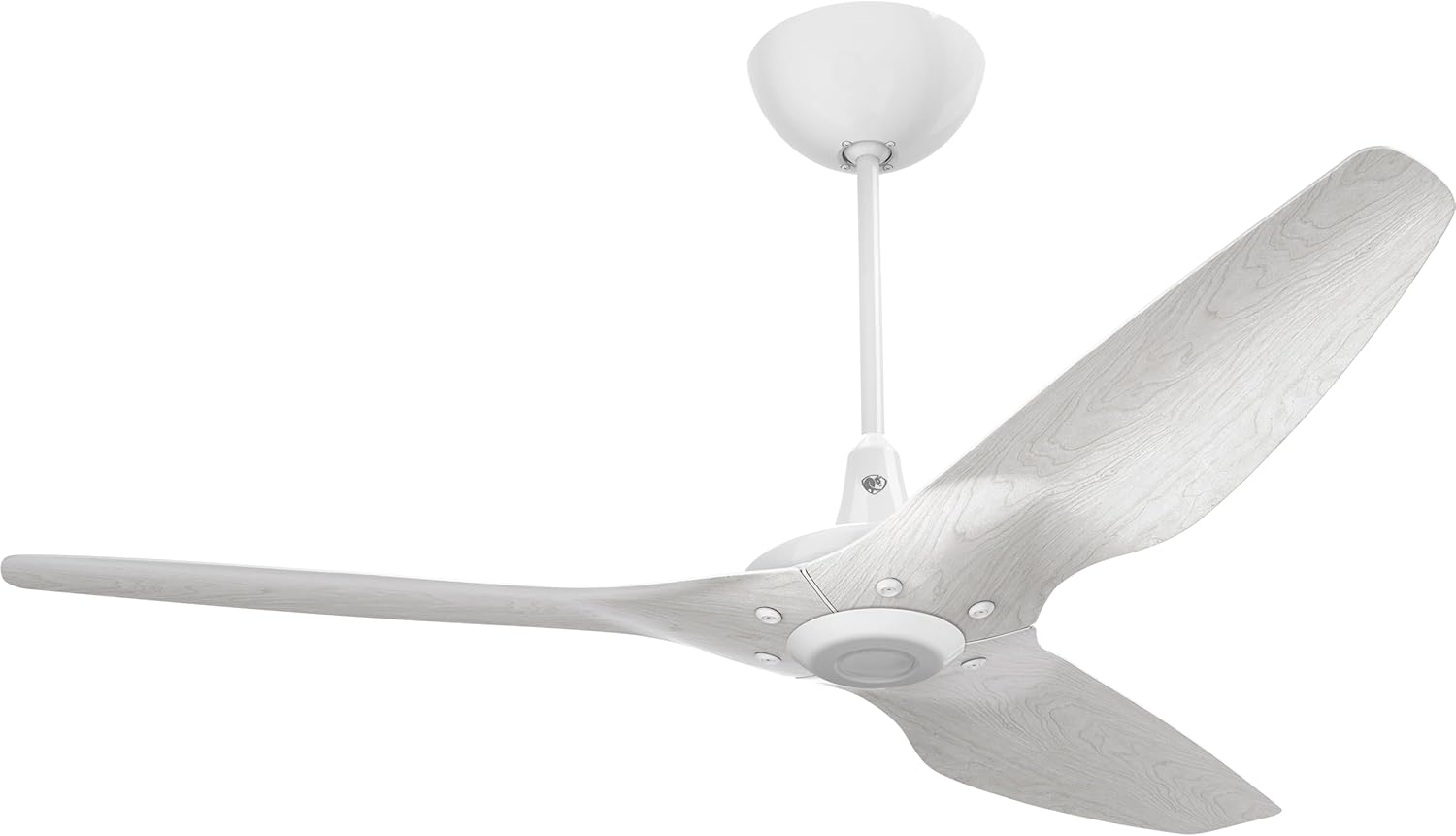
Image 1.1: The Big Ass Fans Haiku 60-inch Smart Indoor Ceiling Fan, featuring three precision-balanced airfoils and a central motor housing, shown with a white downrod and canopy.
The Haiku fan is designed for indoor use, offering superior airflow and energy efficiency. It incorporates SenseME technology for automated convenience and can be controlled via a Bluetooth remote, mobile application, or voice integration.
2. Safety Information
Adherence to the following safety guidelines is crucial for preventing electrical shock, fire, or personal injury.
2.1 General Safety Precautions
- Always disconnect power at the circuit breaker or fuse box before installation, cleaning, or servicing.
- All electrical wiring must be performed by a qualified electrician and comply with all local and national electrical codes.
- Ensure the installation site can support the fan's weight (approximately 26 pounds).
- Do not operate the fan with damaged wiring or if any components are visibly compromised.
- Keep hands, clothing, and other objects clear of the fan blades during operation.
- Do not attempt to repair or modify the fan yourself. Contact qualified service personnel.
2.2 Installation Environment
- This fan is intended for indoor use only.
- Ensure adequate clearance between the fan blades and any walls or obstructions. A minimum of 7 feet (2.1 meters) from the floor to the bottom of the blades is recommended.
3. Package Contents
Verify that all components are present and undamaged before proceeding with installation.
- Haiku Fan Motor Assembly
- Three (3) Fan Blades (Driftwood Aluminum)
- 12-inch Downrod
- Mounting Hardware Kit
- Bluetooth Remote Control
- Instruction Manual (this document)
4. Setup and Installation
Professional installation is recommended for ceiling fans. Ensure power is OFF at the circuit breaker before beginning.
4.1 Pre-Installation Steps
- Turn off Power: Locate the circuit breaker controlling the fan's intended location and switch it to the OFF position.
- Prepare Mounting Location: Ensure the existing electrical box is securely mounted and rated for ceiling fan support. If not, install a fan-rated support brace.
- Unpack Components: Carefully remove all items from the packaging and inspect for any damage.
4.2 Mounting the Fan
- Attach Mounting Bracket: Secure the mounting bracket to the ceiling electrical box using the provided hardware.
- Assemble Downrod: Feed the electrical wires from the fan motor through the downrod. Secure the downrod to the fan motor assembly.
- Hang Fan Assembly: Carefully lift the fan assembly and hang it onto the mounting bracket hook, allowing for hands-free wiring.
- Perform Electrical Connections: Connect the fan's electrical wires to the household wiring according to local codes and the wiring diagram provided in the separate wiring guide.
- Secure Canopy: Tuck the wires into the electrical box and slide the canopy up to the ceiling, securing it to the mounting bracket.
- Attach Blades: Securely attach the three fan blades to the motor housing using the provided screws. Ensure all screws are tightened.
5. Operating Instructions
Your Haiku fan offers multiple control options for convenience.
5.1 Power On
After installation is complete, restore power to the fan at the circuit breaker.
5.2 Bluetooth Remote Control
- Power Button: Turns the fan ON/OFF.
- Speed Control: Adjusts fan speed through seven available settings.
- Light Control (if applicable): If an optional LED downlight is installed, controls light ON/OFF and dimming.
- SenseME Mode: Activates or deactivates SenseME technology for automated operation.
5.3 Mobile App Control
Download the official Big Ass Fans mobile application from your device's app store. Follow the in-app instructions to pair your fan. The app provides advanced control features, scheduling, and customization options for SenseME technology.
5.4 Voice Integration
The Haiku fan supports integration with popular voice assistants. Refer to the Big Ass Fans website or the mobile app for detailed instructions on connecting your fan to your preferred voice control system.
5.5 SenseME Technology
Built-in SenseME technology allows the fan to automatically adjust its speed based on environmental conditions such as temperature and humidity, as well as occupancy detection, for optimal comfort and energy efficiency.
6. Maintenance
Regular maintenance ensures optimal performance and longevity of your Haiku fan.
- Cleaning: Use a soft, damp cloth to clean the fan blades and motor housing. Do not use abrasive cleaners or solvents. Ensure the fan is completely dry before resuming operation.
- Blade Inspection: Periodically check the fan blades for any signs of damage or warping. Ensure all blade screws are tight.
- Mounting Security: Annually inspect the mounting hardware to ensure it remains secure.
- No Lubrication Required: The fan's permanent-magnet motor is sealed and does not require lubrication.
7. Troubleshooting
Refer to the table below for common issues and their potential solutions.
| Problem | Possible Cause | Solution |
|---|---|---|
| Fan does not turn on | No power to the fan; Remote control battery low; Fan not paired with remote/app. | Check circuit breaker; Replace remote battery; Re-pair fan with remote/app. |
| Excessive fan wobble | Loose blade screws; Improperly balanced blades; Loose mounting hardware. | Tighten all blade screws; Use a blade balancing kit (not included); Ensure mounting hardware is secure. |
| Remote control not responding | Low battery; Interference; Not paired. | Replace battery; Move closer to fan; Re-pair remote. |
| SenseME not functioning | SenseME mode deactivated; Sensor obstruction. | Activate SenseME via remote or app; Ensure sensors are clear of obstructions. |
If the issue persists after attempting these solutions, contact Big Ass Fans customer support.
8. Specifications
| Feature | Detail |
|---|---|
| Brand | Big Ass Fans |
| Model Name | Haiku |
| Model Number | MK-HK4-052406 |
| Color | Driftwood Aluminum / White Hardware |
| Electric Fan Design | Ceiling Fan |
| Power Source | A/C |
| Style | Modern |
| Product Dimensions | 52"D x 52"W x 21"H |
| Room Type | Indoor |
| Special Feature | Built-in SenseME™ technology, Control fan with remote, mobile app, or voice integration, Optional Wired Wall Control (sold separately) |
| Recommended Uses | Air Circulation, Cooling, Heating Destratification |
| Noise Level | 35 Decibels |
| Wattage | 20.1 watts |
| Number of Blades | 3 |
| Air Flow Capacity | 6145 Cubic Feet Per Minute |
| Speed | 199 RPM (Maximum) |
| Voltage | 120 Volts |
| Item Weight | 26 Pounds |
| Included Components | 12" Downrod, Bluetooth Remote, Fan, Mounting Hardware |
| Indoor/Outdoor Usage | Indoor |
| Specification Met | Energy Star |
| Control Method | App, Remote, Voice |
| Is Cordless? | No |
| Number of Power Levels | 7 |
| UPC | 840325203881 |
9. Warranty and Support
For warranty information and customer support, please contact Big Ass Fans directly. Details regarding specific warranty terms and conditions are typically provided with your purchase documentation or can be found on the official Big Ass Fans website.
Manufacturer: Big Ass Fans
For technical assistance, troubleshooting beyond this manual, or to inquire about replacement parts, please visit the Big Ass Fans support portal or contact their customer service department.


