
Introduction
Thank you for choosing the SURFOU Wireless Waterproof Outdoor Doorbell. This system is designed to provide a reliable and convenient way to be alerted when someone is at your door. With a powerful 300m range, 55 adjustable melodies, and 5 volume levels, it ensures you never miss a visitor. This manual will guide you through the installation, operation, and maintenance of your doorbell system.
Package Contents
Please check the package to ensure all components are present:
- 2 x Plug-in Receivers
- 1 x Battery-powered Transmitter
- 1 x 12V 23A Battery (for transmitter)
- 1 x Screwdriver
- 2 x Sets of Screws
- 2 x Double-sided Adhesive Tapes
- 1 x Instruction Manual
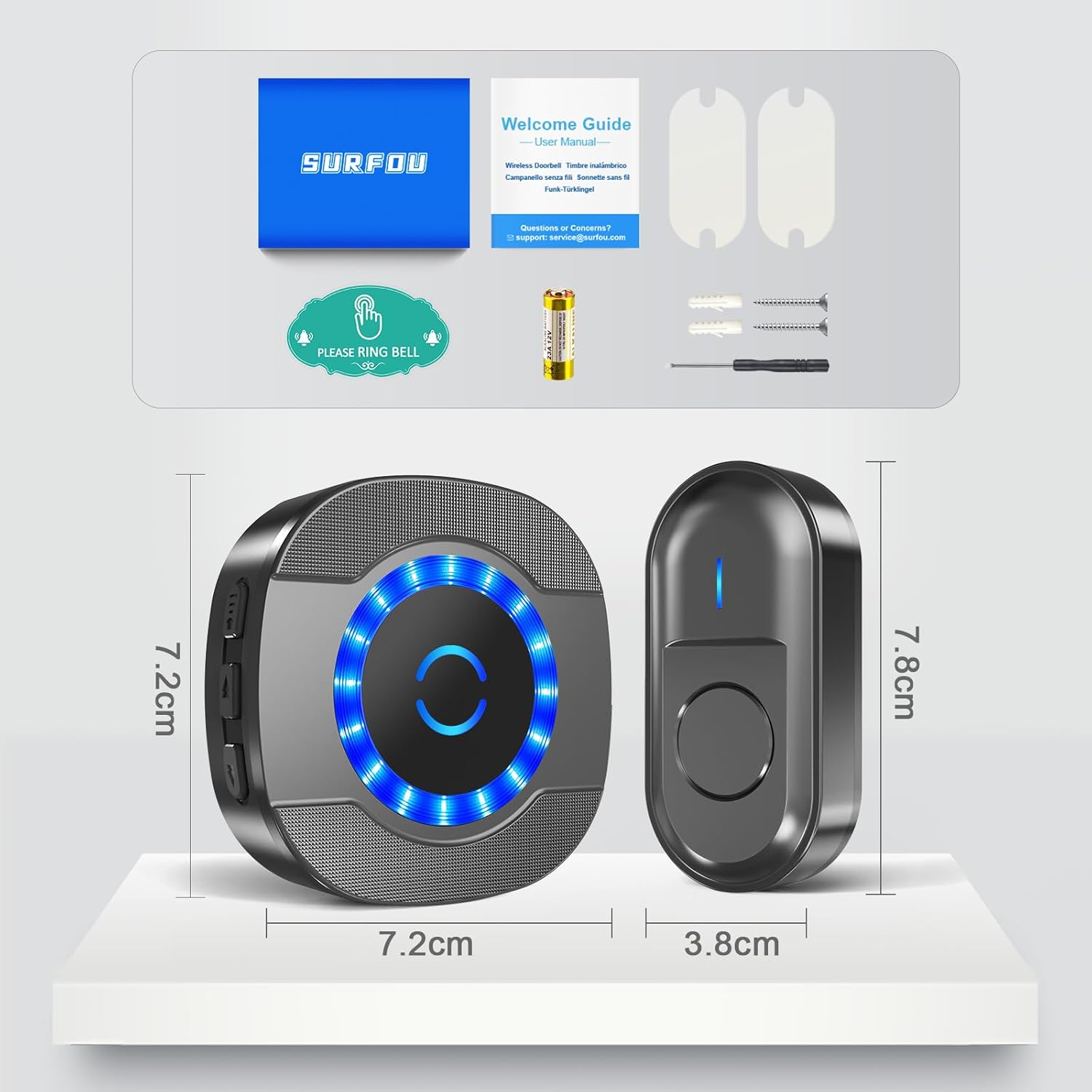
Figure 1: Package Contents and Product Dimensions
Setup and Installation
Follow these steps to set up your SURFOU wireless doorbell system:
- Install Transmitter Battery: Open the transmitter casing using the provided screwdriver and insert the 12V 23A battery, ensuring correct polarity. Close the casing securely.
- Mount the Transmitter: Choose a suitable location for the outdoor transmitter, such as near your front door. You can mount it using either the provided double-sided adhesive tape for a quick setup or screws for a more permanent fixture. Ensure the location is within the 300m range of your receivers.
- Plug in Receivers: Plug the receivers into standard electrical outlets in desired locations within your home. For optimal coverage, place them strategically, considering the 300m wireless range.
- Pairing (if necessary): The units are usually pre-paired. If not, or if you wish to re-pair or add more transmitters/receivers, press and hold the volume button on the receiver for 5 seconds until it emits a 'ding' sound and the LED flashes. Then, press the transmitter button. The receiver will chime, indicating successful pairing.

Figure 2: Transmitter Installation Methods
Video 1: Unboxing, Pairing, and Testing the SURFOU Wireless Doorbell
Operating Instructions
Your SURFOU doorbell offers customizable settings for your convenience:
- Adjust Volume: Press the volume button on the receiver to cycle through 5 volume levels, from 0 dB (silent) to 110 dB. This allows you to set the alert loudness according to your preference or hearing needs.
- Change Melodies: Press the melody selection button on the receiver to choose from 55 different chimes. Once you find a melody you like, it will be saved automatically thanks to the memory function.
- Operating Modes: The receiver supports two modes: LED flash only, or LED flash combined with a chime. This is useful for silent alerts or for individuals with hearing impairments.
- Memory Function: Your last selected melody and volume level are automatically saved, even after a power outage, ensuring consistent operation.

Figure 3: Operating Modes and Controls

Figure 4: Silent Mode (0dB) for undisturbed environments
Maintenance
To ensure the longevity and optimal performance of your doorbell system:
- Battery Replacement: The transmitter battery typically lasts 1 to 3 years. When the LED indicator on the transmitter no longer lights up or the range decreases significantly, it's time to replace the 12V 23A battery.
- Cleaning: Wipe the transmitter and receivers with a soft, dry cloth. Avoid using harsh chemicals or abrasive cleaners.
- Weather Resistance: The outdoor transmitter is designed to be dustproof and waterproof (IP44 rated), withstanding temperatures from -30°C to 70°C. However, avoid submerging it in water or exposing it to extreme conditions unnecessarily.
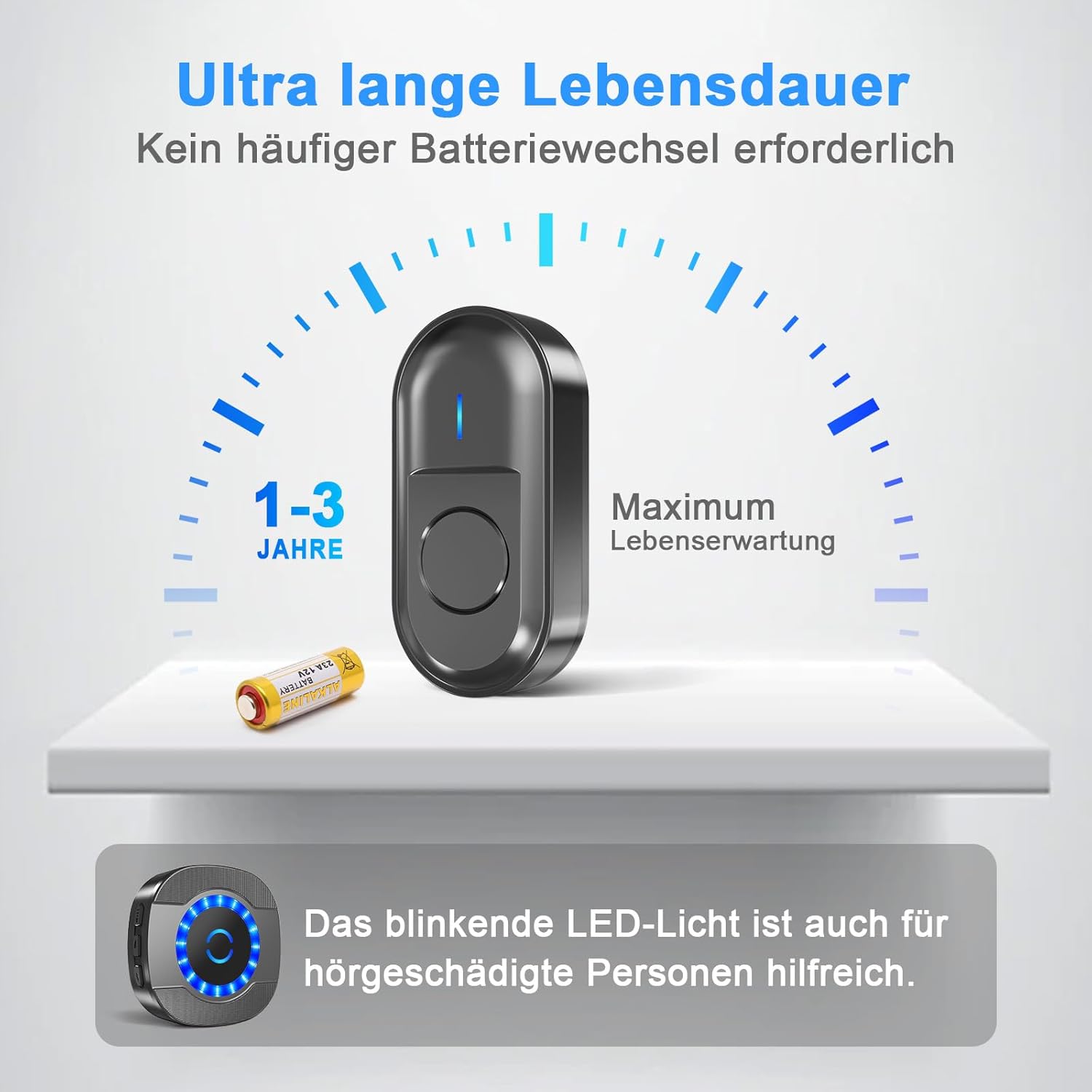
Figure 5: Transmitter Battery Life
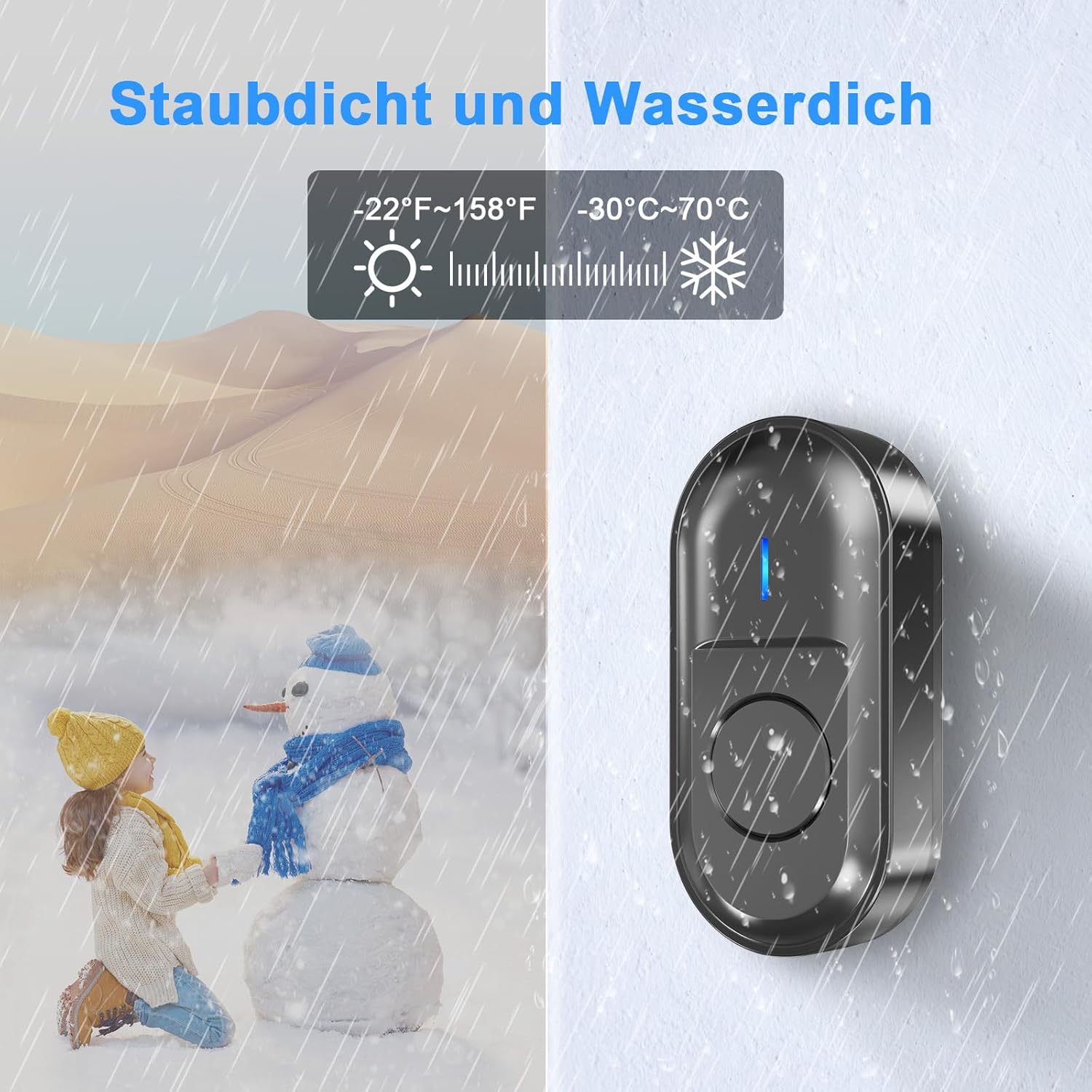
Figure 6: All-Weather Performance
Troubleshooting
If you encounter any issues with your doorbell, refer to the following common problems and solutions:
| Problem | Possible Cause | Solution |
|---|---|---|
| Doorbell does not ring | Low or dead transmitter battery; Receiver unplugged; Units out of range; Interference; Not paired. | Replace transmitter battery; Ensure receiver is plugged in and powered; Move receiver closer to transmitter; Avoid placing near large metal objects or other wireless devices; Re-pair the units. |
| Short wireless range | Obstructions (thick walls, metal structures); Interference from other electronics; Low transmitter battery. | Relocate receiver or transmitter to minimize obstructions; Ensure transmitter battery is fresh; Avoid placing near microwaves, Wi-Fi routers, or large metal objects. |
| Receiver LED flashes but no sound | Volume set to 0 (silent mode); Speaker malfunction. | Increase the volume level on the receiver; If problem persists, contact customer support. |
| Accidental ringing | Interference from other wireless devices. | Re-pair the units to reset the wireless code; Relocate the doorbell system away from potential interference sources. |

Figure 7: Wireless Range Illustration
Specifications
| Feature | Specification |
|---|---|
| Manufacturer | SURFOU |
| Model Number | N15 |
| Product Dimensions | 7.2 x 7.2 x 6.4 cm (Receiver); 7.8 x 3.8 cm (Transmitter) |
| Weight | 91 g |
| Color | Black |
| Material | Nylon |
| Power Source | AC/DC (Receiver); Battery (Transmitter) |
| Special Features | Wireless, Waterproof (IP44), Dustproof, 55 Melodies, 5 Volume Levels, Memory Function |
| Wireless Range | Up to 300m (in open areas) |
| Volume Levels | 5 levels (0-110 dB) |
| Operating Temperature | -30°C to 70°C |
| Transmitter Battery Type | 12V 23A Alkaline |
Warranty and Support
SURFOU is committed to providing high-quality products and excellent customer service. If you have any questions, concerns, or require assistance with your doorbell system, please do not hesitate to contact our customer support team.
- Customer Service: Our dedicated customer service team is available 24/7 to assist you. Please refer to the contact information provided in your product packaging or on the SURFOU official website.
- Warranty: Information regarding the product warranty period and terms can be found in the included warranty card or by contacting customer support.


