For iPad Mini 6th & 7th Generation (Models A2567, A2568, A2569, A2996, A2995, A2993)
1. Introduction
Thank you for choosing the TaIYanG Keyboard Case. This manual provides detailed instructions for setting up, operating, and maintaining your new keyboard case, designed to enhance your iPad Mini experience with a full keyboard, multi-touch trackpad, and protective cover.
2. Package Contents
1 x TaIYanG Keyboard Case for iPad Mini 6th/7th Gen
1 x USB Charging Cable
1 x User Manual (this document)
1 x Service Card
3. Compatibility
This keyboard case is specifically designed for the following iPad Mini models:
iPad Mini 7th Generation (A17 Pro 2024): Model Numbers A2996, A2995, A2993
iPad Mini 6th Generation (2021): Model Numbers A2567, A2568, A2569
To verify your iPad model number, check the back of your device.
Image: Compatibility chart for TaIYanG Keyboard Case.
4. Key Features
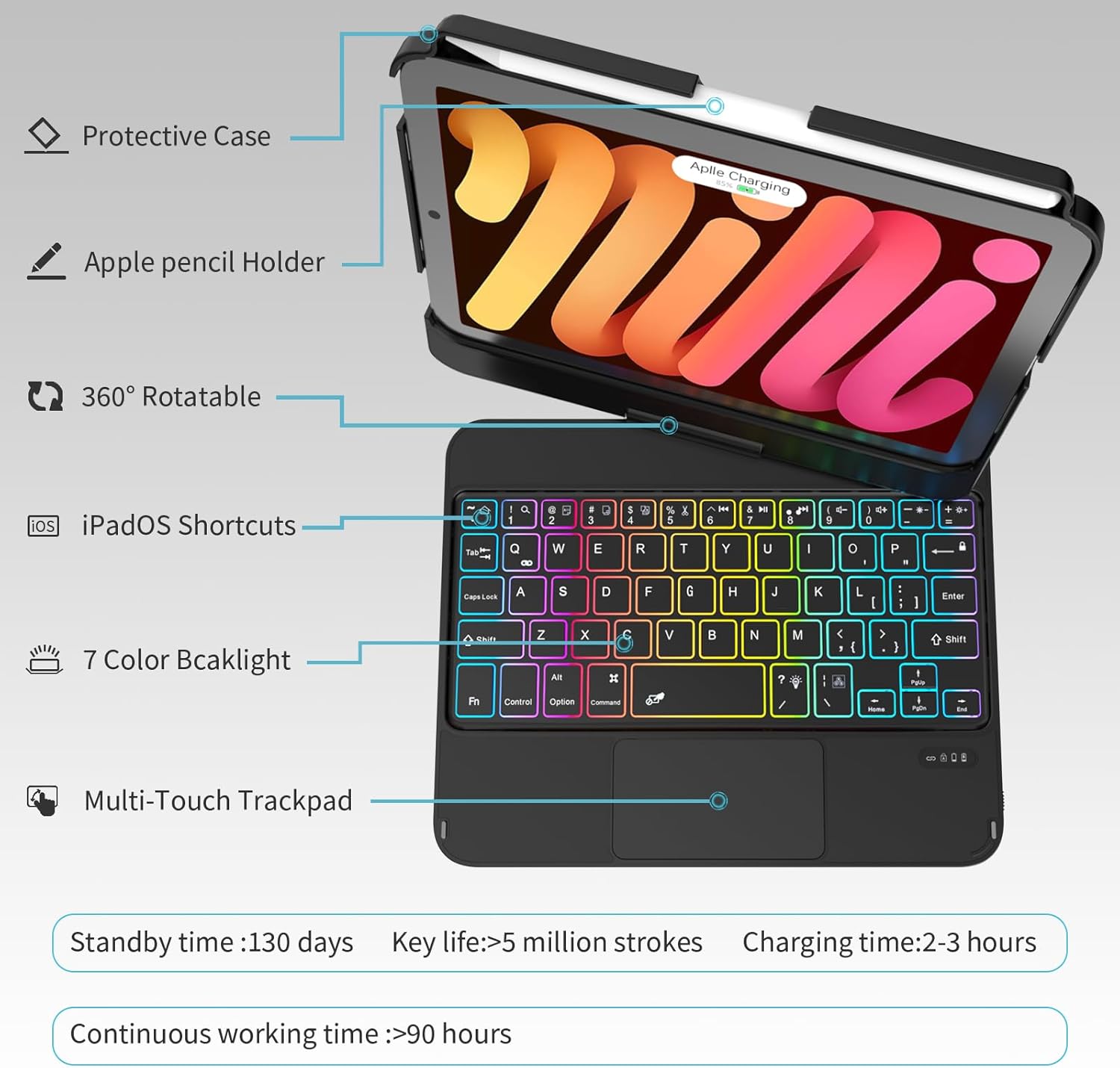
360° Rotatable & 180° Flip Design: The sturdy dual-axis hinge allows for multiple viewing angles, transforming your iPad into a laptop, tablet, or display stand.
7-Color Backlit Keyboard: Customize your typing experience with 7 backlight colors and 3 adjustable brightness levels, suitable for various lighting conditions.
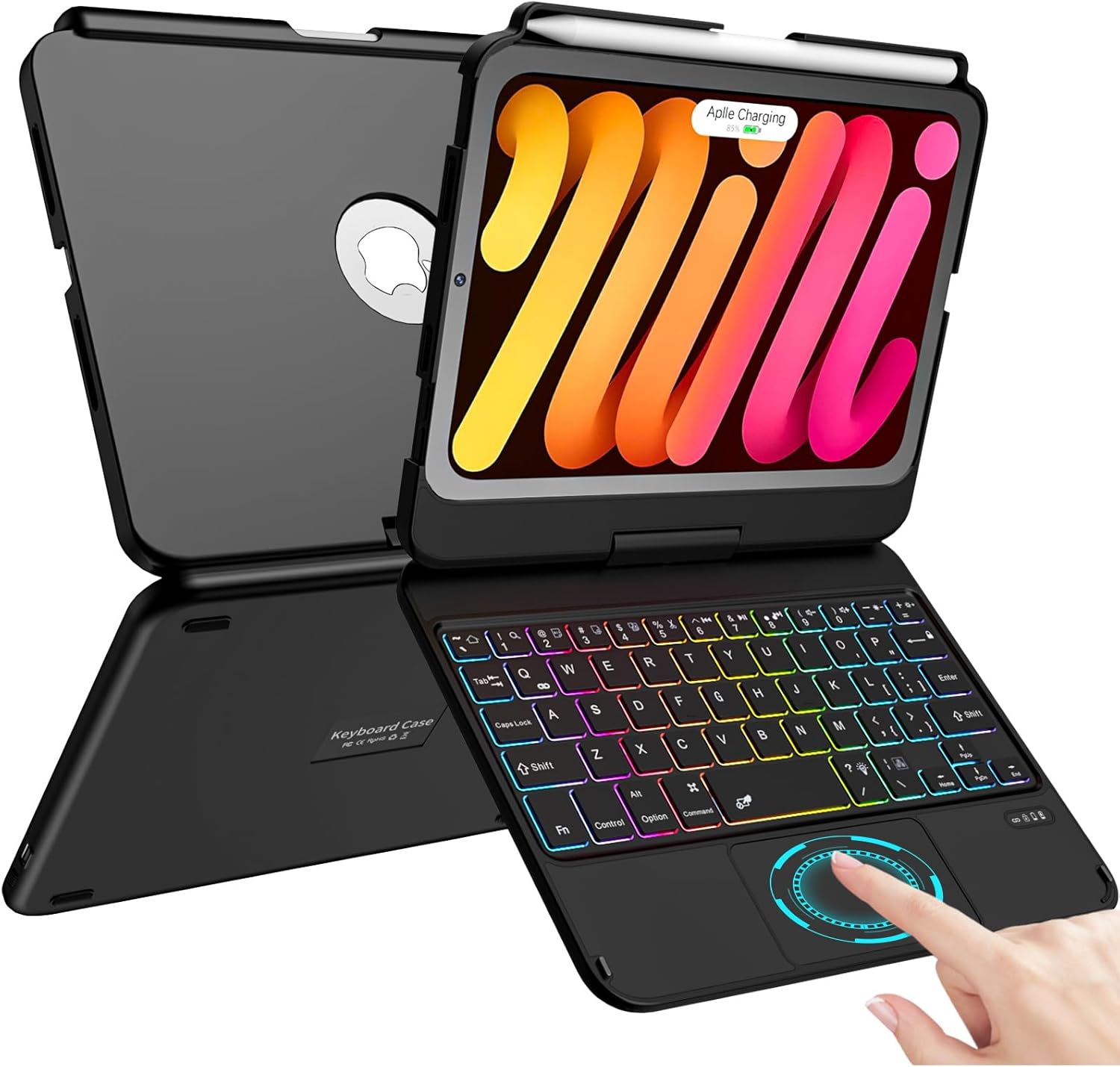
Integrated Multi-Touch Trackpad: Navigate your iPad Mini with precision using familiar multi-touch gestures, enhancing productivity. (Requires iPadOS 13 or above).
Built-in Apple Pencil Holder: Securely store your Apple Pencil (2nd Gen) and support its magnetic attachment and wireless charging without removing the case.
Auto Sleep/Wake Function: Automatically wakes or puts your iPad to sleep when opened or closed, conserving battery life.
Durable Protection: Constructed with a high-quality PC back cover and aluminum alloy body for comprehensive protection against fingerprints, dust, and scratches.
Image: Overview of TaIYanG Keyboard Case features.
5. Setup and Installation
5.1 Installing Your iPad Mini
Gently align your iPad Mini with the protective case section.
Press firmly around the edges of the iPad until it securely snaps into place within the case. Ensure all corners are properly seated.
5.2 Bluetooth Pairing
Ensure the keyboard is charged (refer to Section 7 for charging instructions).
Turn on the keyboard using the power switch located on the side.
On your iPad, go to Settings > Bluetooth and turn Bluetooth ON.
Press the "Fn" + "Q" keys simultaneously on the keyboard. The Bluetooth indicator light on the keyboard will start flashing, indicating it's in pairing mode.
On your iPad, look for "Bluetooth Keyboard" or a similar name in the "Other Devices" list and tap to connect.
Once connected, the Bluetooth indicator light on the keyboard will stop flashing.
Note: If the connection fails, repeat steps 2-5. Ensure no other Bluetooth devices are interfering with the pairing process.
6. Operating Instructions
6.1 Using the Keyboard
The keyboard features a standard QWERTY layout with additional iPadOS shortcut keys for convenience. These shortcuts allow quick access to functions like home, search, volume control, and media playback.
Image: TaIYanG Keyboard layout with iPadOS shortcuts.
6.2 Adjusting Backlight
The keyboard offers 7 backlight colors and 3 brightness levels:
Press the light bulb icon key to cycle through the 7 backlight colors.
Press the sun icon key (often combined with Fn) to adjust the brightness levels.
Image: Keyboard backlight in 7 different colors.
6.3 Using the Multi-Touch Trackpad
The integrated trackpad supports various multi-touch gestures for efficient navigation. Ensure your iPadOS is version 13 or above for full functionality.
Single-finger tap: Click/Select
Two-finger scroll: Scroll up/down or left/right
Pinch to zoom: Zoom in/out
Swipe with three fingers: Switch between open applications
Swipe up with three fingers: Go to the Home screen
Image: Multi-touch trackpad with gesture examples.
6.4 360° Rotation and 180° Flip
The case features a robust dual-axis hinge that allows the iPad screen to rotate 360 degrees and flip 180 degrees. This enables various modes:
Laptop Mode: Standard typing and trackpad use.
Tablet Mode: Fold the keyboard behind the iPad for a pure tablet experience. The keys are automatically disabled in this mode.
Viewing Mode: Position the iPad at an optimal angle for watching videos or presentations.
Image: Different viewing angles and modes using the 360° swivel and 180° flip.
7. Charging the Keyboard
To charge the keyboard, connect the provided USB charging cable to the USB-C fast charging port on the keyboard and a suitable power source.
Charging Time: Approximately 2-3 hours for a full charge.
Standby Time: Up to 130 days.
Sustainable Working Time: Up to 90-100 hours.
Image: TaIYanG Keyboard Case connected to a USB-C charging cable.
8. Maintenance
Keep the keyboard case clean by wiping it with a soft, damp cloth.
Avoid exposing the device to extreme temperatures or direct sunlight.
Do not use harsh chemicals or abrasive cleaners.
Ensure the charging port is free from dust and debris.
Image: Durable construction features of the keyboard case.
9. Troubleshooting
Problem
Solution
Keyboard not pairing with iPad.
Ensure the keyboard is charged and turned ON.
Press "Fn + Q" to enter pairing mode.
On your iPad, forget the device if it was previously paired, then try pairing again.
Restart both the iPad and the keyboard.
Trackpad not responding.
Ensure your iPadOS is updated to version 13 or higher.
Check iPad settings for trackpad functionality.
Ensure the keyboard is properly connected via Bluetooth.
Hinge feels too tight.
The hinge may be tight when first opened. Apply appropriate effort. It is stress-tested for 20,000 cycles.
Keyboard backlight not working.
Ensure the keyboard is charged.
Press the light bulb icon key to turn on/off or change colors.
Press the sun icon key to adjust brightness.
10. Specifications
Feature
Detail
Brand
TaIYanG
Compatible Devices
iPad Mini 7th Gen (A17 Pro 2024), iPad Mini 6th Gen (2021)
Connectivity Technology
Bluetooth
Keyboard Description
Multi Functional
Special Features
Backlit, Portable, Rechargeable, Trackpad
Keyboard Backlighting
7 Colors (RGB)
Material
Acrylonitrile Butadiene Styrene (ABS)
Item Weight
1.41 pounds
Package Dimensions
9.09 x 7.05 x 1.22 inches
Batteries
1 Lithium Ion battery (included)
11. Warranty and Support
For any questions regarding product models or functions, please contact TaIYanG customer support. We aim to resolve any issues within 24 hours.
Refer to the included Service Card for specific warranty details and contact information.
Ask about setup, troubleshooting, compatibility, parts, safety, or missing instructions. Manuals+ will review the question and use this page’s manual context to help answer it.