
1. Introduction
This manual provides essential information for the proper installation, operation, and maintenance of your COOKSS Carbon Monoxide (CO) Detector. Carbon monoxide is a colorless, odorless, and tasteless gas that can be deadly. This detector is designed to alert you to the presence of CO gas, helping to ensure the safety of your home or office environment. Please read these instructions carefully before operating or servicing the unit.
Important Safety Note: This carbon monoxide alarm is designed to detect carbon monoxide gas. It is NOT designed to detect smoke, fire, or any other gas. For complete protection, ensure you have smoke alarms installed on every floor and in every bedroom of your home.
2. Package Contents
- 2 x COOKSS Carbon Monoxide Alarms
- 4 x Screws
- 4 x Anchors
3. Specifications
| Feature | Description |
|---|---|
| Sensor Type | Electrochemical carbon monoxide sensor |
| Battery Supply | 2 x AAA size 1.5V batteries (not included) |
| Display | LED blue backlight digital display |
| Alarm Indication | LCD display, sound, and red light tips |
| Standby Current | <120uA (with LCD) |
| Alarm Current | <40mA |
| Alarm Tone | 85 decibels |
| Operation Ambient Condition | 5~40°C, 25~85%R.H. |
| Detecting Level Range | 000~999PPM |
| Error | +/-10% |
| Size | 2.36in(L) x 2.36in(W) x 0.98in(H) |
| Weight | 80g (2.82 ounces) |
| Material | ABS |
| Installation Method | Wall-Mounted / Tabletop |
| Certification | CE, ROHS, UL2034 |
4. Setup
4.1 Battery Installation
- Locate the battery compartment on the back of the detector.
- Slide the battery cover open.
- Insert two AAA 1.5V batteries (not included) into the compartment, ensuring correct polarity (+/-).
- Close the battery cover securely.

Figure 1: Back view of the detector with battery compartment and mounting holes.

Figure 2: Close-up of the battery compartment with two AAA batteries installed.
4.2 Placement and Mounting
For optimal protection, place a CO detector on every floor of your home and in every sleeping area. Carbon monoxide is slightly lighter than air and mixes with ambient air. It is recommended to install the detector at least 5 feet (1.5 meters) away from any fuel-burning appliances to avoid nuisance alarms.
- Choose a suitable location, preferably on a wall or tabletop, where the alarm is not obstructed.
- If wall-mounting, use the provided screws and anchors to secure the detector to the wall. Ensure the detector is firmly attached.
- If placing on a tabletop, ensure it is on a stable surface and not easily knocked over.

Figure 3: Example placement of the detector on a kitchen wall.
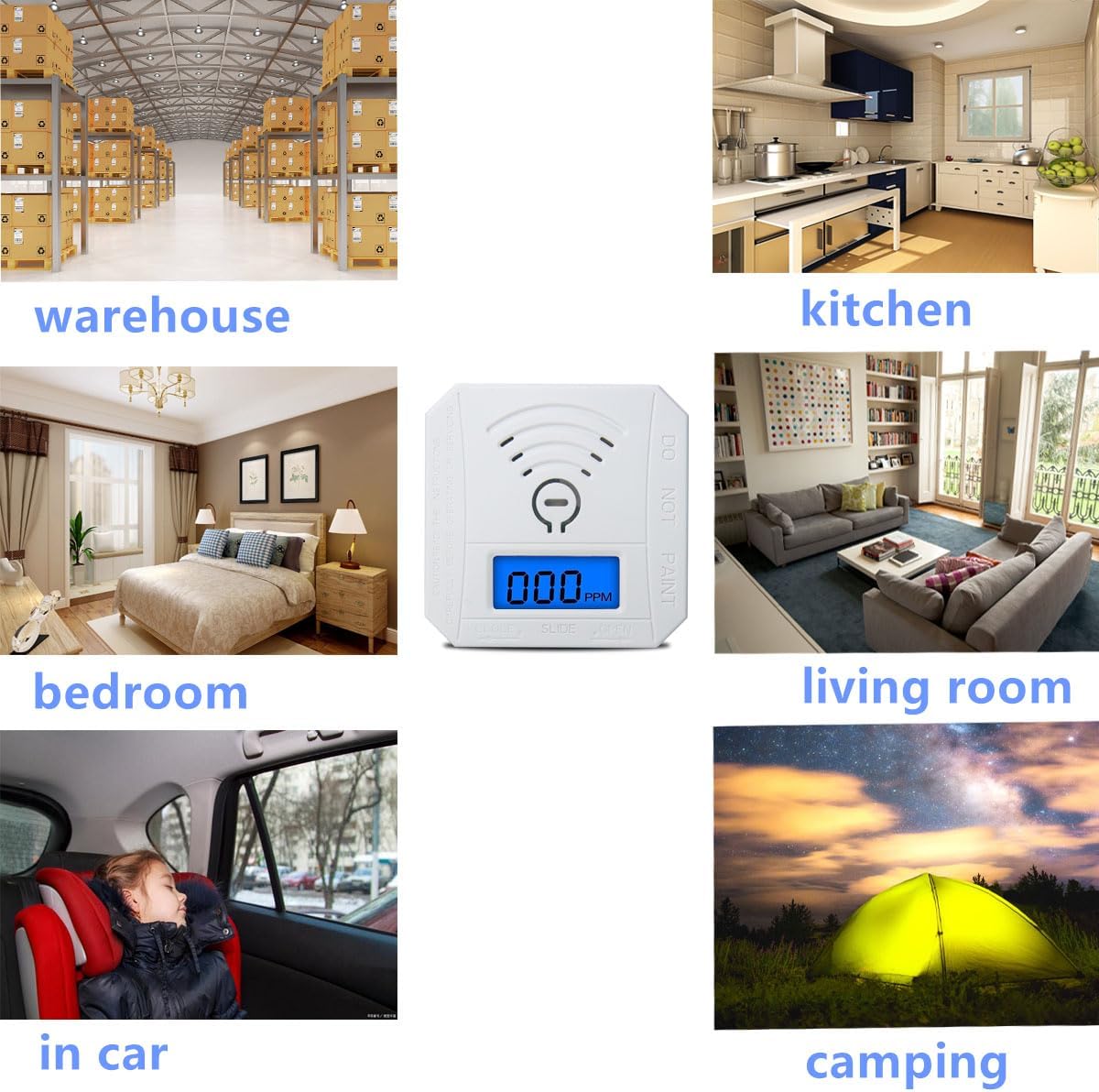
Figure 4: Two detectors on a wooden table, demonstrating tabletop placement.
5. Operating Instructions
5.1 Initial Power-On and Self-Test
When the alarm is powered on for the first time (after battery installation):
- The LCD will display "888PPM".
- The buzzer will sound and the red light will flash.
- The alarm will then enter a 10-second countdown.
- After the countdown, the LCD will turn off, and the alarm will enter the low power monitoring state.
5.2 Normal Working State
In the off-screen state, the green LED will flash once every 15 seconds, indicating that the alarm is functioning normally and monitoring for CO.
5.3 Alarm Conditions and Indications
- CO Concentration over 50PPM: The LCD screen lights up, indicating the alarm has entered a warning state.
- CO Concentration over 300PPM: The LCD screen lights up, the red LED flashes, and the alarm sounds loudly (85 decibels), indicating a dangerous CO level.
5.4 LCD Screen Display Instructions
- 'Err': Indicates the unit is malfunctioning.
- 'Lb': Indicates low battery and requires replacement.
- '999ppm': Indicates CO level is over 999ppm.
- Actual Concentration: If CO leakage is less than 999ppm but over 30ppm, the actual concentration will be displayed.
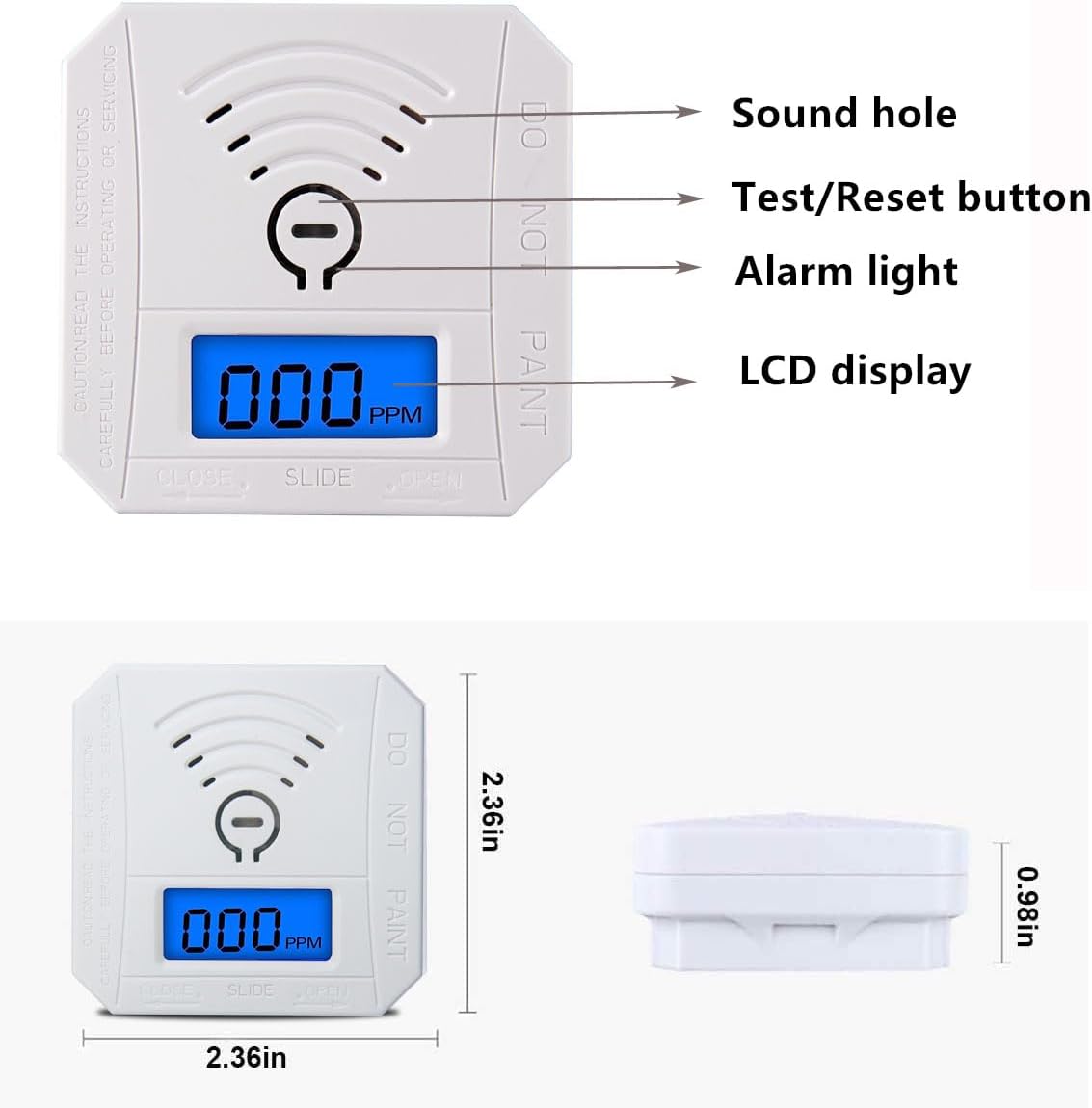
Figure 5: Front view of the detector with labeled components.

Figure 6: Two COOKSS Carbon Monoxide Detectors displaying '000 PPM' in standby mode.
6. Maintenance
6.1 Battery Replacement
When the LCD displays 'Lb', the batteries are low and need to be replaced immediately. Follow the battery installation steps in Section 4.1.
6.2 Regular Testing
It is recommended to test the alarm regularly to ensure proper function. Press the Test/Reset button on the front of the detector. The alarm should sound, and the red light should flash. This confirms the alarm's electronic circuitry, horn, and battery are working.
6.3 Cleaning
Clean the detector regularly with a soft, damp cloth. Do not use cleaning agents or solvents. Avoid painting the detector, as this can interfere with its operation.
7. Troubleshooting
- 'Err' displayed on LCD: The unit is malfunctioning. Contact customer support for assistance.
- 'Lb' displayed on LCD: Low battery. Replace the two AAA batteries immediately.
- Alarm sounds without visible CO source: Evacuate the area immediately and contact emergency services. Do not assume it is a false alarm.
- Alarm does not sound during test: Ensure batteries are correctly installed and charged. If the issue persists, the unit may be faulty and should be replaced.
8. Important Safety Information
- Never ignore a CO alarm. Investigate the source of the alarm immediately.
- If the alarm sounds, move to fresh air immediately. Call your emergency services number, fire department, or 911.
- Do not use gas to test the detector directly, as this can damage the sensor.
- Ensure proper ventilation in areas with fuel-burning appliances.
- This device is not a substitute for proper maintenance of fuel-burning appliances, including appropriate ventilation and exhaust systems.
9. Warranty and Support
This COOKSS Carbon Monoxide Detector comes with a 1-year warranty from the date of purchase. If you have any questions or encounter issues with your CO detector, please feel free to contact us. We will respond to you within 24 hours.