
1. Introduction
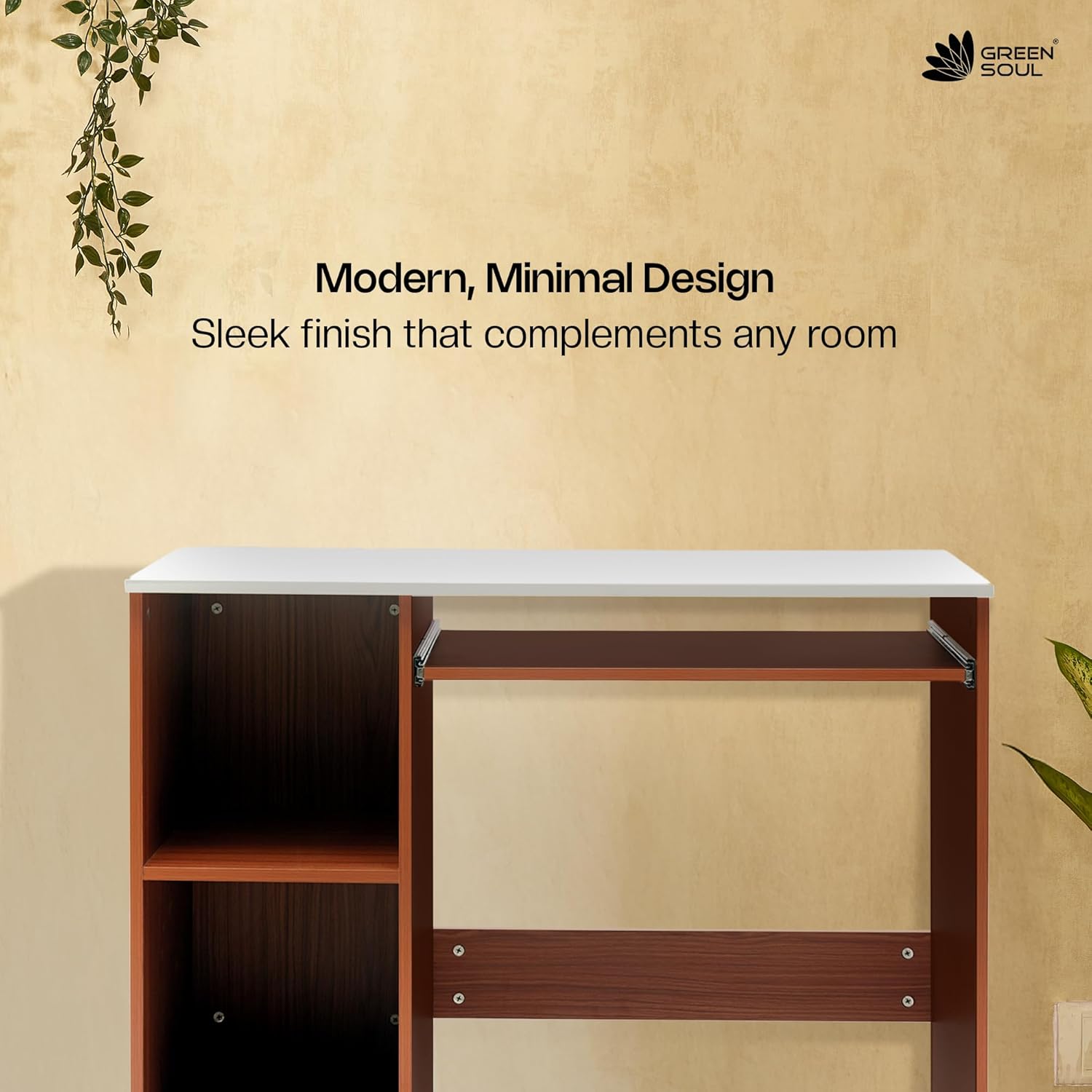
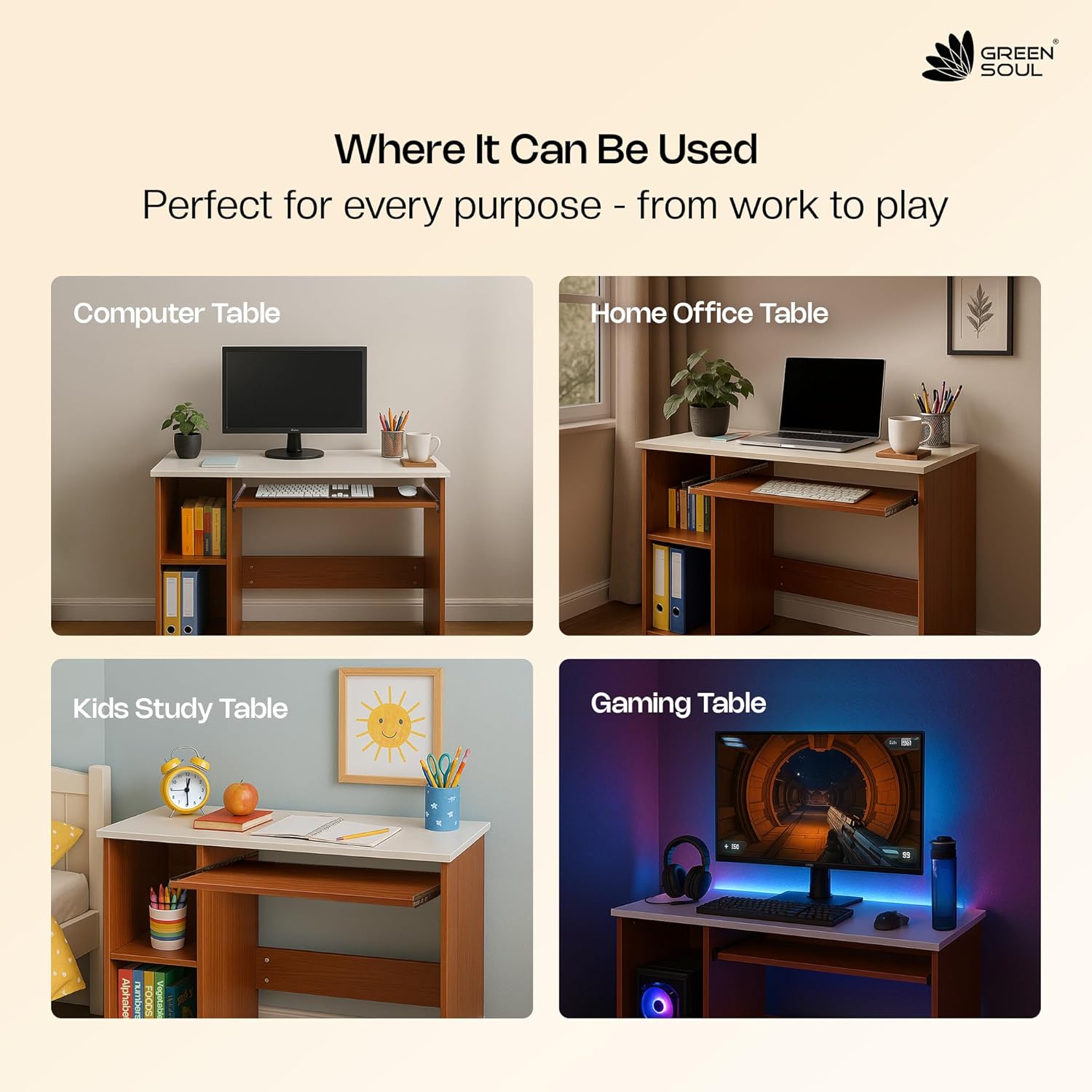
The Green Soul Murray Computer Table is a versatile and functional desk designed for home and office use. Crafted from high-quality engineered wood with a natural teak finish, it offers a compact design with practical storage solutions, including a sliding keyboard tray and open shelves. This manual provides detailed instructions for assembly, operation, maintenance, and specifications to ensure optimal use and longevity of your table.

2. Features
- Premium Craftsmanship: Constructed from high-quality engineered wood and robust particle board with a sturdy 15mm thickness. Features an elegant Natural Teak finish.
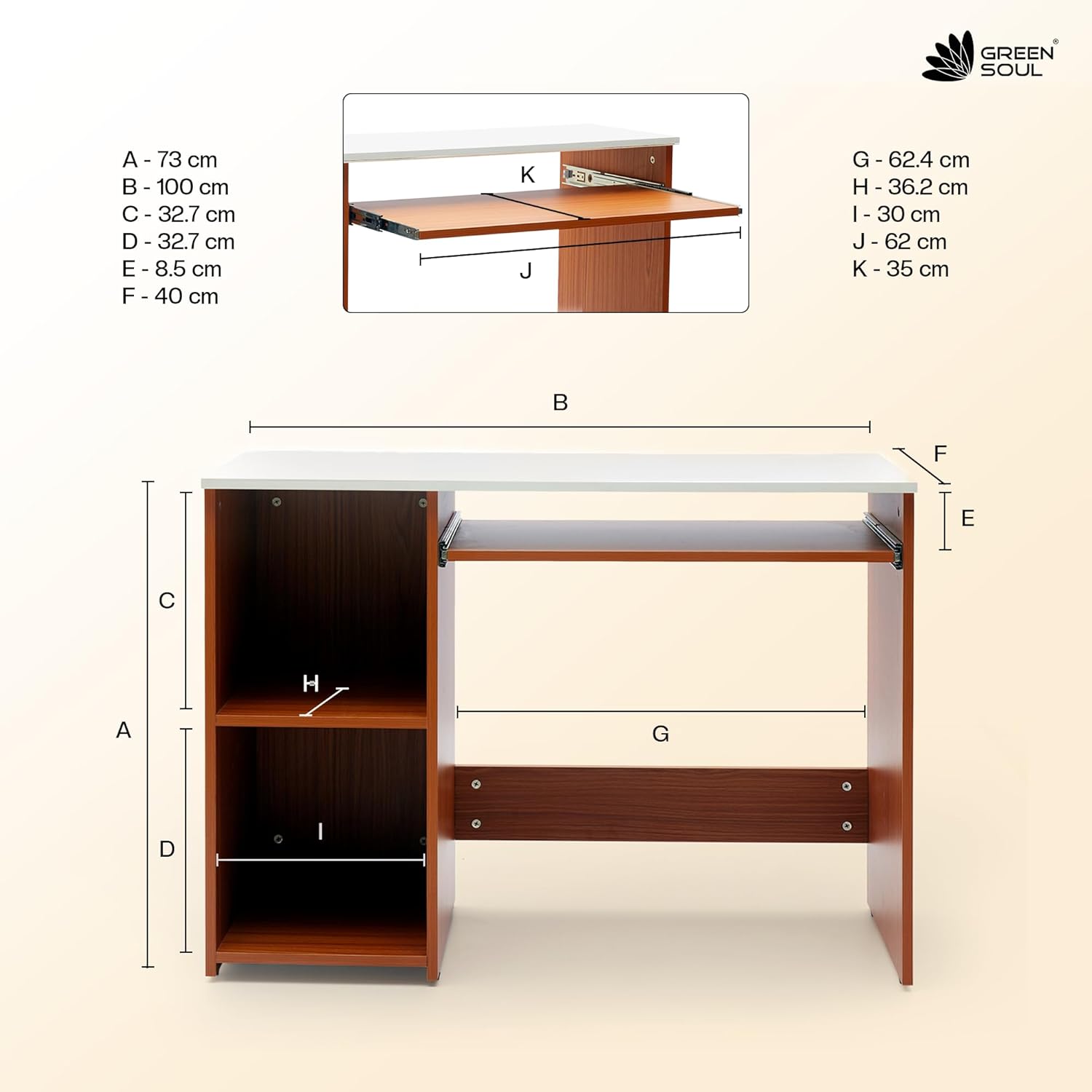
- Compact & Functional Design: Dimensions of 100cm (L) x 40cm (D) x 73cm (H) make it suitable for bedrooms, apartments, and study corners.
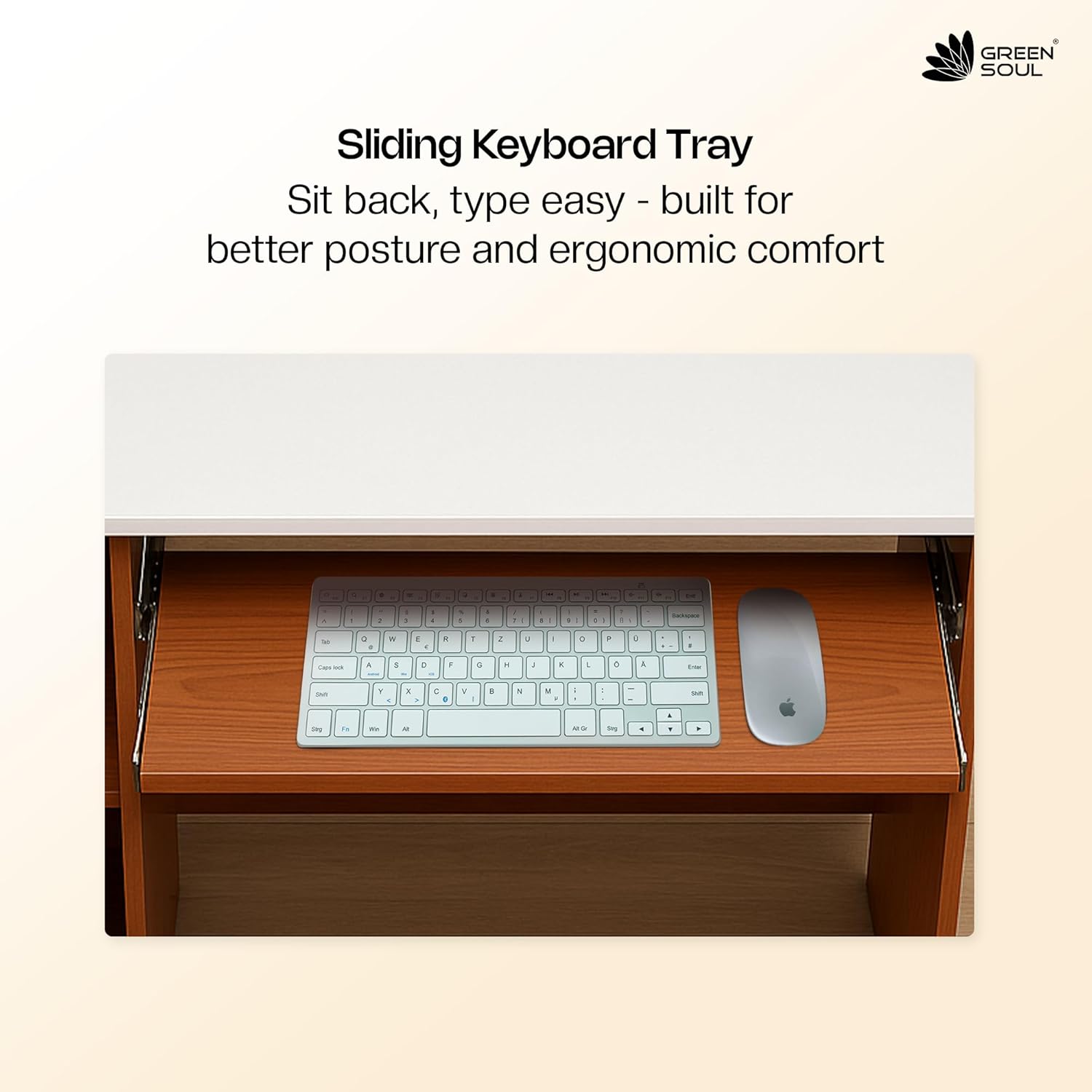
- Sliding Keyboard Tray: Includes a smooth sliding keyboard tray for improved posture and ergonomic comfort.
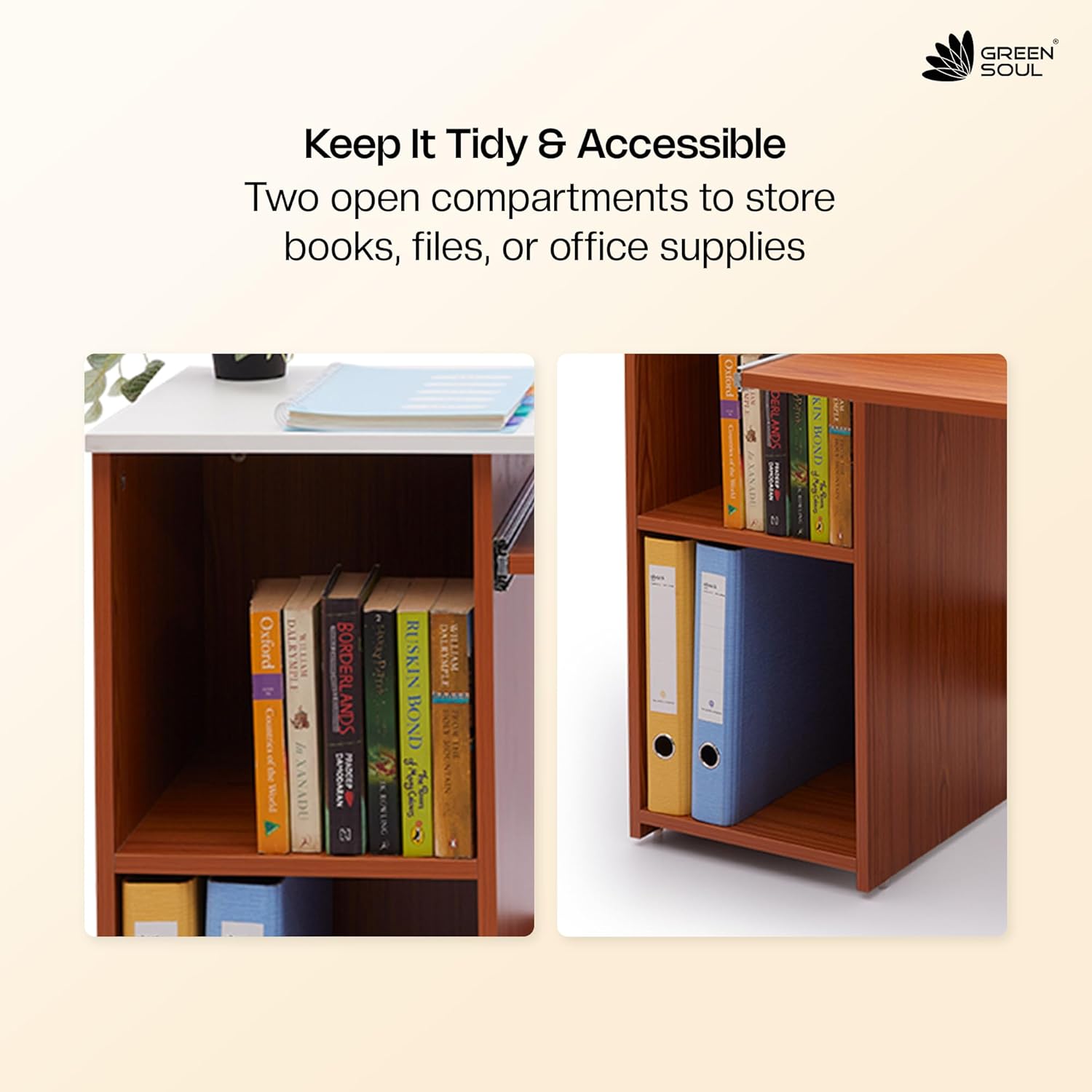
- Ample Storage: Equipped with two open shelves for storing books, files, or office supplies.
- Sturdy & Reliable: Built to support up to 70 kg total weight, with a 40 kg tabletop capacity and 10 kg per shelf and tray.
- Easy Assembly: Comes with DIY instructions and hardware for quick setup.
3. Package Contents
Upon opening the package, please verify that all components are present and undamaged. The package should contain:
- Study Table components (all necessary wooden panels)
- Installation assembly guidelines
- All required hardware (screws, dowels, keyboard tray slides, etc.)
4. Assembly Instructions
The Green Soul Murray Computer Table is designed for DIY assembly. Please follow the included step-by-step instructions and use the provided hardware. Ensure all surfaces and edges with colour are facing forward/outward during assembly.
- Unpack all components and lay them out on a clean, soft surface to prevent scratches.
- Identify each part using the assembly diagram in the included guidelines.
- Begin by assembling the side panels and shelves as indicated in the manual.
- Attach the keyboard tray slides to the designated panels.
- Secure the back panel and the tabletop.
- Install the keyboard tray and any drawer handles or locks.
- Ensure all screws and fasteners are tightened securely for stability.
5. Operating Instructions
The Green Soul Murray Computer Table is designed for straightforward use.
- Using the Keyboard Tray: Gently pull the keyboard tray forward to extend it for use. Push it back into the table when not in use to save space.
- Utilizing Storage Shelves: The two open shelves are ideal for organizing books, binders, stationery, or small electronic devices. Arrange items to maintain balance and prevent tipping.
- Drawer Usage: If your model includes a utility drawer, use the provided key to lock and unlock it for secure storage of personal items.
6. Maintenance and Care
To maintain the appearance and longevity of your Green Soul Murray Computer Table, follow these care instructions:
- Cleaning: Wipe the table surfaces with a dry cloth. Avoid using harsh chemicals, abrasive cleaners, or excessive moisture, as these can damage the finish.
- Spills: In case of spills, wipe them immediately with a dry or slightly damp cloth to prevent staining or water damage.
- Heat and Moisture: Avoid placing hot items directly on the table surface. Use coasters or protective pads. Keep the table away from direct sunlight and excessive humidity.
- Weight Distribution: Distribute weight evenly across the tabletop and shelves to prevent stress on the structure.
7. Troubleshooting
If you encounter any issues with your Green Soul Murray Computer Table, consider the following:
- Wobbling: If the table wobbles, check all assembly screws and ensure they are securely tightened. Uneven flooring can also cause wobbling; try adjusting the table's position or using floor levelers if available.
- Keyboard Tray Sticking: Ensure the keyboard tray slides are clean and free of debris. If necessary, apply a small amount of silicone lubricant to the slides.
- Missing Parts: If any parts were missing upon delivery, please contact customer support with your purchase details.
8. Specifications
| Attribute | Detail |
|---|---|
| Brand | Green Soul |
| Model Name | Murray |
| Product Dimensions (D x W x H) | 40D x 100W x 72H Centimeters |
| Colour | Brown (Natural Teak finish) |
| Material | Engineered Wood |
| Tabletop Thickness | 15 Millimetres |
| Item Weight | 25 Kilograms |
| Maximum Weight Recommendation | 70 Kilograms (40 kg tabletop, 10 kg per shelf/tray) |
| Number Of Shelves | 2 |
| Number Of Drawers | 1 (Utility Drawer) |
| Assembly Required | Yes (DIY instructions included) |
| Product Care Instructions | Wipe with Dry Cloth |
| Country of Origin | India |
9. Warranty and Support
The Green Soul Murray Computer Table comes with a 3-year limited warranty, ensuring reliable performance and long-term peace of mind.
- Warranty Summary: For detailed warranty information, please visit the official Green Soul warranty policy page: https://www.greensoul.online/pages/warranty-policy
- Manufacturer: Green Soul Ergonomics Pvt. Ltd., Maharashtra, India.
- Customer Care: +91 8444-956-789
- Email: info@greensoul.online
Please retain your purchase receipt for warranty claims.