
Excalibur DH10SCSS13
Excalibur Electric Food Dehydrator Select Series 10-Tray User Manual
Model: DH10SCSS13
1. Introduction
This manual provides essential information for the safe and efficient operation of your Excalibur Electric Food Dehydrator Select Series 10-Tray. Please read all instructions carefully before using the appliance to ensure proper function and to prevent injury or damage.

Image 1.1: Front view of the Excalibur Electric Food Dehydrator with food on trays.
Important Safety Information
- Always place the dehydrator on a stable, level, heat-resistant surface.
- Ensure the appliance is connected to a grounded electrical outlet with the correct voltage (120V).
- Do not immerse the dehydrator unit, cord, or plug in water or other liquids.
- Keep hands, hair, clothing, and utensils away from moving parts during operation.
- Unplug the dehydrator from the outlet when not in use and before cleaning.
- Do not operate the appliance with a damaged cord or plug, or if it malfunctions or has been damaged in any manner.
- This appliance is intended for household use only. Do not use outdoors.
- Supervise children closely when the appliance is in use.
- Ensure adequate ventilation around the dehydrator during operation. Do not block air vents.
2. Product Components
Your Excalibur Electric Food Dehydrator comes with the following components:
- Dehydrator Unit: The main housing with heating element, fan, and control panel.
- 10 Chrome-Plated Drying Trays: For holding food items during dehydration.
- 1 Crumb Tray: Located at the bottom to catch drips and crumbs.
- 1 Poly Screen: A flexible mesh screen to prevent smaller food pieces from falling through trays.
- Glass French Doors: Transparent doors allowing observation of the drying process.

Image 2.1: Included components of the Excalibur Dehydrator.

Image 2.2: View of the digital control panel and loaded trays.
3. Setup
Follow these steps to set up your dehydrator for first-time use:
- Unpack: Carefully remove all packaging materials from the dehydrator and its components. Retain packaging for future storage or transport if desired.
- Inspect: Check the dehydrator and all accessories for any signs of damage. Do not use if damaged.
- Clean: Before first use, wash the chrome-plated trays, crumb tray, and poly screen in warm, soapy water. Rinse thoroughly and air-dry completely. Wipe the interior and exterior of the dehydrator unit with a damp cloth. Do not immerse the main unit in water.
- Placement: Place the dehydrator on a clean, dry, stable, and heat-resistant surface. Ensure there is at least 6 inches of clearance on all sides for proper air circulation. Do not place near heat sources or in direct sunlight.
- Insert Trays: Slide the clean, dry trays into the dehydrator unit. The crumb tray should be placed at the very bottom.
4. Operating Instructions
This section guides you through the process of dehydrating food using your Excalibur unit.
Food Preparation
- Wash and prepare food items (e.g., fruits, vegetables, meats) as desired.
- Slice food into uniform thickness for even drying. Thinner slices dry faster.
- For fruits, pre-treatment (e.g., with lemon juice or ascorbic acid) can help prevent discoloration.
- For jerky, ensure meat is lean and sliced thinly. Marinate as desired.
Loading Trays
- Arrange food in a single layer on the drying trays. Do not overlap food items.
- Leave a small space between pieces to allow for proper air circulation.
- For smaller items or sticky foods, place a poly screen on the chrome tray before loading.

Image 4.1: Trays loaded with fruits and vegetables ready for dehydration.

Image 4.2: Trays loaded with meat for jerky and fish.
Setting Temperature and Time
- Close the glass French doors securely.
- Plug the dehydrator into a grounded 120V electrical outlet.
- Use the LED front panel with push buttons to set your desired temperature (range: 85°F to 165°F) and timer (up to 60 hours). Refer to a dehydration guide for recommended temperatures and times for specific foods.
- Press the start button to begin the dehydration process.
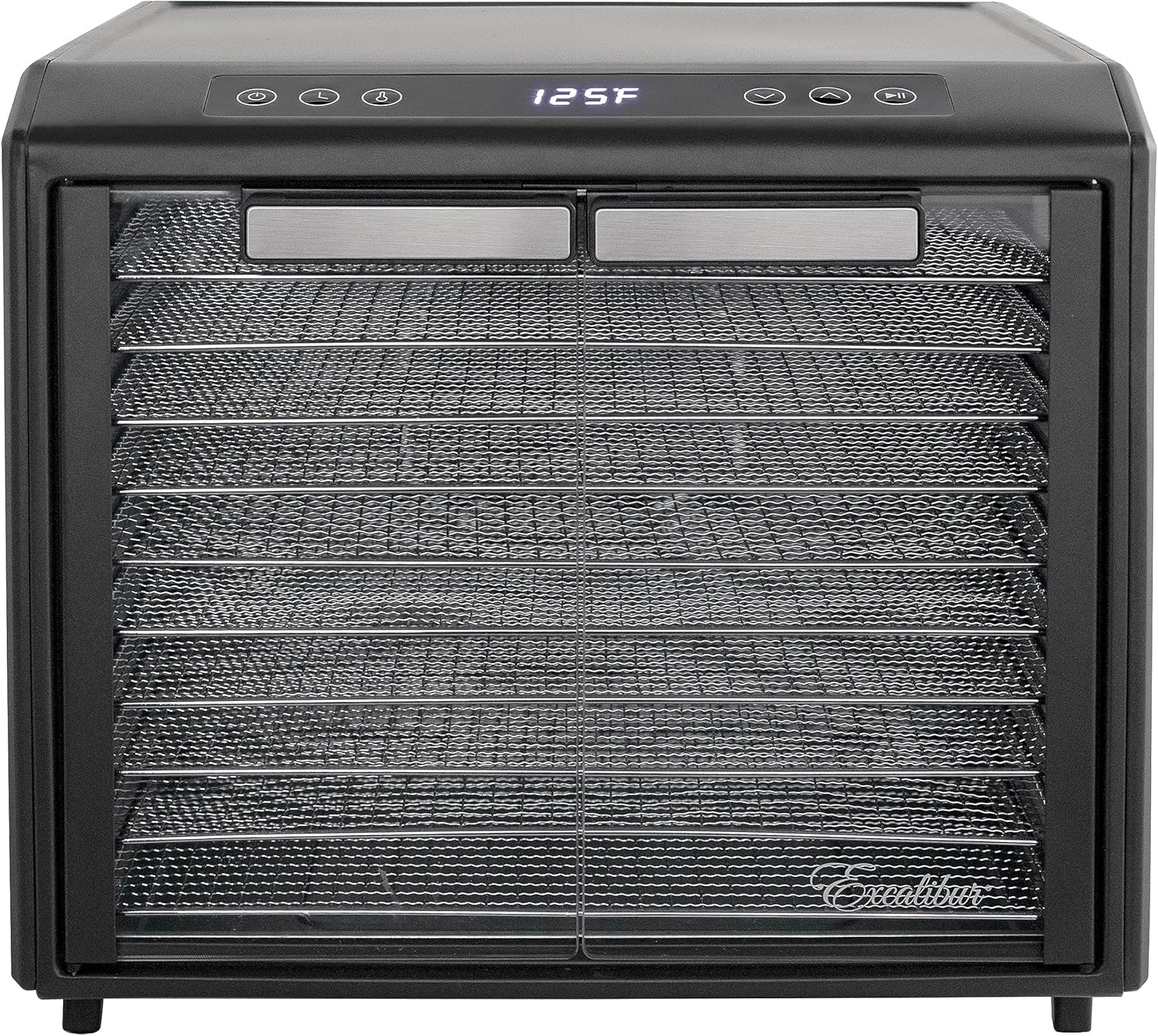
Image 4.3: Digital display showing set temperature.
Hyperwave and Paralexx Technologies
Your Excalibur dehydrator features advanced Hyperwave and Paralexx technologies for optimal drying:
- Hyperwave Fluctuation Technology: The temperature fluctuates up and down, causing surface moisture to evaporate. The inner moisture then moves to the drier surface, ensuring enzymes remain active and preventing yeast, mold, and bacteria growth. This results in faster, better, and safer dried foods.
- Paralexx Horizontal Airflow: Cool air is drawn in, heated, and distributed evenly over each tray horizontally. This exclusive design helps food dry faster, retain more nutrients, taste, and look better, without the need for tray rotation.

Image 4.4: Explanation of Hyperwave and Paralexx technologies.
Monitoring and Completion
- The glass French doors allow you to observe the drying progress without opening the unit, maintaining a stable drying environment.
- Food is typically done when it is pliable but not sticky, or crisp depending on the food type.
- Once drying is complete, turn off the dehydrator and unplug it from the outlet.
- Allow food to cool completely before storing in airtight containers.
5. Maintenance and Cleaning
Proper cleaning and maintenance will extend the life of your dehydrator.
- Always unplug the dehydrator before cleaning.
- Trays and Poly Screen: Hand wash the chrome-plated trays and poly screen with warm, soapy water. Rinse thoroughly and air-dry. Do not use abrasive cleaners or scouring pads.
- Crumb Tray: Remove and empty the crumb tray. Wash it with warm, soapy water, rinse, and air-dry.
- Dehydrator Unit: Wipe the interior and exterior surfaces of the dehydrator unit with a damp cloth. For stubborn stains, use a mild detergent on the cloth. Do not immerse the unit in water or spray water directly onto it.
- Glass Doors: Clean with a soft cloth and a mild glass cleaner if necessary.
- Dishwasher Use: Do not wash any parts of the dehydrator in a dishwasher, as this can damage the components and affect longevity.
- Storage: Ensure all parts are completely dry before reassembling and storing the dehydrator in a cool, dry place.
6. Troubleshooting
If you encounter issues with your dehydrator, refer to the following common problems and solutions:
| Problem | Possible Cause | Solution |
|---|---|---|
| Dehydrator does not turn on. | Not plugged in; power outlet issue; unit malfunction. | Ensure power cord is securely plugged into a working outlet. Check household circuit breaker. If problem persists, contact customer support. |
| Uneven drying of food. | Food slices are not uniform; trays overloaded; insufficient air circulation. | Ensure food is sliced to consistent thickness. Do not overlap food on trays. Ensure adequate space around the unit for air circulation. |
| Dehydrator is too loud. | Normal fan operation; unit not on a level surface. | A certain level of fan noise is normal. Ensure the unit is on a flat, stable surface. |
| Food not drying properly. | Temperature too low; drying time too short; high humidity. | Increase temperature or extend drying time. Ensure the room is not excessively humid. |
7. Specifications
Technical specifications for the Excalibur Electric Food Dehydrator Select Series 10-Tray:
| Feature | Detail |
|---|---|
| Model Number | DH10SCSS13 |
| Brand | Excalibur |
| Material | Glass, Stainless Steel (Food Safe) |
| Color | Black |
| Wattage | 800 watts |
| Product Dimensions (D x W x H) | 20.67" x 15.75" x 17.32" |
| Voltage | 120V |
| Item Weight | 24.64 Pounds |
| Number of Trays | 10 |
| Temperature Range | 85-165°F |
| Timer | Up to 60 hours |
| UPC | 029743060492 |

Image 7.1: Product dimensions.
8. Customer Support
For any questions, concerns, or assistance with your Excalibur Electric Food Dehydrator, please contact Excalibur customer support. Refer to the product packaging or the official Excalibur website for the most current contact information.
Ask a question about this manual
Ask about setup, troubleshooting, compatibility, parts, safety, or missing instructions. Manuals+ will review the question and use this page’s manual context to help answer it.