
Lankoo 14250
Lankoo USB 14250 Lithium Ion Rechargeable Battery User Manual
Model: 14250
Introduction
This manual provides essential information for the safe and effective use of your Lankoo USB 14250 Lithium Ion Rechargeable Batteries. These high-capacity 3.7V 300mAh batteries are designed to replace 3.6 Volt LS14250, ER14250, and CR14250 batteries, offering a convenient and eco-friendly power solution with direct Type-C USB charging.
Key Features
- Rechargeable Design: Offers a sustainable alternative to disposable batteries, allowing for repeated use and reduced waste.
- Type-C USB Charging: Features a direct Type-C USB input for convenient and fast charging. Includes a cable to charge two batteries simultaneously from any USB power supply (AC adapter, power bank, computer).
- LED Indicators: Equipped with red LED indicators that blink during charging and remain solid when fully charged, providing clear status updates.
- High Capacity: Each battery provides 300mAh capacity, suitable for a wide range of devices including dog collars, electric meters, home security systems, baby movement monitors, alarm systems, laser sights, and laser pens.
- Certified Safety: Compliant with North American safety standards, including CE, FCC, and RoHS certifications, ensuring user and device safety.
- Long Lifecycle: Designed for over 1200 charge cycles.
- Extended Shelf Life: Can be stored for up to 10 years with low self-discharge.
Setup and Initial Charging
Before first use, it is recommended to fully charge your Lankoo 14250 batteries.
- Connect the Cable: Use the provided Type-C USB charging cable. Insert the Type-C end(s) into the charging port(s) located on the side of each battery.
- Power Source: Connect the USB-A end of the cable to a compatible USB power source, such as an AC adapter, power bank, or computer USB port.
- Charging Indicator: The red LED indicator on the battery will blink to show that charging is in progress.
- Full Charge: Once the battery is fully charged, the red LED indicator will stop blinking and remain solid. Charging typically takes approximately 1.5 hours.

Figure 1: Type-C USB charging port on the battery and included charging cable.

Figure 2: Overview of Lankoo 14250 batteries and their charging cables.
Operating Instructions
These batteries are designed for use in devices requiring 14250, 1/2 AA, LS14250, ER14250, or CR14250 battery types with a nominal voltage of 3.6V or 3.7V.
- Insert Batteries: Insert the fully charged Lankoo 14250 batteries into your compatible electronic device, ensuring correct polarity (+ and - ends).
- Device Compatibility: These batteries are compatible with a wide range of products, including dog collars, electric meters, home security systems, baby movement monitors, alarm systems, laser sights, and laser pens.
- Recharging: When the device indicates low battery or performance decreases, remove the batteries and recharge them using the Type-C USB cable as described in the "Setup and Initial Charging" section.

Figure 3: The batteries are designed for over 1200 recharge cycles.
Maintenance and Storage
- Regular Recharging: For optimal performance and longevity, recharge batteries when they are depleted rather than allowing them to remain fully discharged for extended periods.
- Storage: Store batteries in a cool, dry place away from direct sunlight and extreme temperatures. These batteries have a low self-discharge rate and can be stored for up to 10 years.
- Temperature Range: The batteries are designed to operate and be stored within an anti-high and low temperature range of -40°C to 70°C.
- Cleaning: Keep battery terminals clean and dry. Use a soft, dry cloth to wipe off any dust or debris.
- Safety: Do not use the battery if its wrapper is damaged. Do not use the battery if its current is not matched with your product.

Figure 4: Lankoo 14250 batteries offer an extended shelf life of up to 10 years.

Figure 5: The batteries are designed for performance in a wide temperature range (-40°C to 70°C).
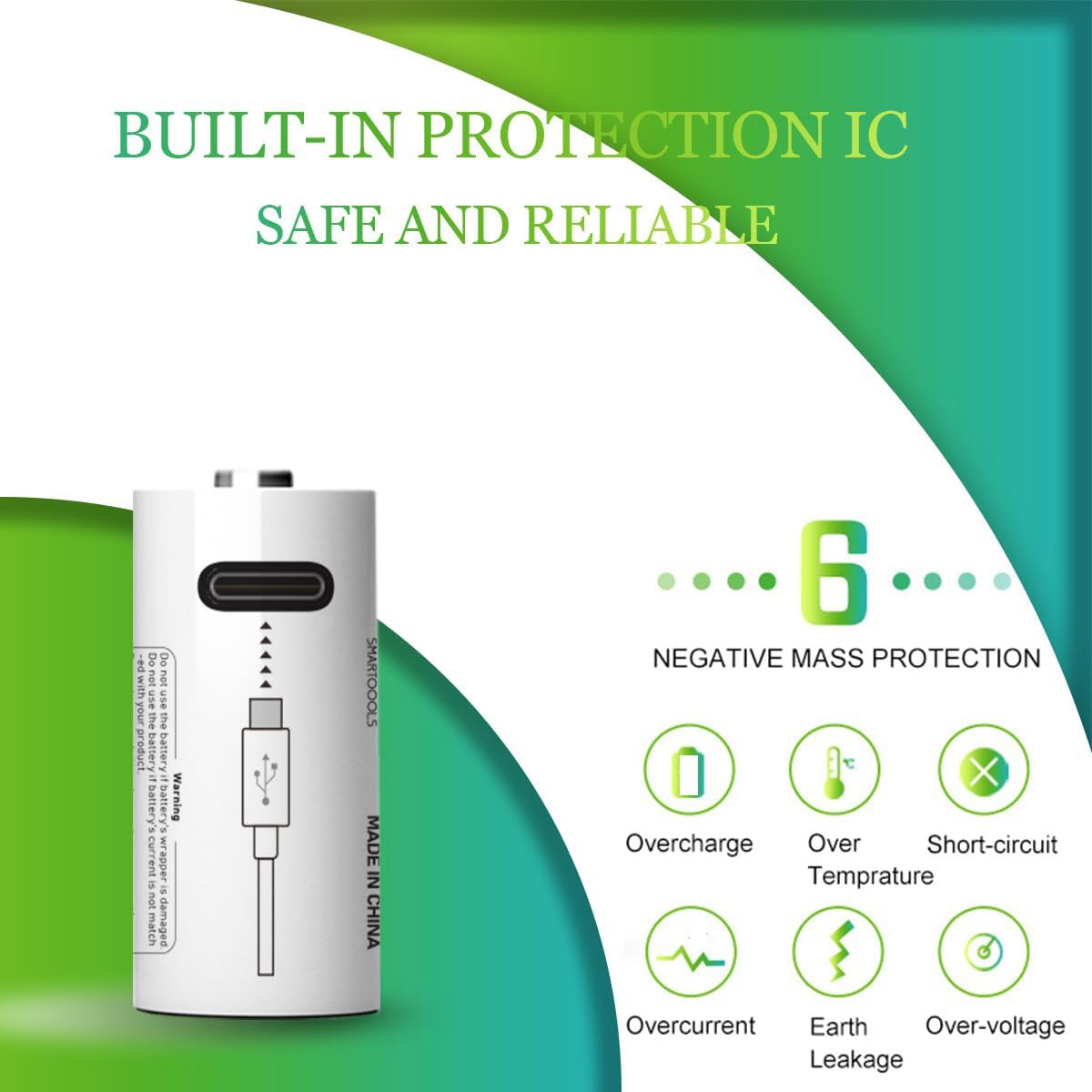
Figure 6: Built-in protection mechanisms ensure safe and reliable operation.
Troubleshooting
| Problem | Possible Cause | Solution |
|---|---|---|
| Battery not charging. | Loose cable connection, faulty USB power source, or damaged battery. | Ensure the Type-C cable is securely plugged into both the battery and the USB power source. Try a different USB port or power adapter. Inspect the battery for visible damage. If the red LED does not blink, the battery may not be receiving power. |
| Battery not holding charge. | Battery has reached the end of its lifecycle or is being used in a high-drain device. | While designed for over 1200 cycles, all rechargeable batteries have a finite lifespan. Consider replacing the battery if it no longer holds a charge adequately. Ensure the device's current requirements match the battery's specifications. |
| Device not powering on with charged battery. | Incorrect battery insertion, device malfunction, or incompatibility. | Verify that the batteries are inserted with correct polarity (+/-). Test the batteries in another compatible device to confirm they are functioning. Check the device's manual for specific battery requirements. |
Product Specifications
| Attribute | Detail |
|---|---|
| Brand | Lankoo |
| Model | 14250 |
| Battery Type | Lithium Ion Rechargeable |
| Voltage | 3.7V |
| Capacity | 300mAh |
| Recharge Cycles | Over 1200 times |
| Shelf Life | Up to 10 years |
| Charging Port | Type-C USB |
| Product Dimensions | 0.98 x 0.55 x 0.55 inches |
| Item Weight | 2.39 ounces |
| Certifications | CE, FCC, RoHS Compliant |
Warranty and Support
Specific warranty details and direct manufacturer support contact information are not provided in this manual. For any product-related inquiries, please refer to the seller's return policy or contact the point of purchase for assistance.
Related Documents - 14250
 |
STELLA Altimeter User Manual | LARSEN & BRUSGAARD Comprehensive user manual for the STELLA Altimeter by LARSEN & BRUSGAARD, covering features, operation, specifications, maintenance, and warranty. |
 |
HUDORA Bold Wheel Scooter: Assembly and User Manual Comprehensive assembly, usage, safety, and maintenance guide for the HUDORA Bold Wheel scooter series, including technical specifications and troubleshooting tips. |
 |
Sigma Electric 14250 Gray 3-Hole Weatherproof Outlet Box Explore the Sigma Electric 14250 gray, all-weather, three-hole weatherproof outlet box. Includes plugs, ground screw, and mounting hardware for easy installation. Learn more about this durable electrical box from Sigma Electric Mfg. Corp. |
 |
Snuza Go! Portable Baby Movement Monitor Instruction Manual Comprehensive instruction manual for the Snuza Go! portable baby movement monitor, detailing setup, operation, features, maintenance, and troubleshooting. |
 |
Sigma 14250 Electrical Box - Gray 1/2 in. All-weather NEMA 3R Rated Installation Guide Detailed information and installation instructions for the Sigma 14250 Gray All-weather Electrical Box with NEMA 3R rating. Includes features, warnings, and step-by-step guidance for safe installation. |
 |
Tirreno Pool Filters Parts Catalog - CPA Piscine Comprehensive parts catalog for Tirreno pool filters (400, 500, 630, 710, 900 series) by CPA Piscine. Includes part numbers, descriptions, and diagrams for replacement components. |