
Introduction
The Bebird Pro Note5 is an innovative ear cleaning tool designed for safe and effective earwax removal. It features a high-definition camera, precision tweezers, and multiple ear spoon attachments, providing a comprehensive solution for visual ear care. This manual provides detailed instructions for setup, operation, and maintenance to ensure optimal performance and user safety.
Key features include a 0.05mm error high-precision tweezers, a 3.2mm micro lens for narrow ear canals, and compatibility with both Android and iOS devices via Wi-Fi.
Safety Information
Please read all safety warnings and instructions before using this product. Keep this manual for future reference.
- Statements regarding dietary supplements have not been evaluated by the FDA and are not intended to diagnose, treat, cure, or prevent any disease or health condition.
- Do not use the device if you have an ear infection, ear drum perforation, or any other ear injury. Consult a medical professional if you experience pain or discomfort during use.
- Keep out of reach of children. Adult supervision is required when used by children.
- Ensure the ear tip is securely attached before insertion to prevent accidental detachment.
- Avoid excessive force or deep insertion into the ear canal to prevent injury.
- Clean the device thoroughly before and after each use to prevent cross-contamination.
Package Contents
Verify that all items are present in your package:
- Bebird Pro Note5 Ear Picker Device
- Replaceable Ear Tips (various colors and types)
- Protective Earbud (for lens protection)
- Type-C Charging Cable
- Instruction Manual

Image: Bebird Pro Note5 device and accessories.
Setup
App Installation
Scan the QR code provided in the packaging or search for "bebird-Ear Care Specialist" in your device's app store (iOS App Store or Google Play Store) to download and install the Bebird app.

Image: Bebird app compatibility with Android and iOS devices.
Device Connection
The device activates automatically when the protective cap is removed. A green light will blink during connection and remain solid once connected.
- Open the Bebird app.
- Go to your phone's Wi-Fi settings and connect to the Wi-Fi network named "bebird-XXXXXX" (where XXXXXX is a unique identifier for your device).
- Return to the Bebird app. The device should now be connected, and you can click "Go" to start ear cleaning.
Video: Demonstrates the setup process, including app installation and Wi-Fi connection for the Bebird Pro Note5.
Ear Tip Installation/Replacement
To install or replace an ear tip:
- Ensure the tweezers are closed by squeezing the ring button on the device.
- Align the ear tip cover with the head of the tweezers.
- Carefully push the ear tip onto the tweezers until it is securely in place. This prevents the ear tip from falling off during use.
Protective Earbud Installation
The protective earbud can be moved up and down the lens to prevent accidental deep insertion into the ear canal, enhancing safety.
Operating Instructions
Basic Usage
Hold the product with your fingers, adjust the position, and gently insert it into your ear canal while observing the live feed on your connected device. The device provides an ultra-clear visual presentation of the ear canal.
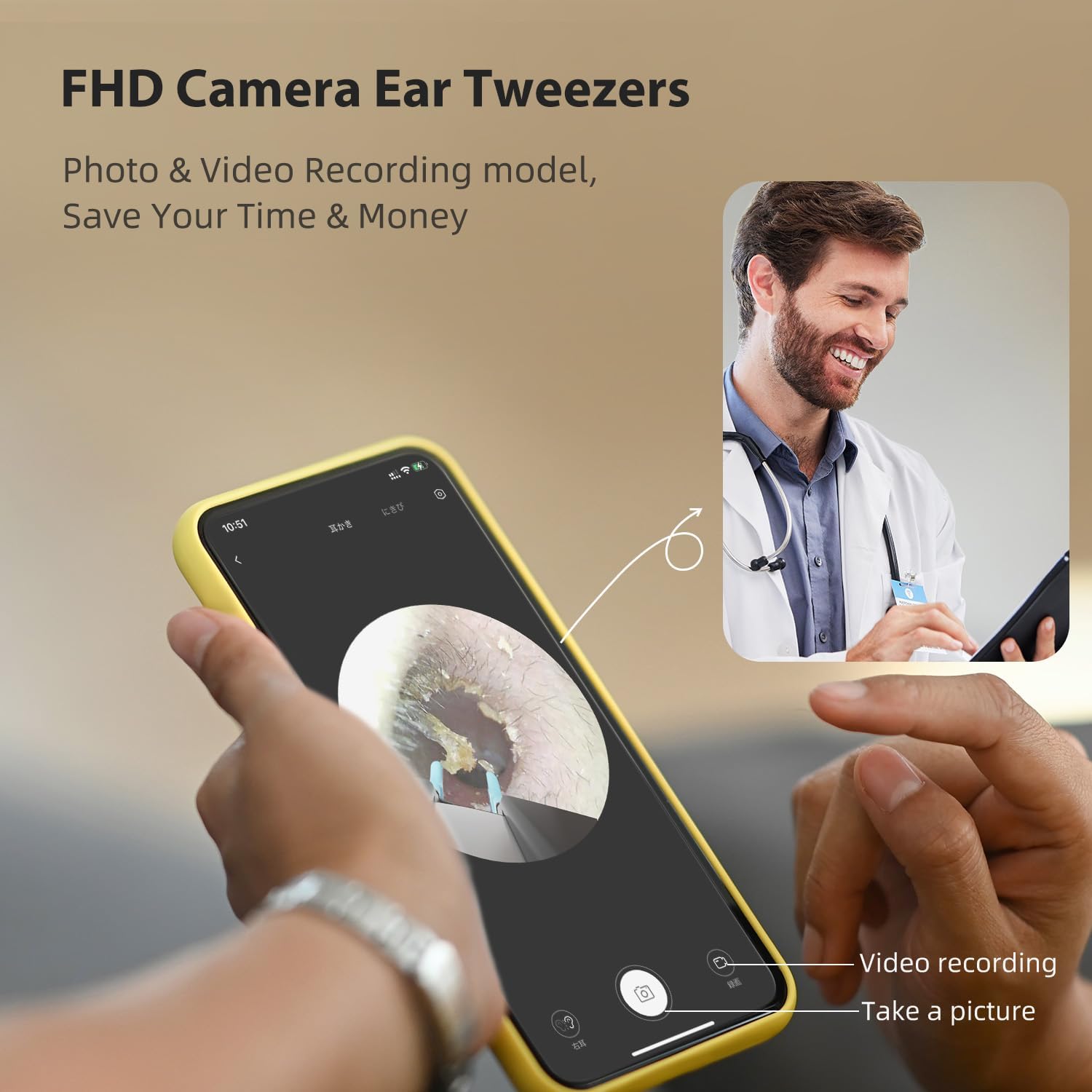
Image: FHD Camera Ear Tweezers in use, showing live video feed on a smartphone.
Video: A short demonstration of the Bebird Pro Note5 in action, highlighting its visual ear cleaning capabilities.
Using the Tweezers
The Bebird Pro Note5 features high-precision tweezers with a 0.05mm error margin. To operate the tweezers, squeeze the ring button on the device to close them and release to open. This allows for precise removal of earwax or foreign bodies.

Image: High-precision tweezers with 0.05mm error, showing the 360° ring switch.
Video: Demonstrates the use of the Bebird Pro Note5 for earwax removal, highlighting the precision of the tweezers.
Using the Ear Spoon
The device also functions as an otoscope with ear spoon attachments. These food-grade silicone ear spoons are comfortable and soft, protecting the ear canal. They are ideal for general ear cleaning, especially for oily ears.

Image: 3-in-1 functionality: Tweezers, Ear spoon, and Otoscope.
Narrow Lens Design
The Bebird Pro Note5 is equipped with the world's narrowest consumer-grade 3.2mm micro lens (outer diameter 4.5mm), allowing it to safely penetrate narrow ear canals (normal human ear canals are 4-6mm). This design is suitable for all family members.

Image: The world's narrowest 3.2mm micro lens, suitable for various ear canal sizes.
Lens Temperature and Waterproofing
The lens maintains a comfortable temperature of 25°C during use. The lens is also waterproof, allowing for easy cleaning and durability.
Omni-directional Gyroscope Stabilizer
The universal electronic gyroscope ensures image stability and consistency between your eyes and hands, providing accurate positioning during ear cleaning.

Image: Omni-directional Gyroscope Stabilizer for stable imaging.
Maintenance
Cleaning the Lens
If the image appears blurred after a period of use, use a small cotton swab to gently clean the lens.
Charging
The Bebird Pro Note5 has a 230mAh battery and charges via a Type-C charging port. A red light indicates charging, and the light turns off when fully charged. If the green light flashes fast, it indicates low power.
- Connect the Type-C charging cable to the device and a power source.
- A full charge takes approximately 60 minutes.
Troubleshooting
| Problem | Solution |
|---|---|
| App shows "not connected" when connected. | Uninstall and reinstall the app. Ensure the correct version model is selected and the app is downloaded correctly. |
| Unable to connect to Wi-Fi. | Ensure no other mobile devices are connected to the Bebird Wi-Fi. Turn off the device and restart to connect. |
| Black screen / Blurred screen. | Uninstall and reinstall the app, then try again. |
| Blurred image after a period of use. | Use a small cotton swab to clean the lens. |
| Unable to charge. | Replace the charging cable and try to see if it can be charged normally. |
Video: Provides solutions for common product exceptions and issues, including app connectivity and charging problems.
Specifications
- Model: Note5
- Manufacturer: BEBIRD
- Package Dimensions: 7.8 x 5.08 x 1.06 inches
- Item Weight: 5.61 ounces
- Battery: 230mAh (rechargeable via Type-C)
- Lens Diameter: 3.2mm (outer diameter 4.5mm)
- Lens Temperature: 25°C (comfortable temperature)
Warranty and Support
The Bebird Pro Note5 comes with a one-year warranty. For any issues or inquiries, please contact our customer support team via Amazon Messaging. We are available 24/7 to assist you.