
1. Introduction
Thank you for choosing the SIRUI C300 LED Video Light. This compact and powerful COB continuous light is designed for professional photography and studio lighting applications. It features 300W output, 5600K daylight color temperature, high color accuracy (TLCI98, CRI96), and a versatile Bowen Mount for various light modifiers. This manual provides detailed instructions for safe operation, setup, and maintenance of your C300 LED Video Light.
2. Safety Instructions
- Do not look directly into the light source when the light is on.
- Keep the device dry. Do not handle with wet hands or immerse in water.
- Ensure proper ventilation. Do not block the cooling vents.
- Use only the specified power adapter and cables.
- Do not disassemble or modify the product. Repairs should only be performed by authorized personnel.
- Keep out of reach of children.
- Avoid operating in environments with high temperatures or flammable materials.
3. Package Contents
Verify that all items listed below are included in your package:

Image: The SIRUI C300 LED Video Light with its complete set of accessories, including the light body, reflector, lamp cover, controller, power cord, control cable, crab clamp, and carrying case.
- Light Body (C300) x 1
- Reflector x 1
- Lamp Cover x 1
- Controller x 1
- Power Cord x 1
- Control Cable x 1
- Crab Clamp x 1
- Carrying Case x 1
4. Product Overview
The SIRUI C300 is a high-performance LED video light designed for versatility and ease of use.
4.1 Key Features
- High Power Output: 300W COB LED for bright, continuous illumination.
- Daylight Balanced: 5600K color temperature, ideal for matching natural light.
- Exceptional Color Accuracy: TLCI 98 and CRI 96 ensure accurate color reproduction.
- Adjustable Brightness: 0-100% dimming control.
- Universal Bowen Mount: Compatible with a wide range of light modifiers.
- Compact and Lightweight: Weighs approximately 1.8kg for easy portability.
- Efficient Cooling: Features two silent fans for effective heat dissipation.
- Flexible Power Options: Supports both AC adapter and V-mount batteries (sold separately).
- Multiple Control Methods: On-board control box, mobile app control via Bluetooth, and DMX control.
- Built-in Lighting Effects: 8 special effects for creative scenarios.

Image: An illustration of the SIRUI C300's core features, including its 5600K color temperature, 0-100% brightness range, 12500lux/1m maximum illuminance, and 300W power. A comparison shows the effect of using a reflector versus not using one.

Image: The SIRUI C300 light body, emphasizing its compact design and lightweight nature, with a prominent display of its 1.8kg weight.

Image: A visual representation of the C300's internal cooling system, highlighting its two silent fans designed for quiet operation and effective heat dissipation.
5. Setup
5.1 Mounting the Light
- Attach the C300 light body to a light stand using the integrated yoke mount. Secure it firmly with the locking knob.
- Adjust the angle of the light body using the angle adjustment knob on the yoke. The light offers 360-degree rotation and panning for flexible positioning.
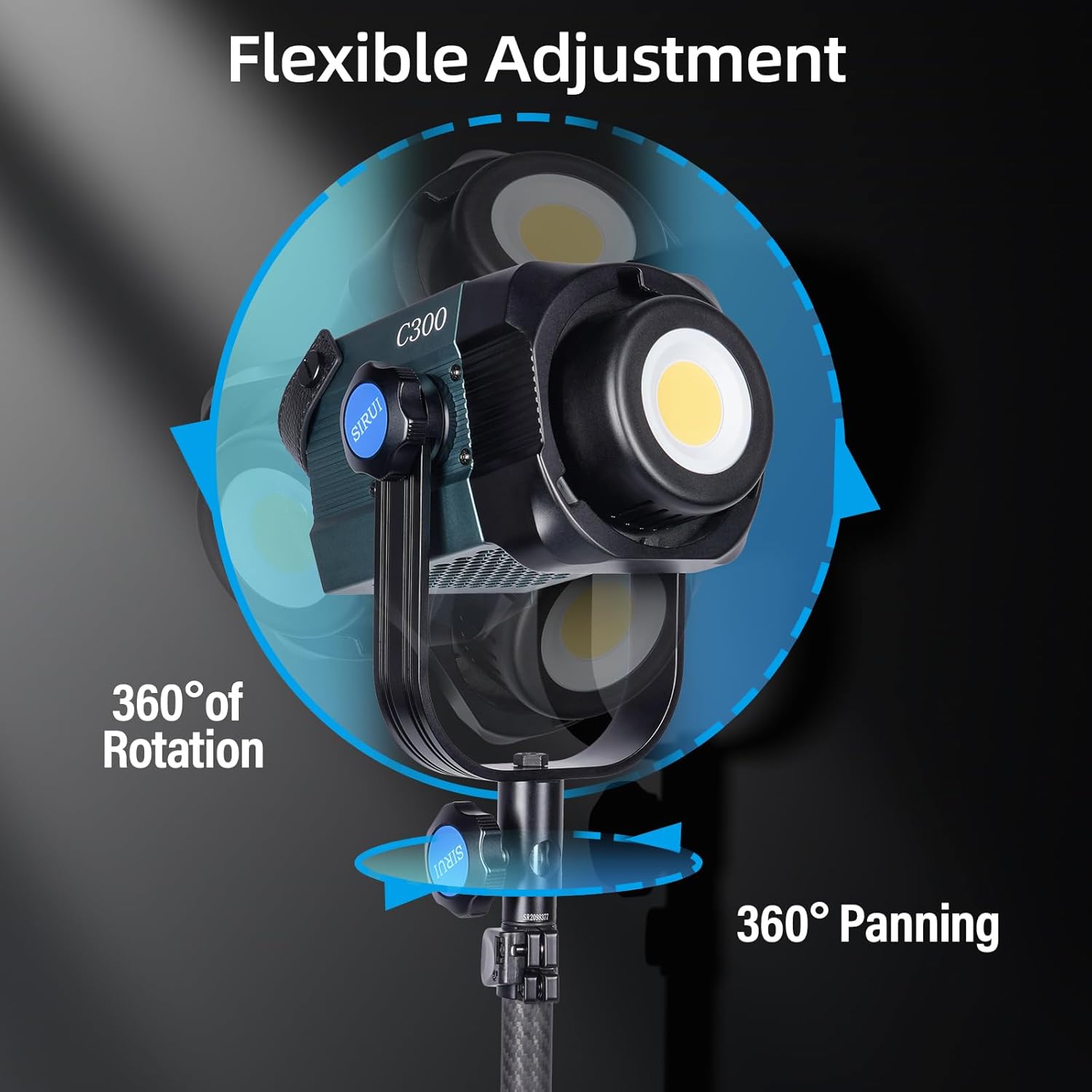
Image: The SIRUI C300 light body mounted on a stand, illustrating its flexible adjustment capabilities with 360 degrees of rotation and panning.
5.2 Attaching Light Modifiers
The C300 features a Universal Bowen Mount for attaching various light modifiers.
- Align the Bowen Mount of the reflector or other modifier with the mount on the C300 light body.
- Insert the modifier and rotate it clockwise until it clicks into place, indicating it is securely locked.
- To remove, press the release button on the Bowen Mount and rotate the modifier counter-clockwise.
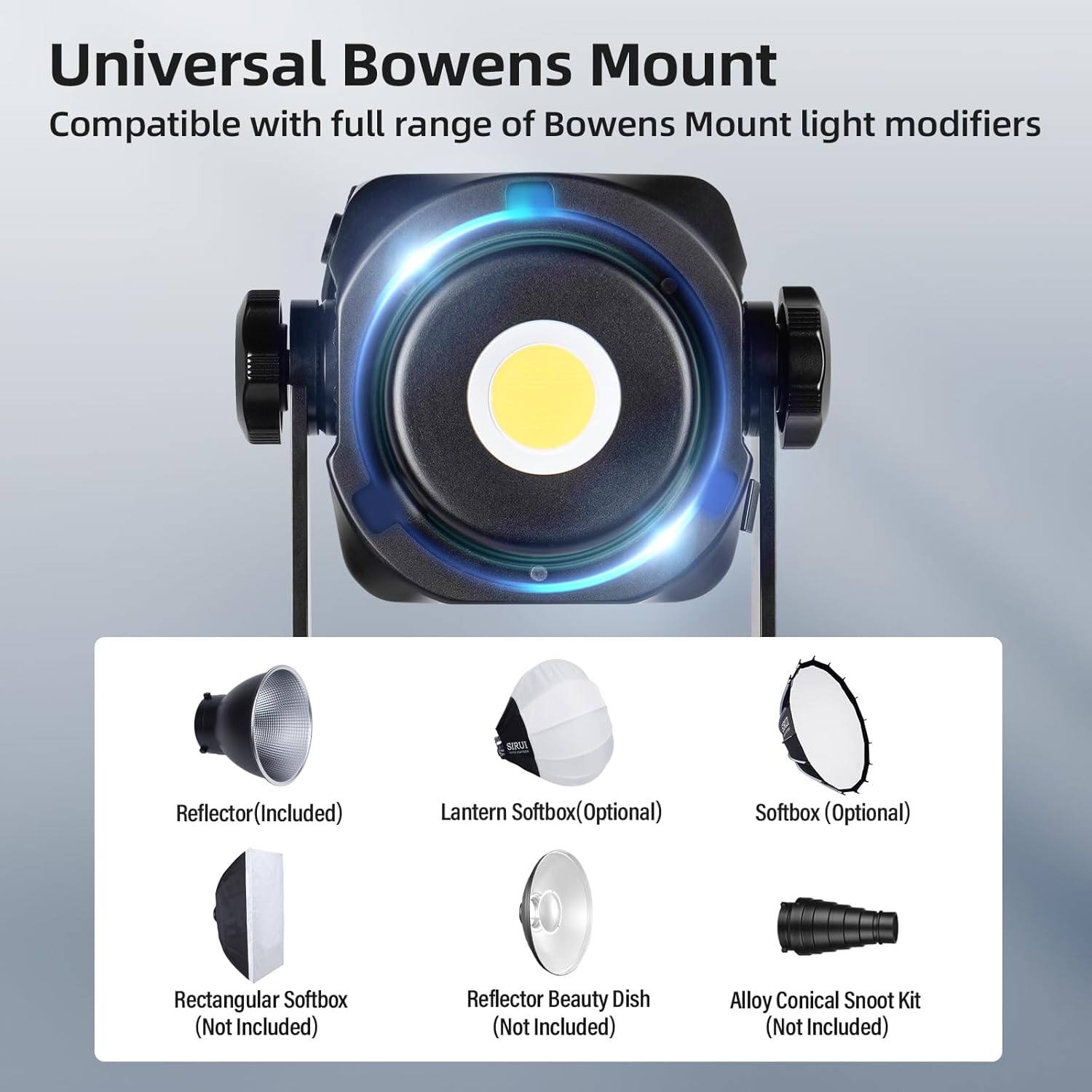
Image: A close-up of the SIRUI C300's Universal Bowens Mount, surrounded by examples of compatible light modifiers such as reflectors, softboxes, and snoots.
5.3 Powering the Light
The C300 offers two power options:
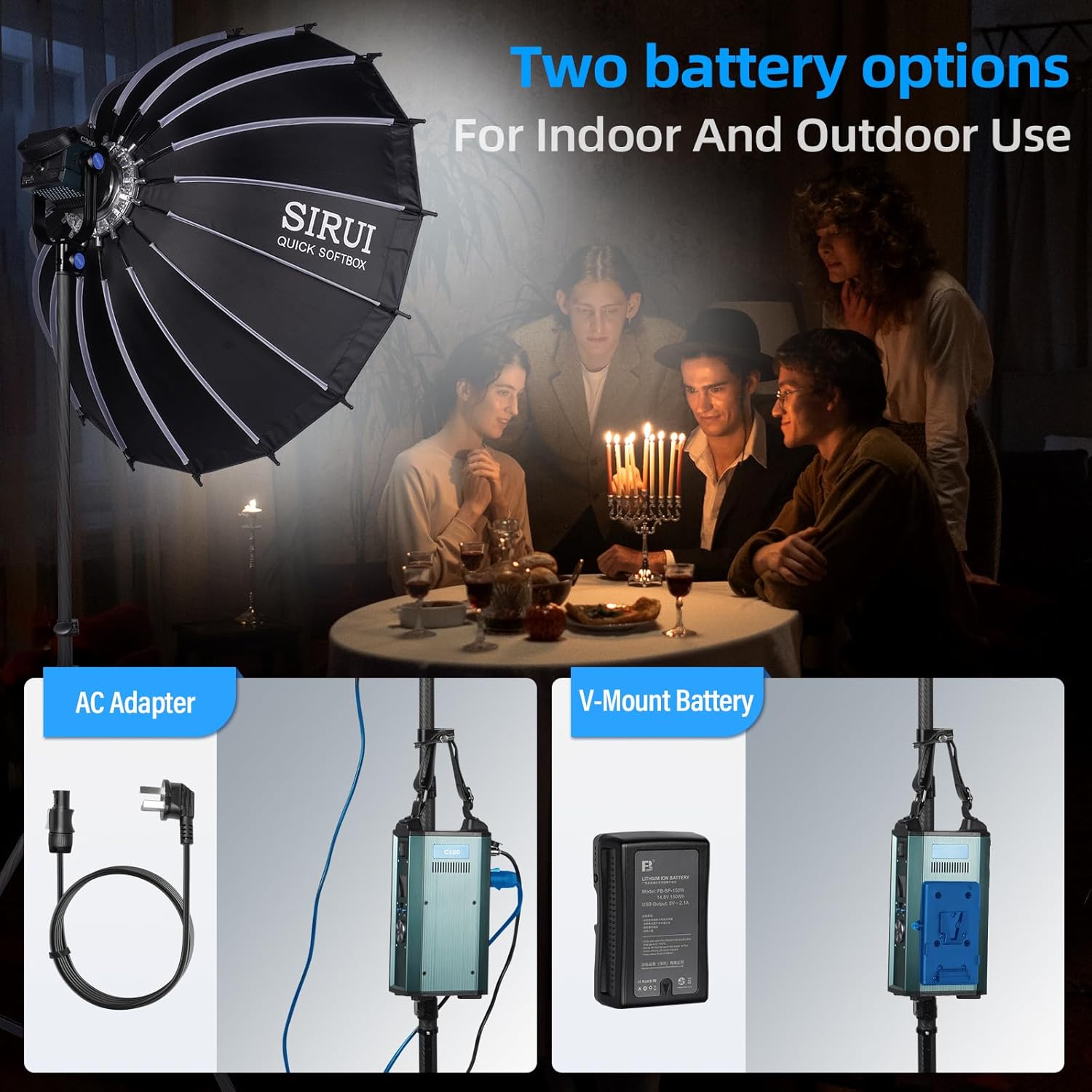
Image: A visual comparison of the two power options for the SIRUI C300: connecting via an AC adapter for indoor use and using a V-mount battery for outdoor or portable applications.
- AC Power: Connect the power cord to the controller, then connect the controller to the light body using the control cable. Plug the power cord into a suitable AC outlet.
- V-Mount Battery (Optional): Attach a compatible V-mount battery to the controller. Connect the controller to the light body using the control cable. Ensure the battery is fully charged before use.
6. Operating Instructions
6.1 Power On/Off
Press the power button on the controller to turn the light on or off.
6.2 Adjusting Brightness
Use the control knob on the controller or the mobile app to adjust the brightness from 0% to 100%.

Image: A close-up of the SIRUI C300's control panel, illustrating the brightness adjustment feature with a visual slider from 0% to 100% intensity.
6.3 Color Temperature
The C300 is a daylight-balanced light with a fixed color temperature of 5600K.
7. Connectivity and Control
7.1 Mobile App Control (Bluetooth)
- Download the official SIRUI app from your device's app store.
- Enable Bluetooth on your mobile device.
- Open the SIRUI app and follow the on-screen instructions to connect to your C300 light.
- Once connected, you can control brightness, effects, and other settings remotely.

Image: A user demonstrating the mobile app control feature, adjusting the SIRUI C300 light settings from a smartphone while the light illuminates a scene.
7.2 DMX Control
The C300 supports DMX control for integration into professional lighting setups. Refer to the DMX section in the full manual (if available) for detailed DMX channel mapping and configuration.

Image: A split image showing the external control box for the SIRUI C300 and a close-up of the DMX input and output ports, indicating advanced control options.
8. Special Effects
The C300 includes 8 built-in lighting effects to simulate various scenarios:

Image: The SIRUI C300 light with an overlay showcasing its 8 built-in lighting effects, including Lightning, Flash, Broken Bulb, TV, Firework, Pulse, Welding, and SOS, suitable for various creative applications.
- Lightning: Simulates lightning flashes.
- Flash: Creates a camera flash effect.
- Broken Bulb: Mimics a flickering, faulty light bulb.
- TV: Simulates the flickering light from a television screen.
- Firework: Replicates the bursts of fireworks.
- Pulse: A rhythmic pulsing light effect.
- Welding: Simulates the intense, sporadic light of welding.
- SOS: Emits the international distress signal in Morse code.
These effects can be selected and adjusted via the controller or the mobile app.
9. Maintenance
- Cleaning: Use a soft, dry cloth to clean the light body and reflector. Do not use abrasive cleaners or solvents.
- Storage: When not in use, store the light in its carrying case in a cool, dry place, away from direct sunlight and moisture.
- Ventilation: Regularly check that the cooling vents are clear of dust and debris to ensure optimal performance and longevity.
10. Troubleshooting
10.1 Light Does Not Turn On
- Check if the power cord is securely connected to the outlet, controller, and light body.
- If using a V-mount battery, ensure it is properly attached and sufficiently charged.
- Verify that the power switch on the controller is in the 'ON' position.
10.2 Light Flickers or Output is Inconsistent
- Ensure all cable connections are secure.
- Check for any loose connections in the power supply.
- If using a V-mount battery, check its charge level.
10.3 App Control Not Working
- Ensure Bluetooth is enabled on your mobile device.
- Make sure the SIRUI app is updated to the latest version.
- Restart both the light and your mobile device.
- Ensure the light is within the Bluetooth operating range.
10.4 Overheating Warning
- Check that the cooling vents are not obstructed.
- Ensure the light is operating in a well-ventilated area.
- Reduce the brightness level if the warning persists.
11. Specifications
| Item Model Number | C300 |
| Brand | Sirui |
| Manufacturer | SIRUI |
| Power Output | 300W |
| Color Temperature | 5600K (Daylight) |
| CRI | 96 |
| TLCI | 98 |
| Maximum Illuminance | 12500Lux@1m |
| Connectivity Technology | Bluetooth |
| Hardware Interface | Bluetooth |
| Item Weight | 13.99 pounds (approx. 6.35 kg) |
| Package Dimensions | 19.3 x 12.5 x 10.7 inches |
| ASIN | B0C88RN5CY |
| Date First Available | June 16, 2023 |
12. Warranty and Support
SIRUI products are manufactured to high-quality standards. For warranty information and customer support, please refer to the warranty card included with your product or visit the official SIRUI website. You can also find support and product information on the Sirui Store on Amazon.


