
Introduction
This manual provides comprehensive instructions for the setup, operation, and maintenance of your Blaupunkt BLP2250N Bluetooth Speaker. This device integrates Bluetooth audio streaming, FM radio, a clock with alarm functions, and playback capabilities via USB, AUX, and SD card. Please read this manual thoroughly before using the product to ensure proper operation and to maximize its features.
Setup
1. Unpacking
Carefully remove all components from the packaging. Inspect the speaker for any signs of damage. Retain the packaging for future transport or storage.
2. Charging the Battery
The speaker is powered by a built-in Lithium-ion battery. Before first use, fully charge the speaker. Connect the provided charging cable to the speaker's charging port and to a suitable USB power adapter (not included). The charging indicator will illuminate during charging and turn off or change color once fully charged.
3. Powering On/Off
To power on the speaker, press and hold the Power button for a few seconds. The display will light up. To power off, press and hold the Power button again until the display turns off.
4. Bluetooth Pairing
- Ensure the speaker is powered on and in Bluetooth mode. If not, press the Mode button to switch to Bluetooth mode. The display will show 'BT' and an indicator will flash, signifying it is ready for pairing.
- On your mobile device (smartphone, tablet), enable Bluetooth and search for available devices.
- Select 'BLP2250N' from the list of found devices.
- Once paired, the speaker will emit an audible confirmation, and the Bluetooth indicator will stop flashing.
5. Connecting Other Audio Sources
- AUX Input: Connect an external audio device (e.g., MP3 player) to the speaker's AUX port using a 3.5mm audio cable. Press the Mode button to select AUX input.
- USB Playback: Insert a USB flash drive containing MP3 audio files into the USB port. The speaker will automatically switch to USB mode and begin playback.
- SD Card Playback: Insert an SD card containing MP3 audio files into the SD card slot. The speaker will automatically switch to SD mode and begin playback.
Operating Instructions
1. Control Panel Overview
The speaker features a combination of push buttons and touch controls. Refer to the product diagram for specific button locations.
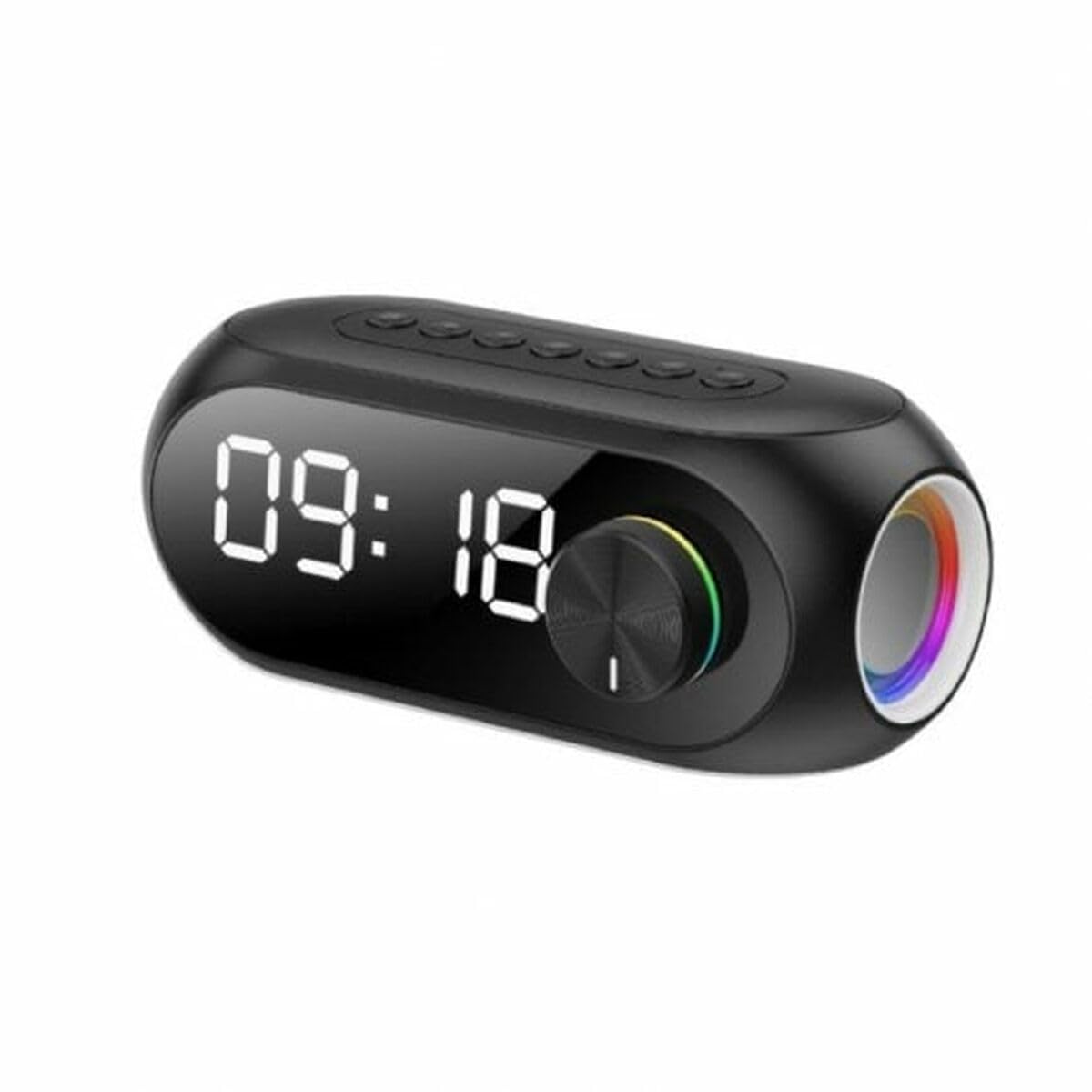
This image shows the front of the Blaupunkt BLP2250N Bluetooth Speaker. It features a central display, control buttons, and a sleek black finish.
- Power Button: Press and hold to turn on/off.
- Mode Button: Short press to cycle through Bluetooth, FM, AUX, USB, and SD modes.
- Play/Pause Button: In playback modes, short press to play or pause. In FM mode, short press to auto-scan.
- Volume Up/Next Track: Short press for next track/station. Press and hold to increase volume.
- Volume Down/Previous Track: Short press for previous track/station. Press and hold to decrease volume.
- Clock/Alarm Set Button: Used to enter clock and alarm setting modes.
2. Setting the Clock and Alarm
- Setting the Clock: In standby or clock display mode, press and hold the Clock/Alarm Set button. The hour digits will flash. Use the Volume Up/Down buttons to adjust the hour, then press Clock/Alarm Set again to confirm. Repeat for minutes.
- Setting the Alarm: After setting the clock, press the Clock/Alarm Set button again. The alarm hour digits will flash. Adjust using Volume Up/Down, confirm with Clock/Alarm Set. Repeat for alarm minutes. Press Clock/Alarm Set one more time to enable/disable the alarm.
3. FM Radio Operation
- Press the Mode button to select FM radio mode.
- Short press the Play/Pause button to initiate an automatic scan for FM stations. The speaker will save found stations.
- Use the Volume Up/Down buttons (short press) to navigate between saved stations.
Maintenance
1. Cleaning
Wipe the speaker's exterior with a soft, dry, or slightly damp cloth. Do not use abrasive cleaners, waxes, or solvents as they may damage the finish. Ensure no liquids enter the speaker's openings.
2. Battery Care
To prolong battery life, avoid fully discharging the battery frequently. Recharge the speaker regularly, even if not in use, to maintain battery health. Store the speaker in a cool, dry place when not in use for extended periods.
Troubleshooting
- No Power: Ensure the battery is charged. Connect the speaker to a power source and try turning it on again.
- No Sound: Check the volume level on both the speaker and the connected device. Ensure the correct input mode (Bluetooth, AUX, USB, SD) is selected.
- Bluetooth Not Connecting: Ensure the speaker is in Bluetooth pairing mode. Turn off and on Bluetooth on your device. Delete 'BLP2250N' from your device's Bluetooth list and attempt to re-pair. Ensure no other devices are currently connected to the speaker.
- Poor FM Reception: Extend the antenna fully if available. Reposition the speaker to improve signal reception.
- USB/SD Not Playing: Ensure the USB drive or SD card is formatted correctly (FAT32) and contains compatible audio files (MP3). Try a different USB drive or SD card.
Specifications
| Brand | BLAUPUNKT |
| Model Name | BLP2250N (Internal Model: 3609020002277) |
| Connectivity Technology | Auxiliary, Bluetooth, USB |
| Wireless Technology | Bluetooth |
| Audio Output Mode | Stereo |
| Speaker Type | Subwoofer |
| Mounting Type | Table Mount |
| Material | Acrylonitrile Butadiene Styrene Rubber |
| Special Feature | Bluetooth |
| Recommended Uses | For music players, radios, or alarm clocks |
| Compatible Devices | Smartphone, Tablet |
| Control Type | Push Button, Touch |
| Color | Black |
| Average Battery Life | 8 hours |
| Waterproof | False |
| Power Source | Battery Powered |
| Number of Batteries | 1 Lithium-ion battery required |
| Audio Channels | 2.1 |
| Item Dimensions (L x W x H) | 10 x 10 x 10 centimeters |
| Item Weight | 2.23 Kilograms |
Warranty Information
This product comes with a Limited Warranty. Please refer to the warranty card included in the product packaging or contact Blaupunkt customer support for detailed terms and conditions regarding your warranty coverage.
Support
If you encounter any issues not covered in the troubleshooting section or require further assistance, please contact Blaupunkt customer support. Contact information can typically be found on the official Blaupunkt website or on the product packaging.


