
Introduction
Thank you for choosing the RYOBI ONE+ 18V Cordless Hybrid WHISPER SERIES 7-1/2 in. Fan. This fan is designed for versatility and quiet operation, providing powerful airflow in various settings. It features hybrid technology, allowing it to be powered by any RYOBI ONE+ 18V battery or an extension cord. This manual provides essential information for safe operation, setup, maintenance, and troubleshooting.

Figure 1: Front view of the RYOBI ONE+ 18V Cordless Hybrid WHISPER SERIES 7-1/2 in. Fan.
Safety Information
Always read and understand all safety warnings and instructions before operating this product. Failure to follow the warnings and instructions may result in electric shock, fire, and/or serious injury.
- Keep the fan away from water or damp conditions.
- Do not insert fingers or foreign objects into the fan grille.
- Ensure the power source (battery or extension cord) matches the product's voltage requirements.
- Unplug the fan or remove the battery pack before making any adjustments, changing accessories, or storing the appliance.
- Use only with RYOBI ONE+ 18V batteries and chargers.
Package Contents
Verify that all items listed below are included in your package:
- (1) RYOBI 18V ONE+ Hybrid WHISPER SERIES 7-1/2 in. Fan (Tool Only)
- (1) Operator's Manual
Note: Battery and charger are sold separately.
Setup
Powering the Fan
The RYOBI ONE+ Hybrid Fan can be powered by either a RYOBI ONE+ 18V battery or a standard extension cord.
- Using a Battery: Align the ribs on the battery pack with the grooves in the fan's battery port. Slide the battery pack into place until it latches securely. To remove, press the latch button and pull the battery pack out.
- Using an Extension Cord: Locate the AC power port on the fan's base. Insert a compatible extension cord (NEMA 5-15 or Type B plug) firmly into the port. Ensure the extension cord is rated for outdoor use if operating outdoors.
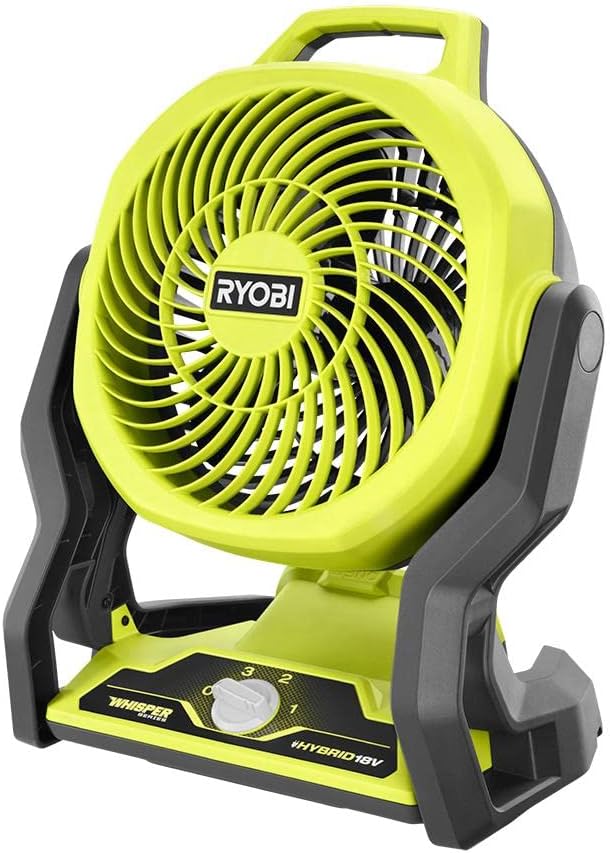
Figure 2: Side view showing the fan's base where the battery or extension cord connects.
Operating Instructions
Adjusting Fan Speed
The fan features three speed settings (Low, Medium, High) for customized airflow.
- Ensure the fan is powered (battery inserted or cord plugged in).
- Locate the rotary dial on the front of the fan's base.
- Rotate the dial to select your desired speed: '1' for Low, '2' for Medium, and '3' for High. Rotate to '0' to turn the fan off.
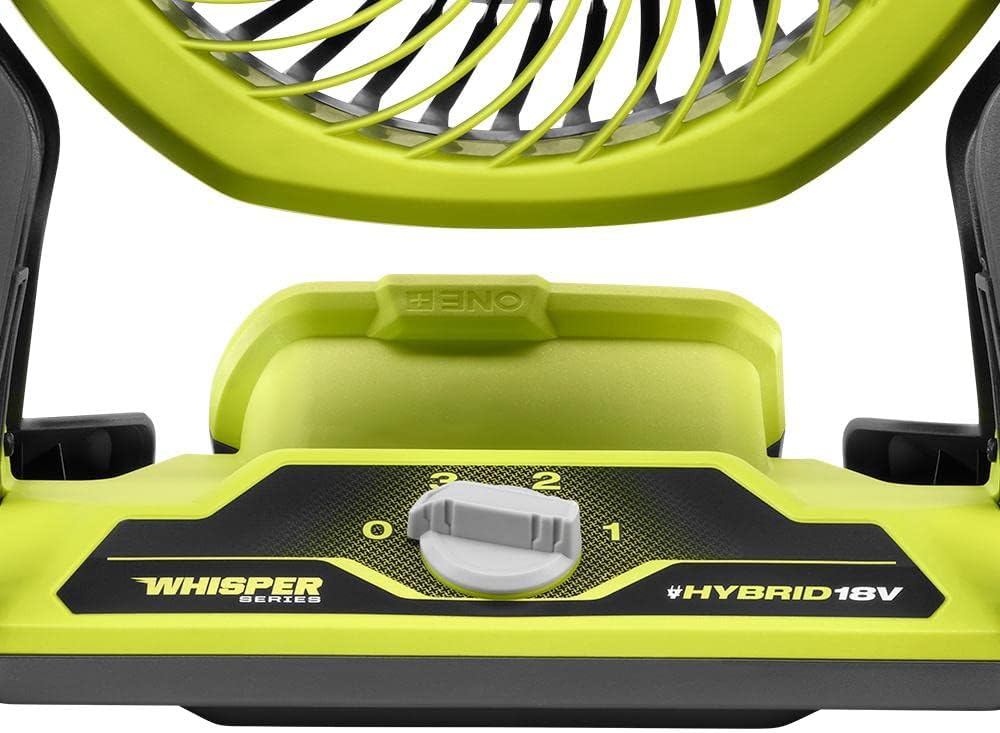
Figure 3: Close-up of the speed control dial on the fan's base.
Pivoting Head
The fan head can pivot 160 degrees to direct airflow precisely where needed.
- Grasp the fan head firmly on both sides.
- Gently tilt the fan head up or down to the desired angle. The fan head will hold its position once adjusted.

Figure 4: Side view illustrating the 160-degree pivoting capability of the fan head.
Maintenance
Regular maintenance ensures optimal performance and extends the life of your fan.
- Cleaning: Disconnect the power source (remove battery or unplug cord) before cleaning. Use a soft, damp cloth to wipe down the exterior surfaces. Do not use harsh chemicals or abrasive cleaners. For the fan blades, use a vacuum cleaner with a brush attachment or compressed air to remove dust. Do not immerse the fan in water.
- Storage: When not in use, store the fan in a clean, dry place, out of reach of children. If storing for extended periods, remove the battery pack.
Troubleshooting
If you encounter issues with your fan, refer to the table below for common problems and solutions.
| Problem | Possible Cause | Solution |
|---|---|---|
| Fan does not turn on. | No power supply; Battery not inserted correctly or discharged; Extension cord not plugged in or faulty. | Ensure battery is fully charged and properly seated. If using cord, check connection and try another outlet. |
| Reduced airflow. | Fan grille or blades are dirty. | Clean the fan grille and blades as described in the Maintenance section. |
| Unusual noise during operation. | Obstruction in fan blades; Loose components. | Disconnect power and check for any obstructions. If noise persists, contact customer support. |
Specifications
| Feature | Detail |
|---|---|
| Model Name | RYOBI FAN |
| Item Model Number | PCL811B |
| Brand | RYOBI |
| Power Source | Battery Powered (18V ONE+) / AC Extension Cord |
| Voltage | 18 Volts |
| Number of Power Levels | 3 |
| Special Feature | Hybrid Technology, WHISPER SERIES |
| Product Dimensions | 10"D x 10"W x 12"H |
| Item Weight | 4.79 pounds |
| Indoor/Outdoor Usage | Outdoor, Indoor |
| Blade Material | Plastic |
Warranty and Support
The RYOBI ONE+ 18V Cordless Hybrid WHISPER SERIES 7-1/2 in. Fan is backed by the RYOBI 3-Year Manufacturer’s Warranty. For detailed warranty information, service, or technical support, please refer to the official RYOBI website or contact their customer service department. Keep your purchase receipt as proof of purchase for warranty claims.