
Introduction
Thank you for purchasing the Dirt Devil 12V Whole Home Cordless Handheld Vacuum. This lightweight and portable vacuum is designed for quick and efficient cleaning throughout your home. Equipped with a multi-surface tool kit and a convenient charging stand, it simplifies your cleaning routine. Please read this manual thoroughly before operating your new vacuum to ensure safe and optimal performance.
Important Safety Instructions
When using an electrical appliance, basic precautions should always be followed, including the following:
- Read all instructions before using this appliance.
- Do not use outdoors or on wet surfaces.
- Do not allow to be used as a toy. Close attention is necessary when used by or near children.
- Use only as described in this manual. Use only manufacturer’s recommended attachments.
- Do not use with damaged cord or plug. If appliance is not working as it should, has been dropped, damaged, left outdoors, or dropped into water, return it to a service center.
- Do not pull or carry by cord, use cord as a handle, close a door on cord, or pull cord around sharp edges or corners. Do not run appliance over cord. Keep cord away from heated surfaces.
- Do not unplug by pulling on cord. To unplug, grasp the plug, not the cord.
- Do not handle plug or appliance with wet hands.
- Do not put any object into openings. Do not use with any opening blocked; keep free of dust, lint, hair, and anything that may reduce air flow.
- Keep hair, loose clothing, fingers, and all parts of body away from openings and moving parts.
- Do not pick up anything that is burning or smoking, such as cigarettes, matches, or hot ashes.
- Do not use without dirt cup and/or filters in place.
- Turn off all controls before unplugging.
- Use extra care when cleaning on stairs.
- Do not use to pick up flammable or combustible liquids, such as gasoline, or use in areas where they may be present.
- Store the appliance indoors. Put away after use to prevent accidents.
- Use only the charger supplied by the manufacturer to recharge.
- Do not incinerate the appliance even if it is severely damaged. The batteries can explode in a fire.
Package Contents
Your Dirt Devil Whole Home Handheld Vacuum package includes:
- Dirt Devil 12V Whole Home Cordless Handheld Vacuum
- Charging Stand with built-in tool storage
- Pivoting Dusting Brush
- Crevice Tool (integrated)
- Charger
Setup
Charging the Vacuum
Before first use, fully charge the vacuum. The lithium battery requires approximately 4.5 hours for a full charge.
- Place the charging stand on a flat, stable surface near a power outlet.
- Plug the charger into the charging stand and then into a power outlet.
- Place the handheld vacuum onto the charging stand. Ensure the charging indicator light illuminates, confirming proper connection.

Description of Figure 1: This image shows a person's hand placing the black and red Dirt Devil handheld vacuum onto its black charging stand. The charging stand also has a slot for storing the pivoting dusting brush attachment. The vacuum is designed to stand upright on the charger, making it easy to access and keep charged.
Attaching Accessories
The multi-surface tool kit includes a crevice tool and a pivoting dusting brush. The crevice tool is integrated and can be extended or retracted. The pivoting dusting brush can be attached to the nozzle for broader cleaning.
Operating Instructions
Powering On/Off
To turn the vacuum on or off, press the power button located on the handle. The vacuum operates with a single power level.
Using the Vacuum and Attachments
The Dirt Devil Whole Home Handheld Vacuum is versatile and suitable for various surfaces including home interiors, bare floors, hard floors, tile, hardwood, and rugs.
- Crevice Tool: Extend the integrated crevice tool for reaching tight spaces, corners, and edges.
- Pivoting Dusting Brush: Attach the pivoting dusting brush for cleaning delicate surfaces, blinds, baseboards, and upholstery.

Description of Figure 2: This image shows a person's hand holding the black and red Dirt Devil handheld vacuum, actively cleaning crumbs and debris from a light-colored wooden table. The vacuum's nozzle is directly over the debris, demonstrating its use for surface cleaning.

Description of Figure 3: The image displays a person using the Dirt Devil handheld vacuum with its extended crevice tool to clean between the cushions of a beige fabric couch. This highlights the vacuum's ability to reach and clean narrow, hard-to-access areas.

Description of Figure 4: This image shows a person using the Dirt Devil handheld vacuum with the pivoting dusting brush attachment to clean dust from a high wooden shelf filled with books. The long reach of the attachment makes it suitable for elevated surfaces.
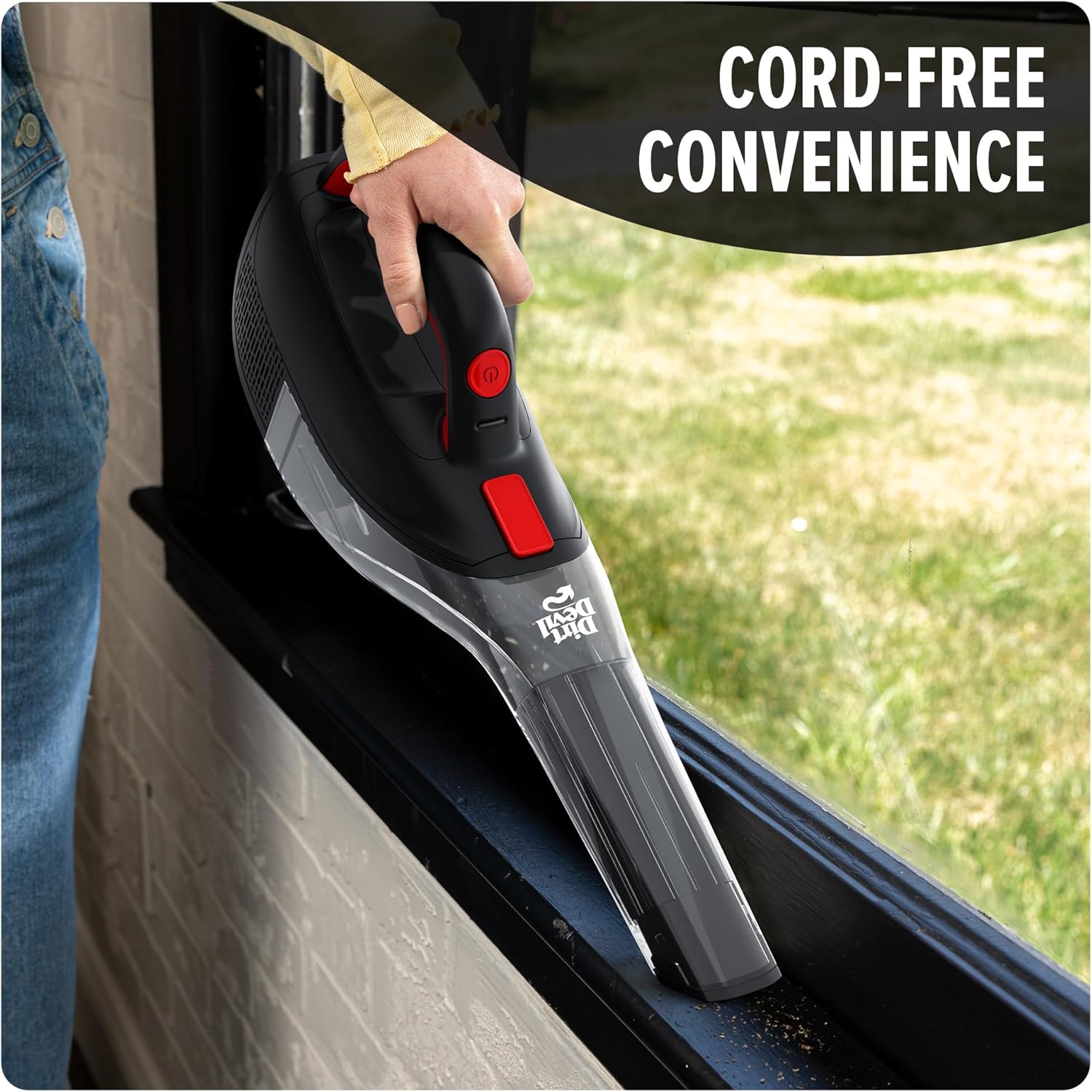
Description of Figure 5: The image shows a person using the Dirt Devil handheld vacuum with its crevice tool to clean debris from a black window sill. This demonstrates the vacuum's effectiveness in narrow grooves and edges.
Product Overview Video
Description of Video 1: This video provides an official overview of the Dirt Devil Whole Home Vacuum BD40200V. It showcases the vacuum's design, features, and various applications in a home setting, demonstrating its ease of use and versatility for different cleaning tasks.
Maintenance
Emptying the Dirt Cup
The vacuum features a large, easy-empty dirt cup. For optimal suction and performance, empty the dirt cup regularly, especially when debris reaches the MAX fill line.
- Ensure the vacuum is turned off.
- Locate the dirt cup release button/latch.
- Press the release and detach the dirt cup from the main unit.
- Hold the dirt cup over a trash receptacle and open the bottom flap to release debris.
- Close the flap and reattach the dirt cup to the vacuum until it clicks securely into place.
Cleaning the Filter
The vacuum uses a cloth filter. Regular cleaning of the filter is essential to maintain suction power.
- Remove the dirt cup as described above.
- Carefully remove the cloth filter from inside the dirt cup.
- Tap the filter gently over a trash can to remove loose dirt and dust.
- If necessary, rinse the filter under cool running water. Ensure it is completely dry before reinserting.
- Reinsert the dry filter into the dirt cup and reattach the dirt cup to the vacuum.
Troubleshooting
| Problem | Possible Cause | Solution |
|---|---|---|
| Vacuum does not turn on | Battery is not charged. | Place the vacuum on the charging stand and ensure it is fully charged (approx. 4.5 hours). |
| Low suction power | Dirt cup is full. | Empty the dirt cup. |
| Filter is dirty or clogged. | Clean or replace the filter. Ensure it is completely dry before reinserting. | |
| Nozzle or attachment is blocked. | Remove any obstructions from the nozzle or attachments. | |
| Vacuum makes unusual noise | Obstruction in the air path. | Check the nozzle, dirt cup, and filter for any blockages. |
Specifications
| Feature | Detail |
|---|---|
| Brand | Dirt Devil |
| Model Name | Whole Home Hand Vacuum |
| Model Number | BD40200V |
| Color | Black |
| Form Factor | Handheld |
| Power Source | Battery Powered (Lithium-Ion) |
| Wattage | 12 watts |
| Capacity | 0.6 Liters |
| Charging Time | 4.5 Hours |
| Battery Life | 11 minutes |
| Filter Type | Cloth |
| Special Features | Built-in crevice tool, pivoting dusting brush, charging stand |
| Product Dimensions | 16.5"L x 3.5"W x 7.5"H |
| Item Weight | 2.2 pounds |
| Noise Level | 80 Decibels |
| Recommended Uses | Home, Bare Floor, Hard Floor, Tile Floor, Hardwood, Rug |
Warranty and Support
For warranty information or product support, please refer to the documentation included with your purchase or visit the official Dirt Devil website. Extended protection plans (2-Year and 3-Year) may be available for purchase separately.


