
1. Introduction
Thank you for choosing the Fwiull Professional Party Light, Model YSH-503. This device is designed to create dynamic and colorful lighting effects for various events and venues, including parties, stages, discos, and home entertainment. Featuring 21 lenses, RGB UV light, DMX512 control, sound activation, and remote operation, this light offers a wide range of customizable patterns and modes to enhance your atmosphere.
2. Safety Instructions
- Read all instructions carefully before operating the device.
- This product is for indoor use only. Avoid exposure to rain or moisture.
- Do not look directly into the light source. Laser light can cause eye damage.
- Ensure the power supply voltage matches the device's requirements (AC110~240V, 50/60Hz).
- Always disconnect the power supply before cleaning or servicing.
- Keep the device away from flammable materials.
- Ensure proper ventilation to prevent overheating. Do not block ventilation openings.
- Do not attempt to repair the device yourself. Contact qualified personnel for service.
3. Package Contents
Please check the package to ensure all items are present:
- Fwiull Professional Party Light (Model YSH-503)
- Power Cable
- Remote Control
- Instruction Manual (English)
- Adjustable Bracket and Screws for installation
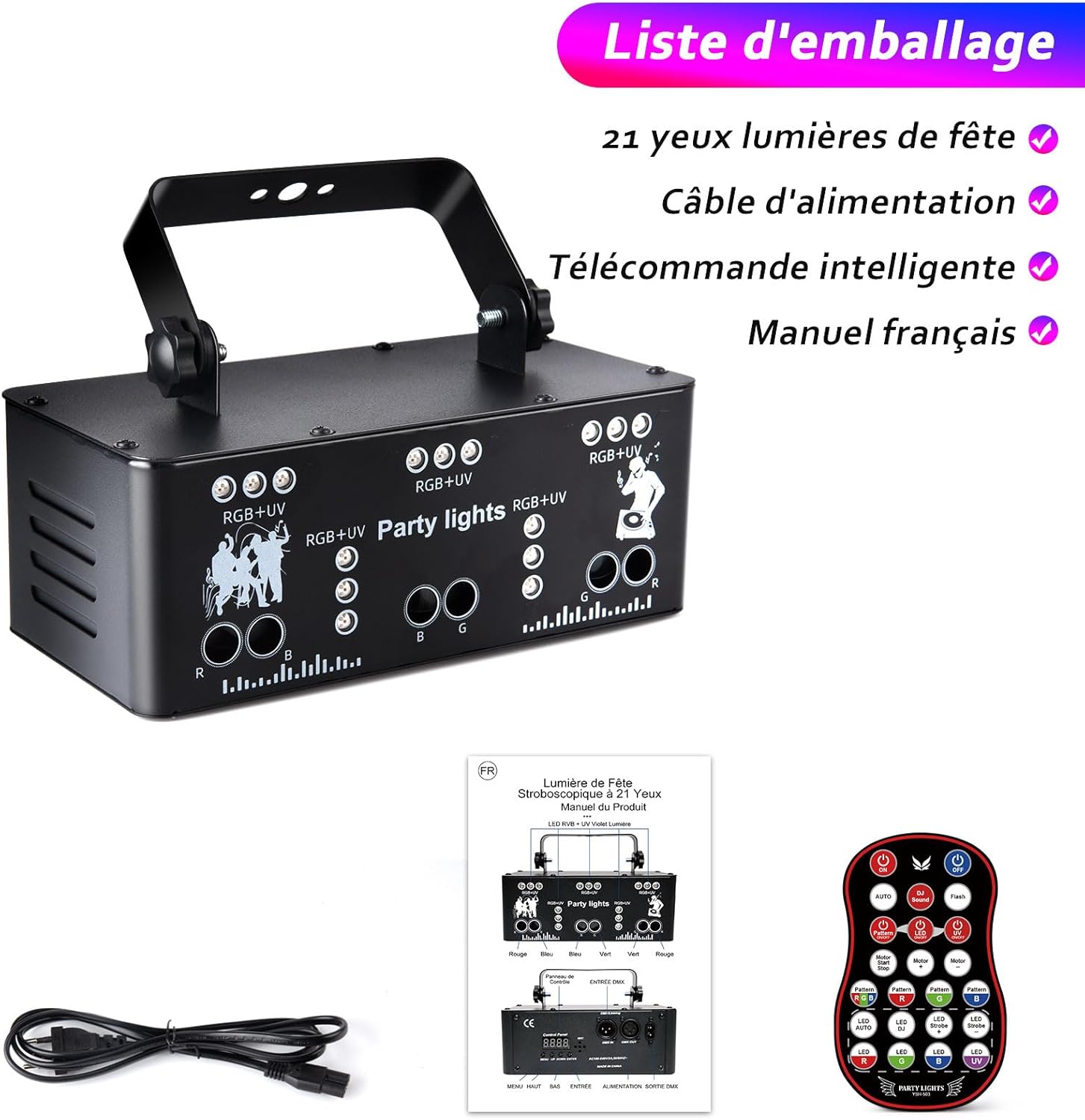
Image: Contents of the Fwiull Party Light package, showing the main unit, power cable, remote control, and user manual.
4. Product Overview
The Fwiull YSH-503 features 21 lenses capable of projecting a wide array of RGB (Red, Green, Blue) and UV (Ultraviolet) light effects. It combines LED and laser technology to produce up to 175 distinct patterns, including beams, backgrounds, and strobe effects, covering a broad area.

Image: The Fwiull Party Light unit with its remote control, demonstrating the diverse RGB UV light patterns it can project in an indoor setting.

Image: A visual representation of the numerous light patterns, such as dots, swirls, and geometric designs, that the Fwiull Party Light can generate in various colors.

Image: The Fwiull Party Light in operation, casting vibrant laser and LED effects across a room, with its remote control positioned nearby.
5. Setup
The Fwiull Party Light is designed for flexible installation. It can be placed on a flat surface, suspended from a truss, or mounted on a wall or ceiling using the adjustable bracket and screws provided.
Installation Methods:
- Flat Placement: Position the unit on a stable, flat surface. Ensure it is secure and will not tip over.
- Suspended Installation: Attach the adjustable bracket to a truss or overhead structure using appropriate clamps (not included). Secure the light unit to the bracket.
- Wall/Ceiling Mounting: Use the provided screws to fix the adjustable bracket to a wall or ceiling. Then, attach the light unit to the bracket, ensuring it is securely fastened.
Always ensure the installation location provides adequate ventilation and is clear of obstructions to the light projection.

Image: Examples of how the Fwiull Party Light can be installed, including flat on a surface, suspended from a truss, or used in various indoor and outdoor settings.
6. Operating Instructions
The Fwiull Party Light offers multiple operating modes and can be controlled via its rear panel, remote control, or DMX512.
Control Panel:
The rear control panel features a display and buttons for basic mode selection and DMX settings.

Image: Detailed diagram of the Fwiull Party Light's rear control panel, highlighting the DMX input and output ports, power connection, built-in microphone, and navigation buttons for menu control.
Remote Control Functions:
The included remote control provides convenient access to all features and modes.
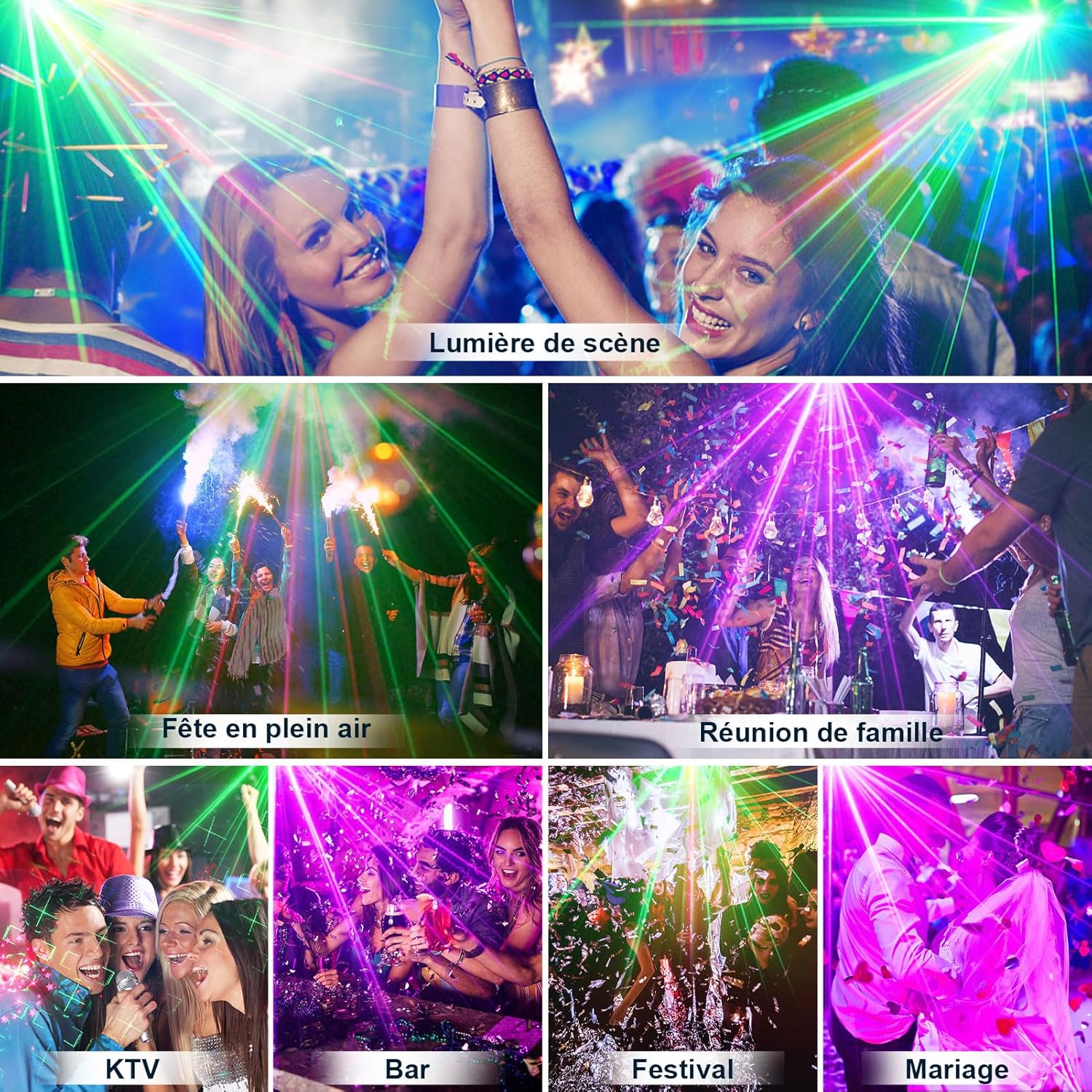
Image: A comprehensive diagram of the Fwiull Party Light's remote control, illustrating buttons for power on/off, automatic mode, DJ sound activation, flash, motor speed adjustment, individual LED color control (Red, Green, Blue, UV), and strobe effects.
- ON/OFF: Power on/off the unit.
- AUTO: Activates automatic mode, cycling through various patterns.
- DJ Sound: Enables sound-activated mode, where lights react to music.
- Flash: Activates strobe effects.
- Motor Start/Stop: Controls the rotation of the internal motors for pattern movement.
- Motor Speed +/-: Adjusts the speed of pattern rotation.
- LED R/G/B/UV: Turns individual Red, Green, Blue, or UV LEDs on/off.
- Strobe Speed +/-: Adjusts the speed of the strobe effect.
- Pattern Buttons: Selects specific light patterns or combinations.
Operating Modes:
- Automatic Mode: The light cycles through pre-programmed patterns and colors automatically.
- Sound-Activated Mode: The built-in microphone detects music or sound, and the light patterns change in sync with the rhythm.
- Strobe Mode: Produces rapid flashing light effects.
- DMX512 Control: For professional setups, connect the light to a DMX controller. This allows for precise control over each light parameter, including color, pattern, speed, and intensity. Refer to the DMX channel chart (not provided in this manual, typically found in a separate DMX guide) for specific control values.
- Master-Slave Mode: Connect multiple Fwiull YSH-503 units via DMX cables. Set one unit as 'Master' and others as 'Slave' to synchronize their effects without a DMX controller.
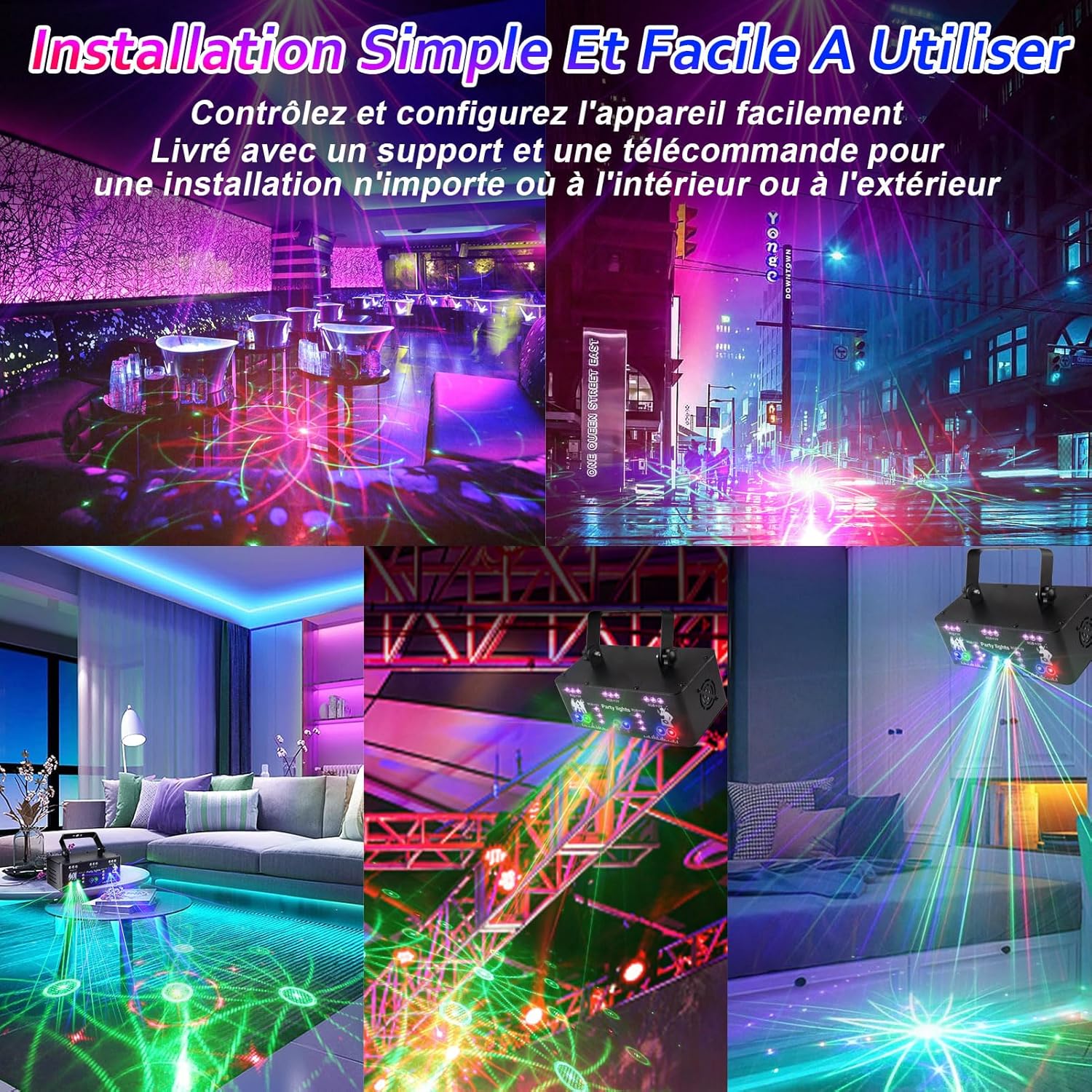
Image: A vibrant party scene where individuals are dancing under the colorful light patterns projected by the Fwiull Party Light, demonstrating its sound-activated mode and synchronization with music.
7. Maintenance
- Cleaning: Regularly clean the lenses and housing with a soft, dry cloth to maintain optimal light output and prevent dust buildup. Do not use harsh chemicals or abrasive materials.
- Ventilation: Ensure the cooling fan and ventilation openings are free from dust and debris.
- Storage: When not in use for extended periods, store the device in a cool, dry place, protected from dust and extreme temperatures.
8. Troubleshooting
- No Power:
- Check if the power cable is securely connected to both the device and the power outlet.
- Ensure the power outlet is functional.
- Note: This unit does not have a dedicated power button. It powers on when plugged in and off when unplugged. The remote's ON/OFF button controls the light output, not the main power to the unit.
- No Light Output:
- Verify the unit is powered on.
- Check if the remote control's ON button has been pressed.
- Ensure individual LED colors (R, G, B, UV) are not turned off via the remote.
- Remote Control Not Working:
- Ensure there are no obstructions between the remote and the light's IR receiver.
- Replace the remote control battery if necessary.
- Lights Not Responding to Music (Sound Mode):
- Ensure the 'DJ Sound' mode is activated on the remote or control panel.
- Increase the music volume or move the light closer to the sound source.
- Check if the microphone on the unit is obstructed.
9. Specifications
| Brand | Fwiull |
| Model Number | YSH-503 |
| Dimensions (L x W x H) | 20 x 10.7 x 10 cm (7.87 x 4.21 x 3.94 inches) |
| Weight | 1.21 Kilograms (2.67 lbs) |
| Material | Aluminum |
| Power Consumption | 15W |
| Power Supply | AC110~240V, 50/60Hz |
| Light Source Type | LED, Diode Laser (Red, Green, Blue, UV) |
| Laser Power | Red: 200mW, Green: 50mW, Blue: 150mW |
| Number of Lenses | 21 |
| Beam Angle | 120 Degrees |
| Control Modes | Sound Control, Strobe, Auto, DMX512, Master-Slave, Remote Control |
| Cooling System | Built-in Fan |
10. Warranty and Support
Information regarding specific warranty details, spare parts availability, and software updates for the Fwiull Professional Party Light (Model YSH-503) is not available at this time. For any issues or inquiries, please refer to your purchase documentation or contact the retailer where the product was acquired.


