
1. Introduction
Thank you for choosing the Gosky EagleView 20-60x 85 HD Spotting Scope. This manual provides essential information for the proper setup, operation, and maintenance of your new optical instrument. Please read these instructions carefully before use to ensure optimal performance and longevity of your spotting scope.

Image 1.1: Gosky EagleView 20-60x 85 HD Spotting Scope
2. Product Overview
2.1 Components
The Gosky EagleView Spotting Scope package typically includes the following items:
- Gosky EagleView 20-60x 85 HD Spotting Scope
- Smartphone Adapter
- Protective Carrying Case
- Lens Cleaning Cloth
- Eyepiece and Objective Lens Covers
- Tabletop Tripod (may vary by package)
2.2 Key Parts and Features
Familiarize yourself with the main parts of your spotting scope:
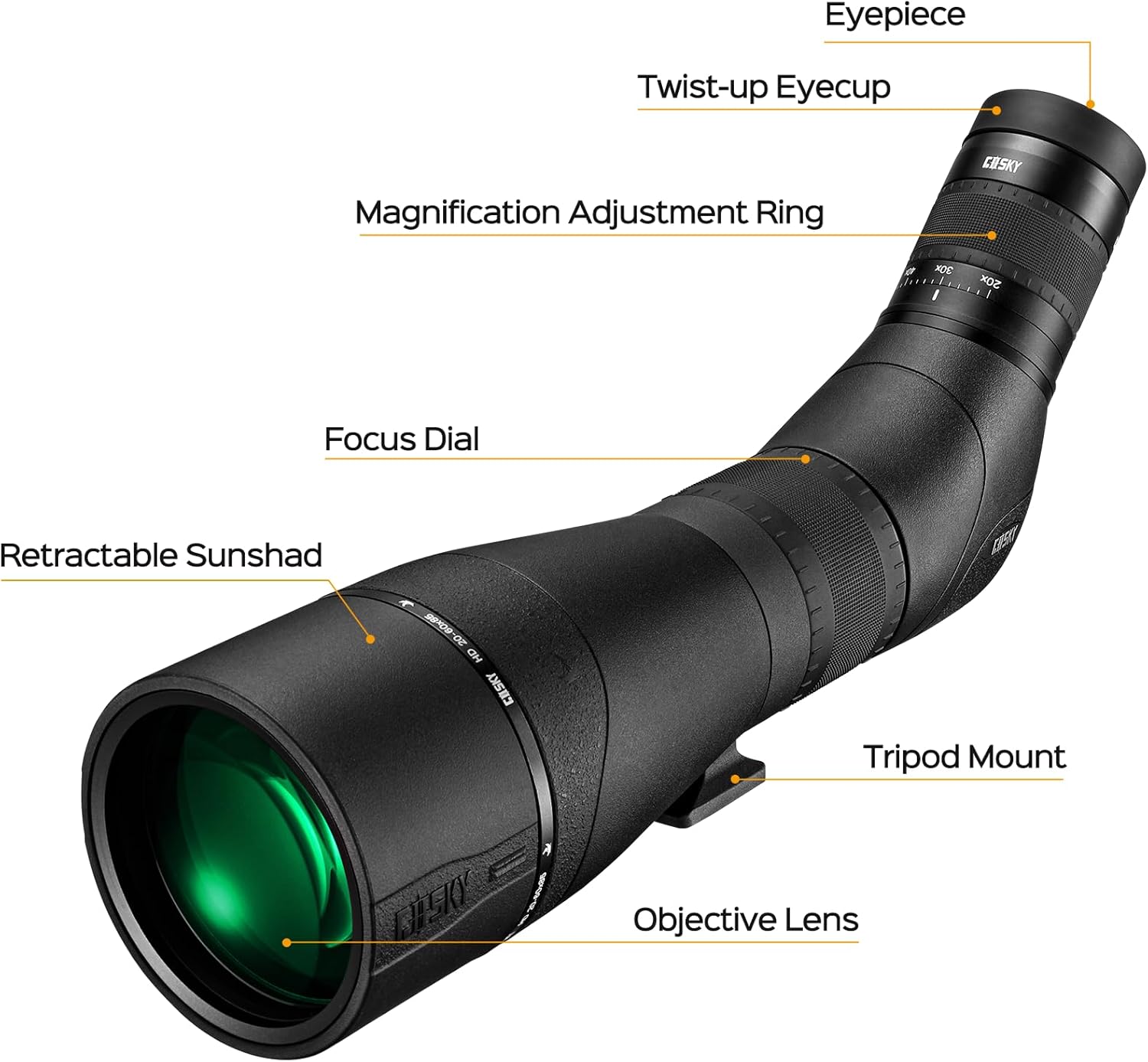
Image 2.1: Labeled components of the Gosky EagleView Spotting Scope
- Eyepiece: The part you look through.
- Twist-up Eyecup: Adjustable for comfortable viewing with or without eyeglasses.
- Magnification Adjustment Ring: Used to change the zoom level from 20x to 60x.
- Focus Dial: Adjusts the clarity of the image.
- Retractable Sunshade: Extends to reduce glare and protect the objective lens.
- Tripod Mount: Connects the scope to a tripod.
- Objective Lens: The large front lens that gathers light.
Key Features:
- 85mm Objective Lens: Provides a wide field of view and gathers ample light for bright images, even in low-light conditions.
- 20-60x Zoom Magnification: Allows for variable magnification to observe distant objects with detail.
- Helical Focus Dial: Ensures smooth and precise focusing for sharp images.
- Waterproof and Fogproof: O-ring sealed and nitrogen-filled construction for reliable performance in various weather conditions.
- Rubber Armor: Enhances durability and provides a secure grip.
- Multi-position Eyecup: Designed for comfortable viewing for all users, including those wearing glasses.
3. Setup
3.1 Unpacking and Initial Inspection
Carefully remove all components from the packaging. Inspect the spotting scope and accessories for any signs of damage. Retain the packaging for future storage or transport.
3.2 Attaching to a Tripod
For stable viewing, it is recommended to mount the spotting scope on a tripod. The scope includes a standard tripod mount.
- Locate the tripod mount on the underside of the spotting scope.
- Align the tripod mount with the screw on your tripod's quick-release plate or head.
- Securely fasten the scope to the tripod by turning the screw clockwise until tight. Do not overtighten.
- Adjust the tripod legs and head to achieve a stable and comfortable viewing height.
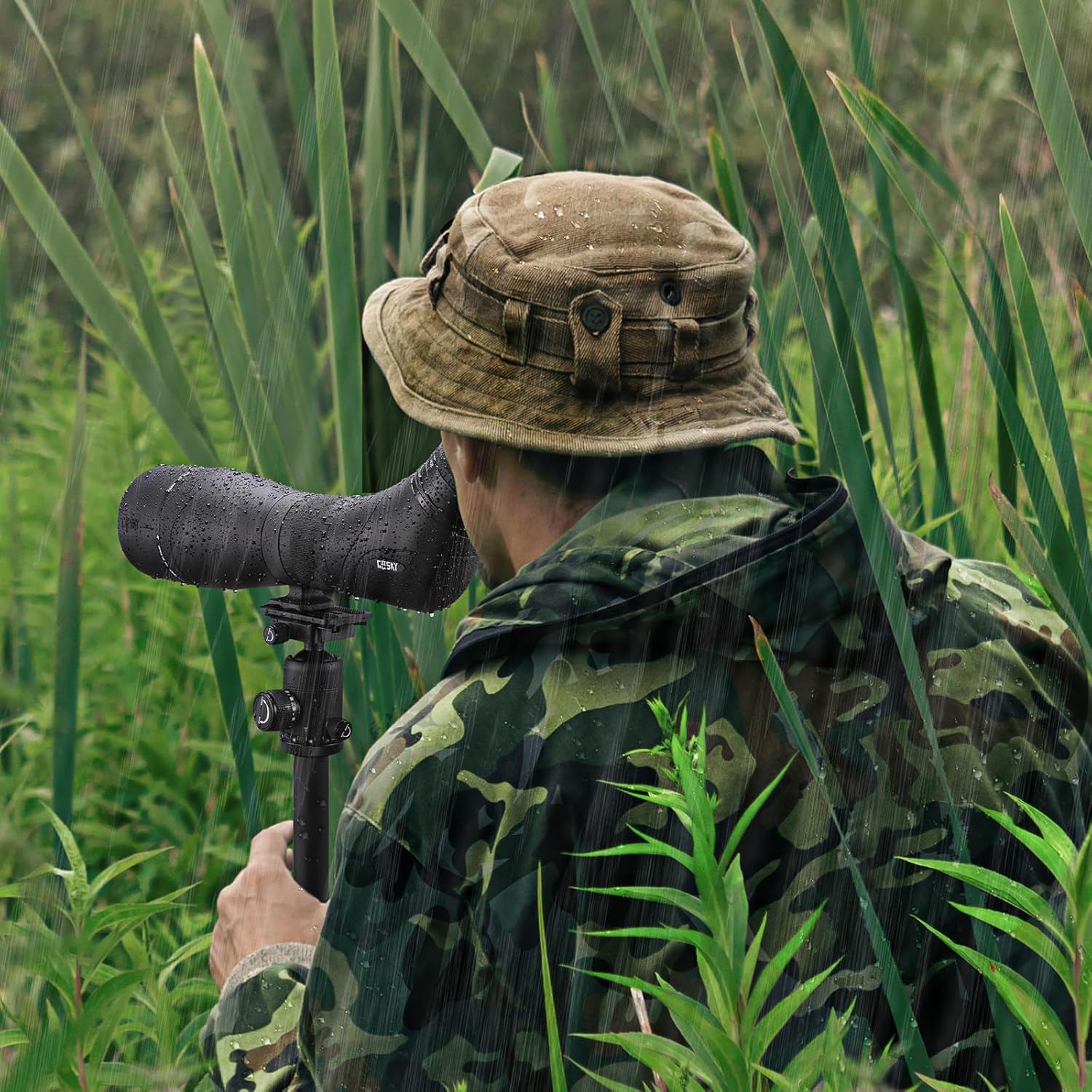
Image 3.1: Spotting scope mounted on a tripod for observation.
3.3 Adjusting the Eyecup
The twist-up eyecup can be adjusted for optimal eye relief:
- If you wear eyeglasses, twist the eyecup down completely.
- If you do not wear eyeglasses, twist the eyecup up to a comfortable position to block out stray light and achieve full field of view.
4. Operating Instructions
4.1 Adjusting Magnification
The spotting scope offers variable magnification from 20x to 60x.
- Look through the eyepiece.
- Rotate the Magnification Adjustment Ring (located near the eyepiece) to increase or decrease the zoom level.
- Start with lower magnification (20x) to locate your target, then gradually increase to higher magnification for more detail.
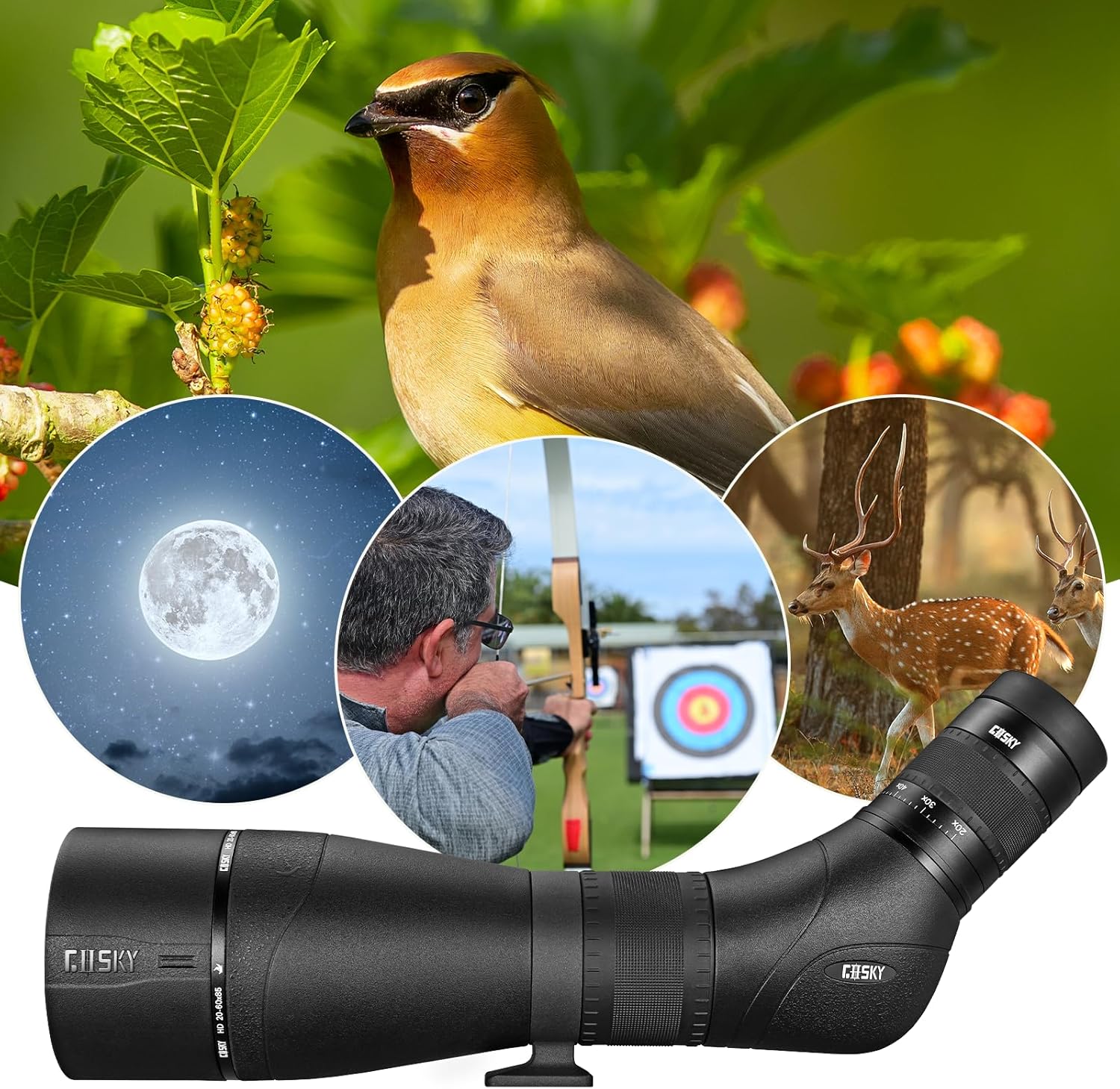
Image 4.1: Demonstrating 20-60x magnification capabilities.
4.2 Focusing
To achieve a clear image:
- After setting your desired magnification, slowly rotate the Focus Dial (located on the main body of the scope).
- Turn the dial in either direction until the image appears sharp and clear.
- Fine-tune the focus as needed, especially when changing magnification or observing objects at different distances.
4.3 Using the Retractable Sunshade
The sunshade helps to reduce glare and protect the objective lens from rain or dust.
- To extend the sunshade, gently pull the front section of the scope forward until it locks into place.
- To retract, push the sunshade back towards the scope body.

Image 4.2: Spotting scope with its retractable sunshade extended.
4.4 Attaching the Smartphone Adapter
The included smartphone adapter allows you to capture photos and videos through the spotting scope.
- Attach the adapter to the eyepiece of the spotting scope. Ensure it is securely fastened.
- Mount your smartphone onto the adapter.
- Adjust your phone's camera position until the scope's view is centered and fills the screen. You may need to zoom in slightly on your phone's camera to eliminate vignetting (dark edges).
- Use your phone's camera app to capture images or record videos.
5. Maintenance
5.1 Cleaning the Lenses
Proper lens care is crucial for maintaining image quality.
- Use the included lens cleaning cloth or a soft, lint-free cloth specifically designed for optical lenses.
- Gently wipe the lens surfaces to remove dust or smudges.
- For stubborn dirt, a small amount of lens cleaning fluid can be applied to the cloth, not directly to the lens.
- Avoid touching the lens surfaces with your fingers.
5.2 General Care and Storage
Your Gosky EagleView Spotting Scope is designed to be durable and weather-resistant.
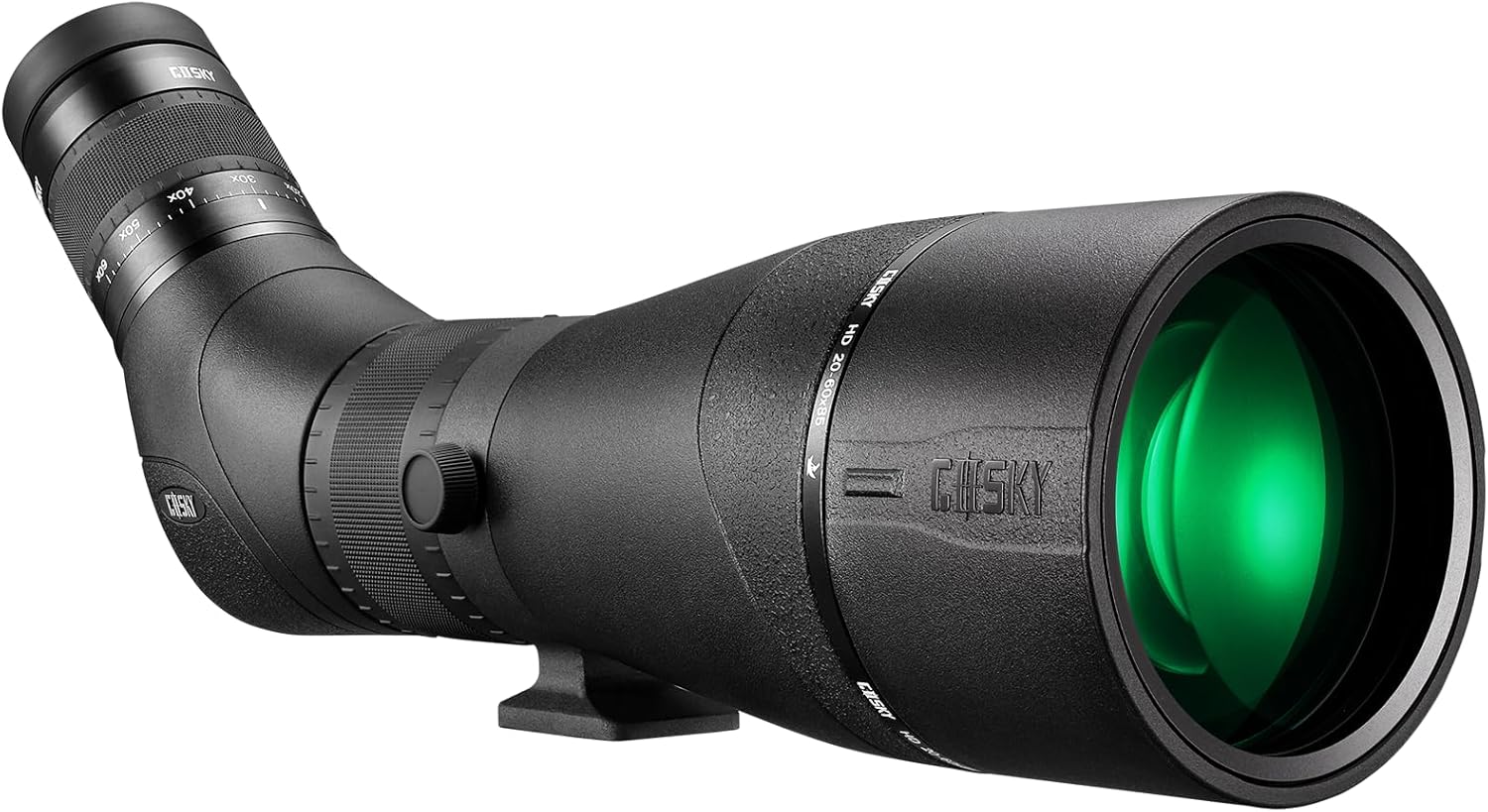
Image 5.1: Spotting scope demonstrating its waterproof capabilities.
- Always replace the eyepiece and objective lens covers when the scope is not in use.
- Store the scope in its protective carrying case in a cool, dry place.
- Avoid exposing the scope to extreme temperatures or direct sunlight for extended periods.
- While waterproof, avoid submerging the scope in water. If it gets wet, wipe it dry with a soft cloth.
6. Troubleshooting
If you encounter issues with your spotting scope, refer to the following common problems and solutions:
| Problem | Possible Cause | Solution |
|---|---|---|
| Image is blurry or out of focus. | Improper focus adjustment. | Adjust the Focus Dial until the image is sharp. |
| Dark edges (vignetting) when using smartphone adapter. | Smartphone camera not perfectly aligned or too wide. | Adjust phone position on adapter; use phone's digital zoom slightly to remove dark edges. |
| Image is dim or dark. | Low light conditions; high magnification in low light. | Use in brighter conditions; reduce magnification; ensure objective lens is clean. |
| Scope is unstable. | Tripod not securely attached or unstable surface. | Ensure scope is tightly mounted to tripod; place tripod on a stable, level surface. |
If you experience issues not covered here, please contact Gosky customer support for assistance.
7. Specifications
The following are the technical specifications for the Gosky EagleView 20-60x 85 HD Spotting Scope:
- Model Name: 85 HD
- Magnification: 20x to 60x (Variable Zoom)
- Objective Lens Diameter: 85 mm
- Field of View: 102-48 ft/1000 yards
- Optical Coating: XR anti-reflective coatings
- Waterproof/Fogproof: Yes (O-ring sealed, Nitrogen filled)
- Product Dimensions: 20 x 7 x 9 inches (approximate)
- Item Weight: 5.84 pounds (approximate)
- Compatible Devices: Smartphone (with adapter)
8. Warranty and Support
Gosky is committed to providing high-quality optical products. For warranty information, product support, or any inquiries, please refer to the official Gosky website or contact their customer service department directly. Keep your purchase receipt as proof of purchase.
Manufacturer: Gosky