
PHILIPS B0C7VN6ZDX
Philips Ceiling Light with Fan and Remote Control Amigo Fan Light Flat LED 20 W and 40 W User Manual
Model: B0C7VN6ZDX
Introduction
The Philips Amigo Fan Light is a versatile ceiling fixture that combines efficient LED lighting with a powerful, integrated fan. Designed for indoor use, this unit offers adjustable light settings and fan modes to enhance comfort and ambiance in your living space. It is controlled via an intuitive remote control, providing convenience and ease of use.
Important Safety Information
Please read all safety instructions carefully before installation and use. Failure to follow these instructions may result in electric shock, fire, or serious injury.
- Always disconnect power at the main circuit breaker before attempting any installation, maintenance, or cleaning.
- Installation must be performed by a qualified electrician in accordance with all local electrical codes and regulations.
- This product is designed for indoor use only. Do not install in damp or wet locations.
- Ensure the mounting surface can support the weight of the fixture.
- Do not insert fingers or any objects into the fan blades while the fan is operating.
- Keep the remote control and unit out of reach of children.
- Use only the replacement parts specified by Philips.
Package Contents
Verify that all components are present in the package before beginning installation:
- Philips Amigo Fan Light Flat LED Unit
- Remote Control
- Mounting Hardware Kit (screws, wire nuts, etc.)
- User Manual
Product Overview
The Philips Amigo Fan Light integrates a sleek LED light panel with a quiet, efficient fan, all housed within a compact ceiling-mounted unit.
Components
- LED Light Panel: Provides adjustable illumination.
- Integrated Fan: Circulates air for cooling or heat distribution.
- Motor Housing: Contains the fan motor and electrical connections.
- Remote Control: Allows wireless operation of all functions.
Dimensions
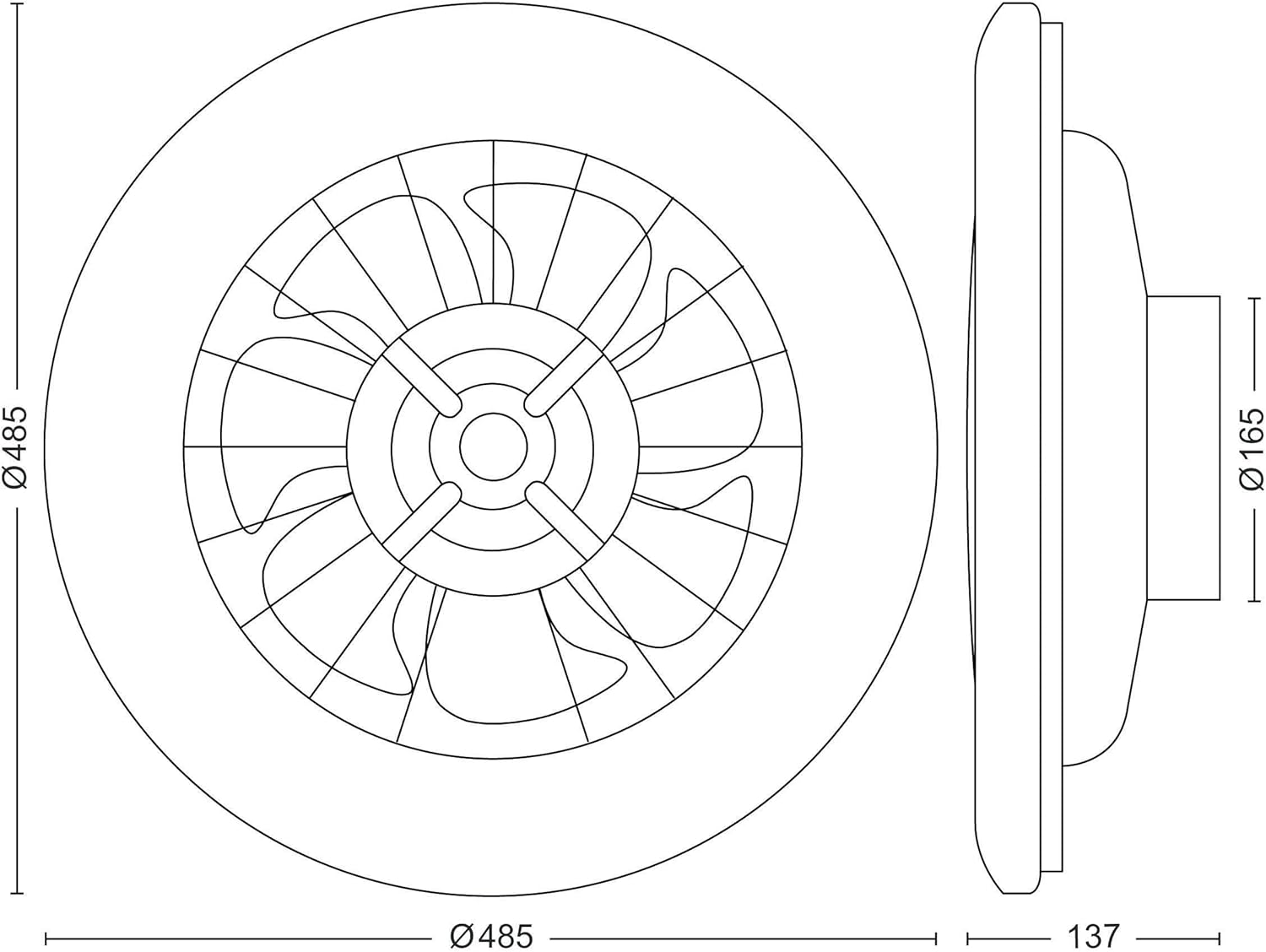
Image: Product dimensions. The ceiling light has a diameter of 485mm and a total height of 137mm, with the central hub having a diameter of 165mm.
Installation
Follow these steps for safe and proper installation:
- Prepare for Installation: Turn off power to the ceiling fixture at the main circuit breaker. Ensure the power is completely off before proceeding.
- Mounting Bracket Installation: Secure the provided mounting bracket to the ceiling junction box using appropriate screws. Ensure it is firmly attached and can support the weight of the fan light.
- Electrical Connections: Connect the electrical wires from the ceiling to the corresponding wires on the fan light unit (Live, Neutral, Earth). Use wire nuts to secure connections. Refer to the wiring diagram in the separate installation guide if provided.
- Attach the Unit: Carefully lift the fan light unit and attach it to the mounting bracket, ensuring all wires are tucked safely inside the junction box. Secure the unit with the provided screws or locking mechanism.
- Final Check: Double-check all connections and ensure the unit is securely fastened to the ceiling.
- Restore Power: Turn the power back on at the main circuit breaker.
Operating Instructions
Remote Control Functions
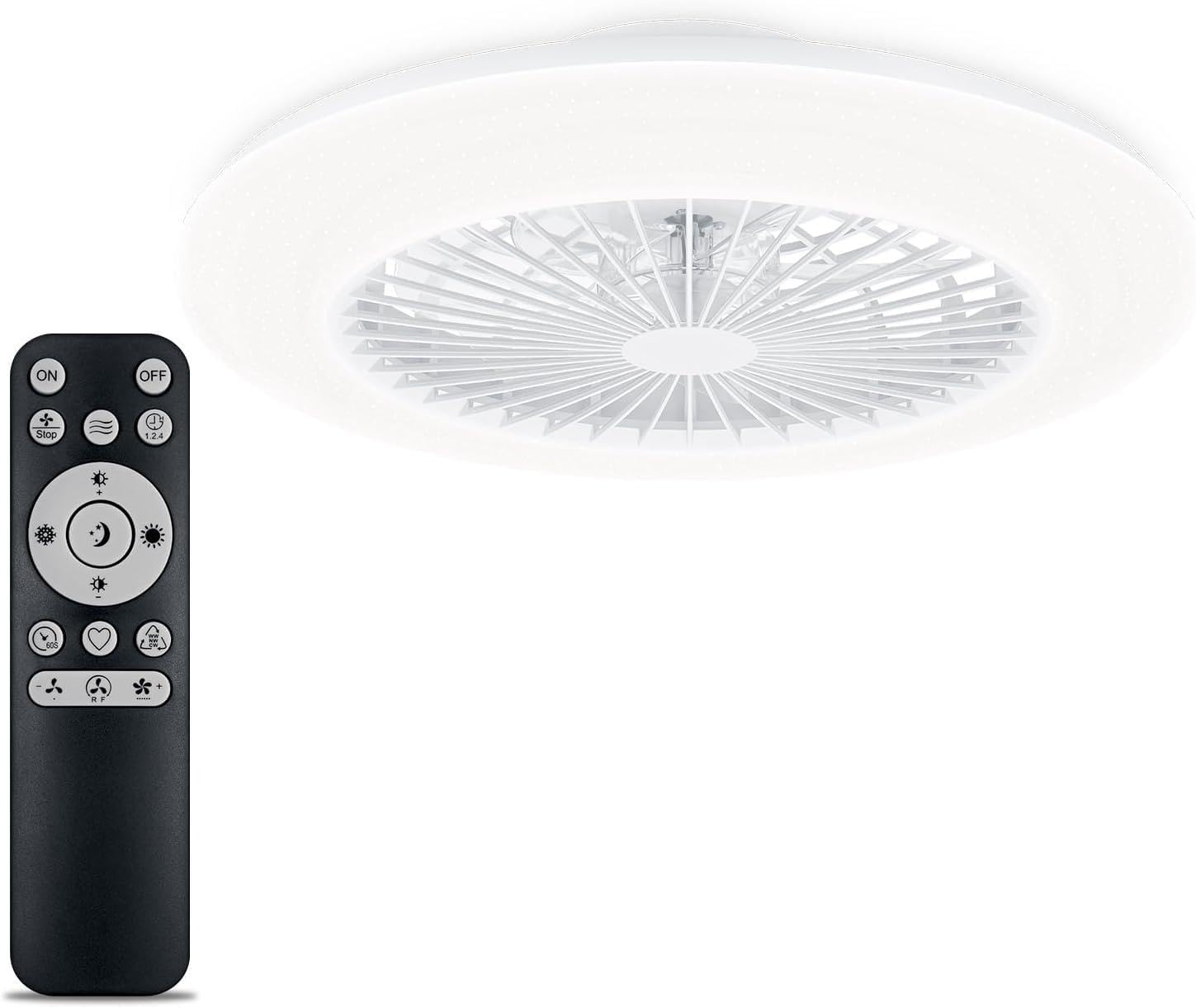
Image: Philips Amigo Fan Light and its remote control. The remote allows full control over light and fan settings.
- ON/OFF: Powers the unit on or off.
- Fan Speed Control: Adjusts the fan speed through multiple levels (e.g., Low, Medium, High).
- Light Brightness Control: Dims or brightens the LED light output.
- Color Temperature Control: Changes the light color from warm white to cool white.
- SceneSwitch: Cycles through three preset lighting scenes, offering different brightness levels or color temperatures for various moods.
- Summer Mode: Sets the fan to rotate counter-clockwise, creating a downward airflow for a cooling breeze.
- Winter Mode: Sets the fan to rotate clockwise, circulating warm air downwards to improve heating efficiency.
- Timer: Activates a timer for automatic shut-off after a set period (e.g., 1 hour, 2 hours, 4 hours).
SceneSwitch Technology
The SceneSwitch feature allows you to easily change the lighting ambiance with a single press of the dedicated button on the remote. It cycles through three distinct brightness levels or color temperatures, providing optimal lighting for various activities such as reading, relaxing, or general illumination.
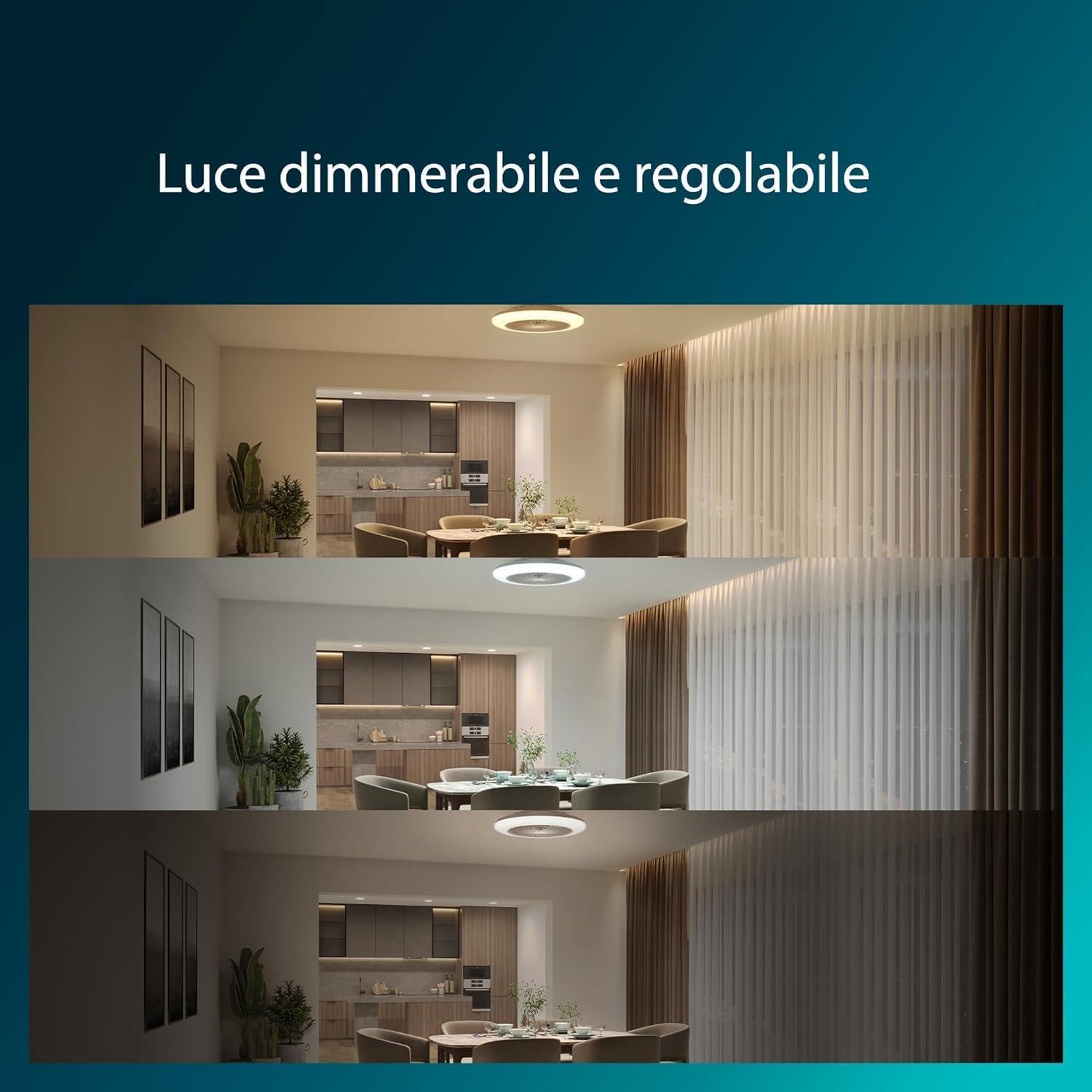
Image: Demonstration of dimmable and adjustable light settings. The Philips Amigo Fan Light offers versatile lighting options to suit different moods and times of day.
Summer and Winter Operation
The fan includes optimized modes for both summer and winter seasons. In summer mode, the fan blades rotate to create a direct cooling effect. In winter mode, the fan's rotation is reversed to gently circulate warm air that rises to the ceiling, helping to redistribute heat and improve overall room temperature efficiency.

Image: Illustration of summer and winter operation modes. The fan can be set to circulate air for cooling in summer or to redistribute warm air in winter.
Maintenance
To ensure the longevity and optimal performance of your Philips Amigo Fan Light, follow these maintenance guidelines:
- Cleaning: Always disconnect power before cleaning. Wipe the exterior of the unit with a soft, damp cloth. Do not use abrasive cleaners, solvents, or harsh chemicals, as these can damage the finish.
- Fan Blades: Periodically check the fan blades for dust buildup. Clean them gently with a soft cloth to maintain efficient airflow.
- No User-Serviceable Parts: The fan light contains no user-serviceable parts. Do not attempt to disassemble or repair the unit yourself. Contact qualified service personnel for any repairs.
Troubleshooting
If you encounter issues with your Philips Amigo Fan Light, refer to the table below for common problems and their solutions:
| Problem | Possible Cause | Solution |
|---|---|---|
| Unit does not turn on (no light, no fan) | No power supply; Circuit breaker tripped; Loose wiring connection. | Check the circuit breaker and ensure it is in the 'ON' position. Verify all electrical connections are secure. |
| Fan is not working | Remote control batteries are low or dead; Incorrect fan mode selected; Obstruction in fan blades. | Replace remote control batteries. Ensure the correct fan mode is selected. Check for any obstructions and remove them carefully after disconnecting power. |
| Light is not working | Remote control batteries are low or dead; Light setting is too dim or off; LED failure. | Replace remote control batteries. Adjust light brightness and ensure it's not set to 'off'. If LEDs fail, contact customer support. |
| Remote control is unresponsive | Batteries are low or dead; Obstruction between remote and unit; Remote not paired (if applicable). | Replace remote control batteries. Ensure there is a clear line of sight to the unit. Refer to the pairing instructions if the remote needs to be re-paired. |
Specifications
- Brand: PHILIPS
- Model: B0C7VN6ZDX
- Item Weight: 2.46 Kilograms
- Colour: Clear
- Electric Fan Design: Ceiling Fan
- Power Source: Corded Electric
- Room Type: Indoor
- Special Feature: Energieeffizient (Energy Efficient)
- Recommended Uses: Living room, bedroom, general indoor spaces
- Mounting Type: Ceiling Mount
- Controller Type: Remote Control
- Finish Types: Brushed
- Assembly Required: No (for the main unit, installation required)
- Number of Pieces: 4 (referring to main components)
- Batteries Required: No (for the main unit, remote requires batteries)
- Included Components: Hub (main unit)
Warranty and Support
For detailed warranty information regarding your Philips Amigo Fan Light, please refer to the warranty card included in your product packaging. This card outlines the terms and conditions of your warranty coverage.
For technical support, troubleshooting assistance beyond this manual, or to inquire about replacement parts, please visit the official Philips website or contact Philips customer service directly. Contact information can typically be found on the Philips website or on your product packaging.
Ask a question about this manual
Ask about setup, troubleshooting, compatibility, parts, safety, or missing instructions. Manuals+ will review the question and use this page’s manual context to help answer it.