
1. Introduction
Thank you for purchasing the TYEMUI Portable Induction Cooktop, Model ZSCH001. This manual provides essential information for the safe and efficient operation of your new appliance. Please read it thoroughly before use and keep it for future reference.
2. Important Safety Instructions
When using electrical appliances, basic safety precautions should always be followed to reduce the risk of fire, electric shock, and injury to persons, including the following:
- Read all instructions before operating the appliance.
- Do not touch hot surfaces. Use handles or knobs.
- To protect against electrical shock, do not immerse cord, plugs, or the appliance in water or other liquid.
- Close supervision is necessary when any appliance is used by or near children.
- Unplug from outlet when not in use and before cleaning. Allow to cool before putting on or taking off parts.
- Do not operate any appliance with a damaged cord or plug or after the appliance malfunctions or has been damaged in any manner.
- The use of accessory attachments not recommended by the appliance manufacturer may cause injuries.
- Do not use outdoors.
- Do not let cord hang over edge of table or counter, or touch hot surfaces.
- Do not place on or near a hot gas or electric burner, or in a heated oven.
- Extreme caution must be used when moving an appliance containing hot oil or other hot liquids.
- Always attach plug to appliance first, then plug cord into the wall outlet. To disconnect, turn any control to "off", then remove plug from wall outlet.
- Do not use appliance for other than intended use.
- Ensure the power cord and plug are suitable for the appliance's wattage (2200W) and your local electrical standards (110 Volts AC).
3. Product Overview
The TYEMUI Induction Cooktop (Model ZSCH001) is a portable electric burner designed for efficient cooking. It features a tempered glass surface and touch controls.
Key Features:
- Fast Heating: 2200W high power with a 6.3-inch heating area for rapid cooking.
- Large LED Display: Digital display showing 8 levels of wattage for precise control.
- One-Key Peak Power: Designed for high-heat cooking like stir-frying or deep-frying.
- Cyclone Anti-blocking Fan: Porous heat dissipation system with noise reduction.
- Easy Maintenance: Hardened glass surface for simple cleaning.
Components:

Image: TYEMUI Induction Cooktop. This image shows the overall design of the portable induction cooktop, highlighting its compact form factor and control panel.
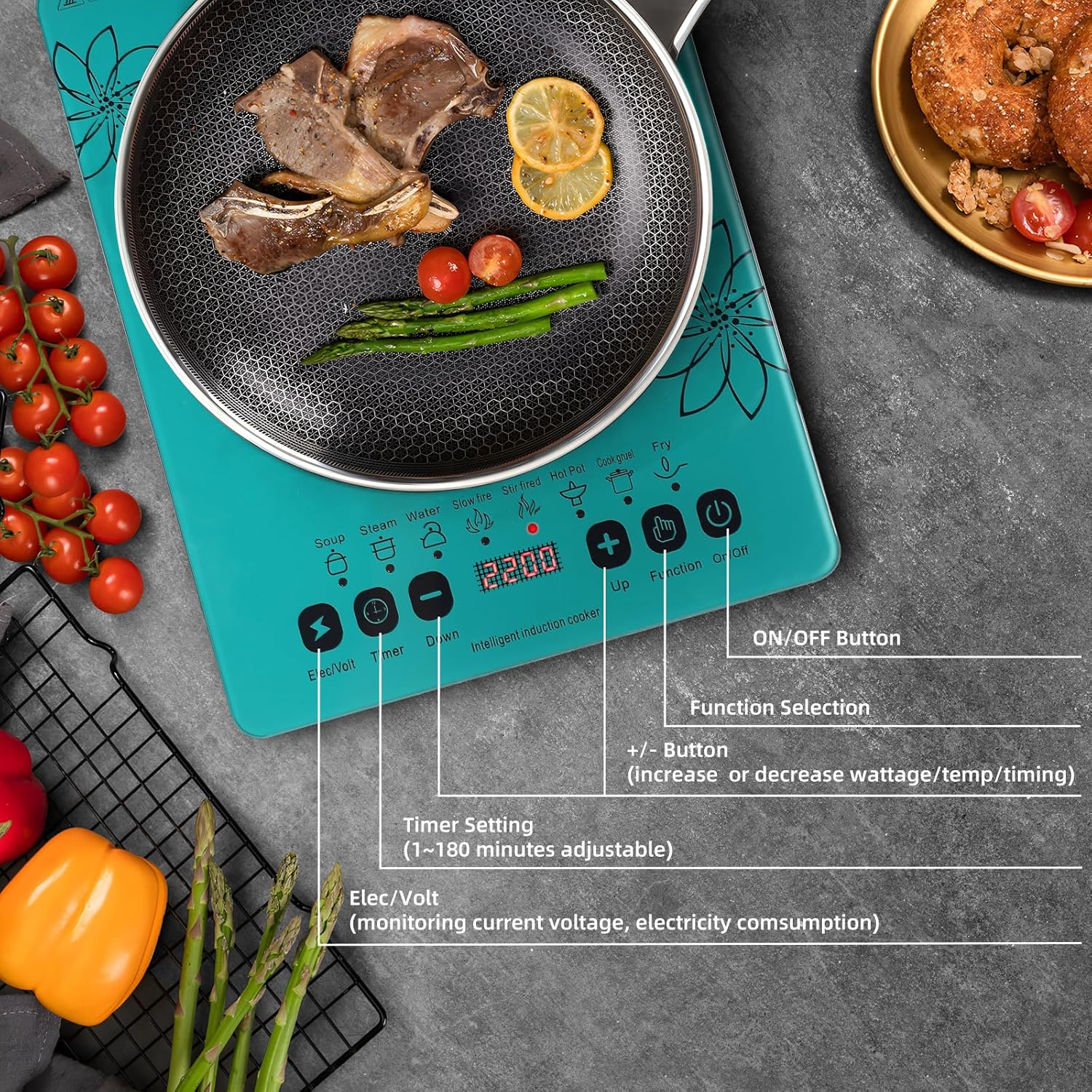
Image: Control Panel Layout. This image details the touch control panel, showing the ON/OFF button, Function Selection, +/- buttons for wattage/temperature/timing, Timer Setting, and Elec/Volt display.
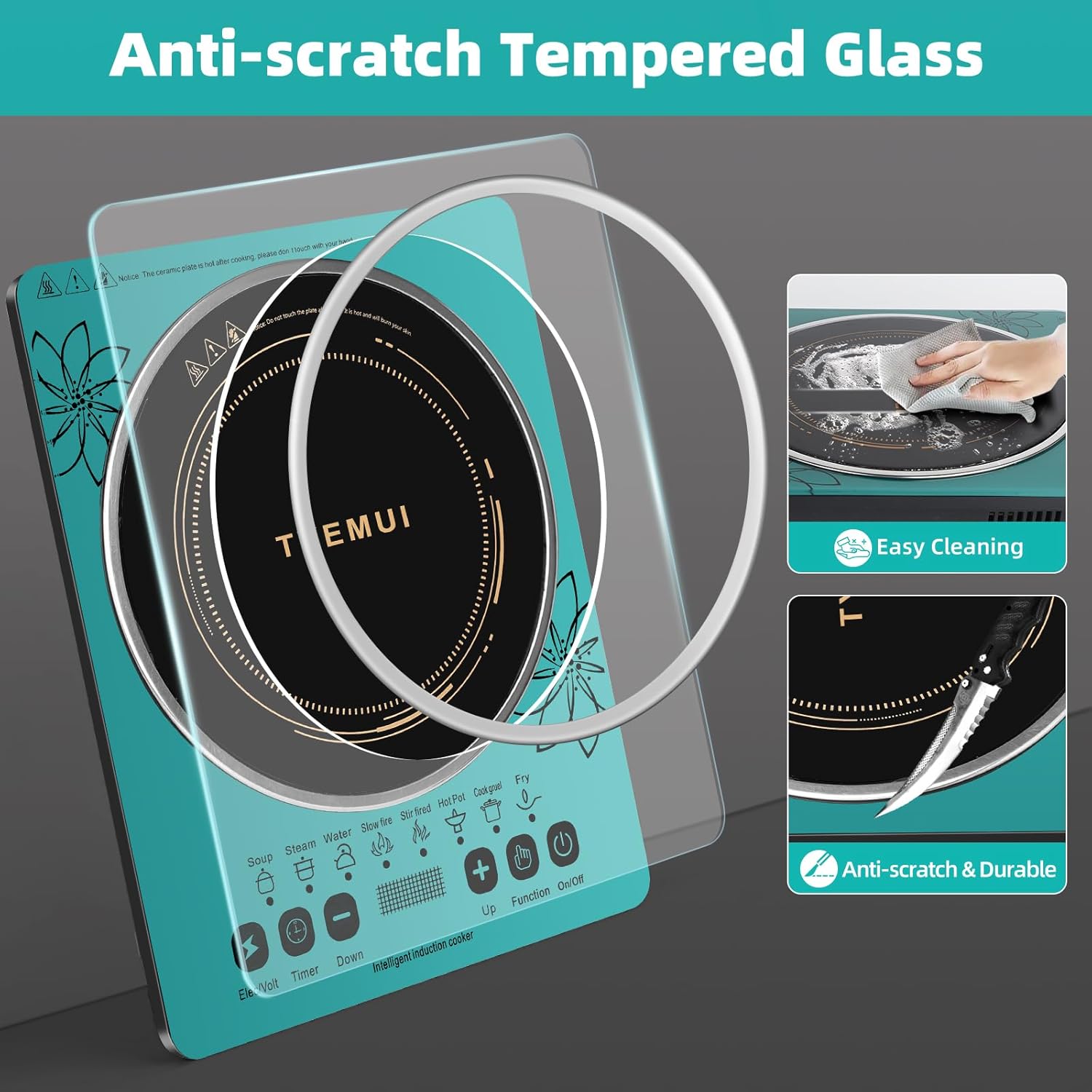
Image: Tempered Glass Surface. This image illustrates the durable, anti-scratch tempered glass surface of the cooktop, emphasizing its ease of cleaning.
4. Setup
- Unpacking: Carefully remove the cooktop from its packaging. Retain packaging for storage or return if necessary.
- Placement: Place the cooktop on a stable, flat, heat-resistant surface. Ensure there is adequate ventilation around the unit, especially for the fan vents. Do not place it near water sources or flammable materials.
- Power Connection: Plug the power cord into a standard 110V AC electrical outlet. Ensure the outlet is properly grounded and can support the 2200W power requirement of the cooktop.
- Initial Cleaning: Before first use, wipe the glass surface with a damp cloth.
5. Operating Instructions
The TYEMUI Induction Cooktop uses electromagnetic fields to heat compatible cookware directly. This results in faster heating and energy efficiency.
Compatible Cookware:
Only cookware made of ferromagnetic materials will work on an induction cooktop. To check if your cookware is compatible, hold a magnet to the bottom. If the magnet sticks, the cookware is suitable for induction.
- Compatible: Cast Iron, Magnetic Stainless Steel, Enameled Iron.
- Incompatible: Aluminum, Ceramic, Copper, Glass, Cookware with an unflatted base.

Image: Compatible Cookware Types. This visual guide shows examples of cookware that are compatible (Cast Iron, Stainless Steel, Enameled Iron) and incompatible (Aluminum, Ceramic, Copper, Glass, Unflatted Base) with the induction cooktop.
Basic Operation:
- Power On: Place compatible cookware with food/liquid on the center of the cooktop. Press the On/Off button. The display will light up.
- Select Function/Mode: Use the Function button to cycle through preset cooking modes (e.g., Soup, Steam, Water, Slow Fire, Stir-fried, Hot Pot, Cook Gruel, Fry).
- Adjust Power/Temperature: Once a mode is selected, use the + and - buttons to adjust the wattage (120W-2200W) or temperature (80°C-270°C) as needed. The cooktop offers 8 power levels and 8 temperature levels.
- Set Timer: Press the Timer button, then use + and - to set the desired cooking time (1-180 minutes). The cooktop will automatically turn off when the timer expires.
- Power Off: Press the On/Off button to turn off the cooktop when cooking is complete.

Image: Wattage and Temperature Modes. This image illustrates the various preset cooking modes, 8 power levels (120W-2200W), 8 temperature levels (80°C-270°C), and the 3-hour timer function available on the cooktop.

Image: 2200W High Efficiency Heating. This image visually represents the powerful and efficient heating capability of the cooktop, showing heat radiating from the burner to a wok.

Image: Updated Large Heating Area. This image highlights the cooktop's 8.66-inch large heating area, which senses larger pans, heats food evenly, and helps avoid burning.
6. Maintenance
Proper maintenance ensures the longevity and performance of your induction cooktop.
- Cleaning the Surface: After each use, allow the cooktop to cool completely. Wipe the tempered glass surface with a damp cloth and mild detergent. For stubborn stains, use a non-abrasive cleaner specifically designed for glass cooktops. Do not use abrasive pads or harsh chemicals.
- Cleaning the Vents: Periodically check the air intake and exhaust vents for dust or debris. Use a soft brush or vacuum cleaner to gently remove any blockages to ensure proper airflow and prevent overheating.
- Storage: When not in use, store the cooktop in a dry, safe place away from direct sunlight and extreme temperatures.
7. Troubleshooting
If you encounter issues with your cooktop, refer to the following common problems and solutions:
| Problem | Possible Cause | Solution |
|---|---|---|
| Cooktop does not turn on. | No power, loose plug, or power outage. | Check power cord connection. Ensure outlet is functional. Check circuit breaker. |
| Cooktop turns on but does not heat. | Incompatible cookware, no cookware detected, or cookware not centered. | Use induction-compatible cookware. Ensure cookware is placed centrally on the heating zone. |
| Cooktop heats slowly or not to desired temperature. | Incorrect power/temperature setting, or cookware not optimal for induction. | Increase power/temperature setting. Ensure cookware has a flat, magnetic base. |
| Display shows an error code. | Specific malfunction or sensor issue. | Refer to the specific error code in the full manual (if available) or contact customer support. Try resetting the unit by unplugging and replugging. |
| Unusual noise during operation. | Normal fan operation, or resonance from certain cookware. | A low hum is normal from the cooling fan. Some cookware may produce a slight buzzing sound; this is not a defect. |
8. Specifications
- Model Number: ZSCH001
- Brand: TYEMUI
- Color: Teal
- Material: Tempered Glass
- Heating Elements: 1
- Product Dimensions: 16.9"D x 12.09"W x 5.1"H
- Wattage: 2200 watts
- Controls Type: Touch
- Voltage: 110 Volts (AC)
- Burner Type: Induction
- Manufacturer: TYEMUI
9. Warranty and Support
For warranty information or technical support, please refer to the documentation included with your purchase or contact TYEMUI customer service. Keep your purchase receipt as proof of purchase for warranty claims.
Contact Information: Please visit the official TYEMUI website or refer to your product packaging for the most up-to-date customer support contact details.