
petivity 00017800194716
Purina Petivity Smart Litter Box Monitor User Manual
Cat Weight Scale & Health Tracker - Monitor Litter Habits, Track Weight Accurately, AI Alerts & Monthly Reports, Phone App, Works for Multiple Cats
Introduction
The Petivity Smart Litter Box Monitor system is designed to provide valuable insights into your cat's health by tracking their weight and litter box activity. This system utilizes advanced sensors and artificial intelligence to identify changes that may indicate a health condition, allowing for earlier veterinary diagnosis. The accompanying free Petivity app delivers personalized insights, health tips, and comprehensive reports that can be shared with your veterinarian. It is suitable for multi-cat households, as it can distinguish between individual cats without the need for chips or collars.

The Petivity Smart Litter Box Monitor in use, showing a cat in the litter box and the companion app on a smartphone.
Setup Guide
Follow these steps to set up your Petivity Smart Litter Box Monitor:
- INSTALL THE APP: Before powering on your monitor, download the Petivity mobile app. This app is crucial for guiding you through the setup process. The free Petivity app is available for Android 10 or higher and iPhone running iOS14 or higher.
- PREPARE FOR SET-UP: Ensure that your phone is connected to your home WiFi network and Bluetooth is enabled. Have your home WiFi password readily available.
- CHOOSE A POWER SOURCE: You have two options for powering your monitor: the power cord or batteries (provided). Use whichever is most convenient for the monitor's location. Do not use both power sources simultaneously. If your cat tends to chew cords, using batteries is recommended.
- If using power cord: Locate the USB port on the bottom of your monitor. Plug in the power cord and route it through one of the provided channels.
- If using batteries: Find the battery cover on the bottom of your monitor. Remove the cover, insert the batteries, and then replace the cover. Note that using rechargeable batteries may affect the accuracy of the battery life indicator in the app. If you choose rechargeable batteries, use 1.2V or 1.5V AA.
- SET UP YOUR MONITOR AND CAT PROFILE IN THE APP: Open the Petivity app and follow the on-screen instructions to complete your monitor setup and create profiles for your cat(s). After the monitor connects to WiFi for the first time, it will automatically check for software updates. If an update is available, it will download automatically (this may take 2-3 minutes). Keep the monitor powered on during the update and do not press the status button. Once successfully set up, place your litter box on top of the monitor. The monitor will begin collecting data as soon as your cat uses the litter box.

The monitor features a simple setup process, quickly connecting to the Petivity app.
Setup Video Guide
This video provides a visual overview of the Petivity Smart Litter Box Monitor System, including its components and how it integrates with your litter box.
Operating the Monitor
The Petivity Smart Litter Box Monitor continuously collects data to provide comprehensive insights into your cat's health and habits:
- Tracks Data: The monitor tracks your cat's weight and litter box activity, including frequency, elimination type, and time of day.
- Identifies Changes: Using AI technology, the system identifies subtle changes in your cat's behavior or weight that may indicate potential health issues such as urinary tract infections, kidney disease, diabetes, hyperthyroidism, and obesity.
- Provides Alerts: The free Petivity app sends alerts when significant changes are detected, prompting you to seek veterinary care if necessary.
- Multi-Cat Compatibility: The monitor is designed to work in multi-cat homes, distinguishing between individual cats without requiring microchips or special collars.
- Generates Reports: The system delivers convenient email reports, personalized insights, and cat health tips. You can also generate Vet Reports to easily share important data with your veterinarian.
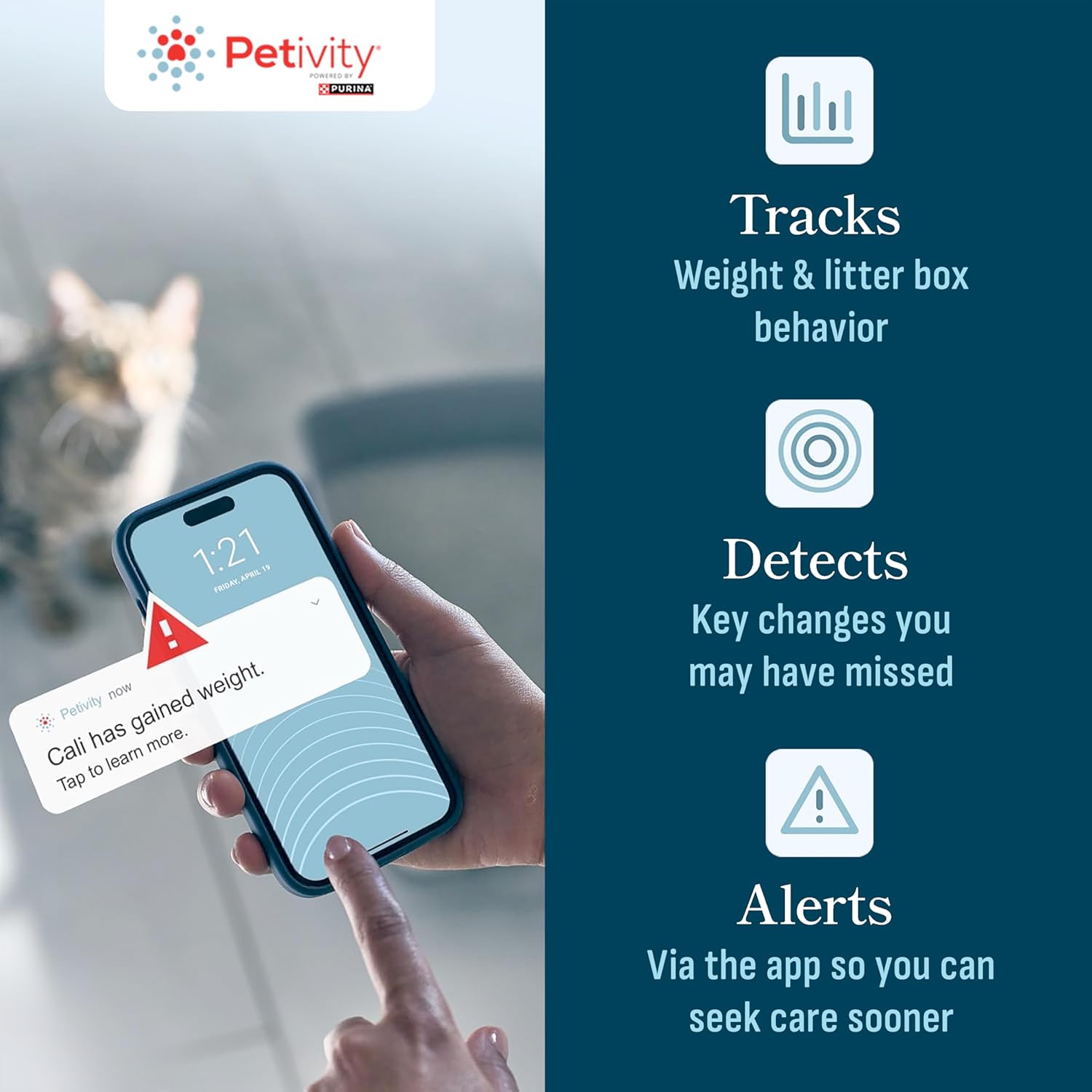
The Petivity system tracks, detects, and alerts you to important changes in your cat's health.

The Petivity monitor works effectively in multi-cat households, identifying individual cats.

Easily download and share comprehensive reports with your veterinarian.
Product Overview Video
A detailed video explaining the features and benefits of the Petivity Smart Litter Box Monitor System.
Litter Box Compatibility Video
This short video demonstrates the compatibility of the Petivity Smart Litter Box Monitor with various standard litter boxes.
Maintenance
To ensure optimal performance and longevity of your Petivity Smart Litter Box Monitor, regular maintenance is recommended:
- Cleaning: Periodically wipe down the surface of the monitor with a damp cloth. Avoid using harsh chemicals or abrasive cleaners, as these may damage the device. Ensure no liquids seep into the internal components.
- Battery Replacement: If using batteries, replace them when the app indicates low power to ensure continuous data collection.
- Software Updates: Keep the Petivity app and monitor firmware updated to benefit from the latest features and improvements. The monitor automatically checks for updates when connected to WiFi.
- Placement: Ensure the monitor is placed on a flat, stable surface to maintain accurate weight readings.
Troubleshooting
If you encounter issues with your Petivity Smart Litter Box Monitor, consider the following common solutions:
Connectivity Issues
- WiFi Connection: Ensure your home WiFi network is stable and the monitor is within range. Try moving the monitor closer to your router during initial setup if you experience difficulties connecting.
- Bluetooth: Confirm Bluetooth is enabled on your smartphone during the setup process.
- App Not Connecting: If the app fails to connect, try restarting both the monitor (by briefly removing and reinserting power source) and the Petivity app on your phone.
Inaccurate Readings / Multi-Cat Identification
- Calibration: The monitor may take a few days to 'learn' your cat's activity patterns. Ensure the litter box is placed centrally and stably on the monitor.
- Multiple Cats: While designed for multiple cats, significant weight differences between cats help the AI distinguish them. If cats have very similar weights, manual adjustments in the app might occasionally be needed during the learning phase. For most accurate data, consider a monitor for each litter box.
App Availability and Regional Restrictions
- Geographic Limitations: The Petivity Smart Litter Box Monitor and Petivity App are currently not supported or available in Canada, Mexico, Puerto Rico, or other U.S. Territories. Ensure you are in a supported region for full functionality.
FAQ and Expert Insights
Watch this roundtable discussion with Purina experts addressing frequently asked questions about the Petivity system.
Specifications
| Brand | petivity |
| Model Name | PETIVITY Smart Lit Box Mntr 1X5.5Lb US |
| Item Model Number | 00017800194716 |
| ASIN | B0C7S7NPMX |
| UPC | 017800194761 |
| Item Weight | 5.5 Pounds |
| Product Dimensions | 22.95"L x 17.8"W x 2.72"H |
| Weight Limit | 5.5 Pounds |
| Material | Plastic |
| Color | Other |
| Manufacturer | Nestle Purina Litter |
| Country of Origin | Mexico |
| Date First Available | June 12, 2023 |

Detailed dimensions and compatibility information for the Petivity Smart Litter Box Monitor.
Warranty and Support
Purina stands behind the Petivity Smart Litter Box Monitor with a comprehensive warranty and dedicated support:
- 90-Day Satisfaction Guarantee: If you are not satisfied with your purchase for any reason, you can return your monitor(s) within 90 days of the purchase date for a refund.
- 1-Year Limited Warranty: Beyond the satisfaction guarantee, a 1-year limited warranty is provided. If issues arise within this period, you may receive a replacement monitor(s).
- Contact Support: To initiate a return request or for any support inquiries, please contact Purina directly.
Phone: 866-979-2477 (toll-free)
Email: support@petivity.com

Access expert support for your Petivity monitor 7 days a week.
Related documents00017800194716

Ask a question about this manual
Ask about setup, troubleshooting, compatibility, parts, safety, or missing instructions. Manuals+ will review the question and use this page’s manual context to help answer it.