
1. Introduction
Thank you for purchasing the Diyeeni Bluetooth Ring Remote Control. This device offers convenient wireless control for various smartphone functions, including scrolling, page turning, camera shutter activation, and media playback. Please read this manual carefully to ensure proper use and optimal performance.
2. Package Contents
Upon opening the package, please verify that all items are present:
- 1 x Diyeeni Bluetooth Ring Remote Control
- 1 x Instruction Manual
- 1 x USB Charging Cable

Image: The Diyeeni Bluetooth Ring Remote Control shown alongside its USB charging cable, illustrating the complete package contents.
3. Setup
3.1 Charging the Device
Before first use, fully charge the remote control. Connect the provided USB cable to the charging port on the device and to a standard USB power source. A full charge typically takes approximately 2 hours. The device is designed for low power consumption, offering up to 48 hours of continuous working time on a single charge.
3.2 Bluetooth Pairing
Follow these steps to pair your Diyeeni Bluetooth Ring Remote Control with your smartphone or tablet:
- Power On: Long press the central button (labeled '1' in some diagrams, typically the main action button) for 3 seconds to turn on the remote control. A blue indicator light will flash, indicating it is in pairing mode.
- Activate Bluetooth: On your smartphone or tablet, go to your device's Bluetooth settings and ensure Bluetooth is enabled.
- Search for Device: In the list of available Bluetooth devices, search for "JX-05".
- Pair: Select "JX-05" to initiate the pairing process. Once successfully paired, the blue light on the remote may stop flashing or change its pattern.

Image: A hand wearing the Diyeeni Bluetooth Ring Remote Control, with blue signal waves emanating from it, symbolizing its Bluetooth connectivity and ease of matching for stable operation.
4. Operating Instructions
The Diyeeni Bluetooth Ring Remote Control is designed for intuitive operation across various applications. It supports a remote control distance of approximately 10 meters (32.8 feet).

Image: A person comfortably using the Diyeeni Bluetooth Ring Remote Control while lying on a bed, demonstrating its 10-meter remote control capability for easy interaction with a phone on a stand.
4.1 Basic Functions (Example: Short Video Apps)
Once paired, open a short video application (e.g., TikTok, Instagram Reels) or a novel reading app. The remote's buttons provide the following functionalities:
- Central Button: Press once to play or pause a video. Double-click to 'like' the video.
- Up/Down Buttons: Use to scroll up or down through content.
- Left/Right Buttons: Use to scroll left or right, or navigate between pages/sections.

Image: A hand wearing the Diyeeni Bluetooth Ring Remote Control, interacting with a smartphone screen displaying a video and heart icons, illustrating the ergonomic design and the ability to 'like' content.
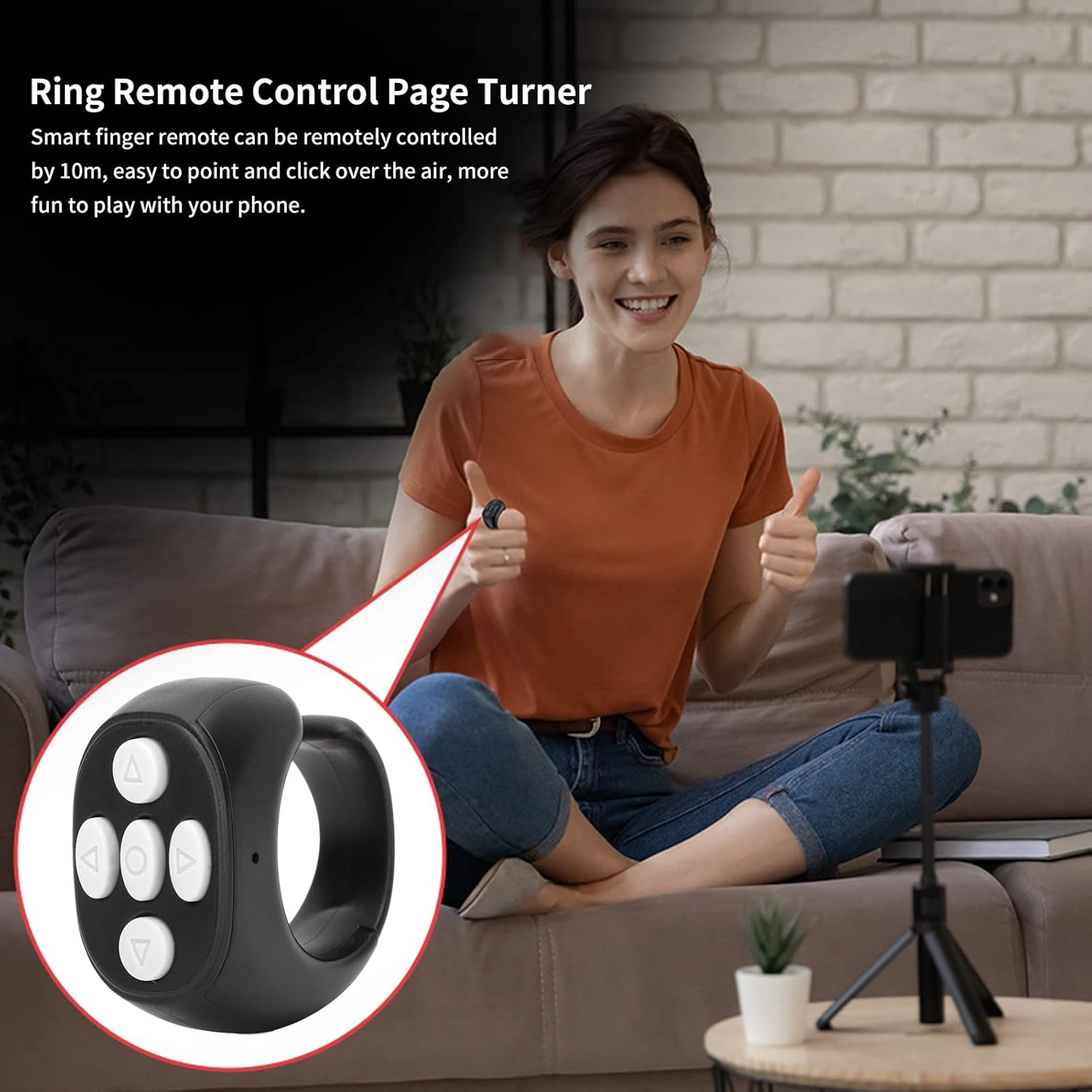
Image: A person sitting on a couch, smiling and giving a thumbs-up, while wearing the Diyeeni Bluetooth Ring Remote Control. A magnified inset shows the remote on their finger, highlighting its use as a page turner for remote control of a smartphone.
4.2 Camera Shutter Function
The remote can also function as a camera shutter for taking photos or starting/stopping video recordings remotely. Open your phone's camera app, position your phone, and use the remote's central button to activate the shutter.

Image: A person holding the Diyeeni Bluetooth Ring Remote Control while a smartphone on a tripod captures a scene, demonstrating the remote's function as a camera shutter for remote photography.
4.3 App Compatibility
The Diyeeni Bluetooth Ring Remote Control supports a wide range of applications, including:
- Mainstream short video applications
- Beauty camera applications
- Novel reading applications
5. Maintenance
To ensure the longevity and proper functioning of your remote control, please observe the following maintenance guidelines:
- Cleaning: Use a soft, dry cloth to clean the surface of the remote control. Avoid using abrasive cleaners or solvents.
- Storage: Store the device in a cool, dry place away from direct sunlight and extreme temperatures.
- Water Exposure: The device is not waterproof. Avoid exposure to water or high humidity.
- Battery Care: Recharge the device regularly, even if not in frequent use, to maintain battery health. Avoid fully depleting the battery for extended periods.
6. Troubleshooting
If you encounter issues with your Diyeeni Bluetooth Ring Remote Control, please try the following steps:
- Device Not Turning On: Ensure the device is fully charged. Connect it to the USB charging cable and allow it to charge for at least 30 minutes before attempting to power it on again.
- Unable to Pair:
- Ensure the remote control is powered on and the blue indicator light is flashing.
- Turn off and then turn on Bluetooth on your smartphone/tablet.
- Forget or unpair any previously connected "JX-05" devices from your phone's Bluetooth settings and attempt to pair again.
- Ensure the remote is within the 10-meter operating range of your device.
- Remote Not Responding:
- Check if the remote control's battery is low. Recharge if necessary.
- Verify that the remote is still paired with your device. If not, re-pair it.
- Restart your smartphone/tablet and the remote control.
- Functions Not Working in App: Ensure the app you are using supports external Bluetooth controls. Some apps may have limited or no support for such devices.
7. Specifications
| Model Number | JX-05 (Diyeenizbt7i6xdn8) |
| Bluetooth Version | V5.3 |
| Remote Control Distance | Approx. 10m / 32.8ft |
| Battery Type | Polymer Lithium Battery |
| Battery Capacity | 30mAh |
| Charging Time | Approx. 2 hours |
| Continuous Working Time | Approx. 48 hours |
| Transmit Frequency | 2.4GHz-2.4835GHz |
| Item Weight | 1.2 ounces |
| Special Feature | Ergonomic Design |
| Max Number of Supported Devices | 1 |
| Compatible Devices | Smartphones, Tablets (for camera, video, reading apps) |
8. Warranty and Support
No specific warranty information is provided in the product details. For support, please refer to the retailer where the product was purchased or contact Diyeeni customer service through their official channels if available.